Libro Line of Credit will not sync and quicken does not see my qfx file

Newbie here. Just setting up my accounts, and it connected to my Libro chequing account and downloaded transactions, but it will not download transactions or show the balance of my Line of Credit.
I have added a new "offline" account, downloaded the QFX file from Libro, but when I attempt to import the QFX file, Quicken cannot see it. It's seeing folders in the download location, but not the file.
Help? Did I set up the offline account wrong?
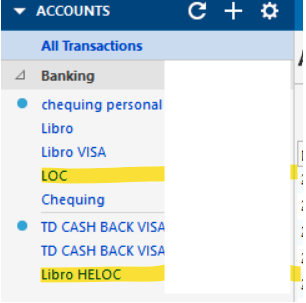
[Edited - Readability/Removed Personal Information]
Answers
-
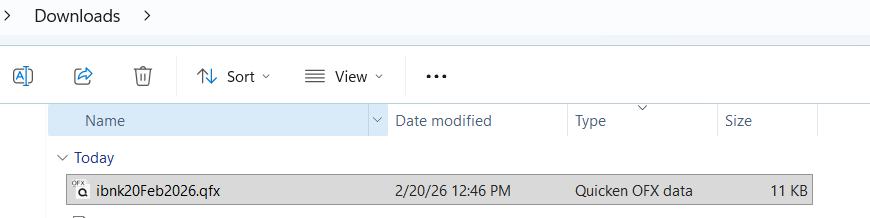
This is the transaction file I downloaded from Libro that quicken cannot see when I try to import a qfx file
0 -
Elaborate upon "cannot see". When you navigate to that folder, is it not displayed by the Import dialog?
OR, is it seen, but Q doesn't do anything with it? Or what?
And, the issue could be that even though Libro allows you to create a QFX file, they haven't told Q/Intuit to allow such. Express Web Connect, yes … but not "Web Connect" which is what you're trying.
Libro https://www.libro.ca/ NA https://libro.mycardinfo.com/ ACTIVE BANKING,CREDIT,ACCOUNTINFO&EXP-WEB-CONNECT
Libro Financial Group https://www.libro.ca/ (519) 542-5578 https://my.libro.ca/Login ACTIVE BANKING,ACCOUNTINFO&EXP-WEB-CONNECT
Q user since February, 1990. DOS Version 4
Now running Quicken Windows Subscription, Business & Personal
Retired "Certified Information Systems Auditor" & Bank Audit VP0 -
Libro appears to only have branches in Canada, so it's a bit unusual that they allow downloads into Q US.
My citations are from the FIDIR.TXT file for Q US. If you're running that, then my answer stands.
IF, however, you're running Q Cda, you might do a Windows search for the FIDIR.TXT file (it might be hidden, but it's there) and open it using NotePad or WordPad (NOT MS Word) and see what the entries there reflect.
And, if you're using the "Libro Financial Group" as the FI name, it doesn't appear to support the download of CREDIT type accounts. Entirely Libro's decision. You might see if switching to the other name helps.
Q user since February, 1990. DOS Version 4
Now running Quicken Windows Subscription, Business & Personal
Retired "Certified Information Systems Auditor" & Bank Audit VP0 -
Hello @scliff3534,
We haven't heard back from you in a while. Do you still need assistance?
If so, could you please provide the answers to @NotACPA's questions?Check back and let us know! Thank you.
-Quicken Anja
Make sure to sign up for the email digest to see a round up of your top posts.0 -
Hello again,
Checking in once more before this thread is closed.
Let us know if you still need assistance.Thank you!
-Quicken Anja
Make sure to sign up for the email digest to see a round up of your top posts.0

