http error 431 with Bank of America AND Discover - how to fix?

I just purchased Quicken again (used 5 years ago) BUT right away I cannot update these accounts. What is the fix?
Answers
-
Hello @BoWrinkle,
Thanks for reaching out to tell us about this issue!
To better assist you, could you please provide the following details?
- Where is your Quicken data file stored? Is it on your local hard drive (C: Drive) or a cloud-based/external drive (e.g.: OneDrive, DropBox, USB, etc.)?
- Please provide the exact file path as shown in the example below.

- Please provide the exact file path as shown in the example below.
- Have you attempted any troubleshooting steps so far? If so, what were they?
- Are you using a VPN while updating your accounts? If so, does disabling it make any difference?
- Do you have any antivirus or malware protection software running that may be interfering with Quicken? If so, have you tried temporarily disabling it to see if the issue persists?
- When did this issue first start occurring?
- Were there any significant changes to your system or software before the issue began (updates, new installations, etc.)?
- Are you starting from scratch with a new/empty data file and trying to add the accounts?
- Could you please provide a screenshot of the error you're receiving?
- If needed, please refer to this Community FAQ for instructions on how to attach a screenshot.
- Alternatively, you can also drag and drop screenshots to your response if you are not given the option to add attachments.
Your answers will help us diagnose the issue more effectively.
Looking forward to your response!
-Quicken Anja
Make sure to sign up for the email digest to see a round up of your top posts.0 - Where is your Quicken data file stored? Is it on your local hard drive (C: Drive) or a cloud-based/external drive (e.g.: OneDrive, DropBox, USB, etc.)?
-
- Thank you for your prompt reply. here are my answers:
- The quicken files is located on an external hard drive: E:\PERSONAL Files\Personal Files\Quicken Files\QDATA.QDF.
- VPN is OFF
- first started with my recent purchase within the past week. I just purchased this software. I used this 5 years ago. I am using the last Quicken file. I deleted the Bank of America account and reloaded it. I added as a new credit card, the Discover credit card and it gives me the very same message.
- No anitvirus or malware except for Microsoft. I have Microsoft 10 on my computer
- here is the screenshot . I receive the SAME screenshot for both Bank of America and Discover
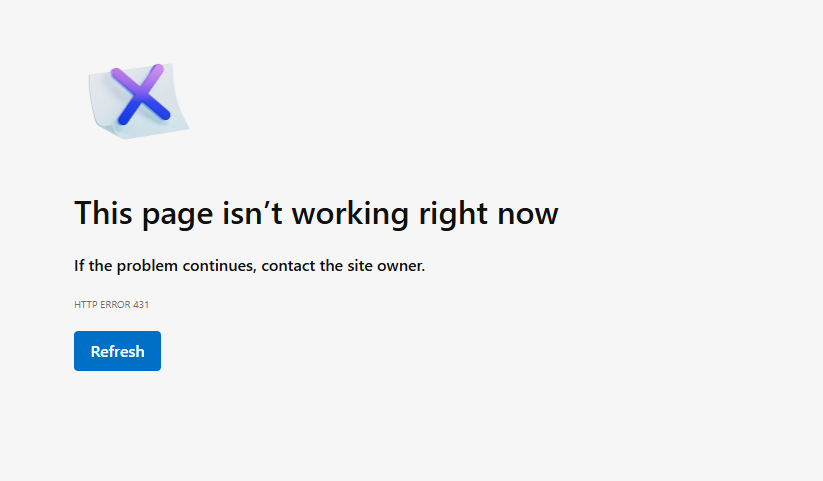
- If I cannot fix this, I want my money back as I am in my 30 day window, still.
0 -
Maybe this is related to this Alert?: NEW! 2/24/26 Bank of America Migration (multiple BIDS).
Also, and maybe tied to this Alert as well and/or to the local system: Google's AI returned the following message regarding Error 431.
HTTP Error 431 ("Request Header Fields Too Large") occurs when a web browser sends a request with headers (often cookies) that are too big for the server to process. To fix it, clear your browser’s cache and cookies for that site, try using an incognito/private window, or restart your browser. Common Causes and Fixes:
- Too Many Cookies: The browser has stored too much data for a specific domain, causing the header to exceed server limits.
- Fix: Clear cookies for the specific website or all sites via browser settings.
- Long Referrer URL: The link used to access the page is too long.
- Browser Specifics: For Chrome, resetting settings to default or flushing DNS (
ipconfig /flushdnsin Command Prompt) may help.
For Website Owners/Developers:
If you own the server, you may need to increase the maximum allowable header size in your web server configuration (e.g., Apache or Nginx) or reduce the number of cookies your site sends.Quicken Classic Premier (US) Subscription: R66.23 on Windows 11 Home
0

