Golden 1 Credit Union Error CC-505 Quicken stopped connecting

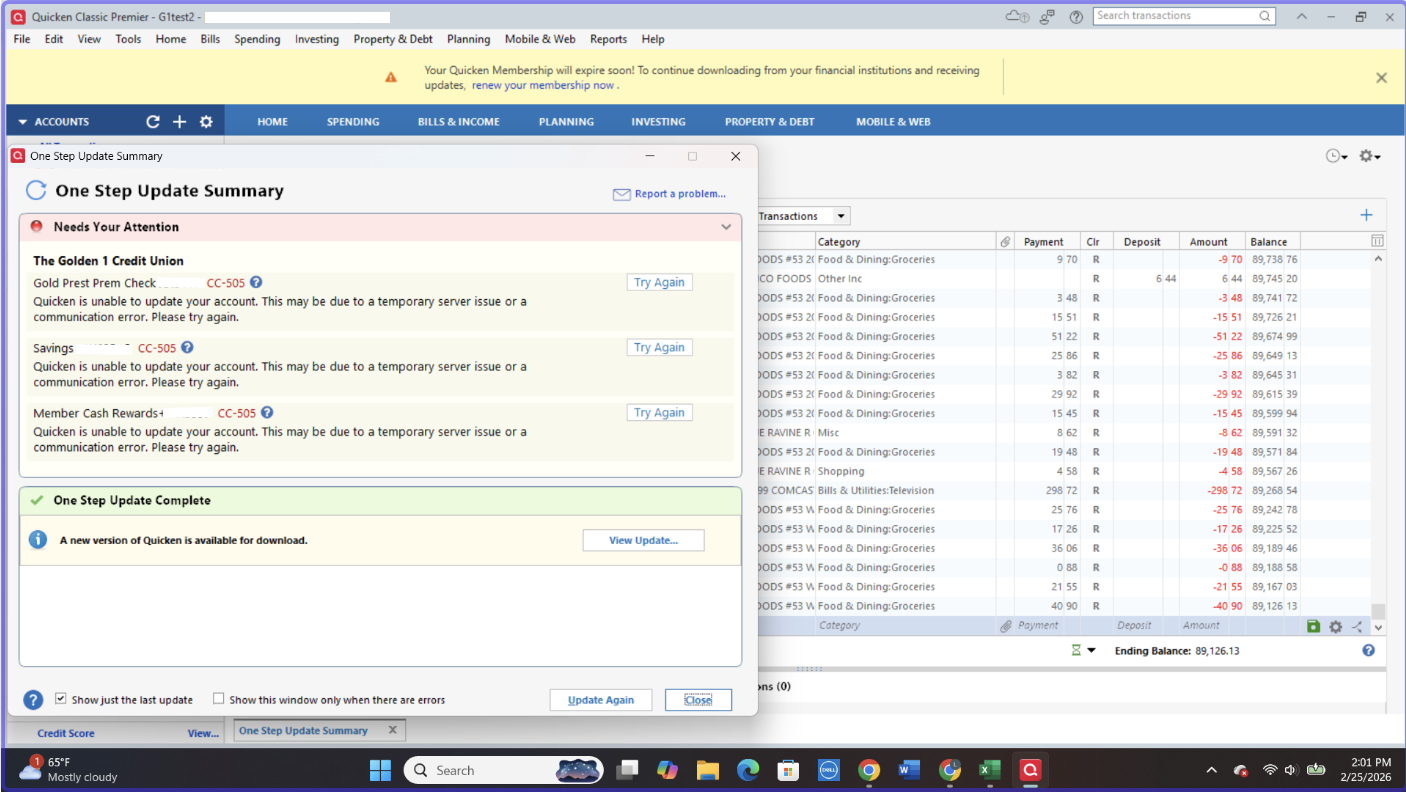
- I'm on Windows 11 and Quicken release R64.29.
- Issue started Saturday 2/21.
- Name of the bank is The Golden 1 Credit Union Error message CC-505.
The error occurred after a digital banking upgrade. When I reached out via email I got this response:
Golden 1 Response:
Thank you for reaching out to us.
We understand how important it is to have seamless access to your data. At this time, Quicken is still under development to support options beyond manual data export. Unfortunately, we do not have an estimated timeframe to share, and we sincerely apologize for any inconvenience this may cause.
We appreciate your patience and thank you for your continued membership.
Sincerely,
Member Advocate Team
Golden 1 Credit Union
Golden 1 call center wait times are 30-40 minutes to discuss this issue with no call back option.
I have a few questions: 1) Is Golden 1 working with Quicken to restore web connect connections 2) Can Quicken initiate this fix with Golden 1 IT staff 3) How long would it take to restore this service 4) What is the value of Quicken without web connect transaction downloads?
Thank you for your reply!
[Edited-Screenshot]
Comments
-
Hello @rlandon,
Thank you for reporting the issues you are seeing with Golden 1 Credit Union.
Currently, we do have a Known Issue with Golden 1. It is a different error, but this is most likely related.
After reviewing your connections internally, I can confirm you are getting a CC-505 error. You may be able to log into the bank's website successfully and still receive this error in Quicken. This is because the error is caused by an issue on the bank's servers (typically a block placed by the bank) that Quicken uses to download transactions.
First, wait one business day
This error message is typically caused by a temporary issue on your bank's servers. You can try updating again in a few hours or the next business day.
Second, if waiting one day does not resolve the issue
Try refreshing your online account information:
1. From your account register, select the Actions gear icon at the very top right of your register (Ctrl + Shift + N).
2. Select Update Now.
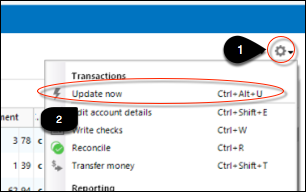
3. Follow the on-screen instructions to complete the update.
4. Repeat these steps for each financial institution experiencing this error.
If the issue persists
Try the steps above again the next business day. If the problem continues for over 48 hours, contact Quicken Support for assistance.
To answer your questions at the bottom of your post:
- Quicken is aware of this issue and has escalated it.
- When this happens, we do work with the financial institution toward a resolution.
- I do not have any information on what Golden 1 plans to do, and therefore cannot speak to that.
- We do not provide ETAs as to when issues will be resolved.
- Quicken has a plethora of other features and benefits that make it valuable. Measuring its value would depend on what exactly you use Quicken for. However, that does not discount the value of this bank connection you depend on. I hope this can be resolved soon!
Hope this helps!
Quicken Alyssa
Make sure to sign up for the email digest to see a round up of your top posts.
0 -
This is undoubtedly due to Golden 1's recently digital platform upgrade they launched in the last week or two. I thought my Quicken Classic install was still working, but it was just allowing the old credentials to authenticate and then not actually doing anything. I've since tried to update my login info (they've forced the selection of username instead of the old account ID login we'd used for years) and I'm unable to ever connect. They do also have a 2 factor login enabled and required by default, so I would not be surprised if that's blocking the authentication.
https://www.golden1.com/digital-banking
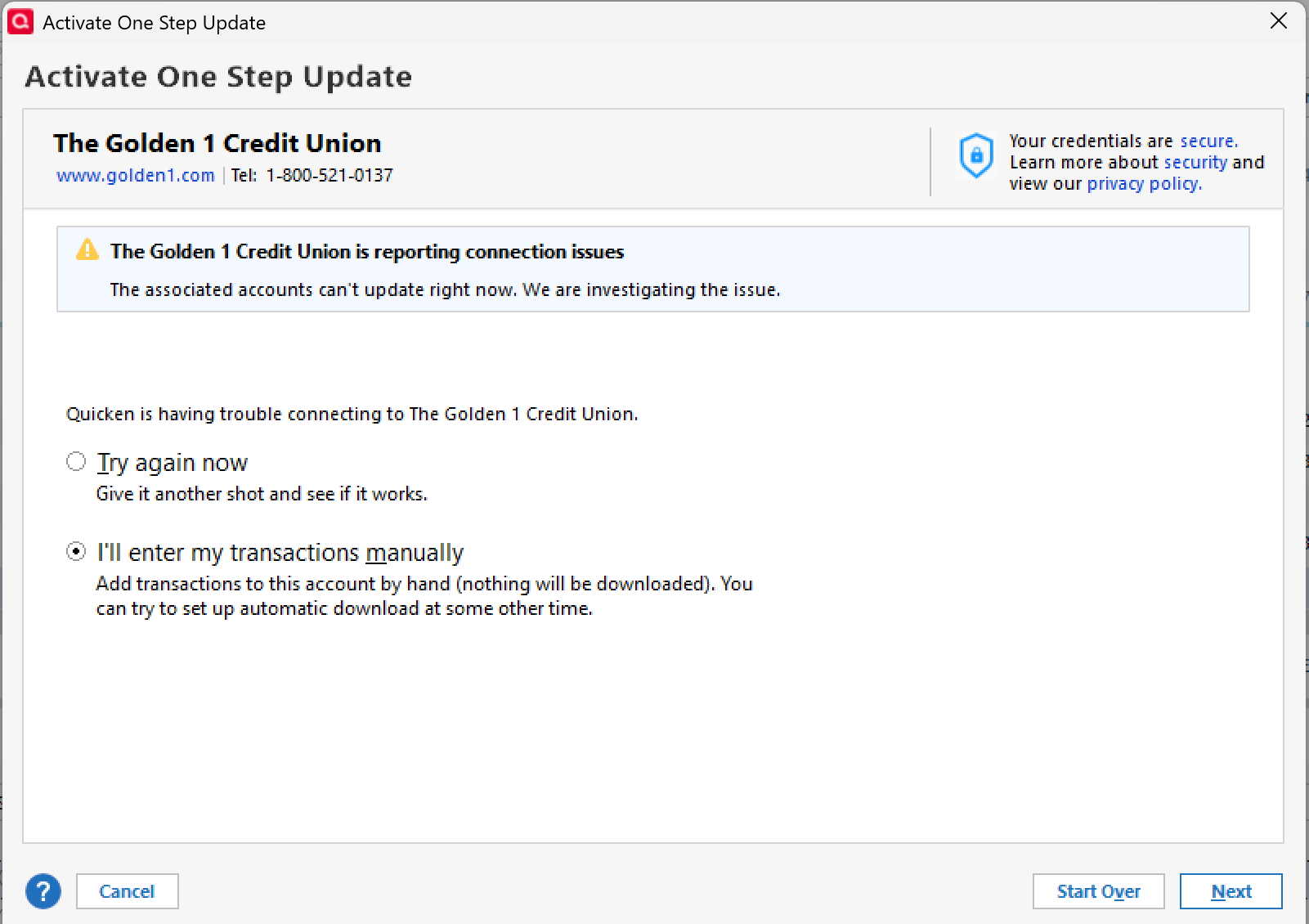
I'm dead in the water here and Quicken is basically useless for me for my multiple Golden 1 accounts, so please escalate this Quicken Support if at all possible. Here's the message I get when trying to re-add logins for existing accounts…
"Looking for your accounts…"
and then 10-15 seconds later…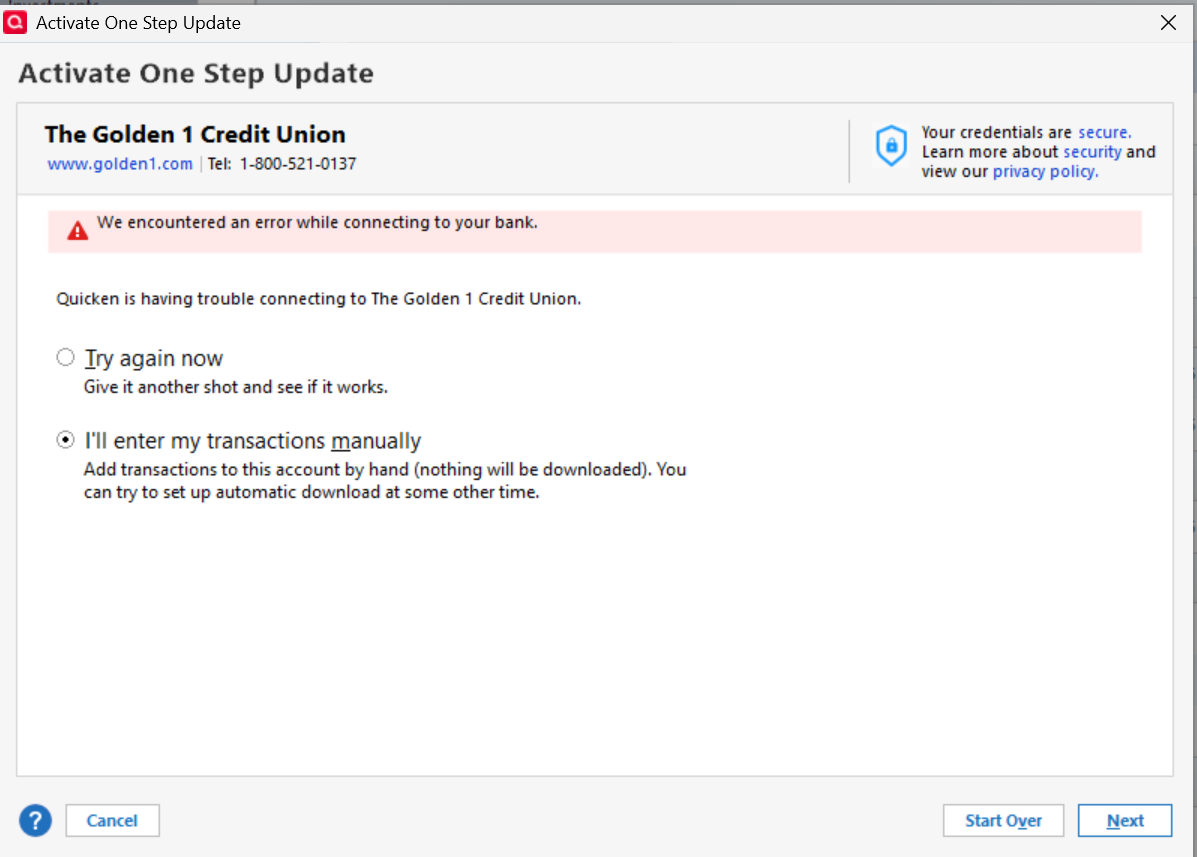
Stuck in a loop there.
3 -
I'm having the exact same issue. I get an error message even after deactivating and re-entering my new login ID and password. I can get into my accounts on the Golden 1 by logging into my Golden 1 account on my laptop browser and on my Golden 1 app, but I cannot get into them using Quicken. I also have a number of accounts with the Golden 1, so this is very inconvenient. I was able to download my account transaction data from the Golden 1 site and then upload that file into Quicken, but that's not very convenient either given the number of accounts I have. I hope that Quicken and the Golden 1 can get this resolved quickly.
1 -
PS: Also, I'm hesitant to keep trying to get in, since in the past if I've not been successful after three tries, Golden 1 locks me out, and I have to call their customer service folks to get IT to unlock my account.
0 -
For what it's worth, I spent an hour or two this weekend updating my Golden 1 transaction info with the categorization info I've used in Quicken for years, and while there's a lot of missing functionality compared to Quicken, we Golden 1 customers may just be better off making use of their web tools exclusively from now on. I was able to add a credit card from another company and categorize that info as well, and it's mostly good enough that I can see what's going on until this issue is fixed.
I believe I'm paid up already for the year for Quicken so I'd like to see this resolved for my subscription but the longer this takes the more likely I am to just abandon using Quicken entirely. I'm sure I'm not the only one, so I hope there's some sense of urgency on this. Thanks..and again, I think most of us understand this isn't necessarily Quicken's fault.
1 -
It's March 2 and I'm still getting the same error when trying to reconnect to The Golden 1 Credit Union. I have also logged a called with their support team as well. I hope this is resolved soon.
0 -
Hello All,
Thank you for adding to this discussion.
We now have two open alerts for this financial institution. You can see these here and here. If you have not already done so, you can bookmark them to stay updated on any progress/changes to this situation as they occur.
Hope this helps!
Quicken Alyssa
Make sure to sign up for the email digest to see a round up of your top posts.
0 -
Same issue here. All of my income comes in via the G1 checking account and so none of the Quicken budgeting software is usable as long as Q won't connect to G1.
0 -
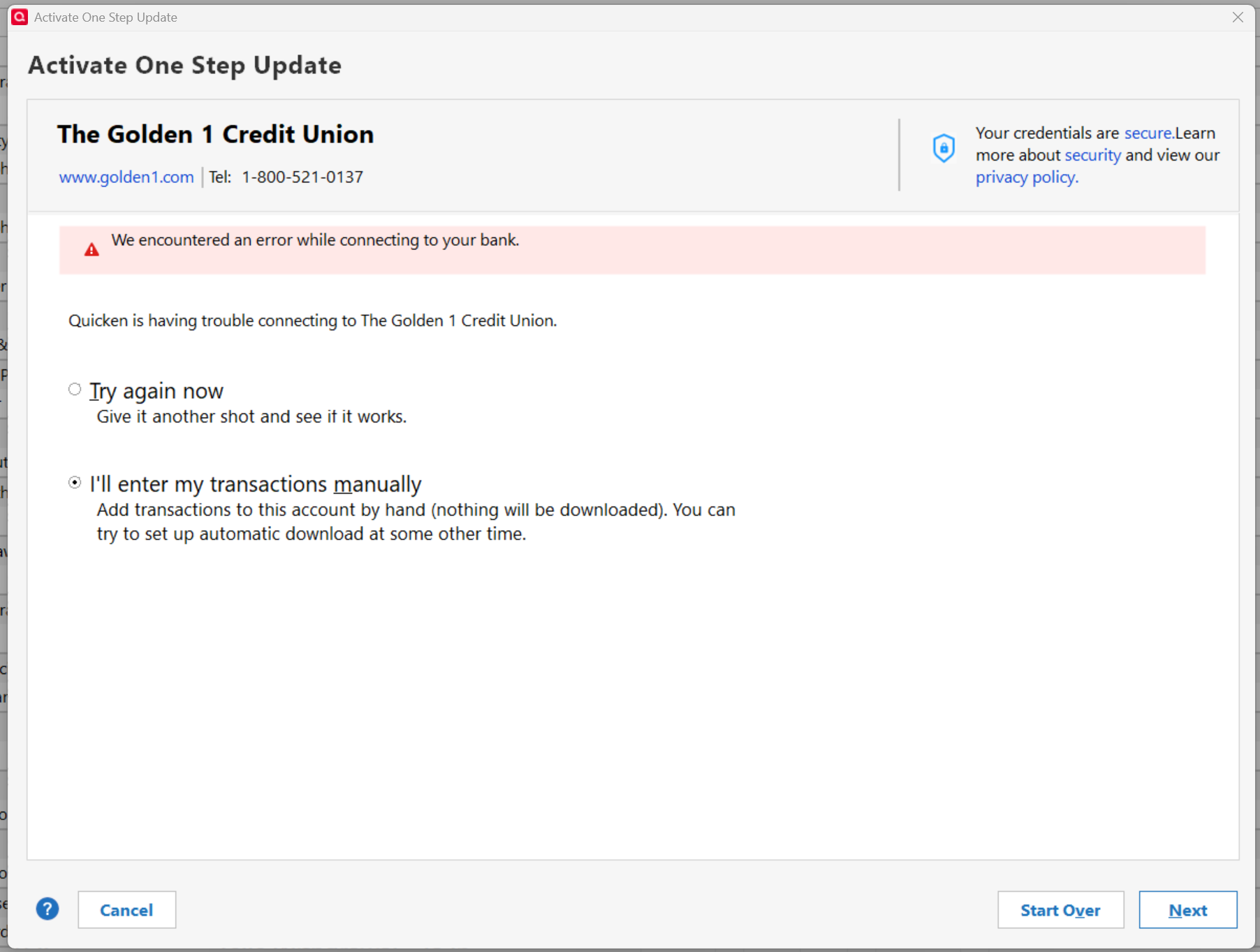
Same issue here. I went through each account at Golden-1 and updated my user-id and password, thinking that any account under the old login would stop the update on all accounts. That hasn't solved the problem. I see that you have a status of RESOLVED at the top post. Can you elaborate. Thank you
0 -
Hello All,
Thank you for adding to this discussion.
We had two alerts open for Golden 1 Credit Union. One was recently marked resolved because the issue evolved into something different. The Alert for FDP-105/CC-505 remains active and is under investigation. Please bookmark it to stay updated on progress/changes as they occur.
Hope this helps!
Quicken Alyssa
Make sure to sign up for the email digest to see a round up of your top posts.
0 -
This doesn't seem to be just an account update issue with Quicken and Golden 1 Credit Union. My Empower account won't update the Golden 1 accounts that are linked to it. This is a Golden 1 problem, plain & simple!
1 -
I was at Golden 1 today. They said they couldn't help me with Quicken. Nothing else said. I'm hoping we will still be able to use Quicken in this new system. .
0 -
FYI, I just talked with Golden 1's technical support. They are aware of the problem and working to fix it. The bad news… they don't anticpate having the problem resolved until mid-May. I'm just downloading the the transactions from Golden 1's website and importing them into Quicken until they resolve the problem with Express Web Connect. One would think that they would have tested the Quicken connection BEFORE implementing the new system. 😖
2 -
Thanks for the update, that's disappointing though. Maybe Quicken can offer to work with them to speed that along? nudge nudge Quicken Support ;)
0 -
I has a conversation with Golden 1 right after their complete system upgrade. Yes, they expect to reconnect with Quicken at some time in the future, but are non committal with when. They don't seem to be in a hurry to accomplish it. So it is members who will have to "nudge" them along. This is not a Quicken issue, it is a Golden 1 issue.
They directed me to the manual update process they have available using an icon in every account. It is a small cloud icon to the right of the Search box and the Filter and Sort box at the top of the transaction list.
I made it clear manual updates separately for each account requiring multiple steps is not and answer for Quicken's One Step update.
It works extremely well.
Just be sure to use the drop down list to find the Export at "Quicken" file type on the bottom of the list and set your dates properly.
1 -
Hello All,
Thank you for continuing to update this thread with your individual experiences.
I do hope this issue will be resolved sooner rather than later. In the meantime, bookmark the Alert to stay up-to-date on the progression.
Thanks again!
Quicken Alyssa
Make sure to sign up for the email digest to see a round up of your top posts.
0 -
Same issue still as of 3/10/2026. Agree with earlier comments.
 0
0 -
Thank you for updating this discussion.
After reviewing your connections internally, I can confirm you are still receiving the FDP-105/CC-505 mentioned in the Open Alert. Bookmark it to receive updates.
Thanks again!
Quicken Alyssa
Make sure to sign up for the email digest to see a round up of your top posts.
0 -
Are there any updates to the Golden 1 CU's problem with Quicken? It has been 16 days since the Golden 1 did their update.
0 -
Hello @arna.perry,
Thank you for reaching out! We have not received any updated information from Golden1. I recommend bookmarking the alert linked in @Quicken Alyssa's earlier post in order to be notified of updates:
Thank you!
(Ticket #12263339/CTP-16490)
Quicken Kristina
Make sure to sign up for the email digest to see a round up of your top posts.
0 -
The last time this happened (2 -3 years ago? when G1 made changes to the security of our accounts), I think it took at least 6 weeks for G1 to get the issue fixed. 🤷♀️
0 -
It's now 22-23 days since this issue occurred and still no resolution. Hard to grasp it would be at least May for those software engineers at Golden1 to take this long for a fix. I have to do my budget manually, even with downloading transactions from G1 to import into my Quicken which is a little too much to ask us to do for this long. 🤬
1 -
Thank you both for chiming in on this discussion
The Alert for this issue is still open and ongoing. We do not have an ETA as to when it will be resolved, and we apologize for the inconvenience.
Please continue to refer to the alert linked above. Make sure you have it bookmarked in order to be notified of progress/changes as they occur.
Thanks again!
Quicken Alyssa
Make sure to sign up for the email digest to see a round up of your top posts.
0 -
To say that Quicken is slow to fix this kind of issue is an understatement. Considering that this began around 2/21, I don't expect it to be fixed until at least the end of April. Quicken should really change their name. There's nothing quick about them.
0 -
Quicken Alyssa, yes the alert is still open but no update since 3/9/26. For me, I would appreciate a weekly update so I know it is or isn't resolved and that it isn't forgotten about.
Craig
0 -
On 3/14 the G1 responded to me,
"Thank you for contacting Golden 1…. Upon review, our records show this matter has since been resolved."Maybe from their side they think it's resolved.
I agree with a previous post, this will likely be a 6wk+ issue for "Quicken"It's a very big change for G1 users with more than a few G1 accounts, because the new G1 software tries to present them all together with one login based on user. This is likely difficult for Quicken to handle. Not sure if Quicken was notified before the G1 software roll-out.
~richardw
0 -
Hello All,
Thank you all for sharing your experiences with Golden 1 Credit Union and for continuing to update this discussion.
As noted in the Community Alert, Quicken is aware of the FDP-105 (Mac) / CC-505 (Windows) errors that are preventing some accounts from connecting or updating successfully.
Our teams are actively investigating the issue and working toward a resolution, but we do not have an ETA at this time. To stay informed of updates as they become available, please bookmark the alert.
We apologize for the inconvenience this is causing and appreciate your patience as the investigation continues.
Thank you!
-Quicken Anja
Make sure to sign up for the email digest to see a round up of your top posts.0