Showing memo/notes in Reports

I cannot get memo?notes to show up in reports. Under edit Advanced>Memo/Notes Contains, I see where you have to put in a specific word. I want to see ALL the memo/notes associated with any transactions in the report. How do I do that? Thanks
Answers
-
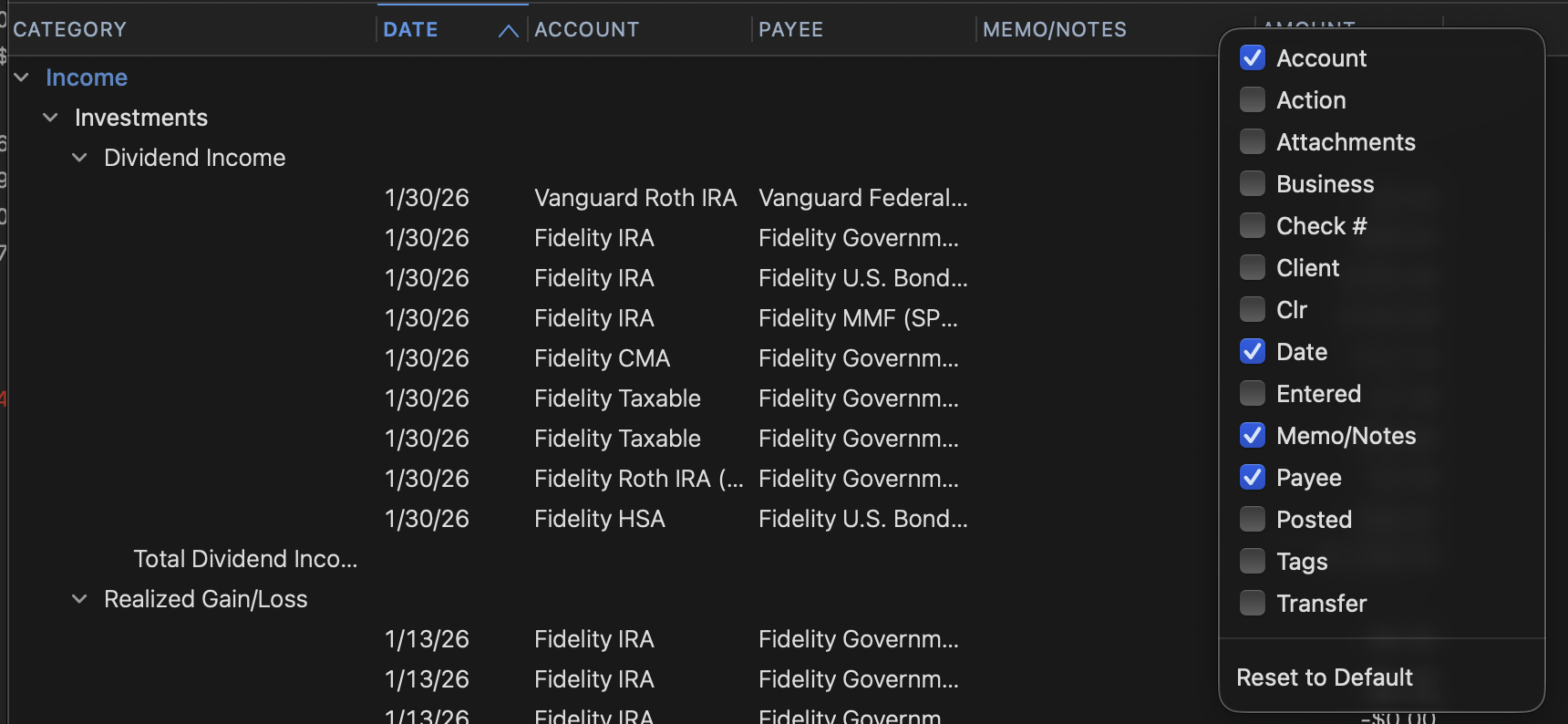
Right click on one of the column headers in the report and a list of available columns will open up.
 0
0 -
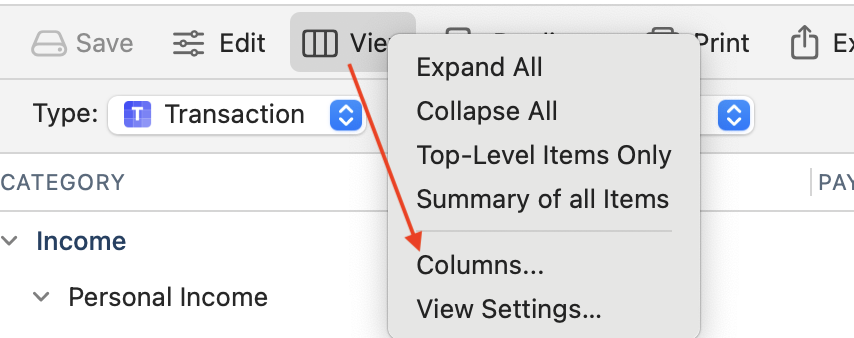
… or click View > Columns at the top of your report to get the same pop-up menu:
 Quicken Mac Subscription • Quicken user since 19930
 -
Hello @DYGIT,
We haven't heard back from you in a while. Do you still need assistance?
Were you able to give the suggestions from our SuperUsers above a try?Check back and let us know! Thank you.
-Quicken Anja
Make sure to sign up for the email digest to see a round up of your top posts.0 -
Hello again,
Checking in once more before this thread is closed.
Let us know if you still need assistance.Thank you!
-Quicken Anja
Make sure to sign up for the email digest to see a round up of your top posts.0

