input screen for reconcile

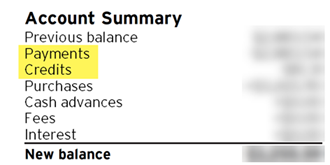
Separate payments and credits when starting to reconcile. Many vendors have separated these values on their statements.
Comments
-
What kind of account are you referencing? Because when I start a reconciliation of a banking or card account, the dialog that pops-up has separate columns for Payments vs Deposits (checking acct) or Charges vs Payments (card).If you could show us a graphic (jpg, pngor gif format, please) of what you're seeing, it would be helpful.I misunderstood the question.
Q user since February, 1990. DOS Version 4
Now running Quicken Windows Subscription, Business & Personal
Retired "Certified Information Systems Auditor" & Bank Audit VP0 -
If you're working with this manual Reconcile dialog to get started …
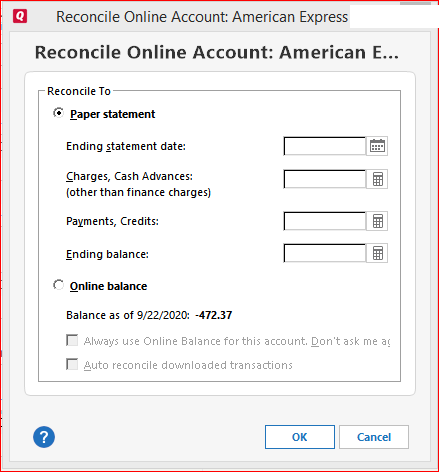
it is not necessary to calculate the values for Charges and Payments. Just enter 0(zero).
All that Reconcile really needs are the Ending statement date and the Ending balance.0 -
Not really, because I'm not the person who programmed this function.
All I know is what I've been doing for years without any problems: put 0 into these two fields and Reconcile will work properly.
For reference: There's an archived discussion on the same subject dating back to 2018 (accessible to moderators and Superusers only). There are other similar discussions on this subject. Just search the Community.
1 -
From an accounting perspective, there's no difference between a payment and another credit.
And the calculator icon next to that input field allows you to add together any separate amounts.
But, the question that I have to ask is HOW MANY payments, and how many credits do you have per billing cycle? If you truly need to know the sum of the credits, you can UNcheck the payments, check ONLY the credits and what's checked will be summed at the bottom of the Payments column of the Reconcile dialog.
Q user since February, 1990. DOS Version 4
Now running Quicken Windows Subscription, Business & Personal
Retired "Certified Information Systems Auditor" & Bank Audit VP0 -
I think there is general misunderstanding of this dialog.
It is easy to see why because I have never really understood how anyone can really need all these fields, but since they are there and because others have said they need them, they stay there.
The question has to be if you put a number in the charges or payment/credits line, what does it do with that number?
The answer is it creates a transaction with that amount.
This is the crazy part. One would think that the proper way is to enter all the transactions in the register and then do a reconcile. If you do that, you have no "payment/credits" or "charges" to enter, and that is why it should be zero.
This line is somehow "I decided that there is one more transaction that wasn't put in the register that I have to take account of". Why that would ever happen I have no idea, but that is what it is for.
In fact, I haven't tested that in years, so I can't even for sure say that they still create the automatic transaction and I'm not at home to test it.
0 -
I tried this out. Quicken doesn't automatically create the charges or payment/credits transactions, so in fact the lines on this dialog do nothing.
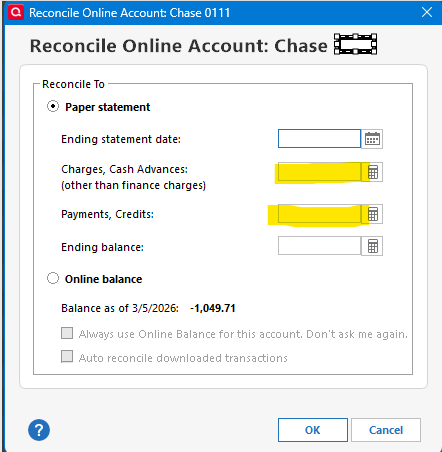
I was thinking of another field that no longer exists, the Finance Charges.
Here is going back to Quicken 2004.
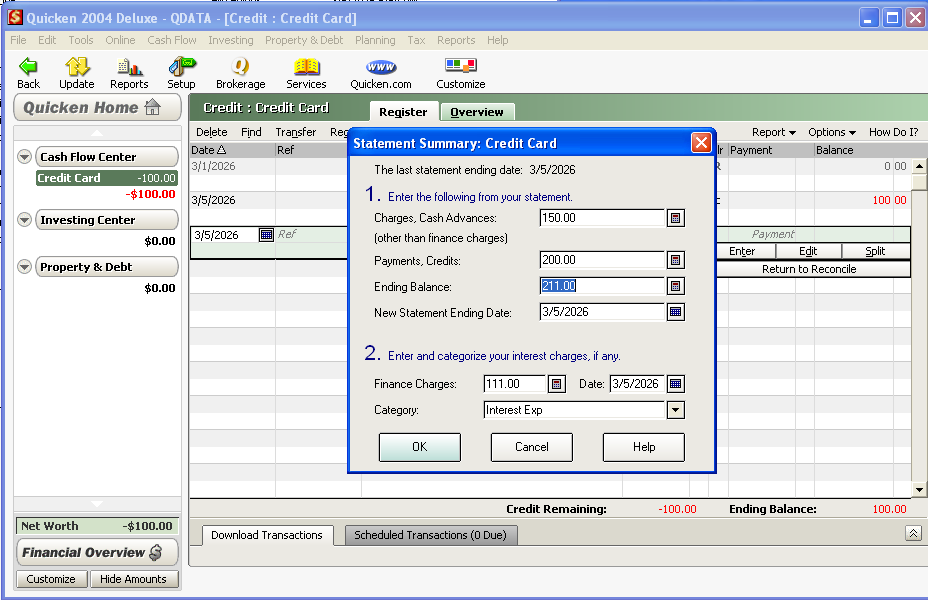
As you can see from the follow reconcile window, it added a transaction for the finance charge I entered for $111.00, but not for the Charges, Cash Advances ($150) and the Payments, Credits ($200).
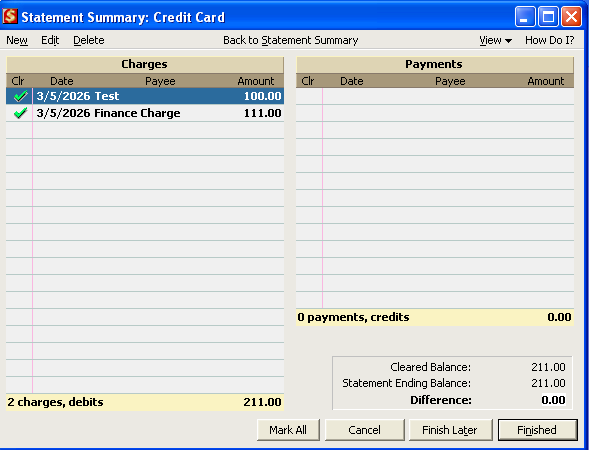
So, those useless fields have been around forever.
0




Categories
- All Categories
- 6 Product Ideas
- 34 Announcements
- 250 Alerts, Online Banking & Known Product Issues
- 19 Product Alerts
- 265 Welcome to the Community!
- 301 Before you Buy
- 1.5K Product Ideas
- 55.8K Quicken Classic for Windows
- 16.9K Quicken Classic for Mac
- 1K Quicken Mobile
- 834 Quicken on the Web
- 129 Quicken LifeHub