Customer ID in the Account Detail

I've read some previous discussions from other users trying to update the customer ID information in Quicken (username at credit union). But none that I saw addressed the problem I encountered when following the instructions provided. When I am asked for an account name, I choose my existing account—the one I'm trying to update. But Quicken asks me to choose a different account name because the one I am using already exists (of course).
If I change the name, will the transactions in the existing account (the one where I am having manually download transactions) stay in a separate account? If that's the case, I think I may just continue to manually download, even though that is nowhere near as convenient.
Answers
-
Hello @Tally,
Thank you for reaching out! To clarify, it sounds like you are trying to connect an account that you had previously been updating by importing a QFX/Web Connect file from your financial institution. Is that correct?
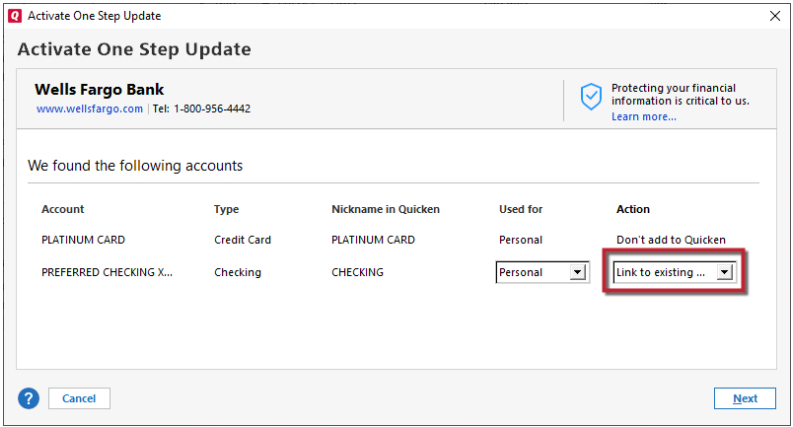
If that is what is happening, when you try to connect the account, do you see any option to link it to the existing account in your Quicken?
I look forward to your reply!
Quicken Kristina
Make sure to sign up for the email digest to see a round up of your top posts.
0 -
Quicken Kristina
Make sure to sign up for the email digest to see a round up of your top posts.
0 -
Hello again,
Checking in once more before this thread is closed.
Let us know if you still need assistance.Thank you!
Quicken Kristina
Make sure to sign up for the email digest to see a round up of your top posts.
0 -
I never get that far. I get a message about online enrollment through bank. The bank doesn't know what that's about.
I had enrolled through the bank several years ago. But then I had to change my user ID on the account because I suspected suspicious activity. Ever since then, I can no longer do a web connect express. I tried to update my user ID in the account details. But it will not stick.
0 -
Thank you for your reply,
Are you seeing that message about online enrollment when you try to import a QFX file? If not, then what triggers that message?
Please share a screenshot of the message you're seeing. If needed, please refer to this Community FAQ for instructions on how to attach a screenshot. Alternatively, you can also drag and drop screenshots to your response if you are not given the option to add attachments.
Thank you!
Quicken Kristina
Make sure to sign up for the email digest to see a round up of your top posts.
0 -
Attached is a screenshot of what I see when trying to reset a web direct connection for downloading transactions directly into my Quicken. I had this connection before. But then I had to change my user ID because of suspicious access attempts at my credit union. Ever since then, I've been unable to reestablish the connection because I can't get my user ID to save when I try to change it in my account details.
0 -
Thank you for your reply,
Since it's not letting you correct the user ID information when you reset the account, please backup your Quicken file, then follow these steps:
Deactivate and Reactivate the affected accounts:
- Choose Tools > Account List.
- Click the Edit button next to the account you want to change the login ID for.
- In the Account Details window, click the Online Services tab.
- Click Deactivate, and then click Yes to deactivate online services.
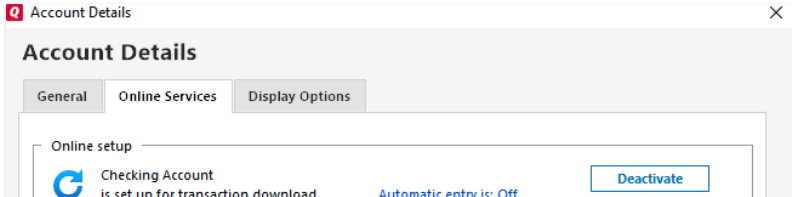
- Click Yes again, if necessary, to confirm your choice.
- Repeat these steps to deactivate all accounts at this same bank.
- Return to the Online Services tab and click Set up Now for each account you've deactivated.
- Enter the correct login ID and follow the on-screen prompts to activate your account.
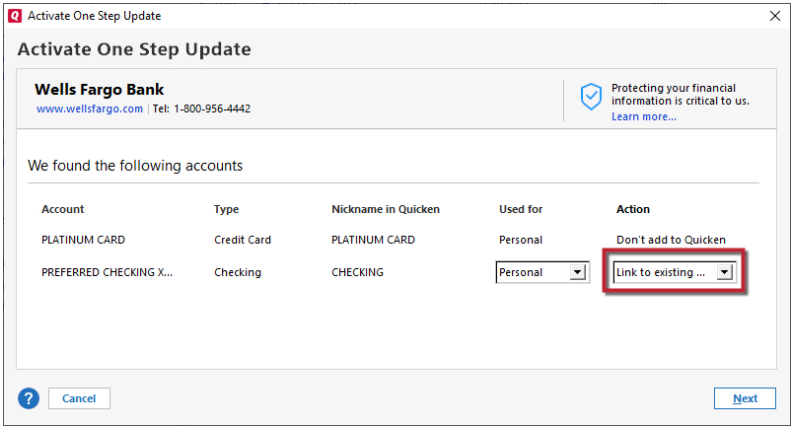
- When you get to the Add/Link screen, carefully link the account(s) to the correct nickname in Quicken.
Let me know how it goes!
Quicken Kristina
Make sure to sign up for the email digest to see a round up of your top posts.
0 -
Even though I had tried that before, I tried again making sure all the accounts (checking savings and mortgage) with First Commerce (no credit card with this credit union) were deactivated as you instructed.
But I am still not able to set up web connect. I get the same error message as before. I don't even get to the screenshot you posted to link my acounts.
I'll try to contact the credit union on the phone.
0 -
Thank you for updating us on your progress.
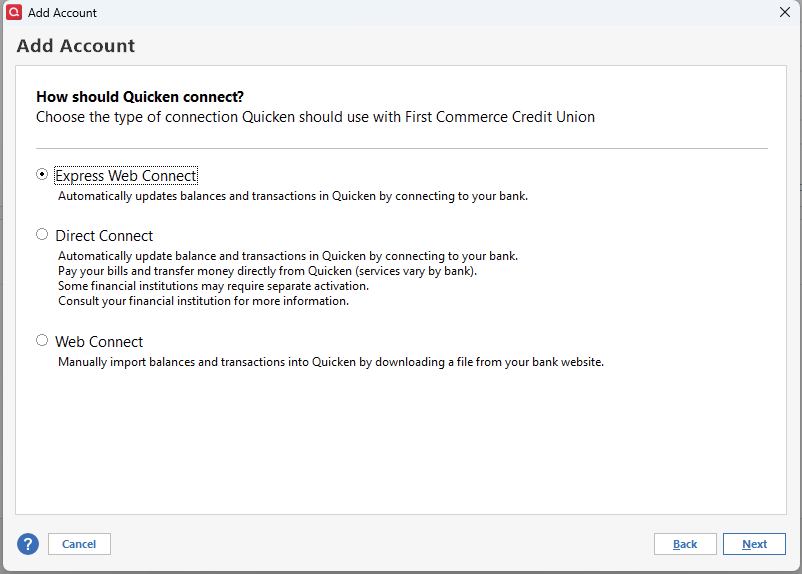
After reviewing your connections internally, I am unable to see your attempts to connect to this bank. That usually indicates that Direct Connect is being used for the connection.
Let us know how it goes when you talk to the bank. If they can't help, we can verify the connection method you are using and possibly try a different one.
Looking forward to your response!
Quicken Alyssa
Make sure to sign up for the email digest to see a round up of your top posts.
0


