I put in a new Idea for Quicken Classic (Windows 11) for Copy File function-would like feedback

My data file is getting larger and larger. My transactions date back to 2011. I went to create a copy of a file, hoping to just choose transactions from 1/1/2023 to present (4/2026). But after choosing that date range I found the copy file function still copies ALL transactions whether reconciled or not. So, the data file is almost the same size as it was before my file copy.
The Quicken AI bot told me that is expected functionality and all the date range choice is doing is affecting the charts/graphs/reports we run. I haven't checked to see if that's true or not.
It seems to me that the functionality should allow us to choose the actual dates of transactions we want to start with in the new copy. That way we could keep the sizes of the data files down and only have the transactions we actually care about.
I would like your feedback and if you like the idea, please vote on my suggestion. 😁
Comments
-
Hello @krus54,
Thank you for sharing your feedback! When you made a copy of your file, did you choose the Create a copy or template option, or did you select the Create a year-end archive option? When it finished, did you opt to use the copy or your original file?
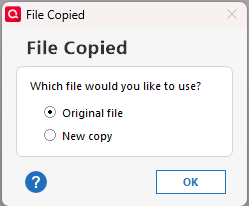
For more information on creating a copy of your file, please review this help article:
I look forward to your reply!
Quicken Kristina
Make sure to sign up for the email digest to see a round up of your top posts.
0 -
I just tested this using the File→Copy or Backup File choosing Create a copy of template:
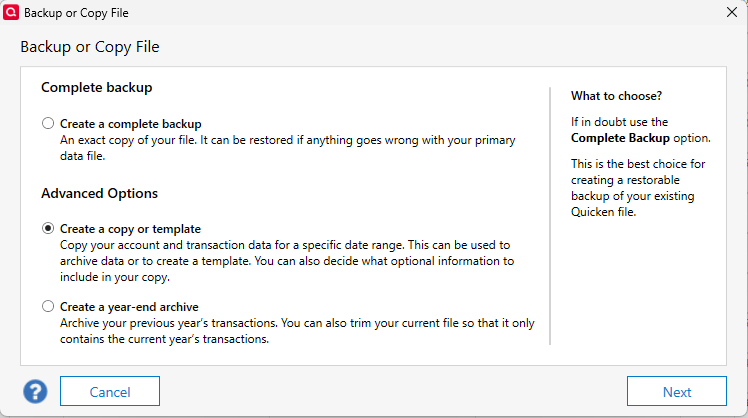
as shown here:
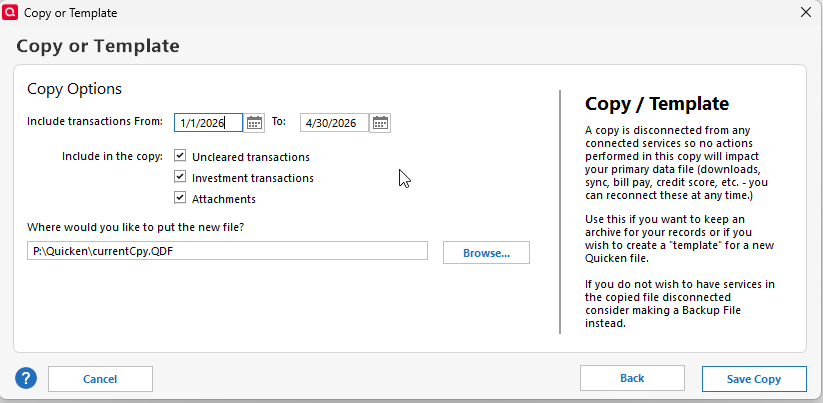
Then opening the new file:
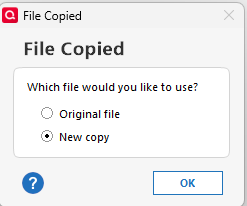
The only NON-INVESTMENT transactions before the cutoff date of 1/1/2026 were Opening Balance transactions in each account or non-reconciled transactions or transfers between accounts where either of the two transactions was not reconciled.
Investment transactions are not deleted since you would lose lot information needed for the financial calculations.
So, it worked for me. I don't know what you did different than what I did, but the Quicken is performing as expected.
-splasher using Q continuously since 1996
- Subscription Quicken - Win11 and QW2013 - Win11
-Questions? Check out the Quicken Windows FAQ list0 -
Hello @krus54,
We haven't heard back from you in a while. Do you still need assistance?
Check back and let us know! Thank you.
Quicken Kristina
Make sure to sign up for the email digest to see a round up of your top posts.
0

