Credit card online biller incorrectly showing amount due as a credit

I continue to have a problem with my online billers for several credit cards that are incorrectly showing a credit when it should be a debit or an amount due. The amount for the total due is correct, but incorrectly shown as a credit. Interestingly, the minimum due is correctly shown as a debit. This is a bigger issue because I use this information to track my cash flow for payments. Specifically: My Citi Credit cards (2) are correctly showing both the total and minimum amounts due as a debit. My Chase cards (2), Discover (1), and Capital One (1) all have the problem showing the correct total amount due, but as a credit.
I have tried many things, but nothing fixes the issue. A few things that I have tried and some additional comments:
- Reset the account – no impact
- Deactivated and reactivated – no impact except that for some cards, that fixes the issue for one billing cycle, but then the problem returns.
- “Review and repair” online billers - no impact
- All cards are correctly set up as credit cards, and their registers all download transactions correctly
- All connect via Express Web Connect+
- All the cards always show “awaiting next bill,” but that does not bother me if it shows the total due correctly.
- All credit cards correctly show in Online Center, and all correctly show the total balance as a debit (red)
- I do not know if it is meaningful, but in the Online Center, the box “compare to register” is greyed out. I do not use this, so it really does not matter.
- I am using the most current Windows Quicken Classic version R67.7
I do not know if this is an ongoing Quicken issue or something else. My last resort would be to close these accounts and create news one. However, I am not sure that this action would resolve anything.
[Edited - Readability]
Answers
-
I'm seeing this issue with my credit cards too. Sometimes Manage Online Billers will show a minimum balance due as a credit and the total amount due properly as a debit. Obviously, this can't be correct and isn't correct. I don't have credit balances. I've seen it with a Discover card, BofA Mastercard, and Citi Costco Visa. I'm still running R66.28.
0 -
Hello @RobCO & @cyberphile,
Thank you for letting us know you're seeing this issue. I was able to replicate this issue in my file (Capital One online biller). I forwarded this to the proper channels for further investigation and resolution.
To help investigate the issue, please provide more information:
- When did you first notice this issue?
- Is there anything that seems to trigger this behavior?
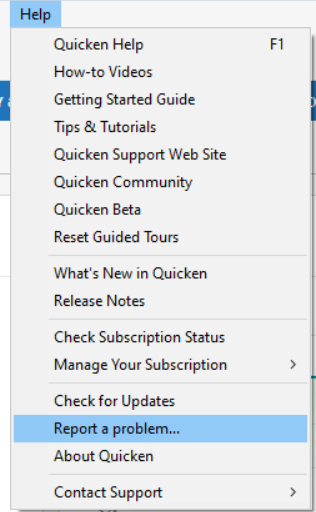
Please also navigate to Help>Report a Problem and send a problem report with log files attached.
I look forward to your reply!
(CBT-1130)
Quicken Kristina
Make sure to sign up for the email digest to see a round up of your top posts.
0 -
I can't say specifically when I noticed this. I will say that it was after Quicken switched to the new online bill provider. I notice that One Step Update seems to have some type of effect. I've noticed that the bills in Bills&Income (in stack view) are added using the minimum amount due which is sometime as a credit (erroneously) but if I change the bill reminder to show total amount due, it shows the correct amount as a debit. One Step Update will sometimes remove the bill reminder. I will then remove the online biller and re-add it only to have this same behavior repeat. But this seems to happen at random.
0
