CC-800 Error: Can't Deactivate, Delete or Reset Many Accounts

Hi. I have run into a very strange problem and am dead in the water. This has been going on for several days. I added a new Ally account several days ago which resulted in the following accounts with errors:
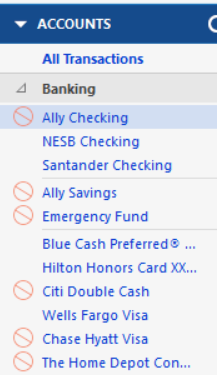
When I click on one of the red icons to fix it, I get the following:
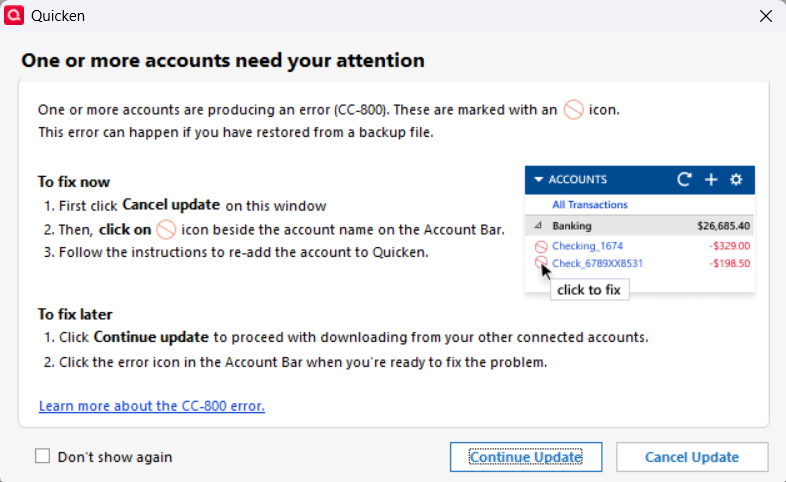
or I get a popup to add an account. I enter in my username and password for the financial institution and always get the following error:
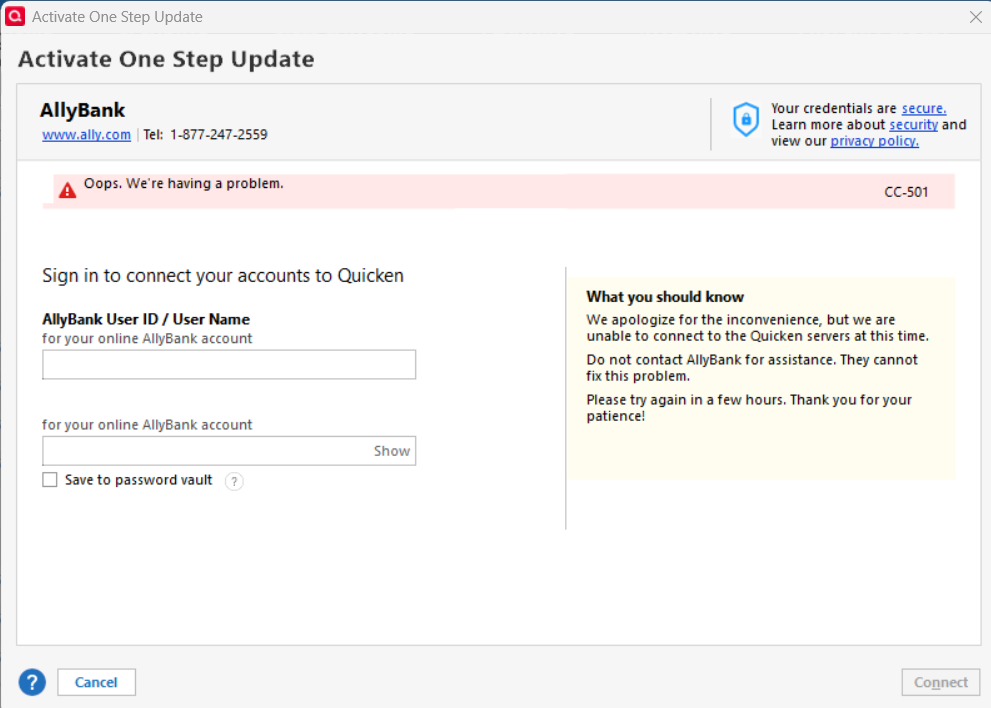
The same happens when I try to reset the account. Other posts have said to deactivate or delete the account. I have tried to do both but have been unsuccessful. When I deactivate or delete any of these accounts, nothing happens and no error appears.
I have also done numerous Validate and Repairs. I have also restored different backups and the same red icons appear for the same accounts. I am at a loss. Any help would be appreciated.
Comments
-
@Tony Fong It looks like you already tried some troubleshooting steps to fix your accounts, but the CC-800 errors are still not resolved.
These CC-800 errors have been an issue for many users lately. Quicken is actively looking into the cause of this issue, but I have found following the steps in the post will get your accounts working again.
0 -
Thanks for sharing that @CaliQkn
I got a bunch of these errors today after my file crashed during an OSU (an increasingly common occurrence with the EWC and EWC+ part of my downloads, by the way). My OSU is pretty lengthy with multiple Chase and Amex accounts, among others. Some of the accounts are "mine," and others are under my spouse's name.
At any rate, my CC-800 errors had a different twist today. I successfully reconnected the Chase credit cards and checking account associated with my login. I then tried to do the same thing with the two Chase credit cards associated with my spouse's login, and Quicken told me that certain Chase accounts (i.e., mine) were not found and should be deleted. The accounts that I own then had the red circle on them, despite having been fixed minutes earlier. I suspect that if I had tried to fix them, the red circles would have moved to my wife's accounts.
Your steps seem to have me up and running again with a new copy of my file. My fingers are crossed!
0 -
@GermanBlueRam you are welcome. I have been posting these steps in the Quicken forum for a while now. I wish there was a better way to get this information out to other users with these CC-800 errors.
0 -
Outstanding instructions! I followed them exactly as documented. I have recovered everything except for one of my checking accounts that has the red icon. When I click on it, I see the following:

Any idea why it's saying there are 2 bill or income reminders due but saying there are none? Thanks.
0 -
@Tony Fong - that red flag is Quicken’s way of telling you there are transactions to review, but sometimes they don’t show up in the register. Here are a few things you can try:
- Check Online Center – Go to Tools → Online Center, select your financial institution, and look under Transactions. If they appear there, click Compare to Register and accept them.
- Enable Automatic Entry – In Account Details, go to the Online Services tab, and turn Automatic Entry ON. Restart Quicken, then check if the transactions appear. Remember to turn it back to off, if you don't use it.
- Validate and Repair File – Go to File → Validate and Repair File, and run the validation. I know you probably have done this many times, but you can also try a "Super Validate" by holding Ctrl-Shift while clicking on "Validate and repair File.
- Reinstall Quicken – Sometimes, simply uninstalling and reinstalling Quicken resolves the issue.
Start with these troubleshooting steps and see if they resolve the issue.
Also, here is a thread that discusses the issue. I haven't read through it, but there might be some suggestions or troubleshooting steps that might help.
0 -
Miraculously, the error is gone this morning. Everything is back to normal. Thanks all for fixing this for me!
0 -
@Tony Fong you are welcome. Glad it's working now.
0 -
Hello All,
We know how disruptive CC-800 errors can be, and we truly appreciate your ongoing patience. While this issue is often linked to frequently restoring backups or switching between multiple Quicken files, we understand that’s not always the case. Please know that our team is working hard behind the scenes to improve how this error is handled and lessen its effect on your experience.
Thank you!
-Quicken Jasmine
Make sure to sign up for the email digest to see a round-up of your top posts.
0

