Quicken Classic Deluxe : HELOC Account Creation?
I have been using Quicken Deluxe for decades, Windows environment, and am very familiar with it, tracking multiple accounts, investments, credit cards, etc., etc.
I am now wanting to add a HELOC to it, and according to the Help section, I just select Add an Account, and choose HELOC at the type of account. But that option doesn't show up. I can add it as a conventional credit card account (since that's in large part what it is), but I've read about people having all kinds of problems with getting the accounting properly working in terms of interest, principle, etc.
I did an online chat with Quicken support, and they told me I had to upgrade to the Personal and Business version of Quicken in order to have that formal way of adding a HELOC, and get proper accounting and syncing of data.
I'm okay to do that, but I want to confirm that this is in fact the case. I would hate to pay for the upgrade, and not have it work any better than with the Deluxe version I have now.
Can anybody confirm that to get proper HELOC accounting in Quicken, that this is in fact an option only available with the Personal and Business version?
Comments
-
@Quicken Anja - you were helpful in the Target thread, so I was hoping you could answer my question above.
Thanks.
0 -
Does anybody know the answer here?
0 -
Just tested this in my Business and Personal R64.30 as I had forever manually tracking my HELOC. Selected by Banks Mortgage Link and it had no problems finding my HELCO downloading the data and Quicken then asking me what asset I wanted to link it to. No problems at all, thanks for the question it stimulated me to setup something automatic that I was doing manually.
0 -
Thanks for the reply, and interesting - this implies that the Business and Personal version does support proper integration and automation of HELOC's.
But the question remains - is this possible to do with the Deluxe version of Quicken, or does it require upgrading to the Business and Personal version?
0 -
Hello @DLCPhoto,
Thanks for reaching out! I’m looking into this and will get back to you once I have confirmation.
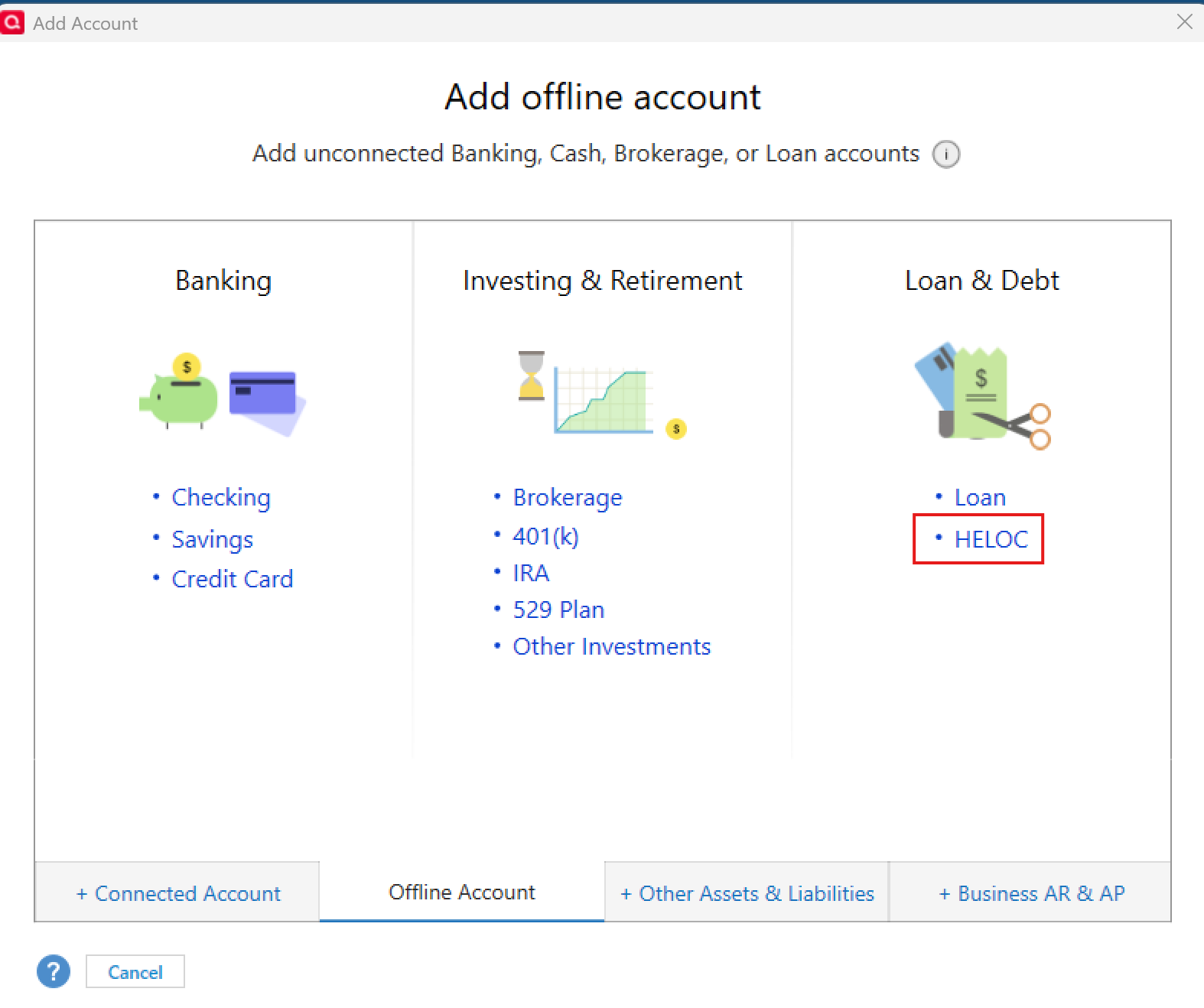
In the meantime, when I check adding offline accounts in my Quicken Business & Personal, I do see the option to add a HELOC account. If you’re not seeing this option in Deluxe, that would indicate it’s not available in that subscription.
Thank you!
-Quicken Anja
Make sure to sign up for the email digest to see a round up of your top posts.0 -
@Quicken Anja - many thanks for the reply. In my Quicken Deluxe version, if I select the "Offline Account" tab, I see the same thing you show there. But since it is designated as "Offline" that implies that it would require manual entry of all the transactions, which kind of defeats the purpose of using Quicken to track everything and sync with my online account.
@Richard Schreyer your post indicates that you added your HELOC while maintaining an online connection for automatic tracking of transactions. Did you also select the "Offline Account" tab to do this? Or another way?
0 -
@DLCPhoto Checking the Offline tab is mainly a quick way to verify whether that account type is supported in your subscription tier. Since it appears there, that does confirm it should be supported.
As for adding it as an online account, this depends on the financial institution. Some institutions limit certain account types from connecting online with Quicken. However, only the financial institution can confirm whether a specific account type should be supported.
If the financial institution confirms it should work, but it’s not showing as an option when adding the account in Quicken, one approach is to set up the account manually (as an offline account) first. After that, you can attempt to add it as an online account and link it to the manual account using the steps in this article. (specifically under the section titled: "To Reactivate Account(s)").
Thank you!
-Quicken Anja
Make sure to sign up for the email digest to see a round up of your top posts.0 -
@Quicken Anja what you're saying seems reasonable, but it seems to get proper accounting for a HELOC account, it has to be added as a HELOC account. Adding it through the regular process would likely not identify it as such. HELOC's seem to be in a 'special' category in terms of their accounting.
That's the impression I had from reading on this topic elsewhere, and the post from @Richard Schreyer above seems to confirm this.
Edited to Add: and the chat I did with a Quicken rep said the same thing - that I need a Business and Personal account to do this right. This is what I'm trying to confirm, before I spend the money to upgrade.
0 -
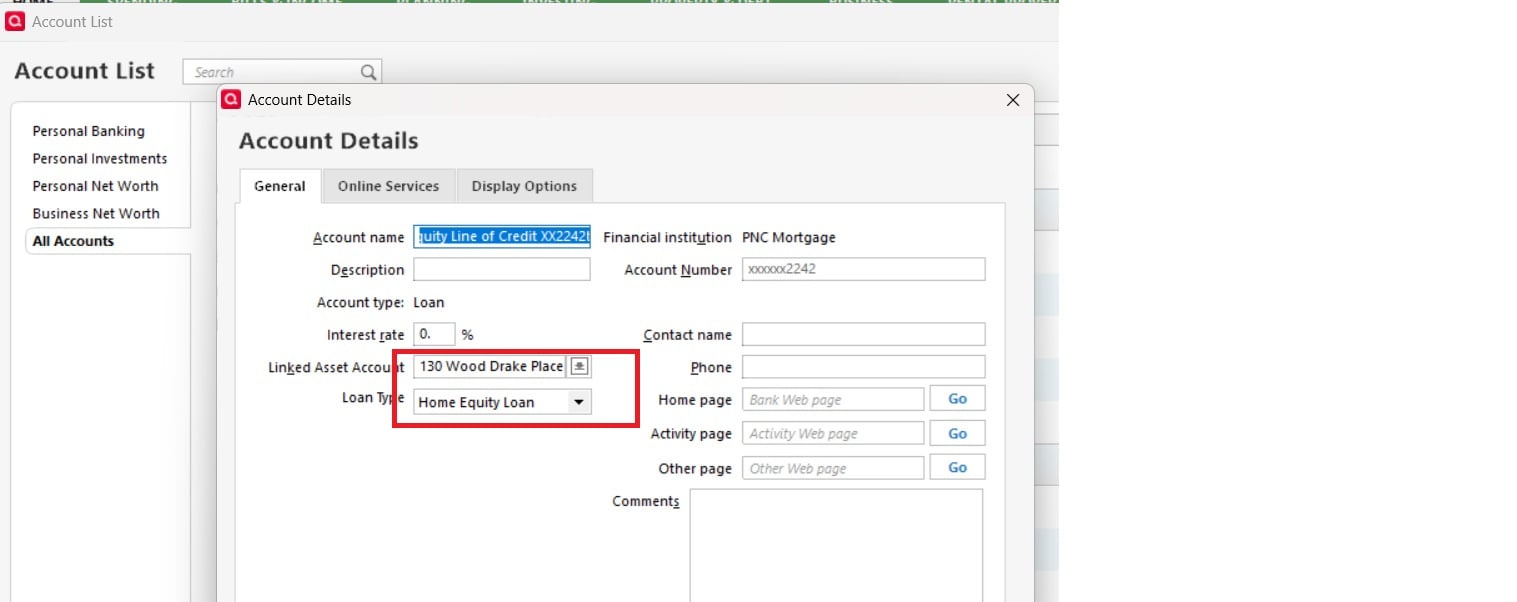
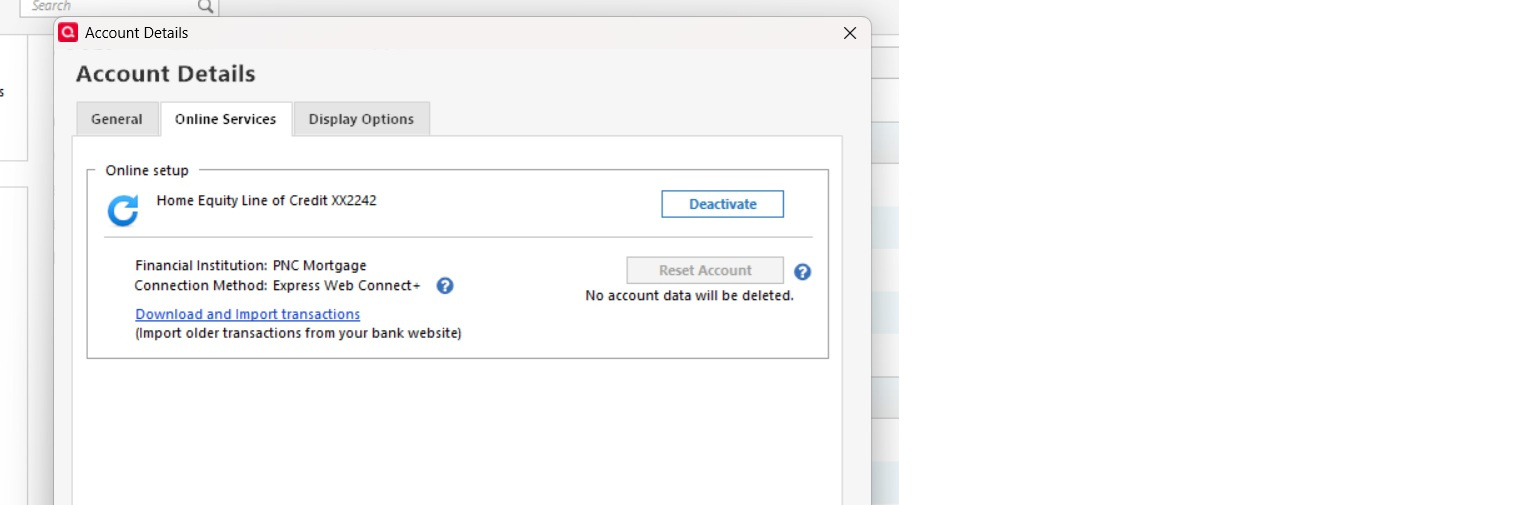
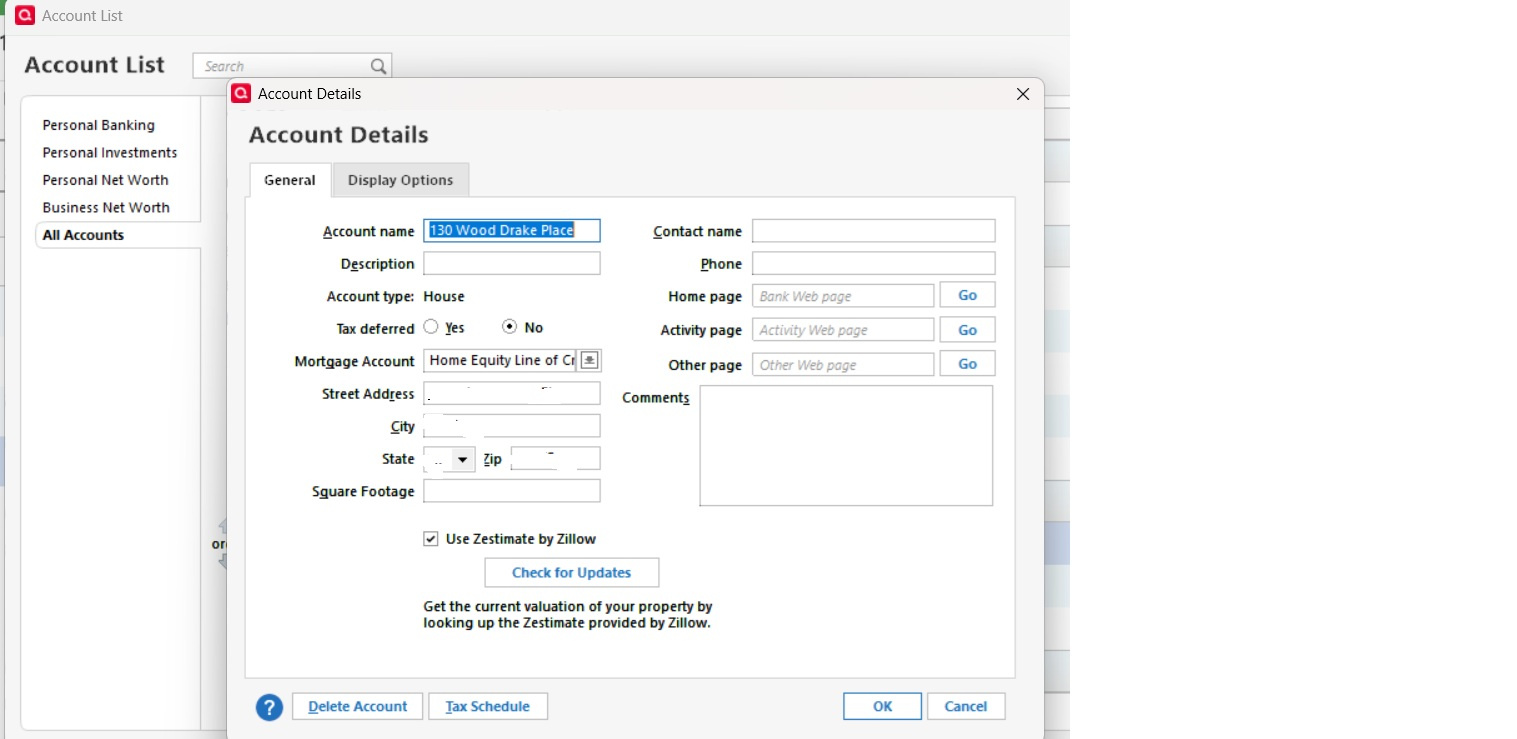
Using B&P I have the account type and linkage as shown below:
The account is part of my one step update to download transactions
It works fine, B&P also allows you to update value thru Zillow
Don't have any info on Deluxe
1 -
@DLCPhoto Thanks for your patience while I confirmed the details. Based on information from our internal channels:
Quicken Deluxe does not fully support HELOC accounts, especially for online setup and automatic transaction downloads. While you may be able to track a HELOC manually in Deluxe, the dedicated HELOC account type with proper accounting, linking, and automation isn’t available in Deluxe.
To get full HELOC support—including direct setup, proper interest/principal accounting, and online transaction downloads—you would need to upgrade to Quicken Business & Personal. This aligns with what @Richard Schreyer shared regarding adding and linking the account seamlessly in Business & Personal.
Hope this helps clarify before you consider upgrading!
-Quicken Anja
Make sure to sign up for the email digest to see a round up of your top posts.0 -
Many thanks for @Richard Schreyer and @Quicken Anja - looks like I'll need to upgrade if I want to have this fully integrated with my bank and other accounts.
0 -
Glad we could both provide some better insight for you, @DLCPhoto! Upgrading should give you full HELOC functionality and smoother account tracking.
-Quicken Anja
Make sure to sign up for the email digest to see a round up of your top posts.0 -
Thanks @Quicken Anja - I upgraded last night, and was able to add the Account and link it to my Bank and Home, as @Richard Schreyer outlined. There are not any transactions on it yet, but hopefully it will all sync and update properly when I start using the account.
0 -
That’s great to hear, @DLCPhoto! Glad the upgrade worked smoothly and that you were able to link everything properly. Once transactions start coming in, it should make tracking your HELOC much easier and fully automated. But if you run into any issues, please don't hesitate to reach back out!
-Quicken Anja
Make sure to sign up for the email digest to see a round up of your top posts.1 -
Hi @Quicken Anja,
Does this require the new, web-based Business and Personal, or will the classic Business and Personal product handle HELOCs properly?
Thanks,
0 -
I have the Classic Business and Personal, and it seems that it will handle it fine. I was able to enter and set up the account as expected, with online access. But I haven't drawn on it yet, no interest charged, so I can't yet say if that will work as it should, but I'm hopeful based on comments above.
0 -
Hello @Carl Davidson,
To clarify, Quicken on the Web is a companion app to the desktop product. It lets you view and manage your data on the go, but the actual account setup and management (including HELOCs) must first be done in Quicken Classic Business & Personal on your computer.
Since HELOCs are supported in Quicken Classic Business & Personal, once you set them up there, you’ll also be able to view and manage them through Quicken on the Web. In other words, you would need the Classic Business & Personal product either way in order to have HELOC accounts available in Quicken on the Web.
Hope this helps clear things up!
-Quicken Anja
Make sure to sign up for the email digest to see a round up of your top posts.0 -
Hi
I have Quicken classic business & Personal R64.30 and I just tried to setup an account with the HELOC type but it just gets setup as a credit card type account. I tried both manually as well as connected account method and it does the same. Not sure what am I missing. Thanks
0 -
Hello @manoc1,
Thanks for reaching out! To help troubleshoot this, could you let us know which financial institution you’re trying to connect the HELOC account with?
Also, it would be helpful if you could provide screenshots showing where the account is being added as a credit card instead of a HELOC. This will help us better understand what’s happening and guide you to a solution.
If needed, please review this Community FAQ for instructions on how to attach a screenshot. Alternatively, you can also drag and drop screenshots to your response if you are not given the option to add attachments.
Thank you!
-Quicken Anja
Make sure to sign up for the email digest to see a round up of your top posts.0 -
OK, so I had created the HELOC account in Quicken, after upgrading to Business & Personal to be able to do this, and just started using the account. I transferred funds to my checking account via the bank's website, and when I did an online update, the amount was shown in the Quicken register. That's fine.
But when I go to the account, there is no "Register" present showing individual transactions. When the same amount showed up in my checking account, I would normally link to to the corresponding transaction in the account where the funds came from, but when I did that, it doubled the amount shown in the HELOC account.
It is linked in Quicken to an Asset Account showing the home value via Zillow, but the HELOC transaction doesn't show up there either.
Why isn't there a Register showing in the HELOC account?? Just having a Balance only really limits its usefulness.
0 -
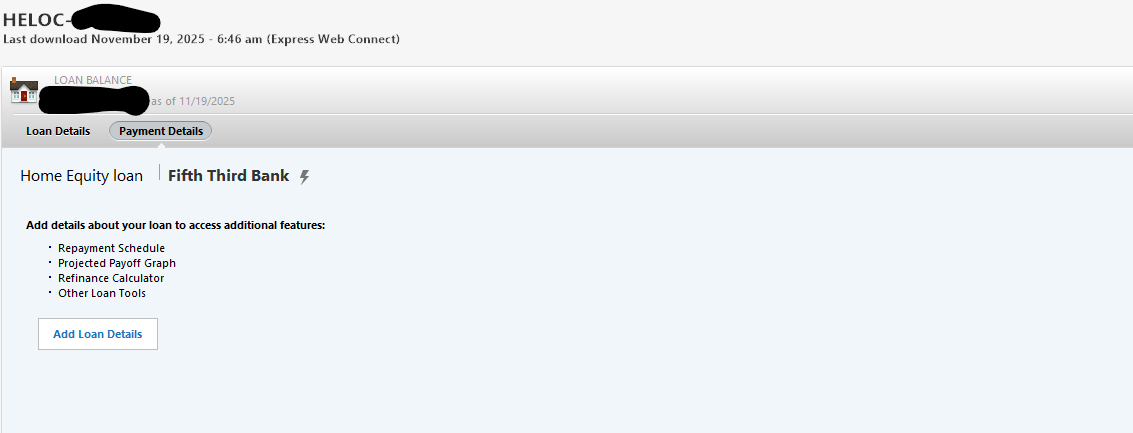
when you click on the HELOC account you should get the following screen, click on payment details and you will see transactions
0 -
Many thanks for the quick reply.
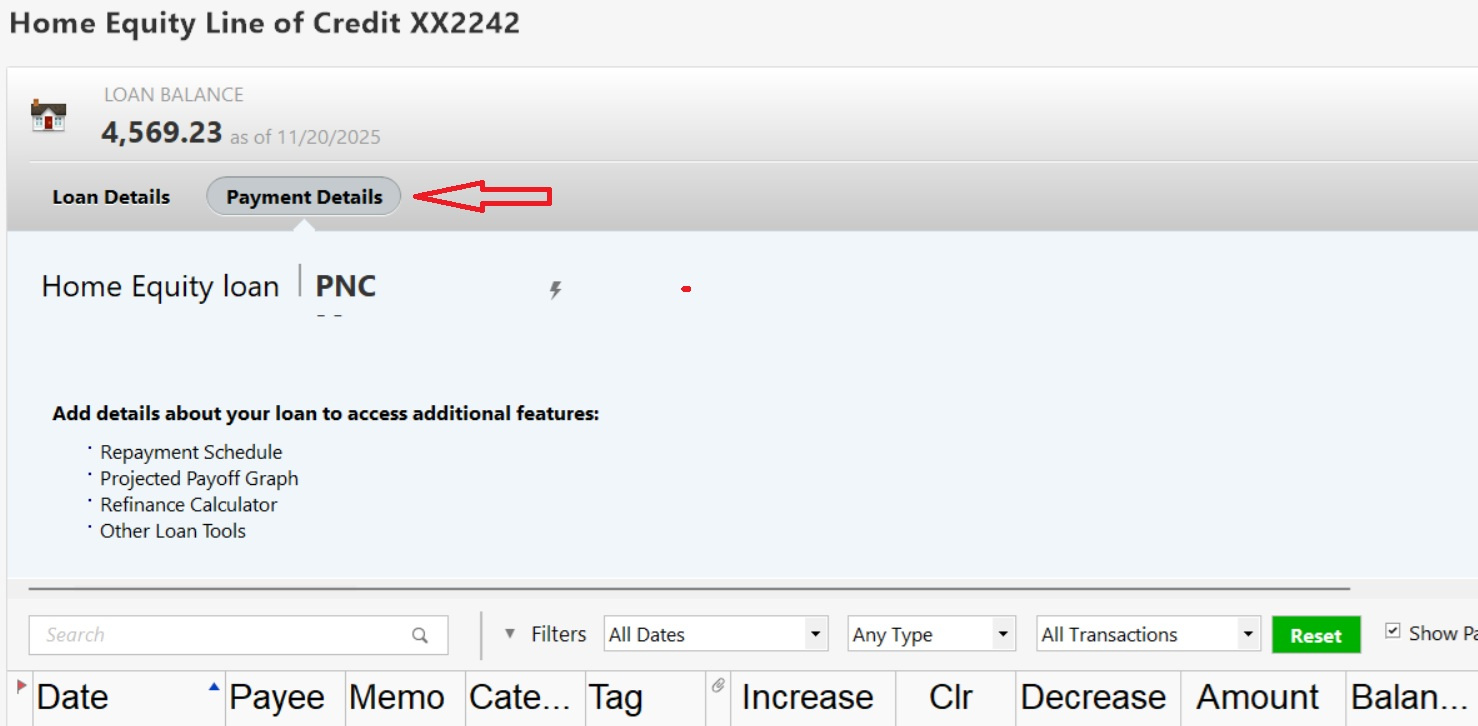
I tried that, but no register shows up. Screenshot shows nothing there:
The Balance was originally 0, and changed to the correct amount after I did a transfer. I would think that should show as a transaction, but it doesn't.
I guess if Payments are made, those might show up, but that's only half the story.
What am I missing?
0 -
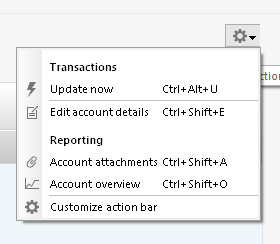
And further, when I click on the Account Settings icon gear at the top right, all I see is this:
With my other accounts, that's where options for Register preferences show up. That's not even here, suggesting something isn't right with the Account type?
0 -
@Quicken Anja - do you have any insight here? Why is my HELOC account not showing any type of Register?
0 -
Hello @DLCPhoto,
Thanks for sharing all the details!
I noticed in your first screenshot that there’s an option to “Add Loan Details.” Could you try clicking that, entering the information, and then let us know if a register appears afterward?
Thank you!
-Quicken Anja
Make sure to sign up for the email digest to see a round up of your top posts.0 -
Thanks for the reply.
I did as you suggested, but still no register. All I see now is this:
And if I click on any of the other 3 tabs there, it shows different graphics, but still no register. And when I click on the settings gear for this account, it still shows no Register display options.
0 -
@DLCPhoto Thanks for trying that and following up!
In that case then, please contact Quicken Support so our support agents can further investigate as well as review your log files to see how the financial institution is sending over the account information, which will help determine why no register is appearing.
Thank you!
-Quicken Anja
Make sure to sign up for the email digest to see a round up of your top posts.0 -
Thanks. I was afraid it might come to that.
0 -
You're welcome! Feel free to provide any updates after contacting them.
-Quicken Anja
Make sure to sign up for the email digest to see a round up of your top posts.0 -
Well, after a thorough session, they ended up having no solution. They confirmed what I was seeing when I shared my screen, and ended up saying:
"You mentioned that the account type was a "Home Equity Loan," Quicken doesn’t provide a transaction register for that account unless it’s deactivated."
That seems to be contradicted by @Richard Schreyer above, who shows a HELOC account like mine, with the Register present. It also makes no sense, as deactivating it defeats the purpose of having it to begin with.
I'm open to other suggestions, but this is quite disappointing.
0
Categories
- All Categories
- 56 Product Ideas
- 36 Announcements
- 223 Alerts, Online Banking & Known Product Issues
- 22 Product Alerts
- 701 Welcome to the Community!
- 671 Before you Buy
- 1.2K Product Ideas
- 53.7K Quicken Classic for Windows
- 16.3K Quicken Classic for Mac
- 1K Quicken Mobile
- 813 Quicken on the Web
- 111 Quicken LifeHub