Certain Transactions Missing from Reports

JFSamuels
JFSamuels Member ✭✭
edited November 16 in Reports (Windows)

I am using Q Business & Personal VR64.30 on Windows 11 Home.

I created a report today to list all transactions that have a Tag of O. It was missing one transaction from a credit card. I played around for a while, then used automated chat, which told me to do various things, but nothing fixed the problem. Then I checked an earlier report for Tag N, and it too was missing some transactions, from two accounts (a checking acct and card acct). That report had been right when I created it on 6/25/2025. I know because the debits and credits have to end in $0.00. Then I ran an even earlier one, for Tag M, and it balanced OK. So the problem has to have started between running those two reports, 11/29/2024 and 6/24/2025, and remains today. And, it appears to lie with the stored data. I created a dummy transaction in one report, and that new one showed up. But, when I recreated a failing one, it did not??? This is a serious problem and has to be fixed. Has anyone else seen this recently? BTW, it also fails when a Tag is in a split, which I noticed and reported last month. That might just be part of the same problem.


Tagged:

Comments

  • Quicken Kristina
    Quicken Kristina Quicken Windows Subscription Moderator mod

    Hello @JFSamuels,

    Thank you for letting us know you're seeing this issue. To help troubleshoot, please provide more information. Which specific reports are you seeing this behavior happening in (for example Spending by Category)? Is this happening only with saved reports, or is it also happening with newly created ones? Is there anything the transactions that don't show up in the reports have in common, or does it seem fairly random which ones are being missed?

    I look forward to your reply!

    Quicken Kristina

    Make sure to sign up for the email digest to see a round up of your top posts.

  • NotACPA
    NotACPA Quicken Windows Subscription SuperUser ✭✭✭✭✭
    edited October 13

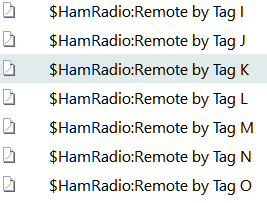
    Also, please tell use the exact names of those tags, rather than the cryptic O, N and M.

    Q occasionally gets funny with some names.

    Q user since February, 1990. DOS Version 4
    Now running Quicken Windows Subscription, Business & Personal
    Retired "Certified Information Systems Auditor" & Bank Audit VP

  • JFSamuels
    JFSamuels Member ✭✭

    They are literally A, B,…M, N, O, P, etc.

    I have run reports from Spending, Itemized Categories, and Itemized Tags - no difference. My reports are mostly from My Saved Reports, load them, then modify them for the current Tag, change the name, and save it, then run it, etc. But, just to see, I ran one from scratch with the same results.

    image.png

    The problem appears to have started between last Fall and June, not that that is a help. To me, it may be a change in the data structure sometime in that timeframe, where the reports were not recompiled with the structure change. Running the same report gives the same wrong results. I tried adding a new transaction with those tags. It appeared in the report, but when I duplicated a real item, it too was not seen. That is why I think it is data sensitivity. Then I created a new item with the same data as one not seen, and it too was not in the report. I did note once that if there were two identical transactions, in two different accounts, where one was positive and the other negative (the sum was zero), neither was shown on the report. That doesn't seem right.

    Here is the end of the last report that seemed to include all the transactions. They should all balance out to $0.00.

    image.png
  • JFSamuels
    JFSamuels Member ✭✭

    Here is the data for Tag O from All Transactions:

    image.png

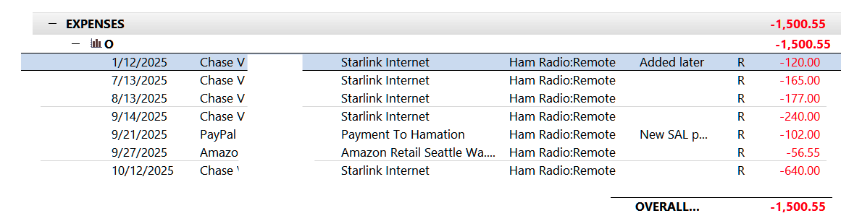
    Here is the Tag O report:

    image.png

    Note that the two 9/21 transactions, which balance out, do not appear in the report.

    Also,

    image.png image.png

    (This report will not zero out, since it is missing a transaction reimbursing me for the O total).

  • Jim_Harman
    Jim_Harman Quicken Windows Subscription SuperUser ✭✭✭✭✭
    edited October 14

    I see that both of the missing transactions are transfers, and they are for the same amount on the same date. The other transactions you show all have regular Categories.

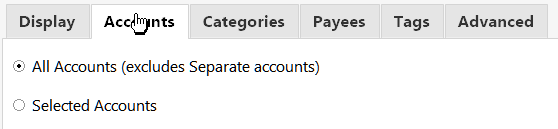
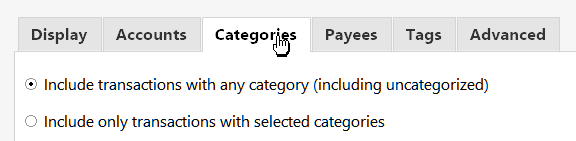
    The default setting for transfers on the Advanced tab of the Itemized Tags report is Exclude Internal, and you have all accounts selected. That tells the report to ignore transfers between accounts that are included in the report, and would explain why the transfers are missing from the report.

    What happens if you change the Transfers setting to Include all? That should make those transactions reappear, but might cause other undesirable side effects.

    Perhaps if you explain what you are trying to accomplish here, we could come up with a better way of recording these transactions. For example, are the Tags for different customers or different projects and you buy things for them and get reimbursed?

    Do you have accounts in Quicken for PayPal and the credit card where you record the transactions, or do you make giant splits when you pay those bills to allocate the transactions to the correct Categories or Tags?

    Generally it is better to have separate accounts for the credit cards, and enter and categorize the transactions in those accounts. Then when you pay the bill, it is a simple transfer from the checking account to the credit card account.

    QWin Premier subscription
  • JFSamuels
    JFSamuels Member ✭✭
    edited October 14

    Thank you, Jim, that explains part of the problem.

    A friend of mine and I own a property where we have set up a remote ham radio station. We share the expense. From time-to-time I submit to him my expenses and he reimburses me that amount from the LLC account. When funds are needed in the account, we transfer equal amounts to the account. It works well.

    Now, when I include all internal transfers, a transfer area on the report opens up, and I see the debit and credit, and I see what I need to do: Leave the tags that zero out in the PayPal account, include the tag in the credit card payment to PayPal, and do not use Internal Transfers in the reports. Now I get the correct report:

    Screenshot 2025-10-14 at 4.47.10 PM.png

    And when I get reimbursed, the credit entry will zero out the report.

    I still have to check out the problem where certain expenses are not on the report when the transaction is split.

    Thanks, John

    [Edited - Removed partial account numbers]

This discussion has been closed.