Downloads from Bank of America
I asked why QFX downloads from Bank of America were no longer working, and the response was that Bank of America would no longer download in that format, but would download in the "Express Web Connect+" format. But that option is not offered on the Bank of America site. Did I misunderstand? Is there any way to do this?
Best Answer
-
This isn’t an operation that you should start at the financial institution.
You need to you use Ctrl+A in Quicken to start the process of adding/connecting to you BofA account(s). It will get to a point where it brings up BofA’s website where you login and authorize the connection. After that Quicken will go on and you should link you online accounts to your Quicken account(s). From there on you get you transactions by using One Step Update.
Signature:
This is my website (ImportQIF is free to use):0
Answers
-
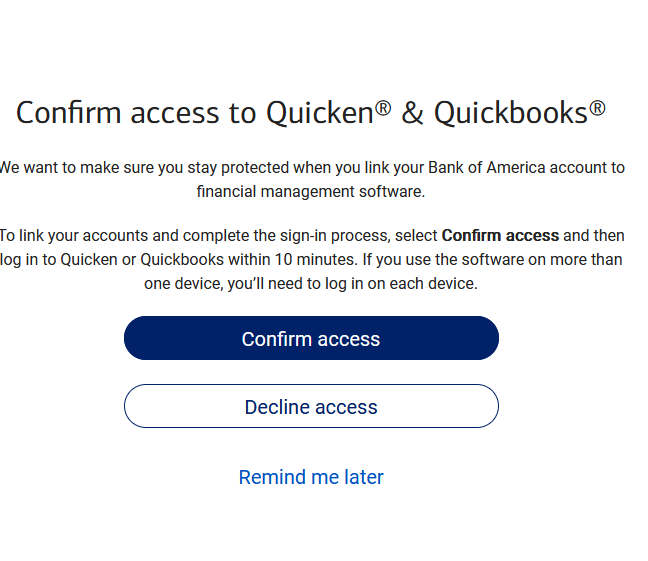
Just out of curiosity I typed bankofamerica.com into my browser's URL address bar and came to a BofA widow that had boxes for user name and password. My log in credentials worked - after a text confirmation - and ended up on a screen with this message:
I didn't go any further as I'm already connected but you might give this a try as it seems to be the right path to get connected.
0 -
This isn’t an operation that you should start at the financial institution.
You need to you use Ctrl+A in Quicken to start the process of adding/connecting to you BofA account(s). It will get to a point where it brings up BofA’s website where you login and authorize the connection. After that Quicken will go on and you should link you online accounts to your Quicken account(s). From there on you get you transactions by using One Step Update.
Signature:
This is my website (ImportQIF is free to use):0 -
You don’t want to manually enter the URL for this. Quicken needs to be in the state where it ready to receive the “go ahead” while setting up the online account(s) to the one(s) in Quicken.
Signature:
This is my website (ImportQIF is free to use):0 -
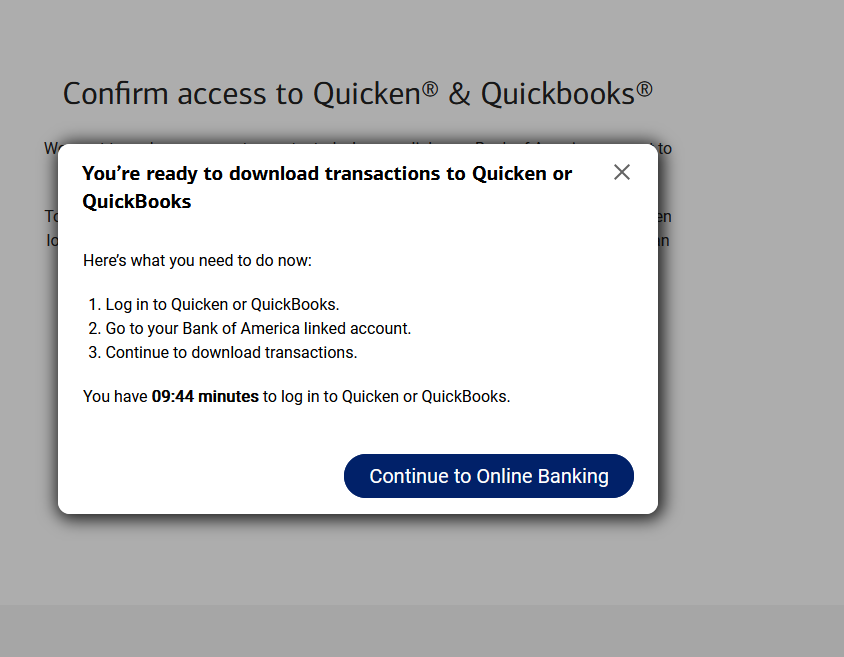
I understand the "correct" way of getting the link established, which is to go through the Online Services tab and click "Set Up now…", select Bank of America as the FI, etc., but I did go a little further down that path and came to this:
so since it asks you to open Quicken perhaps this would work as well. Maybe it's a one-time thing and doesn't establish a permanent link?
0 -
I get that message from BoA every time I log in to use their website. I just ignore it and transactions download properly via EWC+.
QWin Premier subscription0 -
I never get that message. Wonder what is different.
And on the Quicken side everything works as normal with a typical EWC+.
- Q Win Deluxe user since 2010, US Subscription
- I don't use Cloud Sync, Mobile & Web, Bill Pay/Mgr0 -
I believe that message is about Direct Connect, not Express Web Connect +.
Express Web Connect + messages look different, at least at other financial institutions I have setup.
Signature:
This is my website (ImportQIF is free to use):0 -
I ran into the same problem importing a QFX file downloaded from Bank of America—Quicken displayed an error saying it couldn't verify the financial institution.
I used ChatGPT to analyze the QFX file contents, which revealed two key errors: an incorrect Institution Name and a faulty FID (Financial Institution ID).
To fix this, I had ChatGPT write a quick PowerShell script to automatically correct the wrong information and generate a new file named stmt_FIXED.qfx.
I was able to successfully import the transactions from this new, corrected file without any errors. This workaround is useful as long as Bank of America still allows you to download the original QFX file.
Try it at your own risk!
@echo off
REM === fix-qfx.bat ===
REM Automatically fixes the newest Bank of America QFX file in Downloads for Quicken import.setlocal
REM Set Downloads folder path
set "downloads=%USERPROFILE%\Downloads"REM Find the newest .qfx file in Downloads
for /f "delims=" %%f in ('dir "%downloads%*.qfx" /b /a-d /o-d') do (
set "newest=%%f"
goto :found
)echo No .qfx files found in Downloads folder.
pause
exit /b:found
set "src=%downloads%%newest%"
set "dst=%downloads%\stmt_fixed.qfx"echo Processing newest QFX file: %newest%
powershell -NoProfile -ExecutionPolicy Bypass -Command ^
"(Get-Content '%src%') -replace '<ORG>Bank of America','<ORG>BANK OF AMERICA, N.A.' -replace '<FID>5959','<FID>581' -replace '<INTU.BID>6526','<INTU.BID>581' | Set-Content '%dst%'"if exist "%dst%" (
echo Done! Fixed file created: %dst%
) else (
echo Error: Failed to create fixed file.
)pause
0 -
On a related issue I updated/authorized the BofA download using the Express Web Connect+ method and the problem is that it downloads a bunch of duplicate transactions some of which are a year old. Going through manually deleting the dupes is obviously tedious. I guess one solution is to remove the account and then add it again but then all of the specific categorizations we created are not picked up and those would need to be added manually. So is the only way forward just to skip the download and from here on in add things manually??
0 -
Note I have my transactions go directly into the register so I can use the power of the register to handle problems like this. Doing this in the Downloaded Transactions tab is different/harder at least in my opinion.
What I would do is either sort by the CLR column which since I always have all my transactions reconciled, this would put all the "c" transactions together and I could delete the ones that were old.
Or I would sort by "order entered".
Select register gear icon → Sorting Options → by Order Entered
This will put all the new transactions at the end of the register and then they can be selected in bulk and deleted.
Signature:
This is my website (ImportQIF is free to use):0 -
Well, how clever. How did you come up with a substitute for the FID and BID in the QFX download file of 581? Was it because it is only three digits as opposed to the five digit numbers found in Inuit's fidir.txt?
0 -
It is typically my wife that does the Quicken stuff and the downloading from BofA seemed much easier with the QFX files. She would be able to download just the most recent statement period from BofA and it was easy to accept or reject particular transactions and/or link a particular transaction to one she manually added. Like I said on the last download using the new Web Express method we were getting transactions that were at least a year old and duplicative of existing transactions. I was wondering if there was a way of limiting the downloads to just the latest statement period which would make things much easier.
0 -
It is a bit hard to read in that script, but what it is doing is changing 06526 to 00581.
Note there is no telling how long BofA will keep the QFX download on its website, and this "hacking" is sort of stretching the forum guidelines. That is why the SuperUsers and I tend to not discuss this here even though we are quite familiar with how all of this works.
I suggest that you check out my website for more information on the subject.
Signature:
This is my website (ImportQIF is free to use):1 -
Note that the downloading of very old transactions only happens when you first switch over. After that Quicken remembers the unique Ids of each transaction it has downloaded and if it sees that transaction again it will ignore it.
Signature:
This is my website (ImportQIF is free to use):0 -
Yeah, I fully understand that this hack is not officially sanctioned, that continuing to use QFX imports still contain personally identifiable info in the header of the QFX files and that B of A at any moment may finally process the memo from Intuit to remove the "Web Connect for Quicken 2018 and above" download option.
But hey, thanks to doug8181, we still have options.
Focusing on the script he and ChatGPT came up with, I was amazed to see use of the old DOS CLI For command;
for /f ,,delims=" %%f in ………
I haven't spotted that in the wild for at least 30 years. Nice job ChatGPT.
(One caution: if you are submitting QFX files to AI bots, scrub them of your personal info first)
Dave
0 -
Yes that was one of the solutions offered by BofA and/or Quicken—delete the original account and then set up a new account with the stuff downloaded. Main downside to that is that I assume all of the special categories and notes we had on our transactions now disappear. Moreover the downloaded ones on the new system sometimes entirely omitted a description and category and would only have the date, check number, and amount. All in all a giant pain [Edited - Language] which is typical of what happens these days when software is tweaked or "improved"—Windows 11 anyone?
0 -
I was going to suggest the same thing with the difference that I would not delete the original account. Just fully deactivate it instead. Once you setup your new account and satisfied with the accuracy, then you can "move" the old transactions from the old account to the new one and everything will be in one place. Just remember that you may have to adjust the opening balance to make sure that the end balance is correct.
- Q Win Deluxe user since 2010, US Subscription
- I don't use Cloud Sync, Mobile & Web, Bill Pay/Mgr1 -
I do that when i log in every time, I do not see that message, can you elaborate as I still cannot download transactions
0 -
Seeing what I did by signing into BoA through my browser probably is a result of my BoA Account in Quicken being already connected for downloading, now that I think about it. In hindsight posting this was an error on my part, as the correct way of connecting a Quicken BoA Account for downloading has to be done through Quicken.
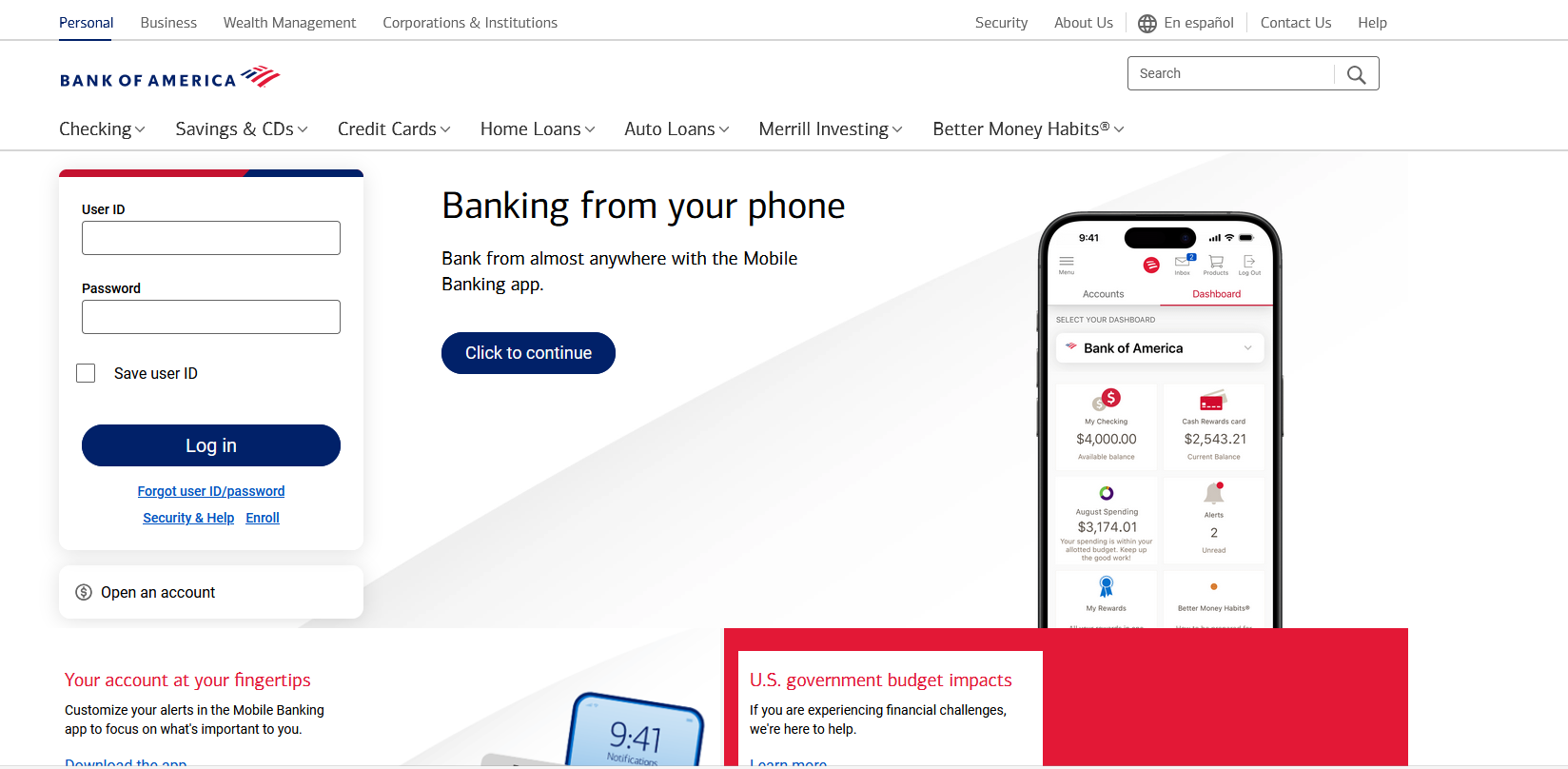
The path I took was to open my browser, type bankofamerica.com into the URL box and this came up:
I'd guess that if BoA "knew" I wasn't connected to Quicken that you'd get a more generic BoA page that doesn't recognize you as a customer of BoA.
The original poster was asking about using a QFX file for downloading and it turns out that BoA has discontinued its support of importing into Quicken this way.
1 -
I might take the time to experiment a bit but needed clarification on "fully deactivate" the account. So the account will still be on my local Quicken? And if I setup a new local Quicken account I assume I would need to give it a different name from the "deactivated" account?
0 -
@SeismicGuy , Short answer is yes.
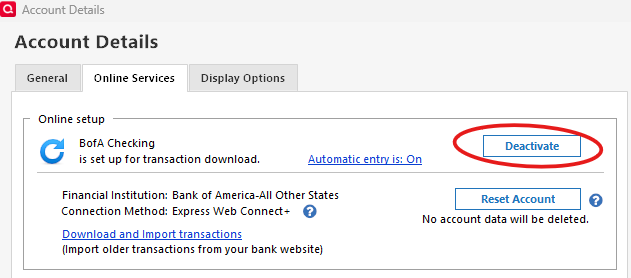
Go to the account details of your "original" BofA, online services tab and deactivate it as seen below. It will stay in your file, but will be an unconnected manual account. Feel free to rename it to BofA Orig or whatever you like. Then make a backup of your data file.
Next go to Tools > Add account, find BofA and go thru the add account and authorization process. When it finds your account, select the Add option (NOT Link).
This will create a new BofA account in your data file and download a limited number of transactions; 30-90 days, and you cannot control how many. It will also create an opening balance. Put a flag by this new opening balance transaction so that you can easily identify it. Ensure the transactions are correct and your ending quicken balance for this account matches the online balance. (note that there could be some pending transactions that may not download yet, so keep those in mind)
Once you are satisfied with the accuracy of the new account, work with it as is for a few days to ensure all transactions are downloading correctly.
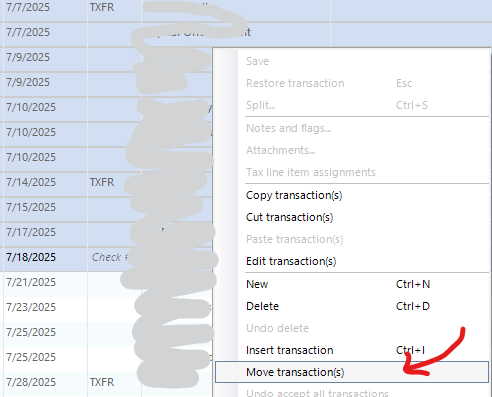
Once you are confident that everything is accurate, it's time to merge the accounts by moving your old transactions:
Keep in mind that most likely you have some duplicate transaction between the two accounts and you need to identify them based on a combination of dates and amounts - a bit of work no doubt. Go to the BofA Orig, make a batch selection of the old transactions, right click and select "Move transactions" to move them from BofA Orig to the new account. Take care to identify and move only those transactions that are not already in the new account (to not create duplicates). You can do this in a single batch or preferably multiple chunks at the time.
Opening balance:
You will now most likely have two opening balance transactions (original one at the very top and the new one you flagged near the bottom of your new register) which you need to combine into one. In theory your original opening balance should be correct - in theory. You need to delete the new one you flagged earlier and possibly adjust your original opening balance with the objective of having your ending balance match your online balance - just do the math. Alternatively if you don't want to mess with your original opening balance, then create a dummy transaction with the proper amount, in order to make your ending balance match your online one.
Final steps:
Once everything is correct to your satisfaction, make a note of your opening balance and write it in the memo field of that opening balance transaction - this is very important to have a written record of it. (if fact do this for all of your accounts)
Once you are 100% confident that you no longer need the BofA Orig account, (a) delete any of the remaining transactions in that register since they are duplicates, right? and (b) hide, close or delete that account to get it out of the way.
I hope I got this right and you find them helpful.
- Q Win Deluxe user since 2010, US Subscription
- I don't use Cloud Sync, Mobile & Web, Bill Pay/Mgr1 -
Thanks for the detailed explanation. Still sounds kind of daunting and intensive; maybe something to try when I have a bunch of time to play around. In the meantime probably less painful to omit the downloading from BofA and keep entering things in our register manually.
0
Categories
- All Categories
- 56 Product Ideas
- 36 Announcements
- 224 Alerts, Online Banking & Known Product Issues
- 22 Product Alerts
- 702 Welcome to the Community!
- 671 Before you Buy
- 1.2K Product Ideas
- 53.7K Quicken Classic for Windows
- 16.3K Quicken Classic for Mac
- 1K Quicken Mobile
- 812 Quicken on the Web
- 111 Quicken LifeHub