Why this ETF does not sync?
XGGB
ISHARES GLOBAL GOVERNMENT BOND INDEX ETF (CAD-HEDGED) UNIT
All others ETF work perfectly.
Can you show us the XGGB entry in the Tools Menu / Security List, please?
Can you please capture one or more images of the parts of your Quicken window showing the issue, sensitive information blacked out as necessary to protect your privacy and attach the image(s) here?How do I post a screenshot in the community from a mac
How do I post a screenshot in the community from windows
Please save images to files of file type PNG or JPG only. They're easier to work with than PDF files.
@Valderi,
Does the "CAD" in the ETF name mean that the units are denominated in Canadian dollars?
If so, are you holding it in an account that's also in CAD? In Q, only a single currency can ever be applied to an account, so if you try to record a CAD security in a USD account, Q will think that the security is USD also.
And, are you running Q US, or Q CA? And which Q Product, and RELEASE of that product are you running? This info is at HELP, About Quicken.
To NotACPA:
My Quicken program is the Canadian version. My ETF is Canadian in Toronto stock exchange and it is in Canadian dollars.
All of my others ETF are the same but they have all 3 letters in there symbols: XBB, XEF, XIC, XiG, XSB… and I have no problem to download their cotes. The only one I can't is: XGGB. It is the right symbol.
Security prices don't "sync". When things work correctly, Quicken will obtain prices (i.e. Update Prices or Historical Prices) for securities from a data feed from a third-party. "Sync" is a two-way reconciliation; security prices are a uni-directional download.
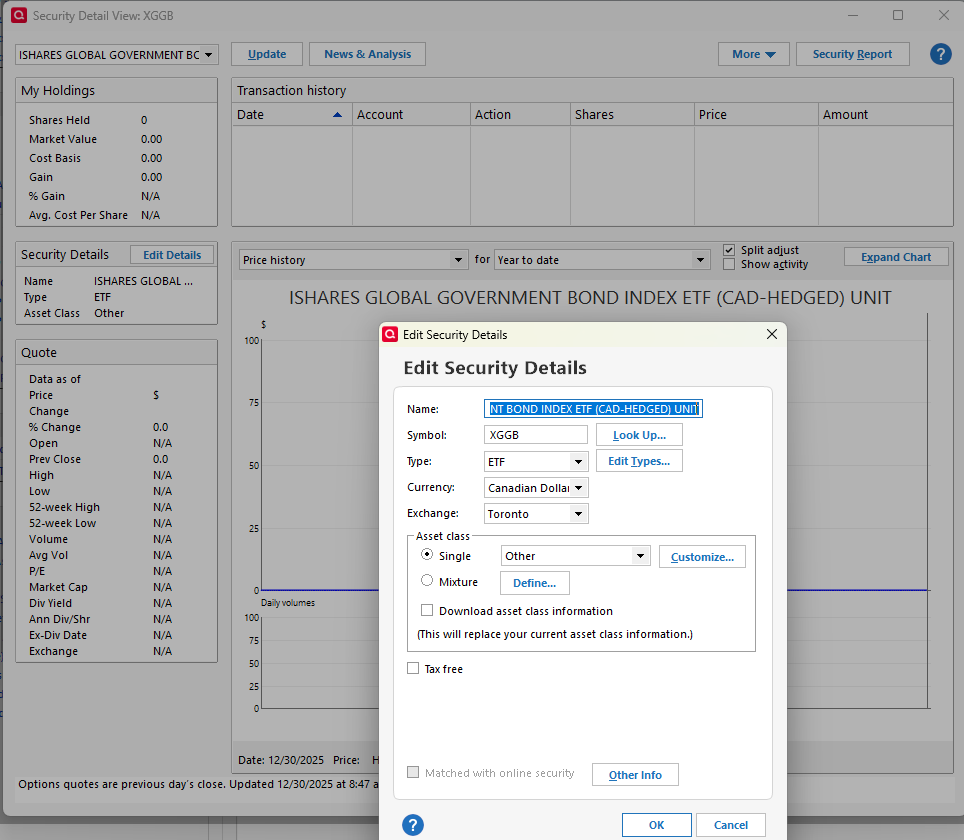
I tried adding XGGB to my Security List and attempted to get a price and I too got nothing (I'm Canadian, running the latest version of Quicken Canada, and I also use Quicken to track investments, including ETFs). The problem identified here is relatively common with the Canadian version of Quicken. That is, there are quite a few securities that are relatively mainstream but are simply missing from the price data feed. If you search this section of the Community, you will find many threads on this topic; i.e. this is anything but an isolated incident. I have a bunch of securities in my security list that are present only because people post about this very issue and I test them and confirm it is an issue. I've left some of those securities in my list and that demonstrates that the problem has never been fixed - each time I download prices I get the reminder advising me of the number of securities for which there was no price update.
Note that the account currency actually does NOT come into play with this issue. You don't have to hold the security to attempt to get a price for the security. So, I can positively confirm this issue is entirely unrelated to account currency. You would need to set the security currency to CAD, but as you can see below, I have done that and I presume the OP did that as well.
The problem is simply that the security is not included in the third party price data feed that Quicken provides us. @Quicken Janean given that this issue has been raised many times in the Community, is this something you can take up with the development team. It would be relatively easy to compile a list of examples of the problem.
This problem has never got any traction with Quicken, leaving users to either enter the data manually or choose a different security.
I've posted a copy of the security configuration for XGGB below for reference.
Hello @Valderi,
Thank you for taking the time to visit the Community to report this issue, though we apologize that you are experiencing this.
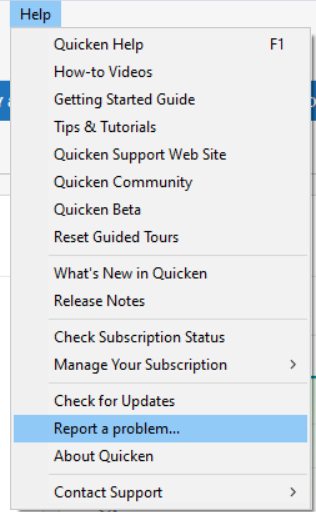
We have forwarded this issue to the proper channels to have this further investigated. In the meantime, we request that you please navigate to Help > Report a problem and submit a problem report with log files attached and (if you are willing) a sanitized copy of your data file in order to contribute to the investigation.
While you will not receive a response through this submission, these reports will help our teams in further investigating the issue. The more problem reports we receive, the better.
We apologize for any inconvenience!
Thank you.
(CTP-15826)
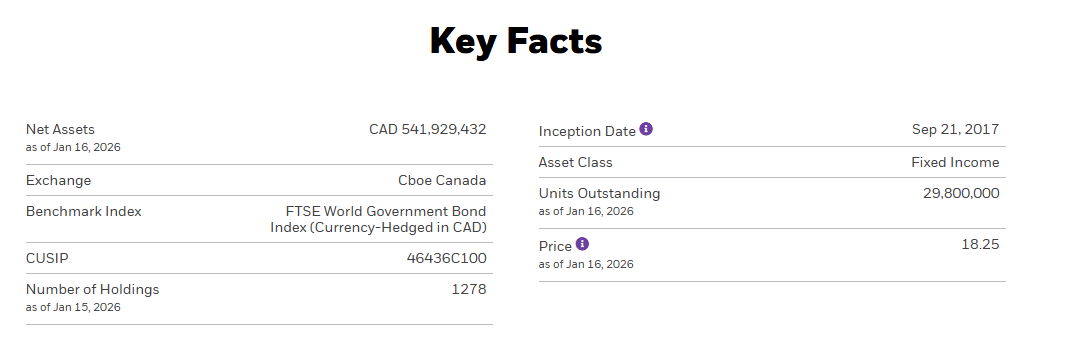
This fund is listed on the Cboe (NEO) exchange only, it is not on the TSX. Quicken does not get any price updates from the NEO. I have a few ETFs like this as well and my only solution is to update the price at the end of each month. Not ideal. I have requested adding support for the NEO exchange (years ago) [Removed - Speculation].
[Edited - Added link to the referenced post, please add your vote and a comment]
Thanks for pointing out that this fund is traded on Cboe (see below), not TSX as asserted by the OP. I didn't look up the exchange myself; I relied on the information provided by the OP. That does give important context to this issue; however, I don't believe that is the explanation for similar issues I've found in the past. Nonetheless, going forward, I will make a note to myself to always check which exchange the fund trades on.
The Edit Security Details image shown in a previous response provides a selection for "Exchange:"Not having the Canadian version myself, what choices are available there? Which of these choices would apply to NEO?
ISTR something about adding the stock exchange code, TSE or other, as a prefix to the symbol, "TSE:XXXX" … would that help?
No, because Quicken doesn't provide prices for Cboe/NEO exchange. I can't grab a screen shot of the list because it is a pick list, but the choices in the list are:
Cboe/NEO is not included on the pick list.
Now there's an idea for the programmers…
BTW, you can grab screen images with pop-ups or pick lists open. Press Win-key + PrtScr. Image file of entire screen goes into a subfolder of Pictures folder. Edit file with Paint and crop as needed
My hunch is that it is more than just a matter of adding the exchange to the pick list. It may very well be that the NEO exchange is not included in the price feed package that Quicken has purchased as a service for its Canadian users. No way for me to tell or say for certain, but that’s my hunch.
There appears to be an open ticket, (CTP-15826). Let's hope for the best.