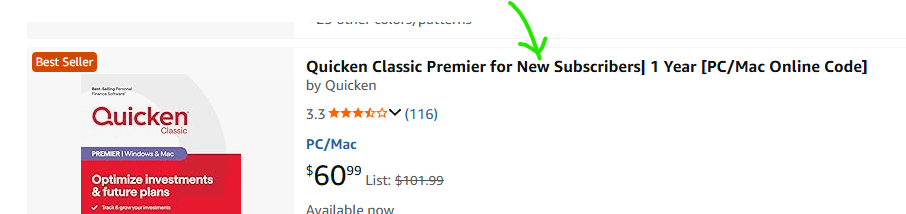
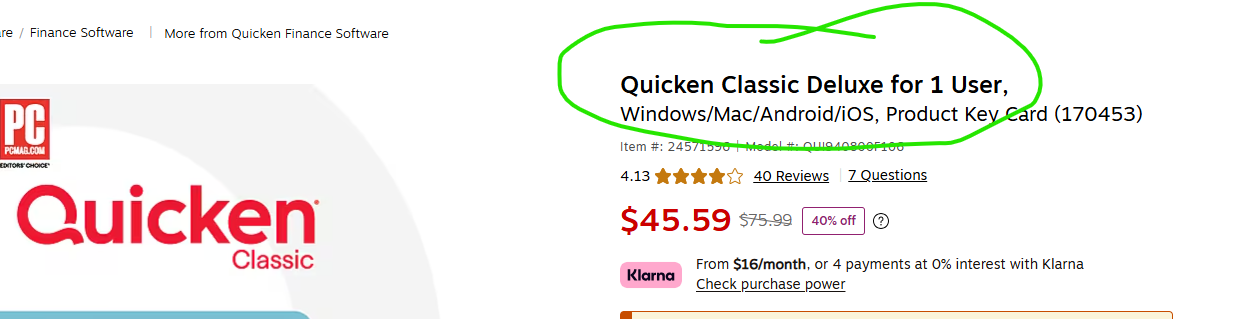
I have, I think, Version 2013 and have a new computer. I'm assuming I need a new version but when looking at what to buy, it says for new clients only. So what do I need to do to transfer data from old computer to new comuter
The "New Clients Only" version can't read your current Q data file … it's quite literally, for new clients only.
You need to find a version that doesn't have that limitation.
BUT, there is a method by which you could install Q2013 on your new computer … but I don't remember it at the moment. You might try doing a SEARCH via the box at the top of this forum's home page.
Or perhaps someone else, who does remember how, will reply.
I'm pretty sure that if you haven't purchased anything from Quicken since the old days when it was owned by Intuit (pre-2016), you would be a "new customer" as far as Quicken is concerned. That's if you want to purchase an ongoing subscription to the current Quicken. Note that whatever new customer offer you might get at this time, it's only for your first year, and you will then have to pay for renewals at full price (or discounted prices if you find them at retail sites) in future years.
Your other option, as mentioned above, is downloading and installing the old Quicken 2013 and staying with that. Quicken still provides that version free, and even though the intent is to serve as a temporary bridge for user moving from an older version of Quicken → Quicken 2013 → current Quicken subscription, there are some people who continue to use the 2013 version without a subscription. You can download Quicken 2013 from here:
https://bit.ly/Quicken2013
The "New Clients Only" version can't read your current Q data file … it's quite literally, for new clients only.You need to find a version that doesn't have that limitation.
The Subscription version, whether it is a "New Clients Only" promo or not, can read and upgrade the Quicken 2013 data file to the Subscription version. Quicken 2013 is the last intermediary bridge that is needed when wanting to upgrade from even earlier versions than 2013.
@Boatnmaniac You’ve said twice that a Quicken 2013 file can’t be read by subscription Quicken. I thought it could. That’s what the Quicken website says:
Convert Data: Open the new Quicken software and select the option to open your existing data file (*.qdf*). The software will automatically convert your 2013 data to the new format.
Am I misunderstanding something?
A "new user" is one that has never used subscription Quicken (2018+).
You could always be a "new user" by creating a NEW Quicken ID to register the newly purchased subscription Quicken.
You should not have any trouble opening your QW2013 file with subscription.
Personally, I'd stick with QW2013 if I was not interested in using any of online features of subscription Quicken.
I don't think I've said that anywhere, certainly not in this thread. That 1st part of my prior post was a quoted from @NotACPA's post above. The 2nd part of my post clarified that Subscription can read and convert a QWin 2013 data file.
As @splasher this:
Is all about the subscription and has nothing to do with what data files it can open and convert.
It requires a new Quicken Id.
When they don't have "New Subscribers" then it can be used to renew with an existing Quicken Id or use it with a new Quicken Id.
The Quicken Id is what ties into the online features and subscription so changing it means resetting up the online features, but is mostly do able, with maybe the exception of a feature like Quicken's online backup service that is an extra cost.
Quicken 2013 Windows is the last year that doesn't require a Quicken Id, making it the last year version that is truly offline (as it doesn't require a Quicken license server to be around to install/use it, unlike any version after it).
@Boatnmaniac Apologies! Yes, I was actually responding to @NotACPA's comment that "The 'New Clients Only' version can't read your current Q data file". Since the current data file in this case is a Quicken 2013 data file, and a Quicken 2013 user purchasing Quicken subscription is a new subscriber (because they've never had a subscription or Quicken ID), I didn't understand the comment that it couldn't be opened if the OP purchased a new subscriber subscription.
Maybe I'm misremembering, but I thought that the New User version couldn't import ANY prior Q data file.
I think you are remembering "Starter Edition" (There are these editions, Starter, Deluxe, Premier, and Home and Business). It used to be that the Starter Edition wouldn't convert old data files. I'm not sure about that these days though. I think that restriction was removed, but I do believe that there are still many restrictions in it like not being able to open a QXF file from Quicken Mac.
I put 2013 on Windows 11. If you don't want to download or import transactions you can stick with Quicken 2013. I'm using 2013. It's the last good version before they started requiring an ID. Then just copy the .qdf file from the old computer.
You can download 2013 Deluxe for free using this how to convert article. It’s under Converting from Quicken 2004-2009. 2013 is the last good version before they started requiring an ID.
https://www.quicken.com/support/how-and-when-use-intermediate-version-convert-older-versions-quicken