Quicken is EXTREMELY SLOW

I have been using since 1990. The current version is running so slow that it makes it hard to keep using quicken. To be clear I am using Quicken Classic for windows. Quicken is even slow to record a standard transaction. And if it is a split transaction, it takes forever especially if you are editing a split. But the entire program runs so slow it is infuriating. And it appears to be getting worse!!! What is going on?
Comments
-
Hello @Dasherdu,
I understand how frustrating it must be to experience significant slowdowns, especially after using Quicken for so many years. Since you mentioned that even basic transactions and split transactions are taking longer than usual, I’d like to gather more details to better understand the issue.
Have you noticed if Quicken slows down more when working with specific accounts or transaction types? Does it happen immediately upon opening the program, or does performance degrade over time? Also, have you recently updated Quicken or made any changes to your system, such as a Windows update or new security software installation? Also, how large is your data file?
Let me know!
-Quicken Jasmine
Make sure to sign up for the email digest to see a round-up of your top posts.
-1 -
I am not experiencing any latency in a data file that goes back into the 90's. Your issue probably has nothing to do with the "current version" of software but with the integrity of your data file. I'd try creating a new test data file and entering some split transactions. Are they slow?
0 -
Please do this:
Click Help in the Menu Bar. Shift+click About Quicken and you'll get a File Information window. This will tell us a little more about your data file.
Please capture an image snapshot of this window, redact any personal information from it and save the file as JPG, PNG or GIF format. Attach or drag and drop this file with your next comment.How do I post a screenshot in the community from windows
Also, what is the complete path and file name of your Quicken data file (e.g. C:\Users\username\Documents\Quicken\QDATA.QDF)?
0 -
Long time Quicken user and also find it extremely slow especially when opening my accounts after downloading transactions. I get a green wording that finally comes up which says loading transactions. This can take up to 30 seconds to a minute.
1 -
Do you still need assistance?
-Quicken Jasmine
Make sure to sign up for the email digest to see a round-up of your top posts.
0 -
Hello Community -
I am also experiencing slowness in my quicken. I'd say probably over six months. Why not reporting? Because I tried every other way to resolve this. Cannot be system because my laptop is 16 core with 64 GB of RAM and performance monitor over time maxed out at 50% for memory and CPU. This is ONLY with Quicken. Everything else is super speedy. Can't really blame it on Disk drives or anything else because there is no issue with anything else.
I have been using Quicken since 2000 time frame, probably 1999? Only recently that I experience this slowness issue.
0 -
Complaining is good, providing requested support information is better. So far, nobody has seen fit to respond to my earlier request (above).
So please do this:
Click Help in the Menu Bar. Shift+click About Quicken and you'll get a File Information window. This will tell us a little more about your data file.
Please capture an image snapshot of this window, redact any personal information from it and save the file as JPG, PNG or GIF format. Attach or drag and drop this file with your next comment.How do I post a screenshot in the community from windows
Also, what is the complete path and file name of your Quicken data file (e.g. C:\Users\username\Documents\Quicken\QDATA.QDF)?
0 -
Just checking in!
-Quicken Jasmine
Make sure to sign up for the email digest to see a round-up of your top posts.
0 -
Transaction performance issue after R62.16 update (Windows)
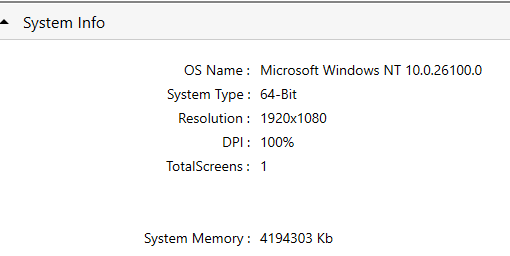
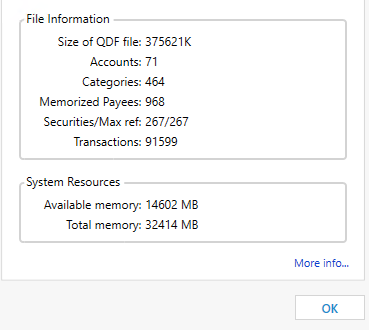
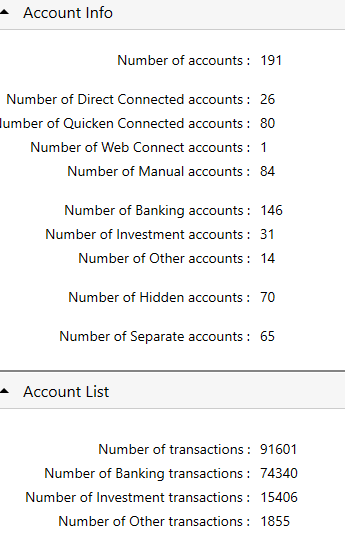
I have the same problem. After updating to R62.16, Quicken for Windows has become extremely slow when working with transactions. Any time I try to update an entry, accept a downloaded transaction, or enter a reminder, it takes 5–10 seconds with the hourglass spinning the whole time.
I've noticed this behavior right after installing the update. Here's what happens:
- When Quicken is idle or I'm switching accounts, it uses around 0–8% CPU.
- But when I do anything with transactions, CPU usage spikes to 20–25% and stays there while it's “thinking” (the 5–10 second delay), then drops back down once it's done.
- Other parts of the program seem fine and respond as usual.
- This doesn't happen with small data files, so it seems tied to file size or complexity. Please note that problem appeared right after update, i.e. not when file become large over time.
Also, I’ve noticed that the “Recalculating investment account values” process at file open now takes 5+ seconds. In the past, this step was so fast I barely noticed it—or didn’t see it at all. Not sure if it's related, but it started happening around the same time.
This slowdown makes everyday tasks really frustrating. It was working fine before R62.16, so it looks like something in that update caused the issue.
 0
0 -
Thanks for providing the additional information.
In addition to the CPU usage spikes when you access transactions as you describe, do you also see a surge in disk activity? You can see this in the graph section of the Windows Task Manager.
Does the Task Manager show a big increase in internet activity during these delays?
Are some accounts significantly faster than others - banking vs investing accounts, or accounts with lots of transactions vs less active accounts?
Does it make a difference if you pause your antivirus software while running Quicken? If so, what antivirus software are you running?
Is your data file under the control of Dropbox, OneDrive, or another cloud storage system? If so, you will probably see name of the cloud system as part of the full path to your data file in the list at the bottom of Quicken's File menu.
QWin Premier subscription0 -
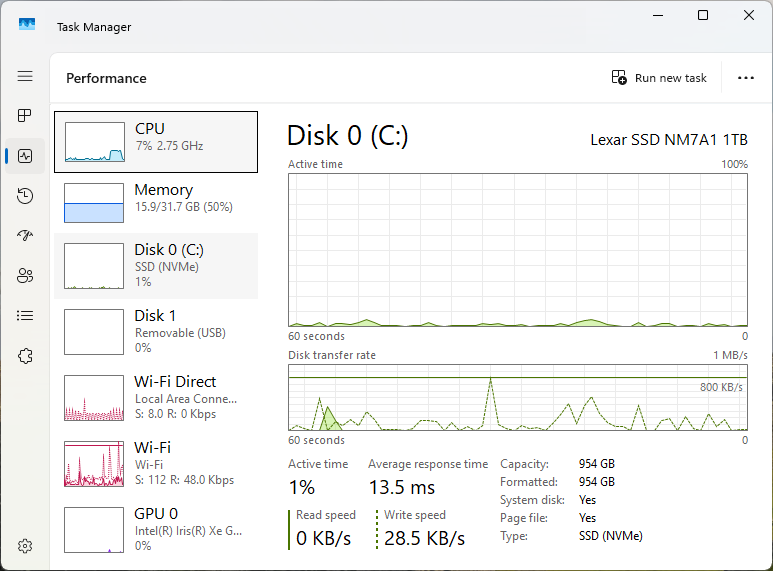
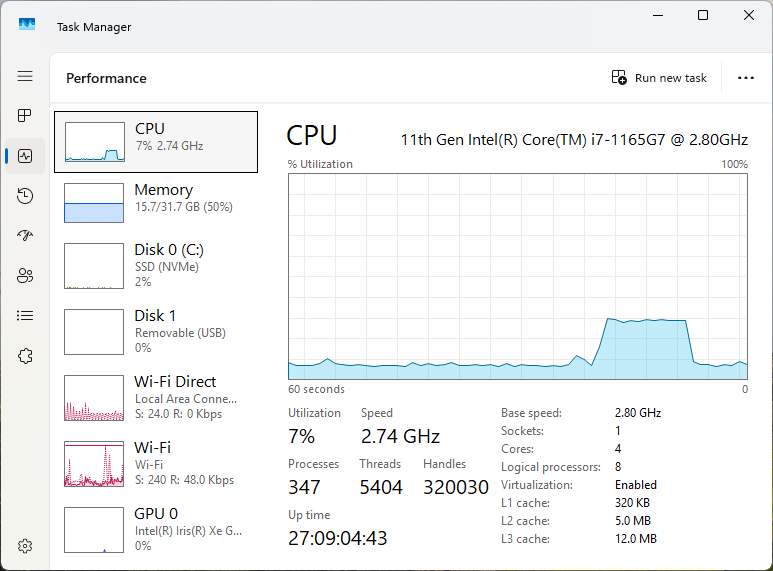
No surge, no change in disk activity. No increase in internet activity.
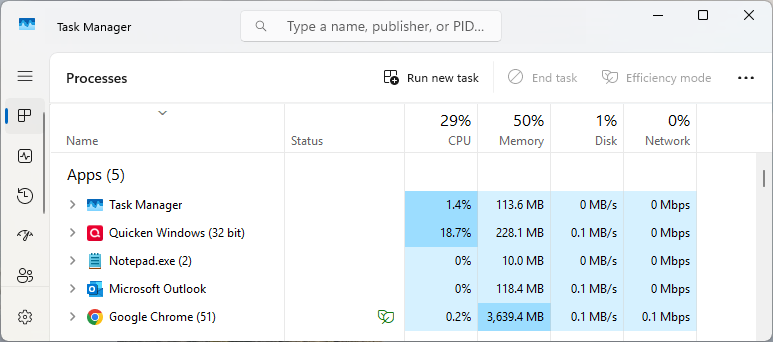
No increase in memory usage during transaction update. Difference on screen shots below is not related to transaction update. Change in memory usage is related to switching between accounts.
Delay during transaction update and increase in CPU usage are the same for all account types, for old accounts with a lot of transactions and for accounts with just a couple of them.
One condition to initiate delay - update at least one field in transaction. Date, desc, amount ,… Clicking on transactions or click and press Enter will not trigger problem.
Pause of antivirus has no effect.
Data file is on a local, fast hard drive (SSD NVMe).
Baseline.
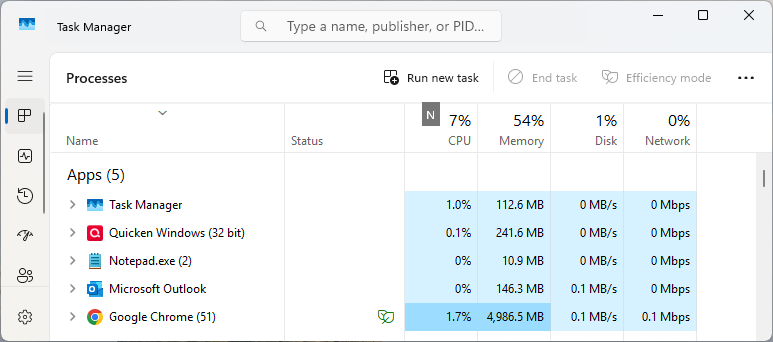
Trunsaction updated.
 0
0 -
Thanks for providing the File Information. I'm sorry about being late responding.
You didn't say whether your data file is subject to being processed by Microsoft OneDrive. If it is, this will have an impact on performance and may cause data file corruption. Make sure OneDrive does NOT access the active data file. But it is OK to create backups in Quicken and let OneDrive send the backup files to the OneDrive cloud server.
File Information tells me that you have nearly 1000 entries in the Memorized Payees List.
To trim the list and keep it in shape please do this:
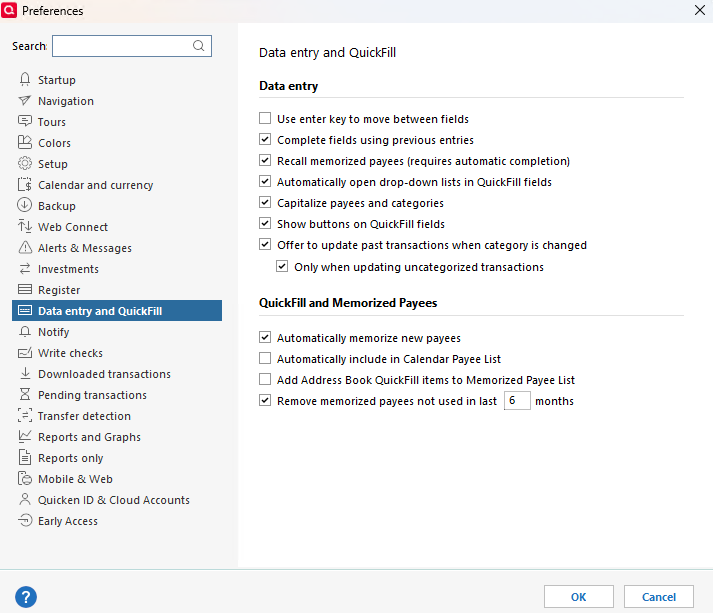
In Edit / Preferences / Data Entry and Quickfill make sure you have a checkmark at
[√] "Remove memorized payees not used in [xx] months"
and set [xx] to something like "18". Do not set it to zero. IMHO, you should set the number to 12 or higher for best results, so that once-a-year payees don't vanish.
Restart Quicken for the change to take effect and housekeeping to clean up the Memorized Payee List.
Check the File Information box again to see the reduced count.I also recommend that you review the Payee Names that you use. For best results, you should have only one instance of a Payee Name, e.g., "Burger King", and not many different variations with store numbers or city names, e.g., Burger King SFO, Burger King San Jose, etc.
To standardize existing transactions on using the same Payee Name use Edit / Find/Replace to, for example, find all transactions where "Payee contains burger king" and Replace Payee with Burger King
Repeat for all other similar situations.Use Renaming Rules to help creating standardized payee names from newly downloaded transactions. Make Memorized Payee List entries available for use with these standardized Payee Names, to create properly categorized transactions
0 -
Thank you, UKR.
Regarding the data file — it is not processed or managed by Microsoft OneDrive. The “Remove memorized payees not used in [xx] months” option has always been set, with the interval at 6 months — I didn’t change it.
I appreciate your intent to help reduce potential issues, but the real problem is a buggy Quicken update. The issue did not build up over time — it appeared immediately after the update was installed, with delays jumping from 0 to 10–15 seconds.
To be honest, I thought you might have some connection to the Quicken development team. If not, please don’t waste your time — this issue needs a proper fix from Quicken.
 0
0 -
@Zeka Hardly anyone else is reporting this problem, so we are trying to help you narrow down what about your data or installation might be causing it.
This is primarily a user to user forum. Forum Moderators (users whose names begin with "Quicken") sometimes review issues discussed here and refer them to Development, but if you want Quicken to work on a problem, you should contact Support via phone. Be sure the support agent understands the problem and gives you a ticket number for future reference. Please post the ticket number here. Development only works on problems that have been referred by a Moderator or confirmed by a Support contact.
You should also use the Help > Report a Problem menu in Quicken to submit the issue online. In your submission, be as clear and thorough as possible. Reference the ticket number and provide a link to this discussion. Provide step by step instructions to reproduce the problem and note any error messages you receive. They will not pay much attention to a problem unless they can replicate it in house or see it in a support session.
You will not get a response to an electronic submission, but apparently they review and prioritize the submissions and use the data to help resolve problems they decide to work on. The more reports they receive the better.
QWin Premier subscription0




Categories
- All Categories
- 6 Product Ideas
- 34 Announcements
- 250 Alerts, Online Banking & Known Product Issues
- 19 Product Alerts
- 265 Welcome to the Community!
- 301 Before you Buy
- 1.5K Product Ideas
- 55.8K Quicken Classic for Windows
- 16.9K Quicken Classic for Mac
- 1K Quicken Mobile
- 834 Quicken on the Web
- 129 Quicken LifeHub