Feature Request - Stop scrolling to top on Refresh

When using the new Edit Yearly Budget dialog entry box, upon exit, the budget screen refreshes and scrolls back to the top. Super annoying as I get to the bottom of my budget 😤
It should stay where it is at.
Comments
-
Hello @SteveInReno,
I went ahead and changed your post to an Idea so other users who have the same or a similar request can vote on your idea by clicking the up arrow (see below).

Ideas are also reviewed by our Development and Product teams in order to improve Quicken and implement new features requested by customers.
Thank you!
-Quicken Anja
Make sure to sign up for the email digest to see a round up of your top posts.1 -
This would be a welcome improvement. I've been using budget for many years and it's always been a pet pieve.
0 -
I consider this a bug, not a feature request.
0 -
Hello All,
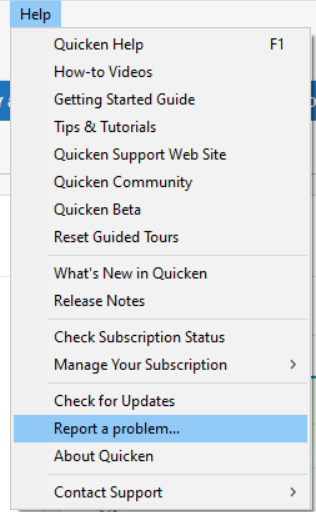
I am able to replicate this issue and I forwarded to the proper channels for further investigation and resolution. If you would like to contribute to the investigation, please navigate the Help>Report a Problem and send a problem report with log files attached.
Thank you!
(CTP-15050)
Quicken Kristina
Make sure to sign up for the email digest to see a round up of your top posts.
2



