Nordstrom transactions in account reversed

I'm having similar issues to what I've seen posted earlier this year but all the discussions are closed. My Nordstrom credit card charges are showing positive when they should be showing up as negative. Looks like others were having issues and there was a post created by Quicken on 7/16/2025 to investigate this but every time I click on it (and yes, I'm signed in) it states I have no permission to access. I want to make sure this is still being known as an ongoing issue. Does anyone have a solve for it? TIA
Comments
-
It might help us determine what's wrong, if you could show us a complete image snapshot of the register window, from the account name on the top, including the column headers, down to the line with the Ending Balance.
You do not need to show the Account Sidebar or other personal information.How do I post a screenshot in the community from a mac
How do I post a screenshot in the community from windows
Please save images to files of file type PNG or JPG only. They're easier to work with than PDF files.0 -
Are the charges and payments in the right columns? Or is just the balance is going the wrong way?
I'm staying on Quicken 2013 Premier for Windows.
0 -
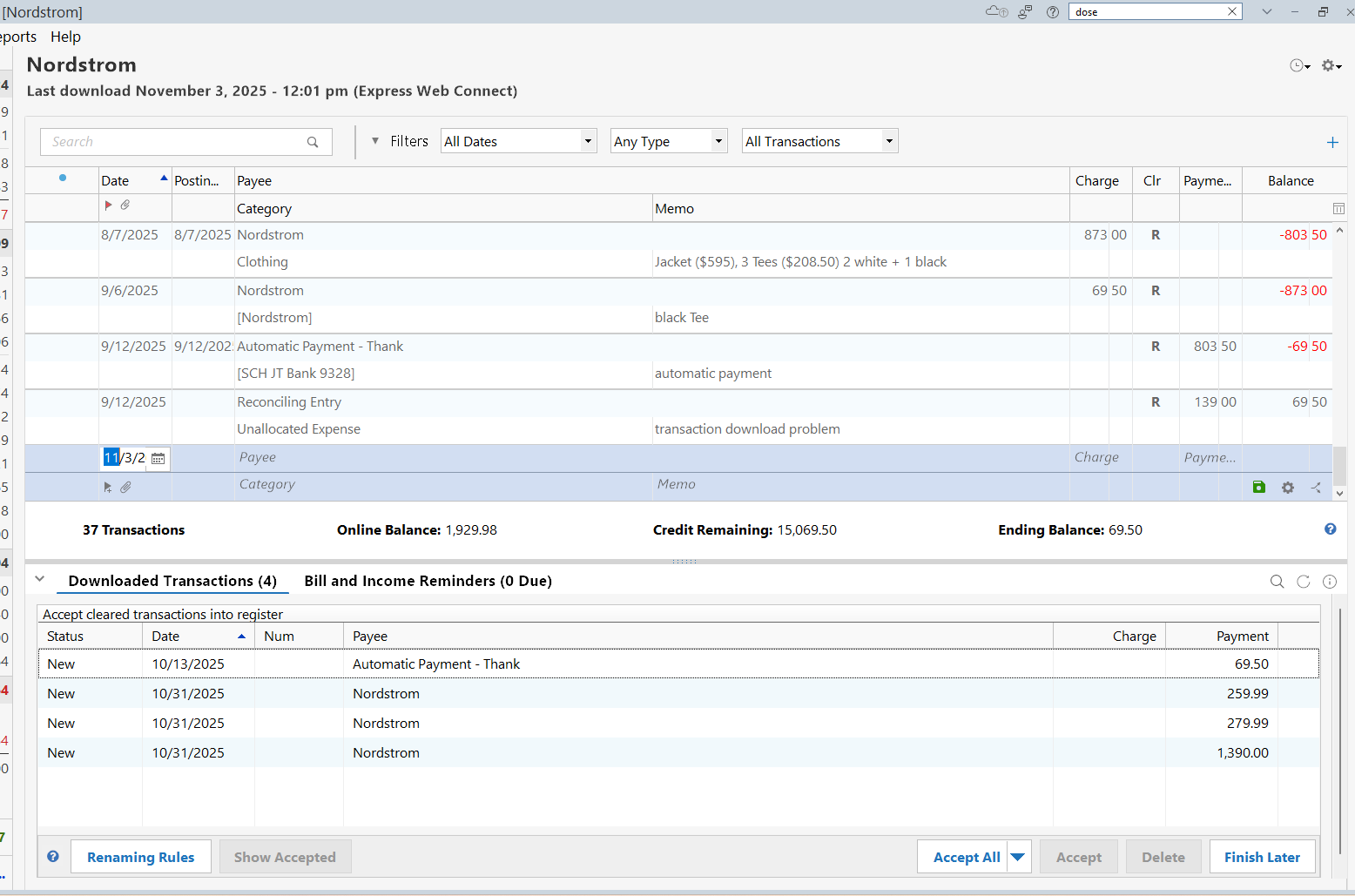
I'm having the same problem, and this started last month (I manually corrected each purchase transaction last month). This month, similar to last month, my transactions are coming in but the purchases are coming in as if they are payments. Here's a screenshot of this month's transactions (payment on 10/13 and three purchases on 10/31)
 2
2 -
Same as Theresa in Oregon - mine are showing up as payments rather than charges.
1 -
Same as Theresa in Oregon - mine are showing up as payments rather than charges.
0 -
Mine are coming up as payments rather than charges. For example - it shows +50 instead of $50 like I'm being refunded rather than charged.
0 -
Same as Theresa in Oregon for me also
0 -
Same here - really need a fix for this.
I don't mind paying for subscription software if we get reasonable updates and communication along the way. This has been an issue for quite some time, and it's tiresome dealing with this, or with the up-and-down Venmo connectivity as well. A lot of great capabilities with this software, but way too much friction.
0 -
Nordstrom is Express Web Connect, which means that Intuit (Quicken pays Intuit for "connective services") logs in as you and downloads the transactions with an "agreed upon method with the financial institution).
Since this might be anything from downloading a QFX file to a CSV file or even "screen scraping" of the financial institution's website (which might change without letting Intuit know about it) only Intuit and the financial institution can workout a fix when something like this changes. It isn't going to be on Quicken's servers or Quicken (the program) because these parts assume that Intuit will have already reformatted the data if needed to what Quicken needs. You can't talk to Intuit directly though.
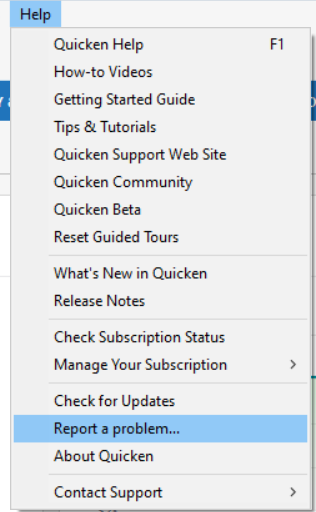
So, I suggest people contact Quicken Inc support and report this and also use the Help → Report a problem in Quicken.
0 -
Hello All,
Thank you for taking the time to visit the Community to report this issue, though we apologize that you are experiencing this.
We have forwarded this issue to the proper channels to have this further investigated. In the meantime, if you haven't already done so, we request that you please navigate to Help > Report a problem and submit a problem report with log files attached and (if you are willing) a sanitized copy of your data file in order to contribute to the investigation.
While you will not receive a response through this submission, these reports will help our teams in further investigating the issue. The more problem reports we receive, the better.
When I check our internal tools, it looks like you use Quicken Simplifi. If that is correct, I recommend posting about this issue to the Quicken Simplifi Community. Here's the link:
We apologize for any inconvenience!
Thank you.
(CTP-15182)
Quicken Kristina
Make sure to sign up for the email digest to see a round up of your top posts.
0 -
This issue was opened earlier this year, Quicken said that it was fixed but then reopened it in August. I had linked that issue but the link no longer works so it looks like they either fixed it or they decided to remove the discussion. A related comment string is on comment 7964211 which says that the issue was resolved but it's obviously not as I continue to have the issue as well as the comments above.
0 -
Same here. My entire Nordstrom account is now a mess. I deleted it and tried to re sync now all my old transactions are gone.
0 -
Deleting an account register, together with all its transactions, is a surefire way to make a hole deeper.
It would probably have been easier to just change the sign on each transaction's amount, from positive to negative or vice versa.To get out of the hole you're in, I recommend you restore your Quicken data file from a backup taken BEFORE you deleted the account register. After that, fix each incorrect transaction and keep doing so until Quicken (or their service provider) delivers future transactions correctly.
0



