Elevations Credit Union CC-501 errors
Answers
-
When did this happen to you?
0 -
- Did a test today (1-9-26)
- This is a test on my Test Computer with Windows Pro 11 with the latest updates.
- Production copied from Production to Test with its own folder.
- 1st test using a beta version of Quicken and when the file was loaded Citi and Chase account required to add accounts again.
- Not sure why this error keeps happening.
-
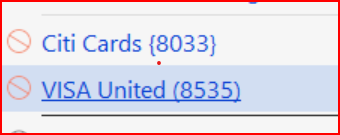
- Did the path of OSU and ECU download worked without any issues and this was two accounts.
- 2nd test setup new folder and copied Production file to 2nd test folder.
- Had the same with Citi and Chase required to add accounts again.
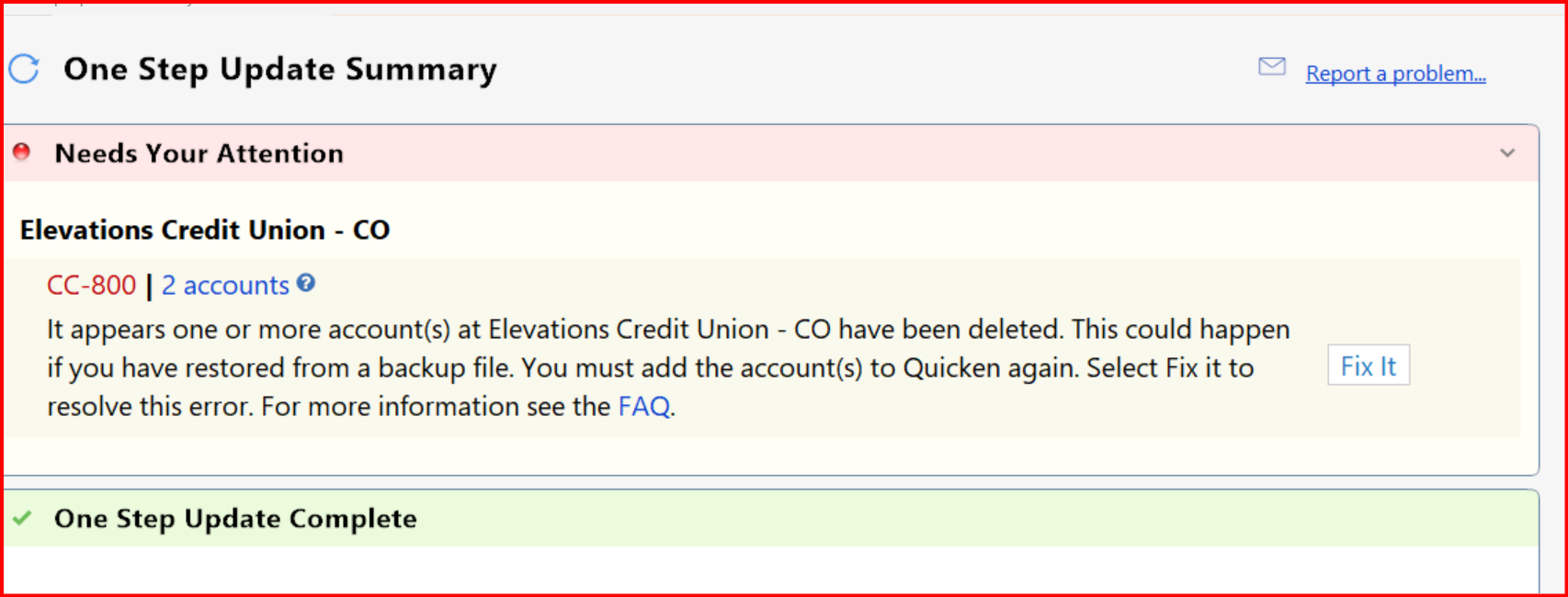
- Did the ECU download from within the Check register and download was ok.
- BUT got a CC-800 ERROR!!!
From my vantage point Quicken needs more work for the download process is ready for daily or any use.
0 -
Just spitballing, but I'm thinking the Citi and Chase issue might not be specific to them. I'm wondering if there is a threshold of errors that Quicken encounters, then tries to fix, and fails, thereby causing breakage. Again, just spitballing. That said, I don't think your Citi and Chase issues are specifically related to the ECU issue. I'd like to see the reliable download from ECU without any errors or cross account transaction "drift".
0 -
Other Quicken users are having issues with the CC-800. Some folks wonder if it's just Windows Users.
Here's a Link:
0 -
Hello All,
Thank you for continuing to update the discussion with your progress.
It seems that for most, this issue is resolved. Is anyone still experiencing transactions downloading into the wrong accounts with Elevations?
If so, please send over new log files so I can update the escalation ticket.
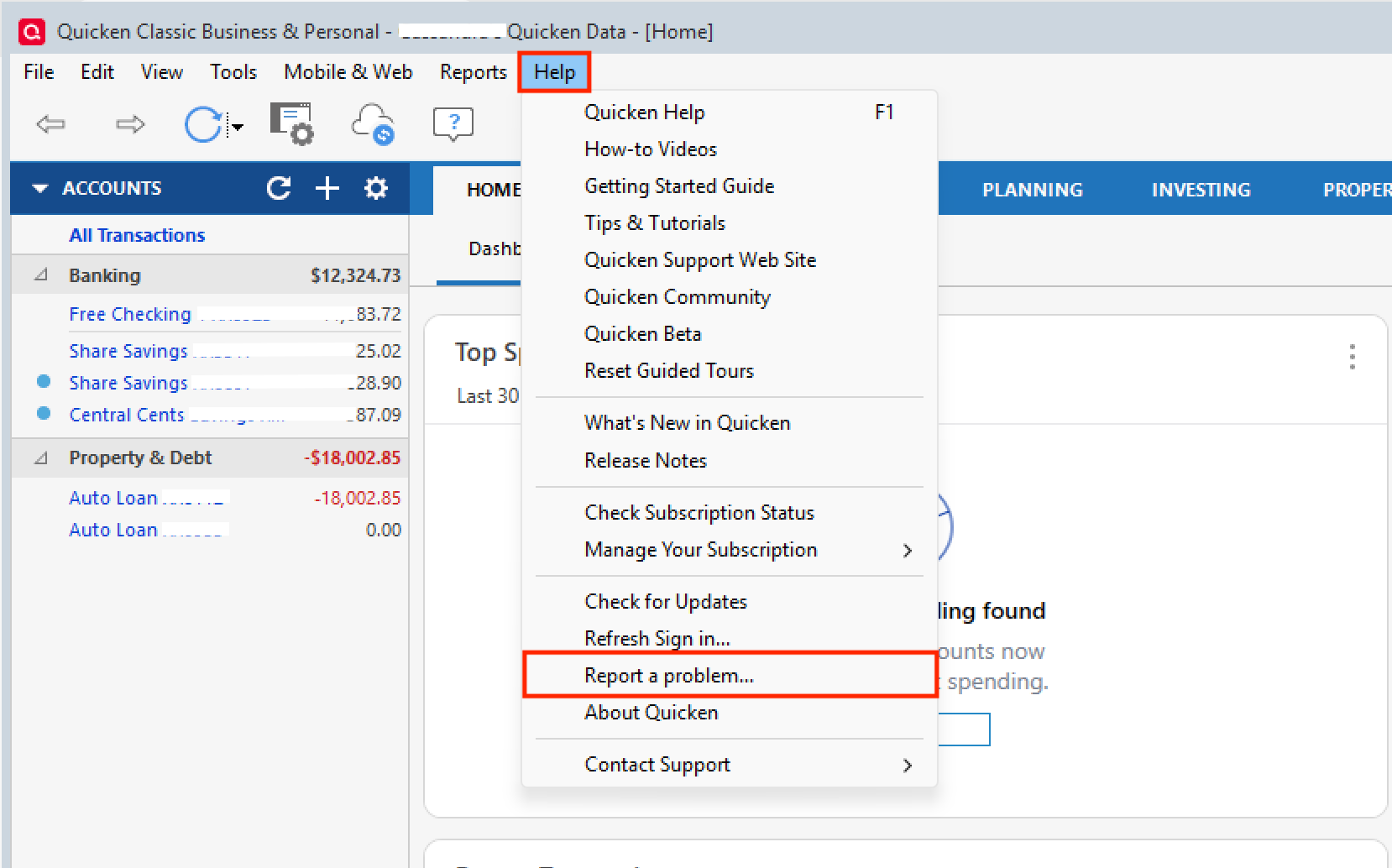
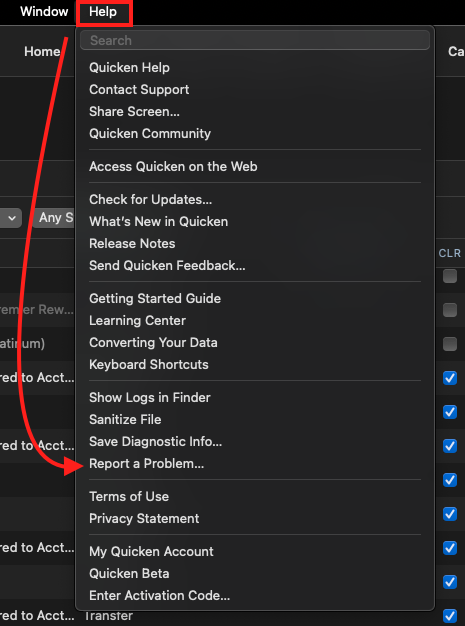
To do this, go to Help>Report a problem>Send to Quicken from within your software. Let me know once it's done so I can collect them.
Windows:
Mac:
I see you found a more appropriate thread to post your CC-800 errors in, so we will address those there.
Thank you.
Quicken Alyssa
Make sure to sign up for the email digest to see a round up of your top posts.
0 -
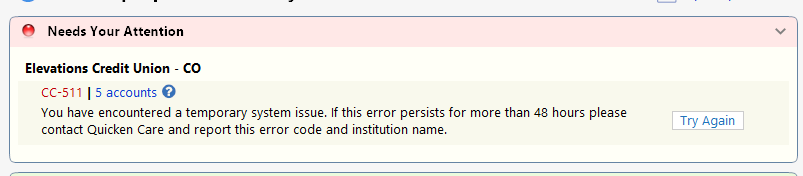
I thought that I was good to go, but just tried to sync this afternoon (1/11) and I get this now:
 0
0 -
Did a couple yesterday with Elevations Credit Union in the subject line.
1 -
Had to restore my Q file back to Jan 5th as the savings account got confused with an investment account. So the savings account was understated. Picked that up on a balance sheet report. Don't know when that one happened.
Did some testing with Q on my test machine and can using the same file name cause issues even though the file is on a different machine.
When doing beta testing this has never been an issue in the past.
0 -
I tried a test on my simplest acct, savings. Very little goes on. A few transfers in and out and monthly interest.
Quicken did download some transactions but more disturbingly, it altered the starting balance from 1997, It made it a negative number. Come on Quicken, get this fixed. How hard can it be? One of your programmers calls an IT person at Elevations and they work on this till it is resolved. I'm tired of you each blaming the other.
I am beginning to get very frustrated. I may as well go back to Excel. Remember that we pay for this nonsense
1 -
Hello All,
Thank you for adding to the discussion.
If anyone is still experiencing transactions downloading into the wrong accounts, please let us know and submit logs, as outlined in my previous post.
After reviewing your connections internally, it looks like the error you were receiving has resolved. Is that correct?
Sorry to hear the starting balance had a discrepancy. After fixing that, is all well now?
Using the same file name on separate machines should not cause any issues. However, using the same file on two computers can.
Thank you!
Quicken Alyssa
Make sure to sign up for the email digest to see a round up of your top posts.
0 -
Has anyone else noticed that updates no longer download more than once per day?
I normally could get it to refresh and download about 10:30 am. That no longer happens. I got paid today and that still isn't downloading as of 3 PM.
The same thing happened yesterday. Transactions didn't show up from yesterday until this morning.0 -
I was asked about this by Elevations - they said they had someone complain that current day transactions (even ones that posted in the morning) would not show up in the download. TBH, I hadn't paid attention to this and it seems that they do on the following day after posting. I would expect that transactions that are available online via ECU website would all show up in the download but I guess that's not the case.
0 -
This started for me after direct connect went away. Deposits are not available until after 11:00AM for my checking when using downloads from Quicken. When doing the download from the web, transactions are available immediately.
0 -
yeah, they used to be available after 11 but the last few days it isn't until the next day.
1 -
So, I'm still not hearing strong confidence that the cross-account transaction or other data corruption has been fixed. Has anyone seen this in the past couple of days?
0 -
Ok, tried again but this time I included checking and savings. Same result in savings. It made my initial balance from 1997 negative.
Checking is also a mess.I am not even going to try to figure it out.I will restore backups.
Why is this so hard? Can you expain that?
0 -
So - I assume this is a new file you are trying this with? Otherwise I think the starting balance change will just keep carrying over from the previous (and incorrect) download.
When you say "checking is a mess" does that mean that there are transactions either missing or ones that are not supposed to be there? Can you provide logs to Quicken with details (see Jan 11th post from Quicken Alyssa)
0 -
It was not a new file for savings. Does it have to be? I'm not even sure what that means. Start a new account in Quicken? Checking as I said I didn't even bother to look at. It was reporting a balance that was wrong so I just gave up till this is resolved.
0 -
sabbot - sorry to take so long to reply. I feel that starting a new file to test this is a better approach - especially given the issue you are seeing with the starting balance. If you start a new file, the current transactions and the balance should match exactly and won't be affected by previously downloaded transactions that change the balance.
0 -
Anyone else been having any issues still?
0 -
@ironmanco — I haven't seen any issues in a couple of weeks, now — I'm able to connect Quicken for Mac to my Elevations accounts as expected, and all of the transactions are accurate. The issues appears to be resolved, from my perspective. Thanks to @Quicken Alyssa and everyone else that put in the effort to get it fixed!
2 -
Hello All,
I am happy to hear that you all have been finding success!
If anyone is still experiencing this issue or needs more help, let us know. If the issue is not transactions downloading into the wrong accounts, please start a new thread.
Thank you!
Quicken Alyssa
Make sure to sign up for the email digest to see a round up of your top posts.
0 -
Hello,
I have returned from vacation and am happy to report that my downloads are working again. Took awhile to sort through all the old downloads from when this all started but all is well. Thank you quicken for restoring order to this madness.
1 -
Ditto. After reconciling over 3 months of transactions (took almost 1.5 solid days), the last several weeks I have not had any issues with the connection with ECU.
0 -
Not having any issues here and only doing downloads within the register. Haven't tried the downloads with EC in the OSU.
0 -
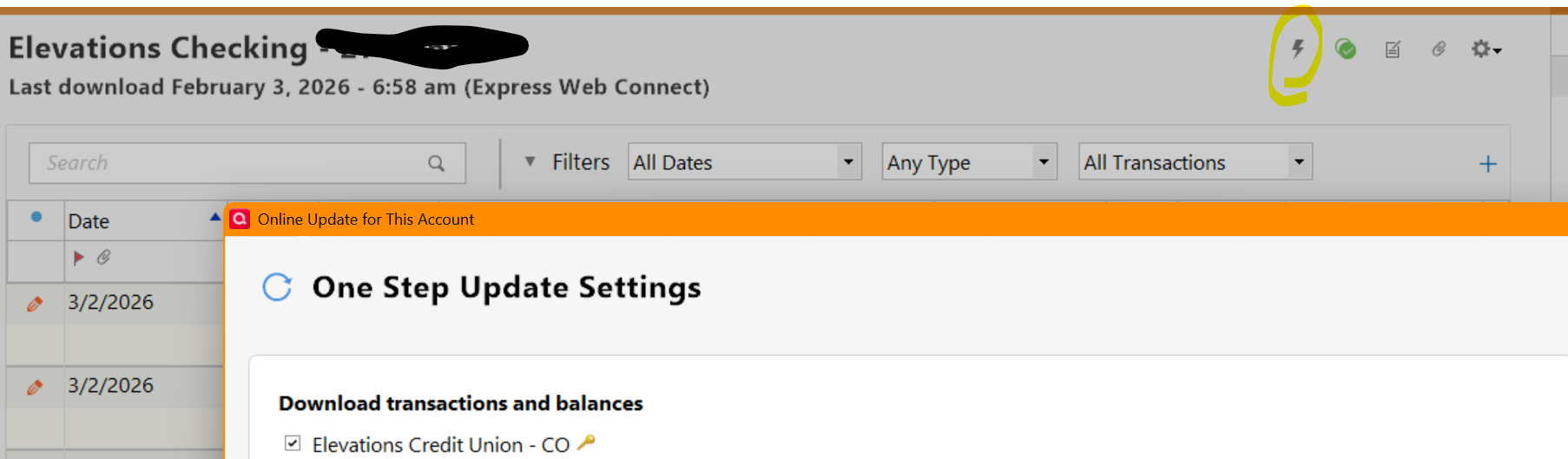
When you said you are only doing downloads within the register is that a manual upload or something else? If you are using "Update Account" within the individual account register, I think this uses the same method as OSU OSU simply batches the requests and does other tasks as well (stock prices, issues check status, etc).
0 -
Here's a visual:
 0
0 -
[Removed-Rant]
0 -
Are you still having issues? I haven't seen an issue since this was resolved earlier this month. Granted - it did take a VERY long time to get fixed but are you saying you are having issues again?
0 -
Yes I would agree with the last post. This is absolutely unbelievable! Right now it is not downloading transactions unless I completely delete the account and start over. Then it will download all the new account information but if you try to update it the only thing it updates is the online balance no transactions are coming through from 5 days ago. Very disappointing! What do we need to do to get this fixed?
0