Reconcile issue - Incorrect starting balance

This discussion was created from comments split from:
Bank reconciliation issue - balance is off and reconciled transactions no longer reconciled [Edited]
.
Comments
-
I'm having a problem reconciling also. Don't know if I'm doing the cut paste thing right, but I'll try.
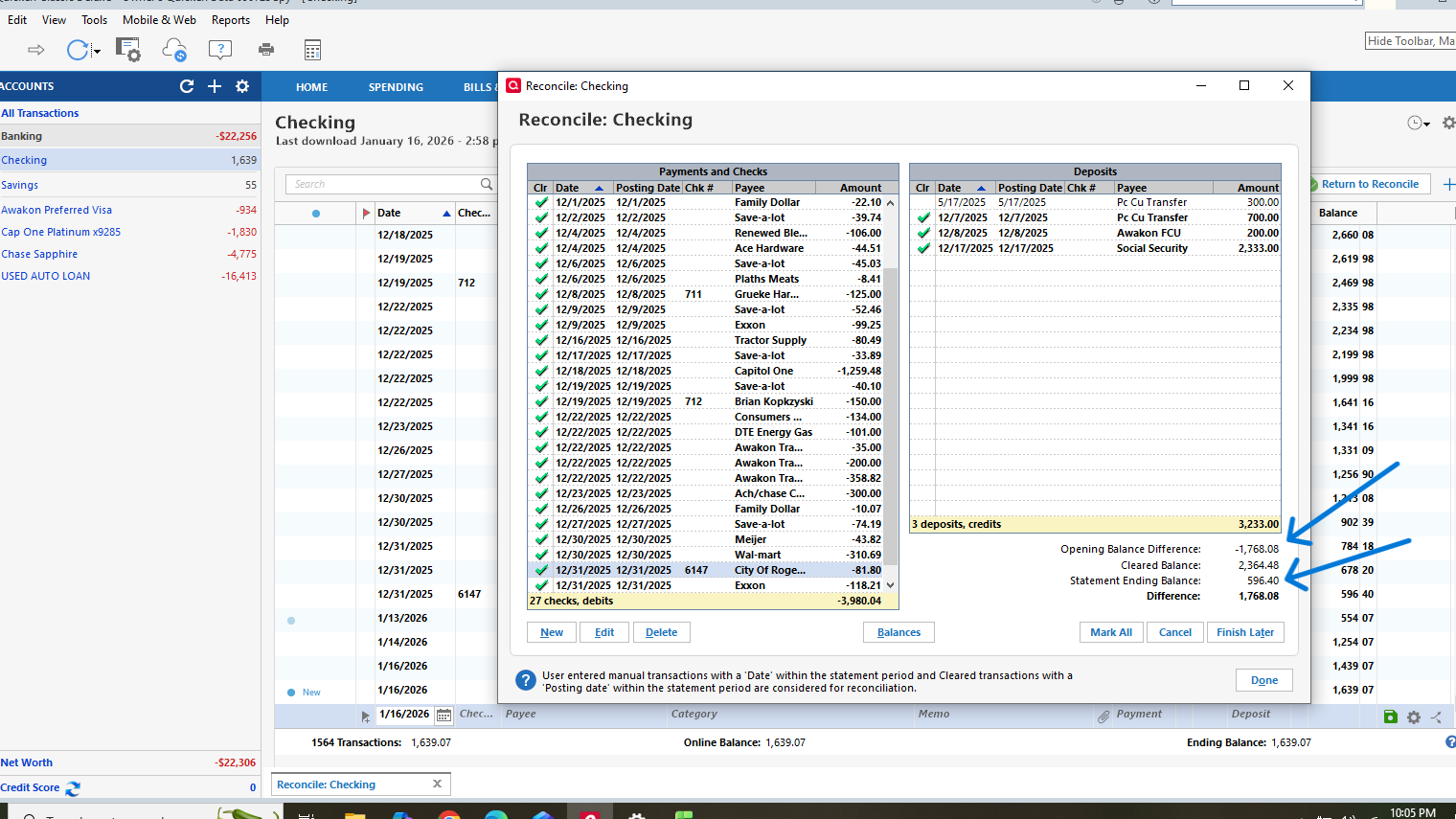
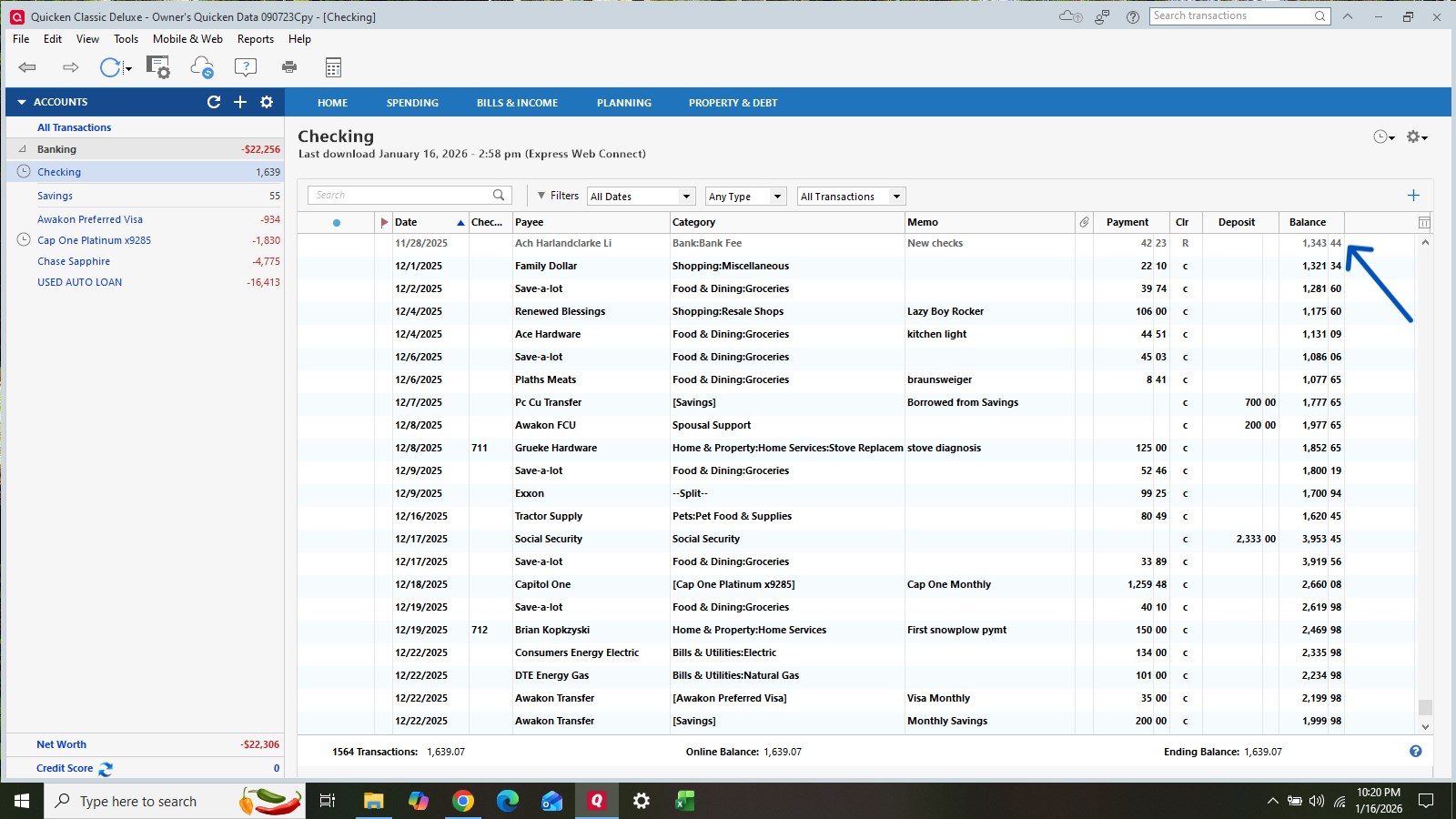
My starting balance is incorrect. I can change the opening balance amount, but quicken then decides to account for it as a difference. All my transactions balance, and have no idea why it's doing this! Please help!
0 -
I also did a backup and validate my files also. No change. I don't do anything on mobile, and it's turned off. Im having the same problems with my other accounts at the same institution. In waiting on an answer, I tried to restore a backup from 1/1/26. What a problem! Now on my two credit card accounts, it's asking for the account to be reauthorized, but it won't do it. It just tries to duplicate my account for both of them.
0 -
Hello @Kathryn See,
Thank you for reaching out. To clarify, when you say your starting balance is incorrect, are you referring to the opening balance on the account, or the starting balance for the reconcile (the previous reconcile's ending balance)? Did restoring a backup correct that issue, or just add more issues?
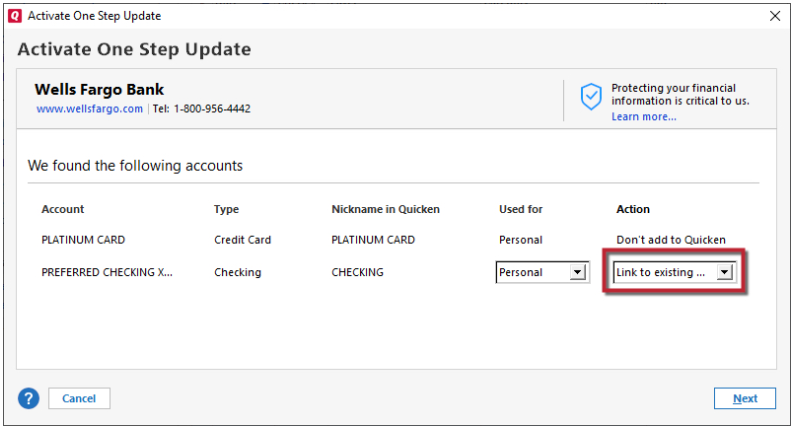
Regarding the separate issue you mention with reconnecting your credit cards in the restored backup, when you get to the add/link screen in Quicken, does it give you the option to click the dropdown and select the existing accounts to link to?
I look forward to your response!
Quicken Kristina
Make sure to sign up for the email digest to see a round up of your top posts.
0 -
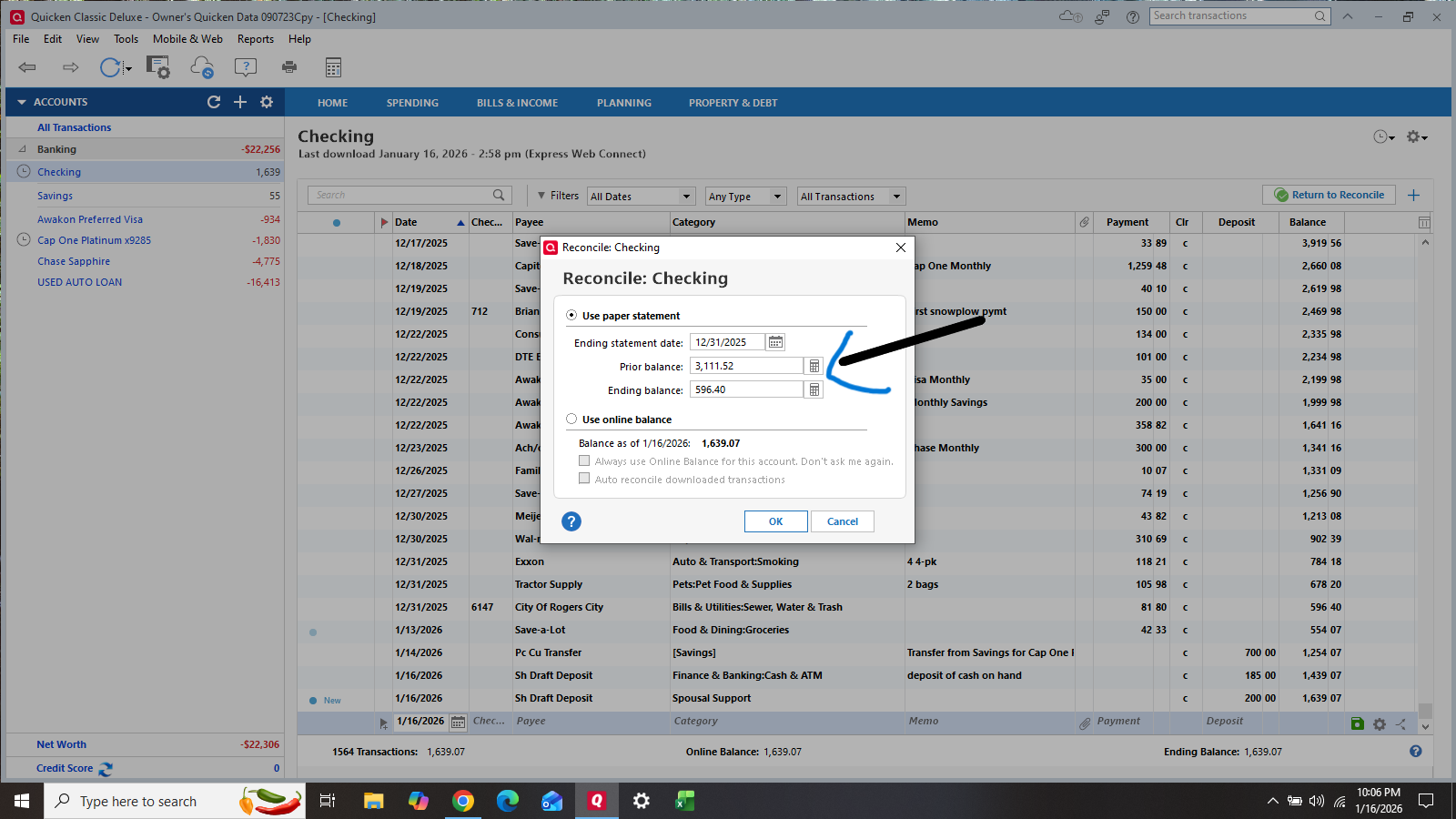
Thanks so much for your reply Quicken Kristina. In the reconcile window, the beginning balance (last months ending) is totally incorrect. It will allow me to enter the correct prior balance, but then throws off the total reconciliation.
On the second problem, it doesnt give me a drop down. It just says "don't add to quicken".
0 -
Quicken KristinaI have now solved problem #2 I think!
0 -
One possibility for the previously reconciled balance being off is that Quicken has changed the account's Opening Balance, usually the very first transaction in the register. Annoyingly, this sometimes happens when you reconnect an account for downloading.
If you don't know what the opening balance should be, you can open a backup from before the problem started, write down the account's opening balance, then return to your working file and update the Opening Balance transaction.
To make it easier to recover from this problem, I record each account's correct opening balance in the Memo field of the Opening Balance transaction. This makes it easy to check and if necessary correct the transaction.
QWin Premier subscription1 -
WHEN/If you open that backup, save it to a different name than your current production file …so as to not over-write the current file.
Q user since February, 1990. DOS Version 4
Now running Quicken Windows Subscription, Business & Personal
Retired "Certified Information Systems Auditor" & Bank Audit VP1 -
Thanks Jim_Harman! Sounded great, but my account went back to 2022. After this reconciliation, I was going to archive 2 years of data! I have no idea what my opening balance was. Would Quicken have added a transaction?
0 -
Have you been making regular backups of your Quicken files? Automatic ones should be in a folder called BACKUP inside the folder where your Quicken data file is stored. If you go to File > View/restore backups, you should see recent automatic backups.
Usually the date of the backup is part of the file name in the list it shows. Pick one from before this problem started. In the dialog that opens, be sure to select Create a copy, to prevent your current file from being overwritten. The next dialog gives you the opportunity to give the file a new name.
Then you have the opportunity to open the file you restored. Click on Yes, go to the Opening Balance transaction in the problem account, and write down what the correct Opening Balance is.
Now click on File and open your working file, it should be the second one in the list at the bottom. Go to the Opening Balance transaction in the problem account, and if it does not match the one in the backup file, correct it.
QWin Premier subscription0 -
@Jim_Harman Ok I tried what you suggested, and now i'm locked out. I tried too many passwords I think. I hate working with backup files! Really confusing to me. Back to your suggestion. I would select file>copy or restore>select old file and copy. Use that new copy and look up starting balances. Then close and reopen current file. Verify opening balance is correct. Is that correct?
So then what do I do if they balance? Is there something magical about the reconcile function window and how it operates?
0 -
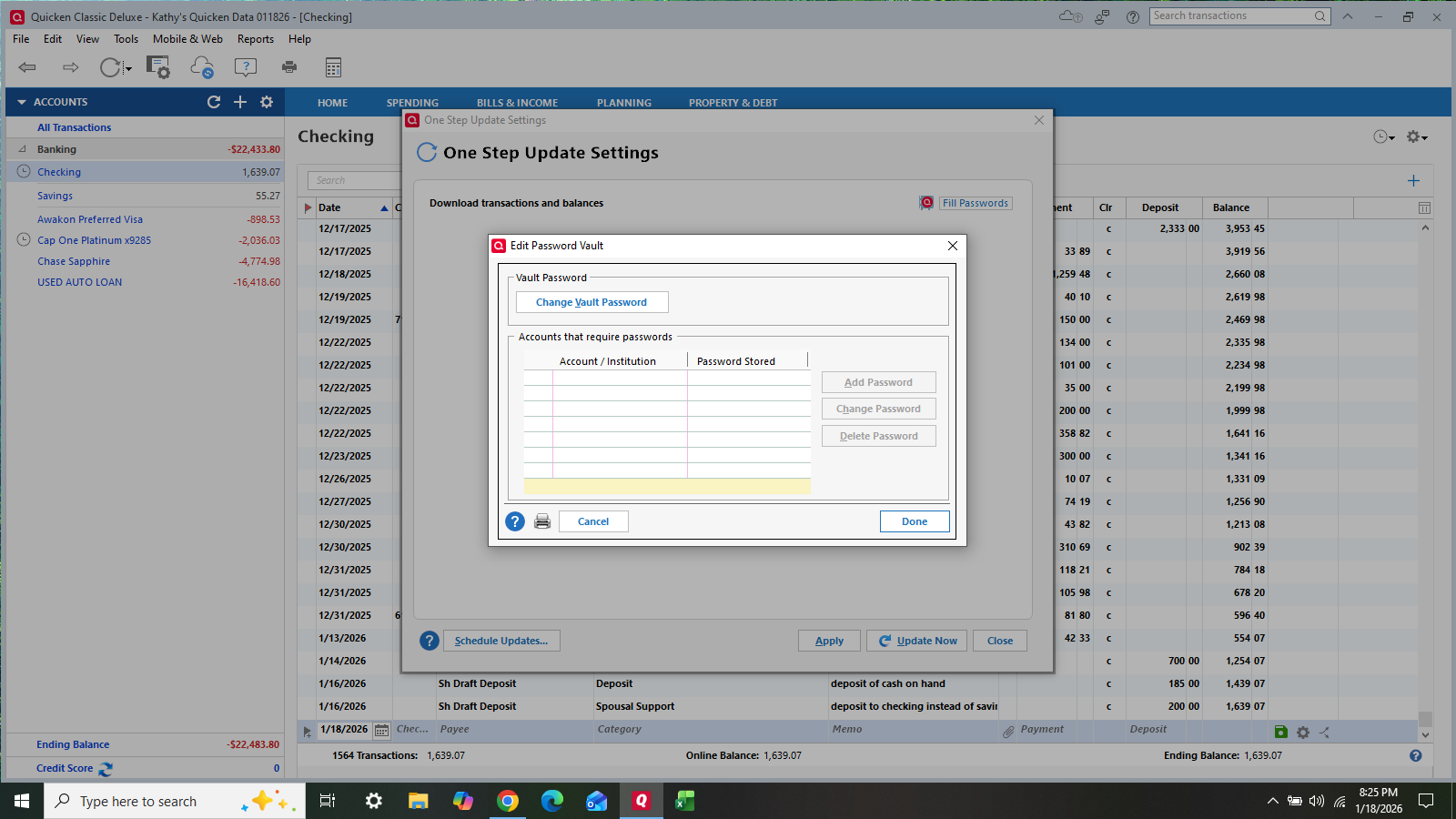
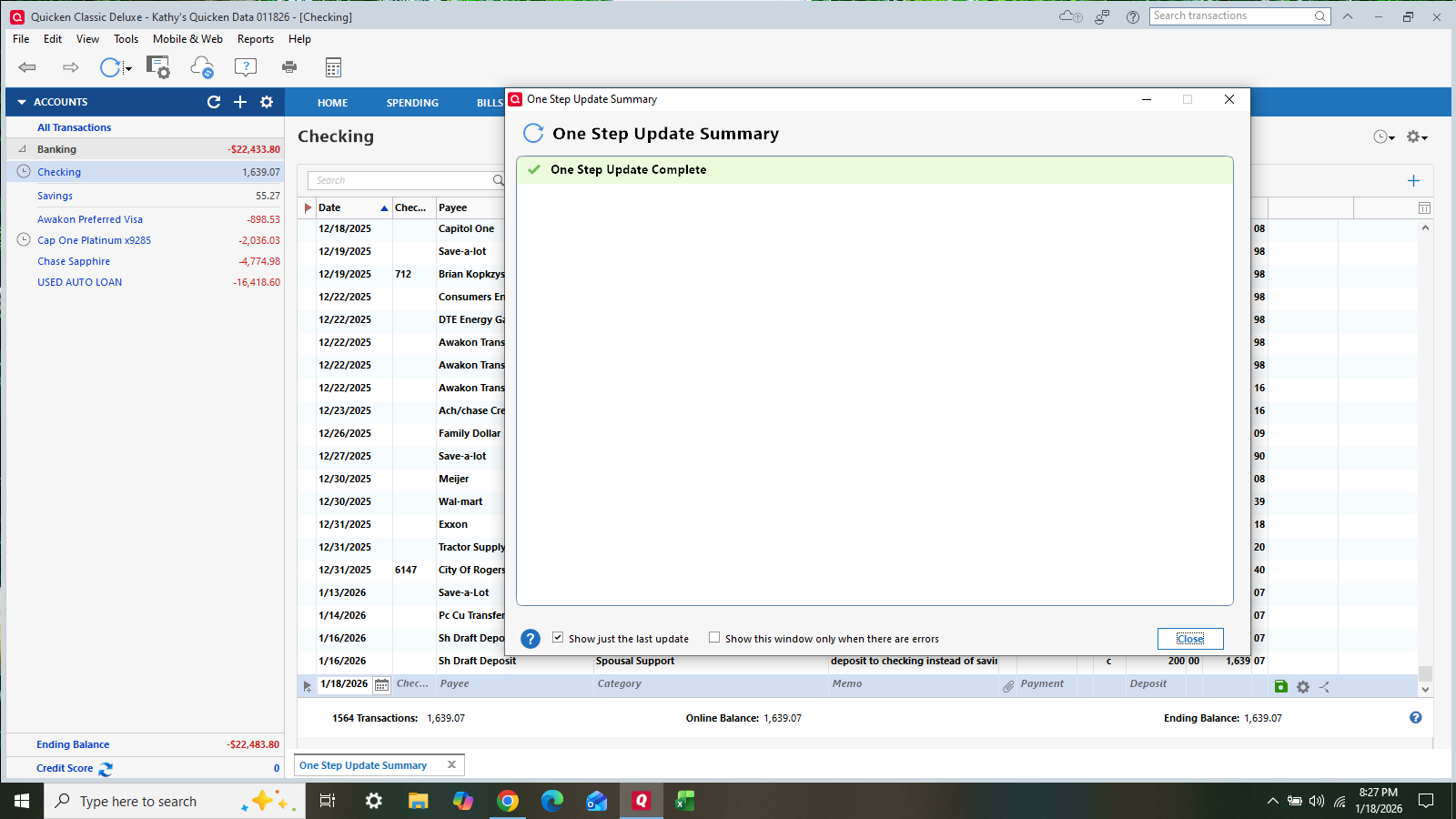
I'm back in Quicken @Jim_Harman. Now it won't allow me to do a one-step update. It has a box to enter passwords, but won't allow me to add accounts or put in passwords for them. I changed my vault password as it prompted. If I just ignore, the second pic is what it shows. It doesn't update anything, and my accounts are unaffected.
 1
1 -
Locked out? Are you working with the restored backup or did you go back to the original data file?
Once you found out what the correct opening balance was from the restored backup, you should have gone back to your original data file. Did you do that?
QWin Premier subscription0 -
@Jim_Harman Honestly, the file I chose was not right, but by the time i went through all that, I was too scared to try another file. My transactions are all correct, and the online balance matches the register. It's just the reconcile window itself and the Quicken Last Ending Balance is populated incorrectly by Quicken. Do you have any ideas on how I can move forward?
0 -
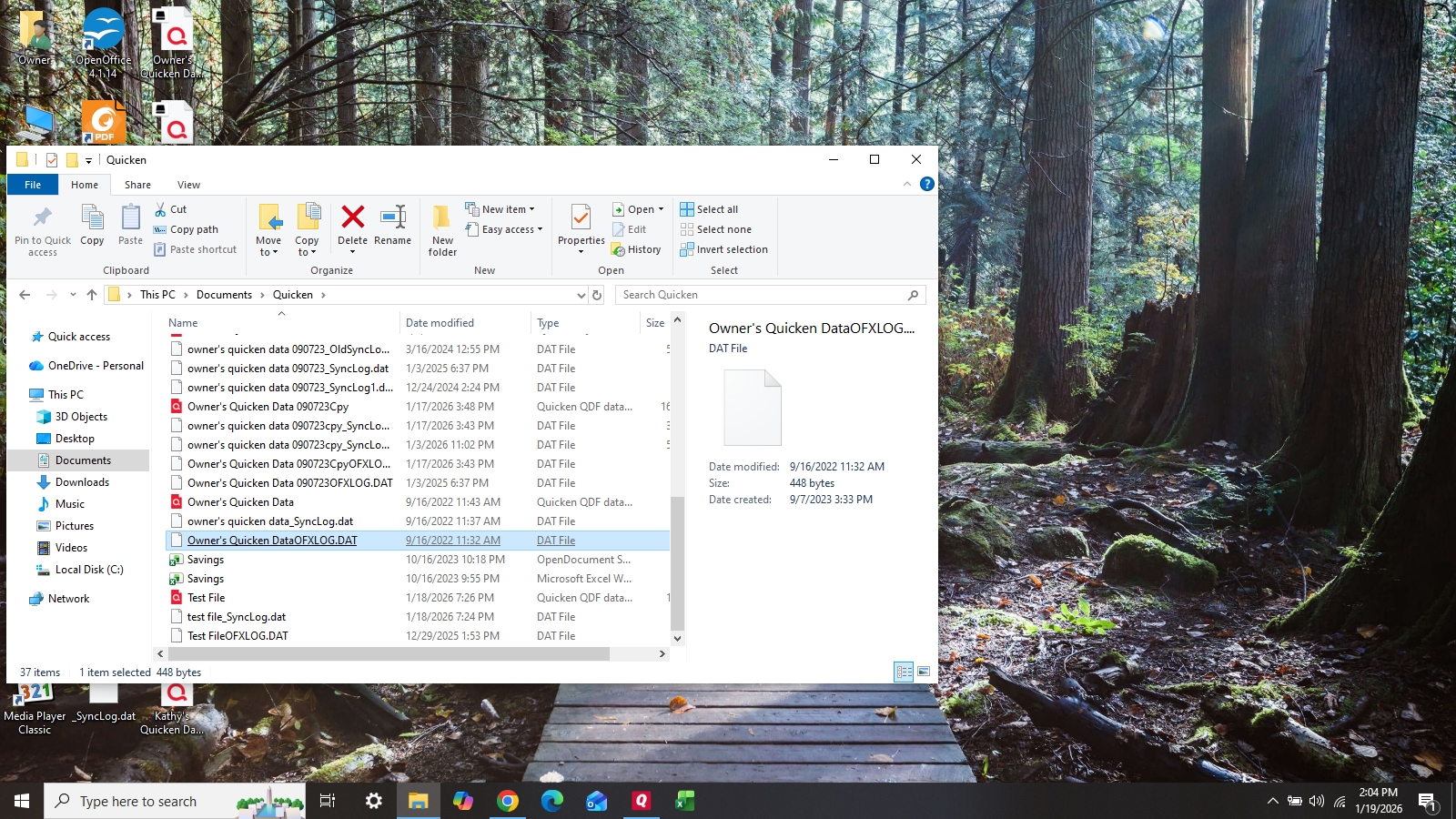
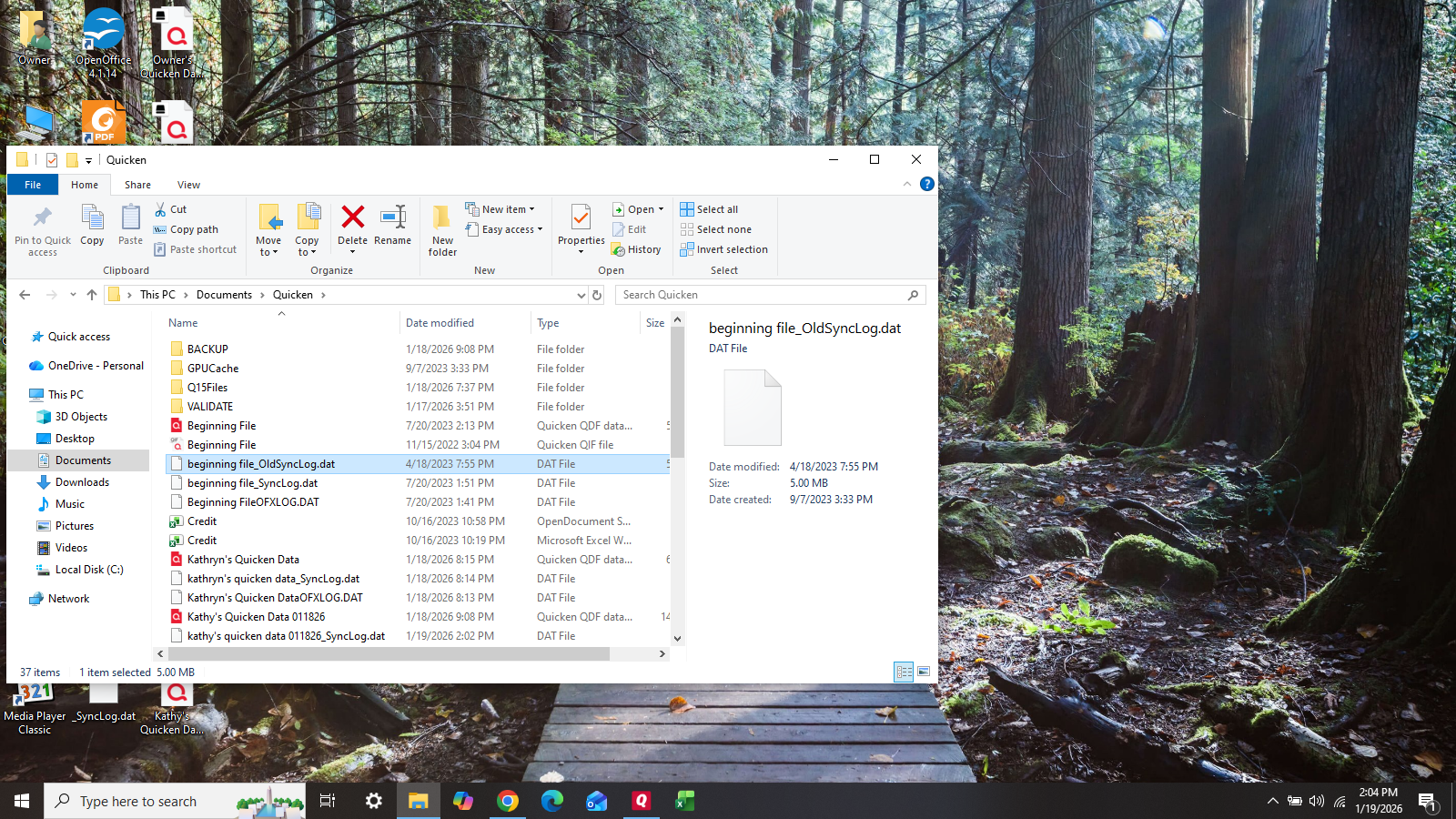
As for what file I had used, I really don't know how to tell the difference. What is the difference between the files with the red Quicken icon and the others? I probably chose a DAT file. Whatever it was, it was data from 2015, so not useful.
 0
0 -
SOMEBODY, PLEASE HELP!!!!!
0 -
Well, HALLALULAH! I'm back in business and all is working! Thanks @Quicken Kristina ! I was reading old posts with the same/similar issue. Once I corrected my One Step Update problems, i tried to reconcile again (using a new file copy) and it worked!!!!!!!!!!!!!!!!!!!! Jeesh! That was so unnerving!
1 -
Thank you for the follow-up,
I'm glad to hear you were able to correct the issue!
If you need further assistance, please feel free to reach out!
Quicken Kristina
Make sure to sign up for the email digest to see a round up of your top posts.
0




Categories
- All Categories
- 6 Product Ideas
- 34 Announcements
- 249 Alerts, Online Banking & Known Product Issues
- 19 Product Alerts
- 266 Welcome to the Community!
- 301 Before you Buy
- 1.5K Product Ideas
- 55.8K Quicken Classic for Windows
- 16.9K Quicken Classic for Mac
- 1K Quicken Mobile
- 834 Quicken on the Web
- 129 Quicken LifeHub