Estimated bills

Quicken Classic user. My monthly bills are not adjusting, even though they are set up to be adjusted based on the previous 3 months' payments. Always the same $ amount every month. This has been going on forever, even though all my settings are correct. I've even deleted the reminder and entered a new one, and it never adjusts.
[Edited - Readability]
Comments
-
Hello @jim.guidry,
Thank you for letting us know you're encountering this issue. To clarify, when you say "Always the same $ amount every month", are you referring to the estimated amount or to the actual bill? What kind of bill reminder is this (credit card, utility, etc.)? Is the reminder linked to an online biller?
I look forward to your response!
Quicken Kristina
Make sure to sign up for the email digest to see a round up of your top posts.
0 -
I mean the estimated amount never changes even though the monthly bill does. Thanks for asking.
0 -
Thank you for your reply,
I attempted to replicate the issue in my Quicken file, but the estimate feature worked as expected.
What kind of reminder are you seeing this issue with (credit card, utility, etc.)?
In case the issue is being caused by a file-specific issue, I suggest that you try validating your data file. Please save a backup file prior to performing these steps.
Validate:
- File
- Validate and Repair File...
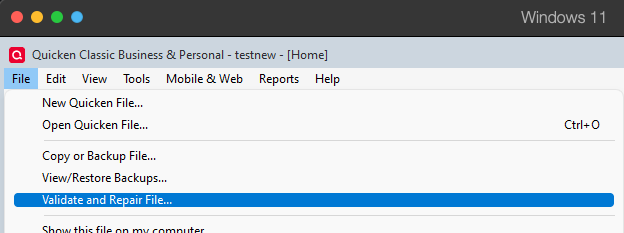
- Validate File
- Click OK
- Close the Data Log
- Close Quicken (leave it closed for at least 5 secs)
- Reopen Quicken and see if the issue persists.
Please let me know how it goes!
Quicken Kristina
Make sure to sign up for the email digest to see a round up of your top posts.
0 -
It occurs with monthly utility bills. And no, validating did not fix the issue.
0 -
Does this reminder use a Category Split, where the amount is split into 2 or more categories?
If you would, please show us an image snapshot of the Edit Bill Reminder view (going into Edit this instance and all future instances). How do I post a screenshot in the community from windows
0 -
@jim.guidry Is the Reminder set up to pay the bills from a bank or credit card account and not an investing account? The last time I checked the estimation did not work for investing accounts. See this discussion
Also see this Idea post
QWin Premier subscription0 -
I am having the same issue with estimated bill amounts. I have my credit card payment set to estimate the amount due based on the last three bills. However, Quicken is not calculating the correct amount ($2,320.63 is wrong - too low).
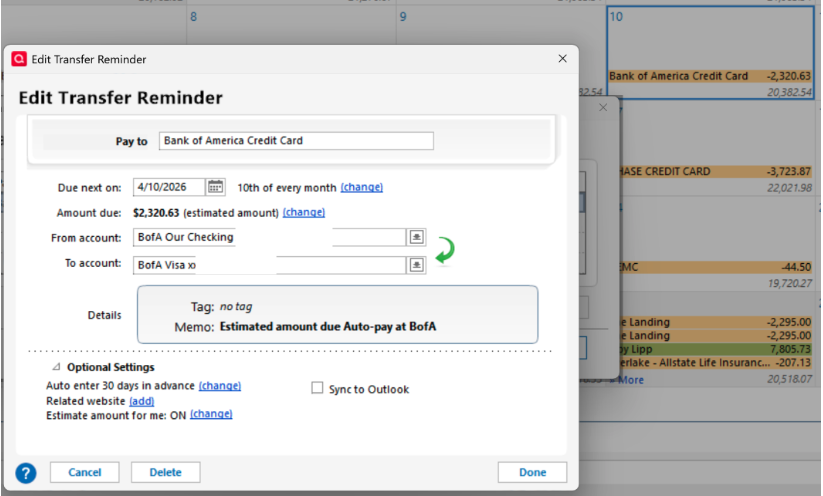
When I edit the reminder and change the payments to last 4 payments, the estimated amount due is correct,
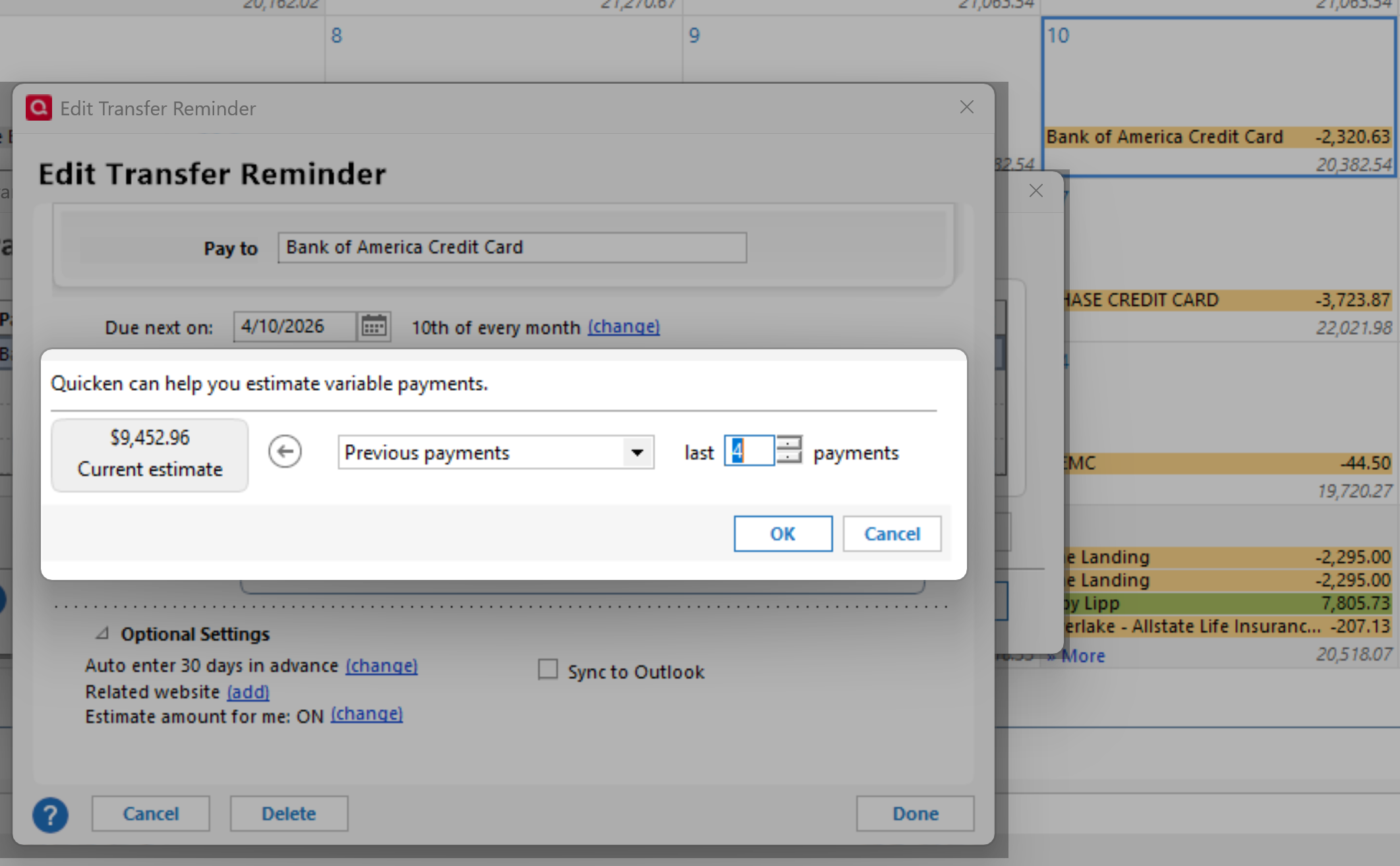
and then back to the last 3 payments, and the estimated amount due is correct,
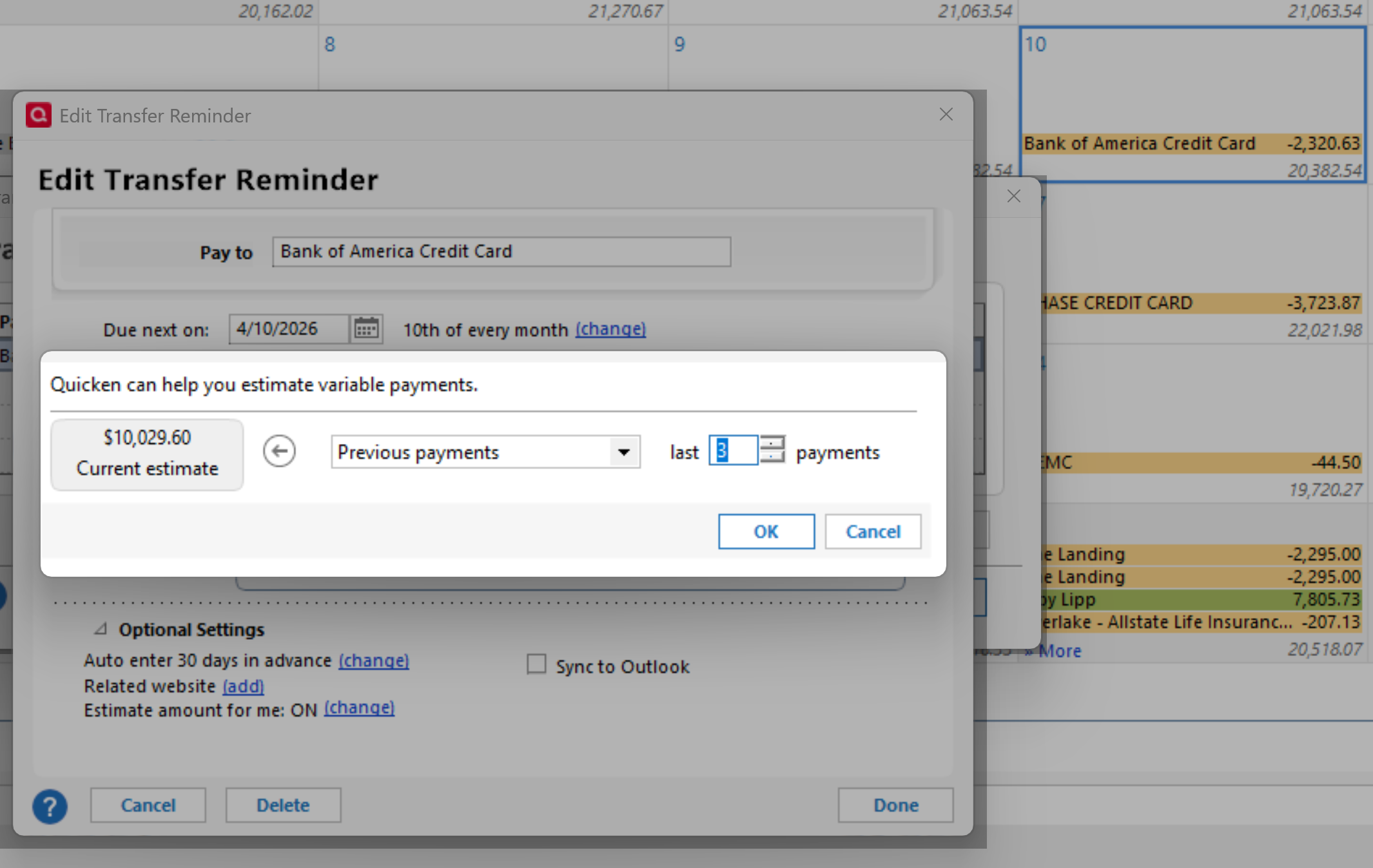
But when I save the edited reminder,
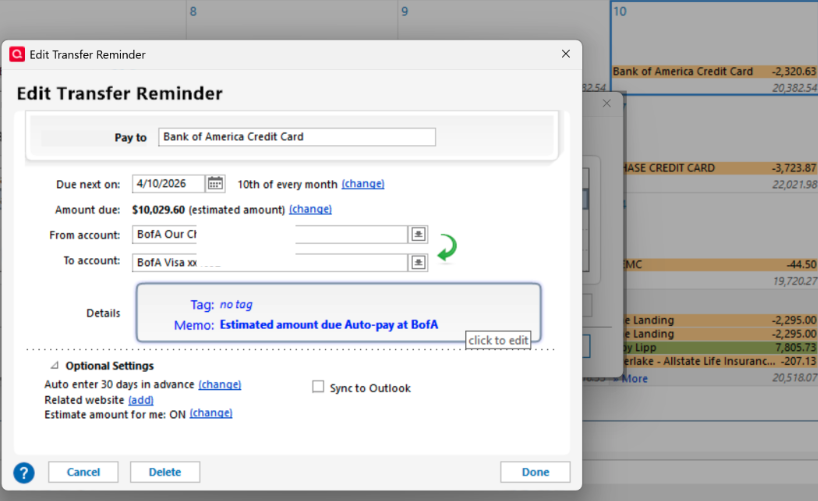
The amount reverts to the wrong amount that it previously displayed.
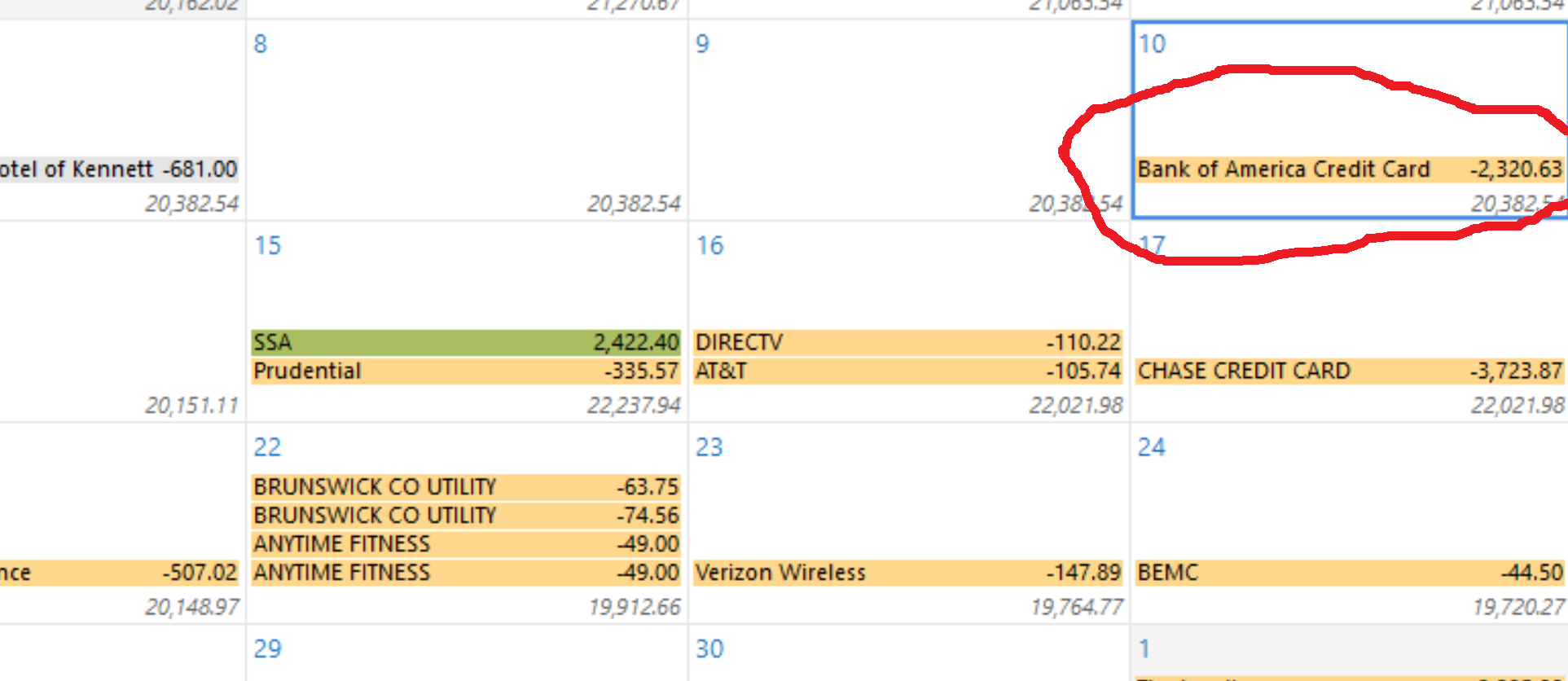
I have validated and repaired my data set, and that has not helped correct this problem.
[Edited - Removed Personal Information]
0 -
I have exactly the same problem. You have described it well. Let's hope we get an answer!
0 -
Hello @Troy Lipp & @William Wilkens,
Thank you for letting us know you're seeing this issue and for providing such detailed information. To clarify, is it only the calendar that shows the incorrect information, or does the reminder also revert?
I look forward to your reply!
Quicken Kristina
Make sure to sign up for the email digest to see a round up of your top posts.
0 -
Hello @Troy Lipp & @William Wilkens,
We haven't heard back from you in a while. Do you still need assistance?
Check back and let us know! Thank you.
Quicken Kristina
Make sure to sign up for the email digest to see a round up of your top posts.
0


