Anyone having problems adding/linking Paypal Credit account access (Win 11)
Answers
-
I was able to connect through "PayPal Credit, MasterCard and Crypto" this morning. Transaction download was a bit strange, however: transactions for the Cashback World MasterCard went to both that account in Quicken and to the PayPal Cred (now also mastercard) account. Tfhere were also items that didn't belong in either account. At least, it's a step forward. I'm hoping it's just temporary and things will straighten out.
Thanks, Alyssa and to all who posted helpful comments!
1 -
I am done. My subscription renews around New Years. I have waited for months. I cancelled my renewal. Transaction download is THE MOST CRUCIAL reason I use Quicken. If PayPal and Quicken can't get their act together, my money is going elsewhere!
0 -
I’m wondering… What are the other options these days that provide similar functionality? I used to use Microsoft Money and switched to Quicken when Money went away. I als rely on downloads to make Quicken useful to me.
0 -
Same here John. Microsoft Money became a nightmare and then shut down. Quicken was so good for years, now it's questionable too. I am not keeping it without consistent downloads. I looked at [Removed - 3rd Party Software]. May try the trial. So frustrated with the quality of Quicken....
0 -
Timothy - please PM me (if that is possible) what you were suggesting as it was removed unfortunately.
1 -
Lol, look for the financial butterfly
0 -
Worked for me as well. It added a bunch of charges, but I do not know where. However, it affected my balance, which was corrected after a reconciliation.
1 -
When the download finally works for you, look for an opening balance. There were opening balances for my accounts that just seemed to be randomly generated. Still, in my opinion, this is a big step forward!
0 -
That's all I got when it connected, an opening balance. Several charges later, nothing has downloaded from PayPal into the account...
0 -
Hello All,
Thank you for adding to this discussion. I am happy that some of you have been able to connect, though I am sorry to see some issues are still lingering.
For anyone who is able to connect but is having transactional issues, please contact Quicken Support directly, so they can take a closer look at what might be happening there.
For those of you who are still unable to get connected, please try again and submit new log files. Let me know once you have, so I can send them over to the team handling this issue.
Thanks again!
Quicken Alyssa
Make sure to sign up for the email digest to see a round up of your top posts.
0 -
Quicken says Couldn’t find any accounts to add. Hasn’t connected to PayPal in over a year. Just finally used the card again and same result as last year. I noticed the discussion was closed in 2024 with no resolution. But this is an ongoing problem. Sent Sanitized Data File. Just in case somebody there can do something. Oh, just noticed that this topic is for QWin, but QMac is STILL having issues as well
0 -
Submitted the report… Even tried with a clean new Quicken Data file. Same results as most. I do have several PayPal accounts, the cash which works still, and the Credit and a Mastercard account which stopped a long time ago. When I've talked to Synchrony about other accounts, I have with them no issues… Lowes, Sams Club… But seems that the PayPal side are the red headed stepchildren there and normal support can't help. Has to be PayPal Synchrony support if you can get through without having your call dropped.
0 -
Hello All,
Thank you for updating this discussion!
We want to know if you are still experiencing this issue, and if you are, can you please submit new log files?
To submit your log files, you can go to Help>Report a problem>Send to Quicken from within your Quicken software.
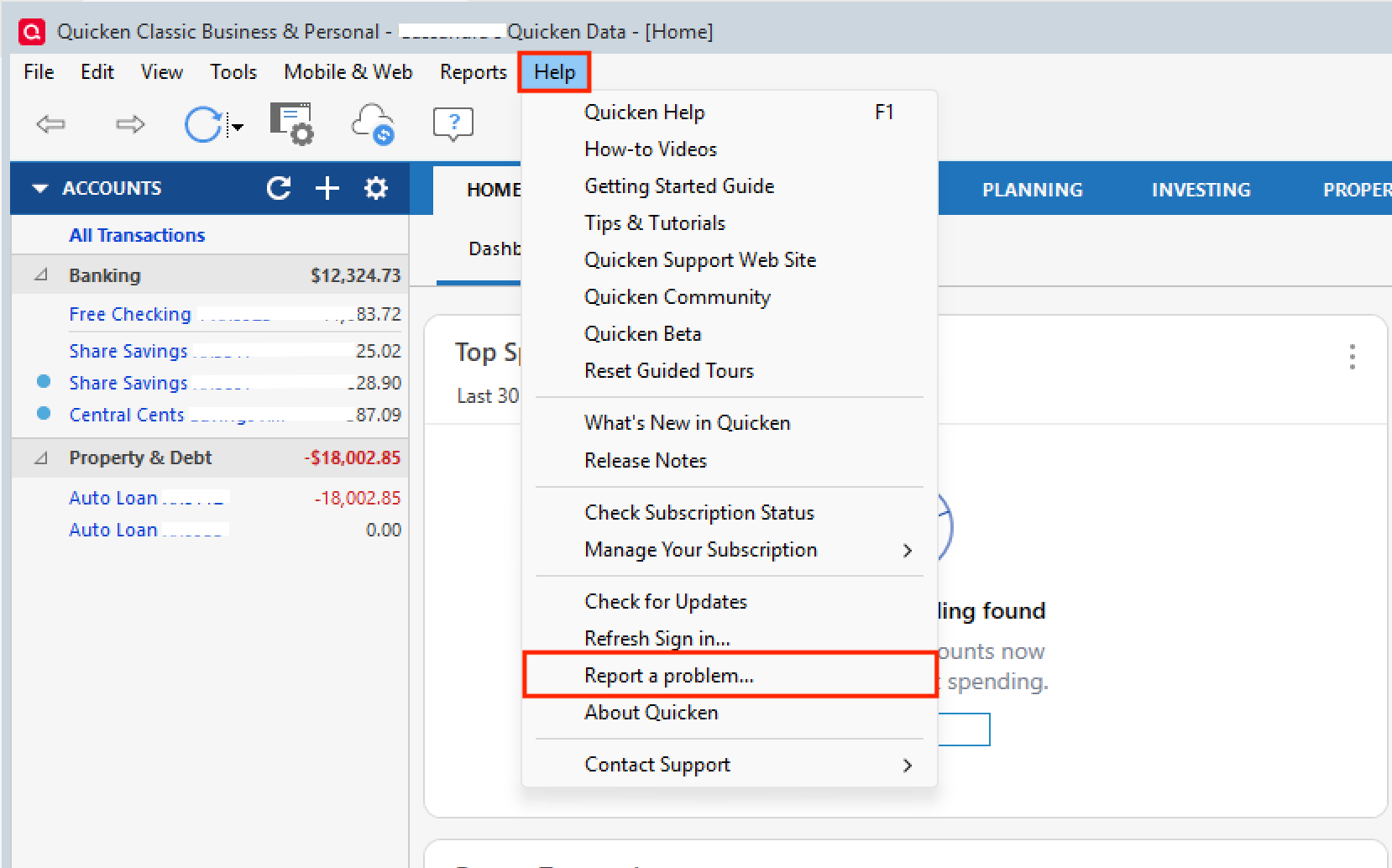
Once you have sent them, please let us know so we can collect them and update the escalation ticket.
Thank you!
Quicken Alyssa
Make sure to sign up for the email digest to see a round up of your top posts.
0 -
I am having same issue. can't connect my paypal crypto account. I submitted a log file.
0 -
Thank you for sending those. I added them to the escalation ticket.
You said this is a PayPal Crypto account? Did you mean PayPal Credit? I ask because it looks like your last connection attempt was to PayPal, and to connect a crypto account, you would want to use PayPal Credit, MasterCard and Crypto.
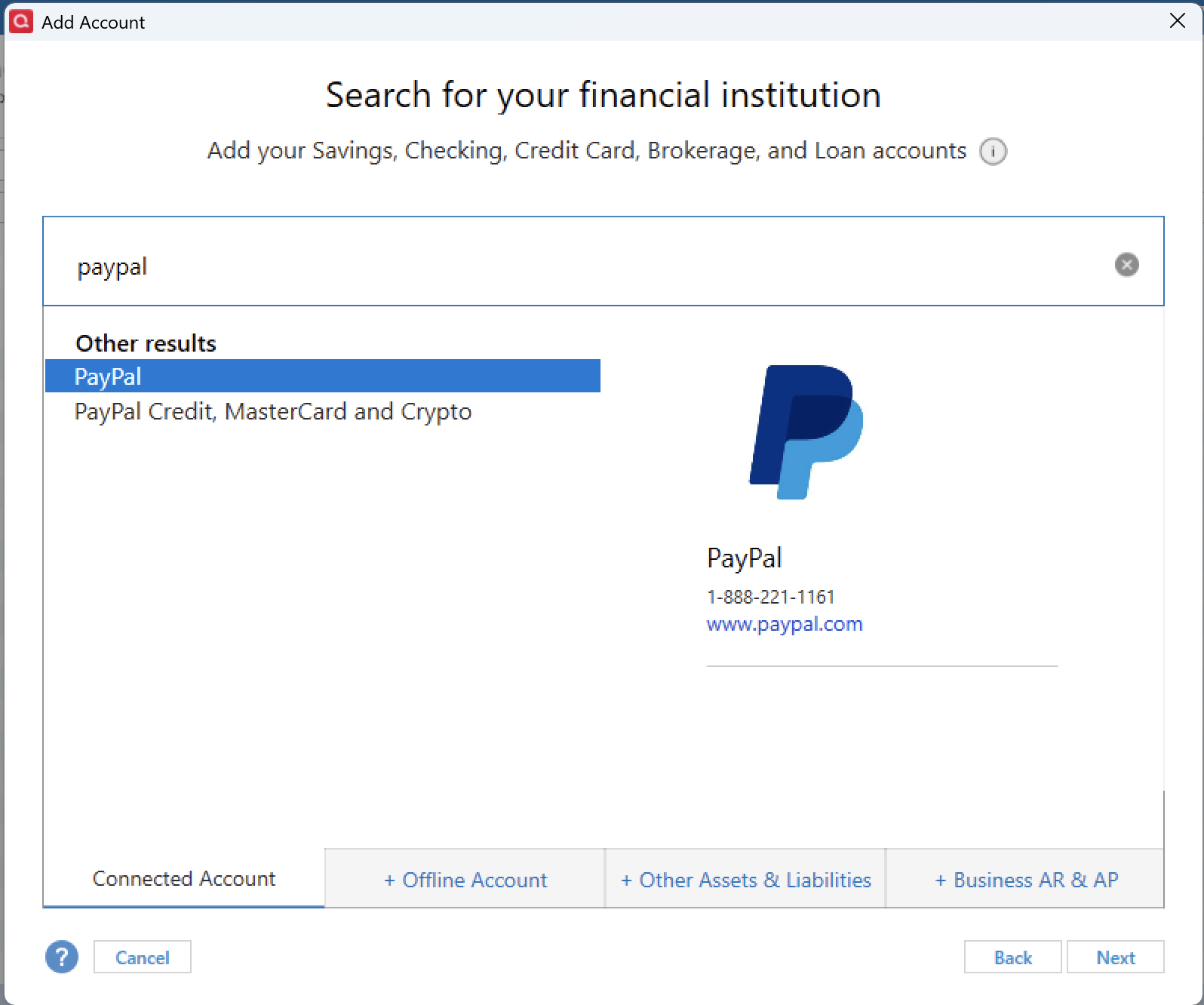
The escalation team has asked that you try connecting again and then send new logs.
Looking forward to your response!
Quicken Alyssa
Make sure to sign up for the email digest to see a round up of your top posts.
0 -
I've been having the same issue for months now. Log files sent.
0 -
Any update on being able to download PayPal Credit Carrd transactions into Quicken. I use OSX, but looks like this is Win problem too.
Let us know.
Thanks,
0 -
Hello @lrankine & @KewlEvilGenius,
Thank you both for adding to this discussion.
After checking your connections internally, it appears you are connecting to the "PayPal" instance. Please try connecting with the "PayPal Credit, MasterCard, and Crypto" instance and let us know if you find success.
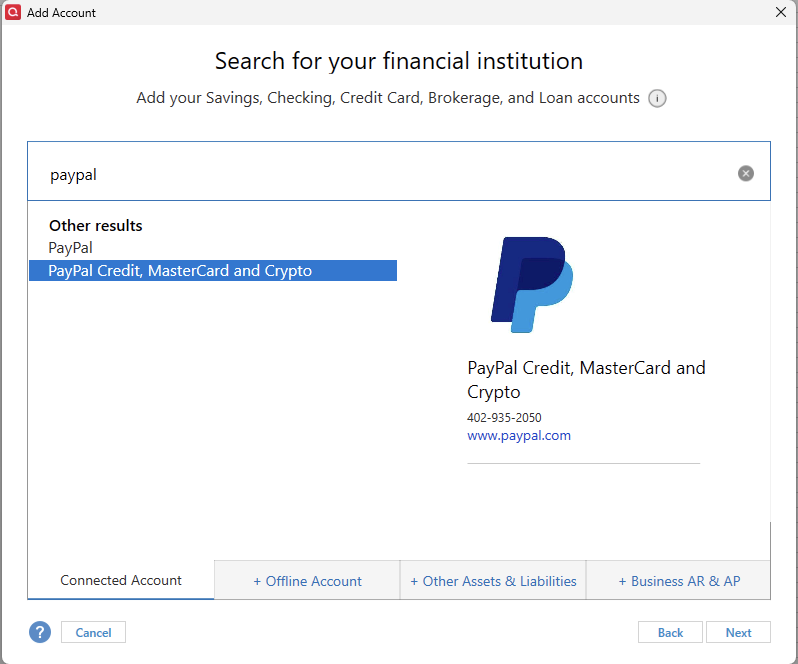
If you do not, please submit new log files by going to Help>Report a problem>Send to Quicken.
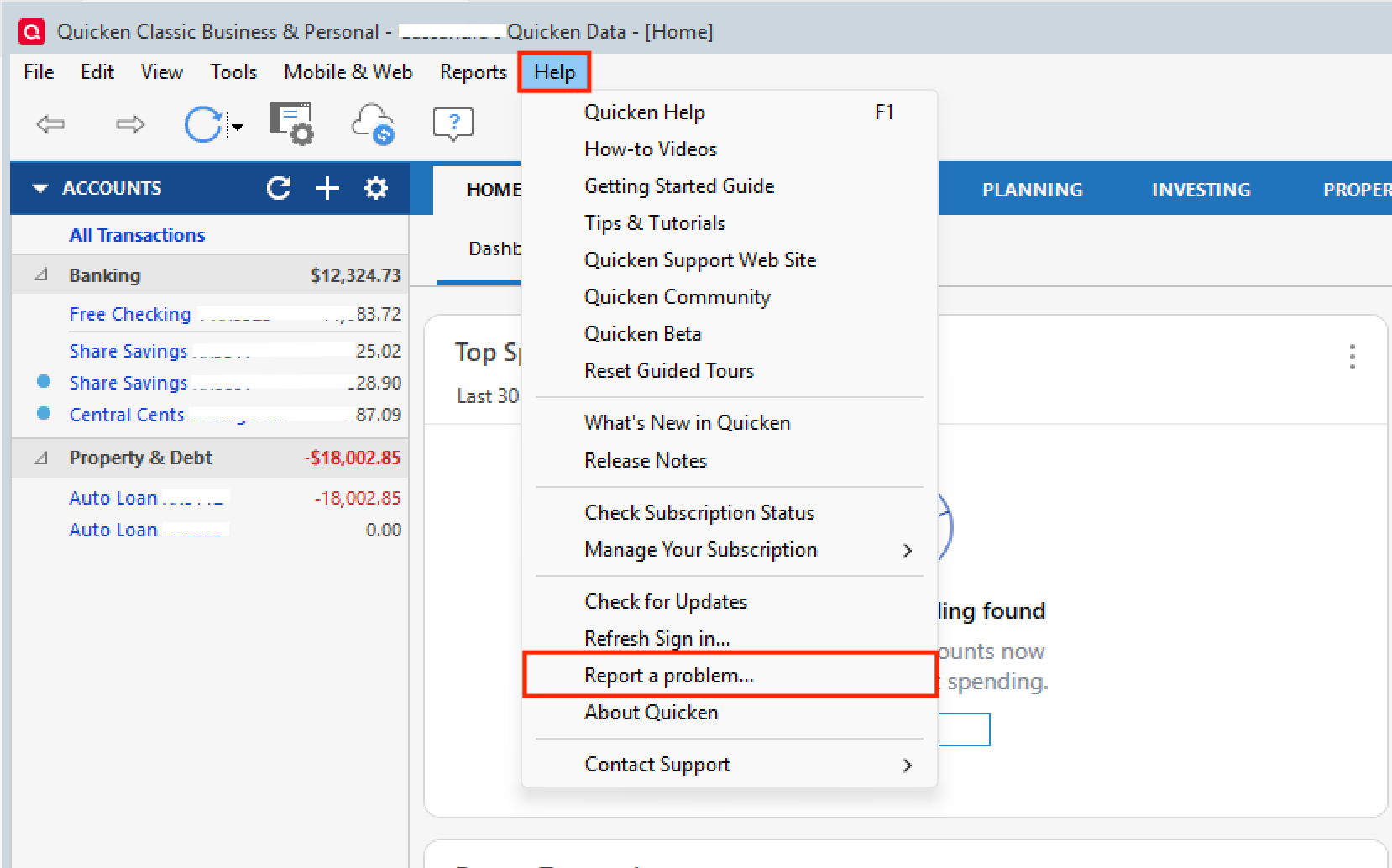
Thank you!
Quicken Alyssa
Make sure to sign up for the email digest to see a round up of your top posts.
0 -
Hi Alyssa! It's been quite some time since the PayPal Credit Card issues popped up - any progress on downloading transactions from this site? Thanks!
0 -
Having the same issues with downloading PayPal Credit transactions, I get the balance, but not transactions.
1 -
I have both PayPal MC and PayPal Credit accounts. My PayPal MC transactions download successfully but to BOTH of my accounts in Quicken at the same time even though they are different accounts with different account numbers. No PayPal Credit transactions download. I have disconnected and reconnected both accounts multiple times and validate/repaired my file multiple times.
I uploaded my log files over a week ago and have heard nothing back from Quicken.
0 -
Hello All,
Thank you for adding to this discussion.
The escalation ticket for this issue was closed due to most users reporting successful downloads. Some were still having issues due to not connecting to the correct PayPal instance (PayPal Credit, MasterCard, and Crypto).
After reviewing your connections internally, I am not seeing any attempts to connect to PayPal recently. Please try using the instance mentioned above and let us know how it goes.
Your situation is unique, and it sounds like we need to review those log files to see how the bank is sending this information. Please contact Quicken Support directly so they can help with this and escalate it if needed.
It appears from our end that you are connecting successfully. Can you provide more information as to specifically what issues you are running into?
Thanks again!
Quicken Alyssa
Make sure to sign up for the email digest to see a round up of your top posts.
0 -
HI Alyssa! I am connected to PayPal Credit Card, but I still cannot download transactions. Upon receiving your message, I reset the account, and when that didn't work, I deactivated the account, restarted Quicken, and reactivated the account. Unfortunately, still not downloading transactions. In fact, it's not even going through 2 factor authentication and asking me for a code. Can you help? Thanks!
0 -
I have also uploaded a current Report with logs.
0 -
Thank you for following up.
This would be considered Missing Transactions. Please review the linked support article. I don't think the first portion applies to your situation, so you can skip to here:
If this issue occurs frequently
Be sure to follow these steps in order: (I know you mentioned doing some of these steps, but not all of them.)
1. Go to Edit > Preferences > Downloaded Transactions. The option Automatically add to banking registers needs to be unchecked.
2. Refresh your online account information by clicking the Actions Gear Icon on the upper right of the register, and select Update Now. Follow the on-screen instructions to complete the update.
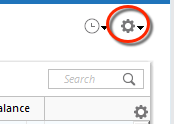
3. Confirm that the Sort Order in your account is by Date; just click the top of the Date column in your account register. It's possible the transactions are in your register, but not where you thought they'd be.

4. Click the Reset button at the top of the register. This will confirm that there's no filtering in your account register.
5. Try refreshing your login session: To do this, go to Help > Refresh Sign in. After completing the log-in process, try running a One Step Update again.
6. Go to Actions (Gear Icon) > Register Columns > Check Downloaded Payee in the account register. This allows you to search by Payee to confirm the transactions haven't been renamed unexpectedly.
7. Go to Tools > Account List and check Show Hidden Accounts at the bottom left. Confirm the missing transactions haven't been added to a hidden account by clicking on the name of any account that appears with a check mark in the Hidden column.

If these steps do not resolve this issue, please contact Quicken Support directly so they can review the log files you sent in and escalate this if needed.
Thanks again!
Quicken Alyssa
Make sure to sign up for the email digest to see a round up of your top posts.
0

