Bank of America - Reauthorization Error [Edited]
Comments
-
Thank You. This worked!!
2 -
I've had the same problem for three days now. My three Bank of America accounts were connected to zzz-Bank of America. I did the following:
-I deactivated all three accounts
-deleted the zzz financial institution in the account details
-deleted the web page data in the account details
-revoked access on the Bank of America web site
-changed my default browser
-I cleared my browser cache, cookies and browsing history on both browsers
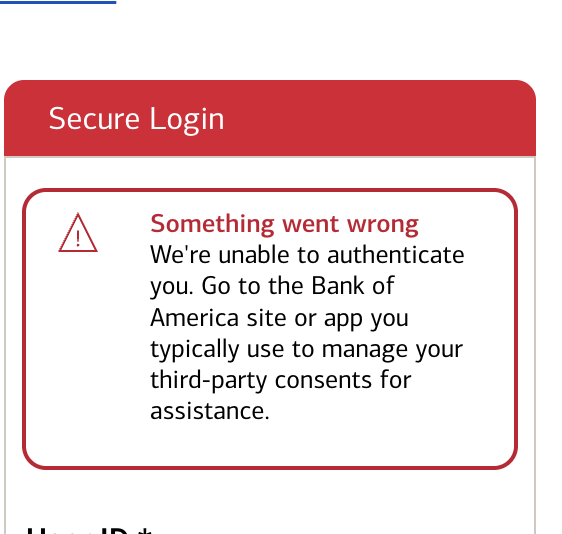
When adding a new account through Tools I get the above "Something went wrong" error message. Any idea when this will be addressed?
0 -
I tried to make the re-connection yesterday and while it appeared to be working, (B of A authorized, quicken asked me to select relationships between quicken accounts and BofA accounts), the wrong BofA accounts downloaded into the wrong quicken accounts (checking into Credit card, savings into checking). I tried again in case I made a mistake and the same thing happened.
0 -
Did you try the above ? This worked for me. Its the popup you get every-time you login with browser to BOA. Decline that as well.
"Before this will work, you need to log into BofA's website and deny access to Quicken on the 10 minute pop-up. Then go into Quicken to reconnect and the login will work."
2 -
This just shouldn't be this complicated!
0 -
Another piece of information:
When I get the "HTTP Status 400 – Bad Request" I cancel the reauthorization in Quicken.
Then, when I log into my BOA account, I see that the third party access was granted—it's listed among my consents (attached below when I tried again just now).
So, it looks like the reauthorization process gets as far as granting the third party access before going off the rails.
 1
1 -
It worked. Log in to the Bank of America web site and decline access to Quicken in the 10 minute pop up.
Thanks
2 -
I was able to get access through Chrome (Edge did NOT work) so that's good.
Now my problem is Merrill Edge has transitioned to a Simple Account instead of a Complete Account. Quicken needs to work with Bank of America/Merrill to change this so we can download transactions.
1 -
I found that if I signed in under another Login I was able to add to accounts (checking and savings) that BofA had listed under my husband. I am still trying to add my credit cards that are listed under my Login and continually get an error. Any ideas how to get a third party access to these accounts?
0 -
This is the way, thank you! Was driving me crazy - back to normal now
1 -
I tried again this morning and was able to successfully reauthorize the connection between Quicken and BOA. The key was changing my default browser from Edge to Firefox.
For whatever reason Intuit does not play nicely with Edge. I encountered a similar issue in TurboTax when importing 1099s from various financial institutions. Switching the default browser to something other than Edge makes it work.
0 -
I was able to fix it.
Ok customer support chat gave me WRONG information and customer support call gave me WRONG information.
- Revoke access to Quicken in Bank of America
- Change default browser to Chrome
- Setup all the banking and credit cards (I did not authorize Merrill Edge at this time). This worked for the banking accounts and credit card accounts
- Quicken entered a bogus transaction in one of my credit cards called "adjustment for previous transactions" which I deleted and it appears everything else looked ok (I'll know better when I reconcile a statement)
- Went back into my Merrill Edge account and connected with Merrill Lynch (not Bank of America).
- If you connect through Bank of America, you can only do Simple Account Management
- If you connect through Merrill Lynch, it allows you do Complete Transactions
Everything seems to look ok but won't know until I reconcile the 5 accounts.
David
2 -
I revoked the third party access, set Chrome as default browser, and tried again without success.
I can access all my account information on the Bank of America website without any problems.I only have one account, which is a credit card.
I get this message during the steps to access BofA through the Quicken setup:
 0
0 -
Problem still persists for Quicken connecting to BOA. mlhill527 and Rick56 your screenshots is what I am getting. I just updated my version to 8.5.0 (on Mac 26.3)
This is a little furstrating getting this at the end of month, and hopes it does not keep me from closing my books on my small business.
0 -
I get the same issue and have sent the issue to Quicken a few times!!!!
0 -
I tried to reauthorize my Bank of America accounts this morning. No luck. Still get the 400 page error.
During a later one-step update, Quicken prompted me to reauthorize my Merrill accounts. Given the issues with Bank of America and not being able to reauthorize those via either my Bank of America or Merrill login, I'm not doing anything furhter until the 400 page error issue is resolved.
It's bad enough my BOA downloads are broken, but the last thing I need right now is my Merrill accounts broken as well. 😟
0 -
UPDATE!
I did a few more tweaks on the BofA app regarding Third Party sign in and it is working!!!
Unfortunately, I have not been able to figure a work around and have been unable to login for 5 days now. I get this message when i try: For your protection, we need to confirm your identity and obtain your consent before sharing your online information with a third party. It then sends me back to: Sign in to BofA failed.
Anyone figured out how to get BofA to accept third party again one Intuit has been revoked?
1 -
I finally got mine to work. I believe the key was:
First to revoke third party access on the Bank of America website.
Second, deactivate the account in Quicken
Third, go through the reconnect account process in Quicken.
When you get this 10 minute authorization pop-up, you need to decline access to Quicken instead of approving. Confirm permanently deauthorize and then go back into Quicken to set re-authorize and reconnect accounts.
The key, at least for me, was to decline third party access, once I did that and went back through the reconnect process, it worked.
I was successful using both Chrome and Safari.
0 -
could someone post a picture of the pop-up you are declining. At any point I decline I go back to the spinning quicken window that says your connection has failed. If I continue with the steps, not declining, I get the HTTP 400 error- game over!
1 -
Same for me. I have no idea what this 10 minute authorization pop-up looks like. I don't see anything like that when I attempt to authorize.
1 -
I was able to get both BOA and Merrill to reauthorize (get past the 400 error). I was able to do so by switching my default browser from Chrome to Edge, rebooting, and then trying to reauthorize again from Quicken.
I didn't have to revoke 3rd party authorizations on either website first.
0 -
I have a full-service account at ML but can't seem to find a way to reconnect through ML instead of BOA so I can do Complete Transactions. Could it be that an ML Edge account may have that capability while a full-service account doesn't? Thanks for any guidance.
0 -
Hello All,
Thank you all for continuing to update this thread with your comments, concerns, and discoveries along the way! This has been helpful to fellow users and to our investigation.
Currently, we are still investigating these issues and have four active alerts.
HTTP 400 Error Bank of America
"User not eligible" - Bank of America
Bank of America - Missing Pending Transactions
If you can not get connected successfully, please reach out to Quicken Support directly for assistance.
Thanks again!
Quicken Alyssa
Make sure to sign up for the email digest to see a round up of your top posts.
0 -
I've been dealing with this since the 26th of February. After trying all of the suggestions from here and from Quicken support, Quicken support finally suggested this morning that I uninstall Quicken completely and delete all Quicken files and folders - even the hidden ones - then reinstall and see if I can then connect with BoA (I never get to the BoA sign-in screen when trying to add the account).
This seems to be a non-trivial exercise and seems kind of drastic when I've not seen this recommended or even suggested anywhere online. What I have received previously is a series of dissimilar suggestions - including the telephone support person I spoke to this morning telling me that Quicken can't fix it and I can't fix it. Only BoA can fix it. So, just wait for that to happen.Interesting situation. I'll keep working at it.
0 -
I don't think uninstalling and reinstalling will solve this. Did you revoke access from inside Bank of America? And set Chrome as your default browser? Reinstalling Quicken won't fix these two actions.
David
1 -
@davidmarketing
Thank you for your comment
I tend to agree that uninstalling and reinstalling will solve it. Yes, I revoked access at BoA and changed my default browser from Edge to Chrome - making sure that pop-ups are allowed. I also:
- Disabled my antivirus program
- Validated my QDF file
- Deactivated all three of my BoA accounts in Quicken - (2) Credit Cards and (1) Checking account
- Deleted the "Financial Institution" and "Account Number" entries from the credit card accounts, but can't delete the "Financial Institution" from the checking account. I delete it, but it returns on its own. Odd.
- Started a completely new Quicken file with no accounts in it
- I downloaded and installed the patch provided byIn each case my problem remains the same. I never get an error screen. In Quicken, I chose Tools > Add Account, and then I enter 'Bank of Amer' to get this screen:
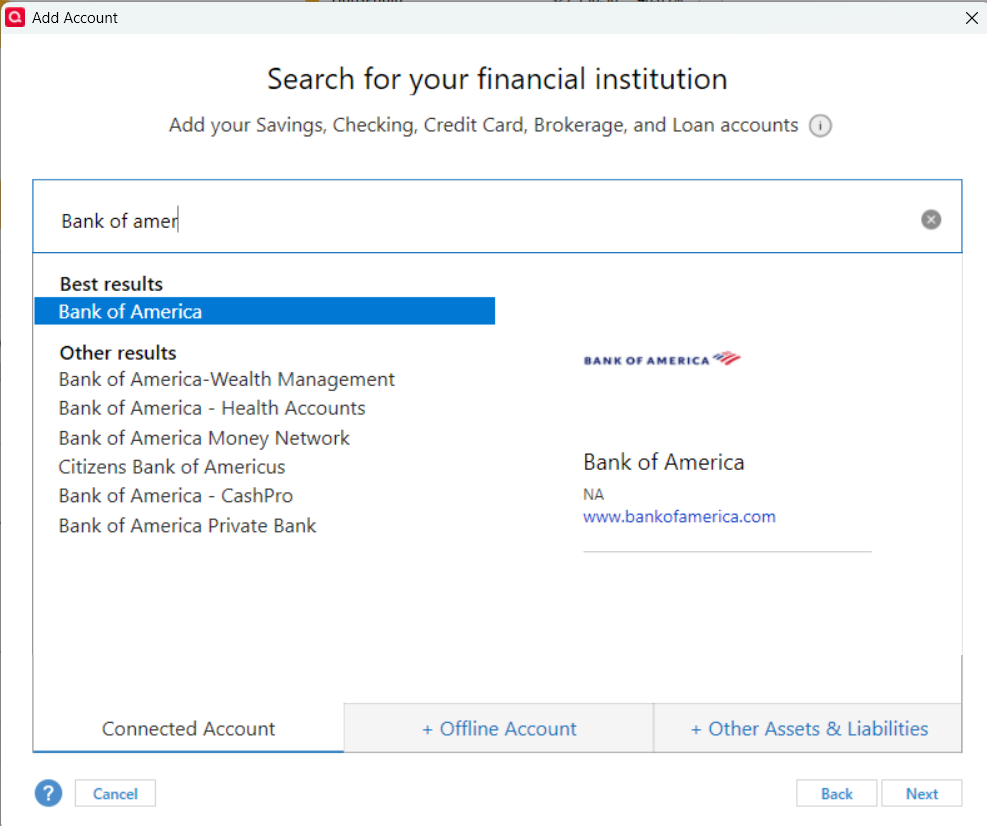
I then click 'next' and this screen appears: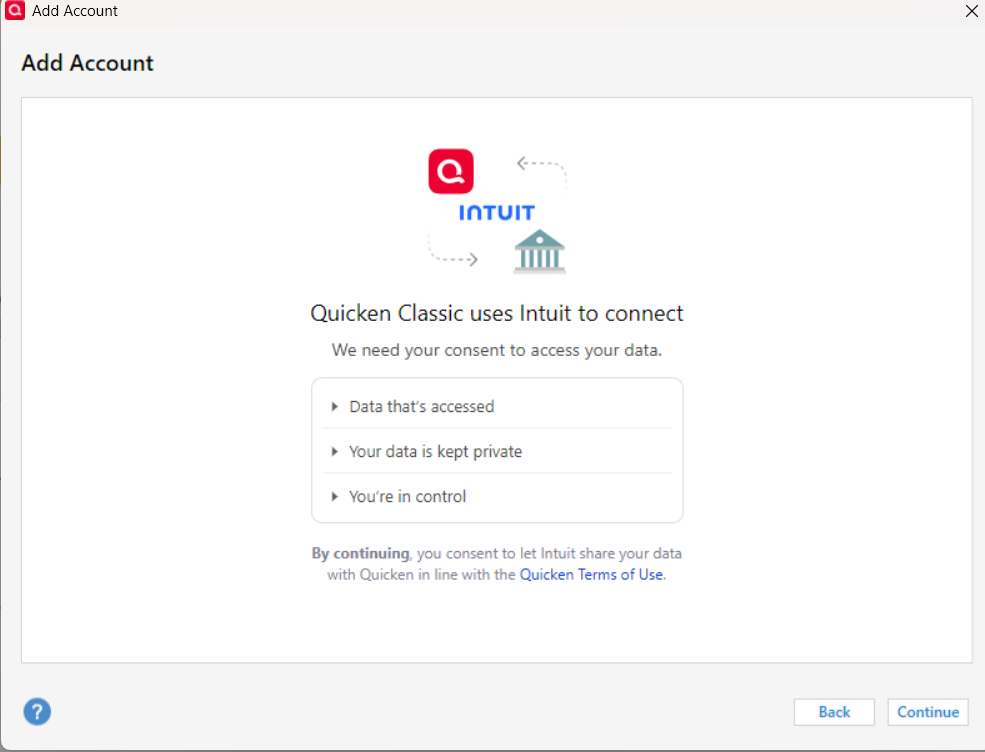
I then click 'Continue' and a VERY quick view of a spinning 'activity icon' appears - where I'm pretty sure the BoA logon screen should appear, and then the original screen appears again: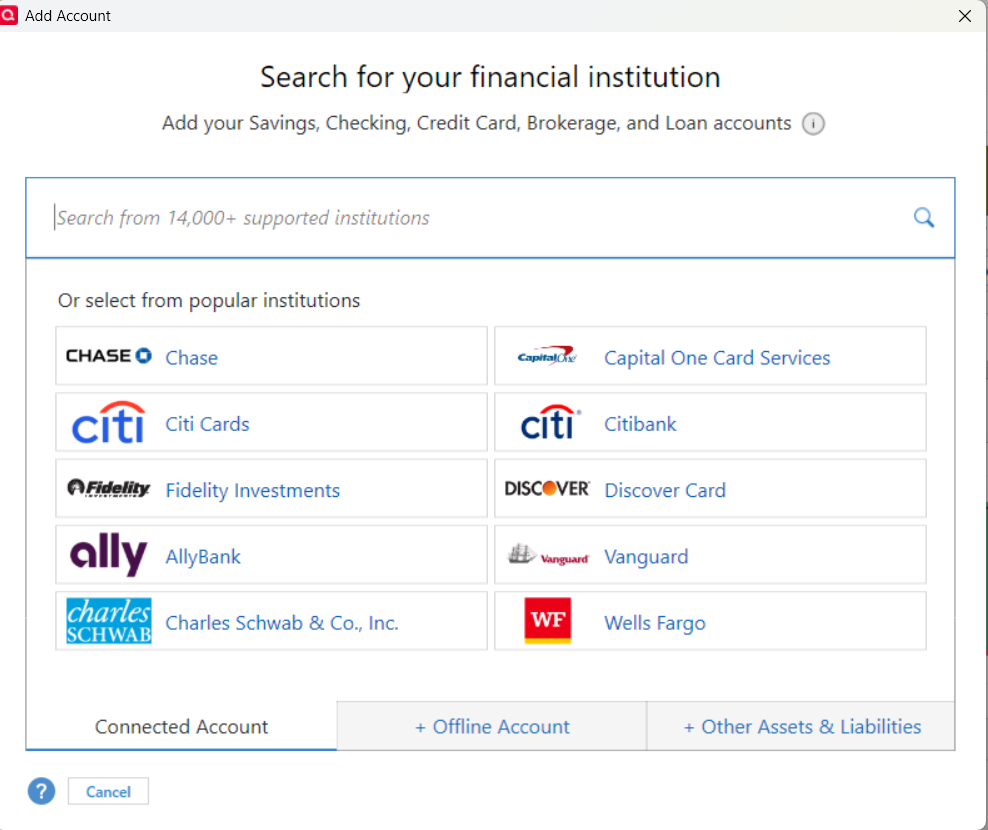
[Edited-Screenshot Size]
0 -
It's possible. I don't believe uninstalling and Reinstalling Quicken impacts your data file so you can try. Just backup.
I assume you cleared the cache, Chrome is up to date, and you don't have some weird add-on that could impact it.
0 -
this issue should be marked as "solved" and have the relevant info posted at the start of this thread and easily accessible and identified.
The issue is not browser, it is the stupid Quicken authorization window that pops up when you log into BofA online, the one that says you have 10 minutes to complete. Instead of logging in to Quicken, DENY access at that Popup window, it then asks you to confirm, go ahead and do so. Then, go to Quicken program and reconnect accounts, it worked flawlessly.
Props to the handful of folks who posted this info, as far back as 2/27. Wish I would have seen it back then.
This forum is odd, because there are solutions presented, and then the very next post is just reiterating the problem…
1 -
I cleared the cache, Chrome is indeed updated, and Malwarebytes Browser Guard is currently turned off.
0


