Latest update broke all future paycheck reminders - somehow web synch messed things up
Comments
-
Has there been any indication that Quicken development team even considers this a bug instead of user error? Given the prevalence in this thread, it seems like something is actually broken.
Ever since I went back to the older release of quicken, I have not had any corruption issue. I am afraid of upgrading Quicken until it's confirmed that the issue was actually root caused and fixed.
0 -
Which version did you go back to? I had gone back a version, but it did not resolve the issue for me.
0 -
@Quicken Kristina I tried the export\import suggestion. It seemed to work for a couple of days. Then the issue re-occurred in the new file.
0 -
R63.21. It took me a few hours to restore the backup I made and reauthorize all of my accounts after downgrading. This is why I'm really hesitant to upgrade until there is proof that this was really rootcaused.
0 -
Hello @Voytek,
If the issue you are encountering is the same as described in the discussion linked below, it has been reported to our teams for further investigation (CTP-14228), but is not yet fixed.
Thank you for the follow-up @Tungue,
That is strange that it behaves for a couple days, then the issue returns. If you have an alternate device handy (such as a different computer), please test to see if you encounter the same issue on that alternate device (for instructions on moving your file to another computer, please click here).
I'm fairly certain you tried rolling back to an earlier version in early September, but I'm not seeing any mention of which earlier version you tried. If you want to try rolling back to R63.21 to verify if that corrects the issue, this article will give you the instructions and the link to download that patch:
Thank you!
Quicken Kristina
Make sure to sign up for the email digest to see a round up of your top posts.
0 -
Thank you @Quicken Kristina . The issues in the linked thread are similar to what I was seeing in the R64.xx versions and what seems to be discussed in this current thread. I will remain on R63.21 until a fix for the linked issues is confirmed.
1 -
Thank you for confirming,
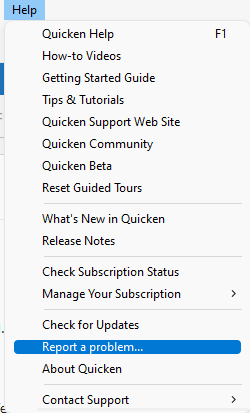
If you want to contribute to the investigation, please navigate to Help>Report a Problem and send a problem report with log files (and, if you're willing, a sanitized data file) attached. Please reference CTP-14228 in the description.
Thank you!
(CTP-14228)
Quicken Kristina
Make sure to sign up for the email digest to see a round up of your top posts.
0 -
This thread has gone awfully quiet. Which either means it's stopped happening or people are just learning to live with it. I had it happen once more as mentioned above, but so far haven't seen it again since.
Granted, after the last time it happened, I created a dummy empty file and used that to connect to Quicken Cloud and make sure there were zero cloud files sitting out there.
@Quicken Kristina has there been any update on this issue?
0 -
Still having the problem. I've tried every solution on here. Still no luck for me.
0 -
I'm still having the problem. I've tried every solution on here. No soap. After removing all the web synched accounts I had to re authorize all my accounts. Big PITA. One of my brokerage accounts disappeared. I ran a validation which brought the account back with a cryptic name but it also created a new linked cash account even though my original cash account was there. I couldn't reassociate it. Luckily, I had a backup to start all over with again. Larger PITA.
0 -
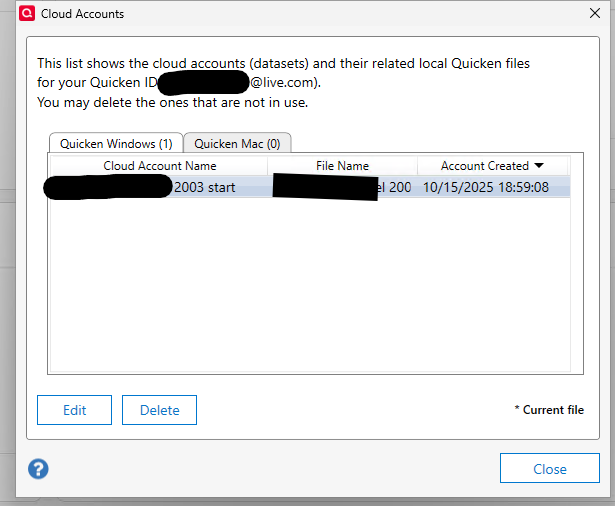
I still think something with cloud sync is broken. I was doing some testing with a different file and configuration and went to turn on Quicken Mobile & Web sync in that file…. and what did I find? Quicken tried to sync my main file back on the 15th of October. Even though I deleted ALL cloud files at that point and the production file does not have mobile & web enabled. That lines up with my previous post on the 15th in this thread, where it tried to sync randomly.
Quicken has not been trying to sync to the web in the last month, but that file never should have been there.
 0
0 -
I think when you turn on "Quicken Mobile & Web" sync to see the cloud accounts, quicken automatically makes a dataset. Either that or it makes one once you perform an OSU. I made a new quicken data file and deleted all the cloud accounts. When I went back to my original data file, all my online accounts had to be re-authorized. So, be careful on how you delete all the cloud account datasets. I think that is where the banking authorizations are kept or linked somehow.
0 -
Quicken Kristina
Make sure to sign up for the email digest to see a round up of your top posts.
0 -
Thank you for confirming this @Quicken Kristina . I was tempted to try one of the latest updates, but I'll stick to R63.21 which has been working error free for me in this regard for the last few weeks. I hope the devs have a chance to rootcause and address this bug soon, because I would like to update to a newer version of Quicken at some point.
0 -
Well I was hoping with the latest update, the issue would have been resolved. But no, I am still encountering the same problem with my income reminders.
0 -
So a bit of a new take on this this week. In December, I have some RSU's that mature, usually twice a year roughly 6 months apart. So I've set reminders transactions to record a $0 transaction to my primary checking account that shows the 'bonus' (i.e. the value of the RSU's at vesting), all of the withholding for taxes, and then a transfer into a holding brokerage account my company has attached to the RSU where the stock resides.
I know there are a million ways to do this, but I've been doing it since before Quicken had the RSU capability that it has now. And to be honest, that one, even after all the improvements, still doesn't work for me and it has never worked correctly with the placeholder transactions it puts in that account. If someone at Quicken wants to talk about that one, DM me.
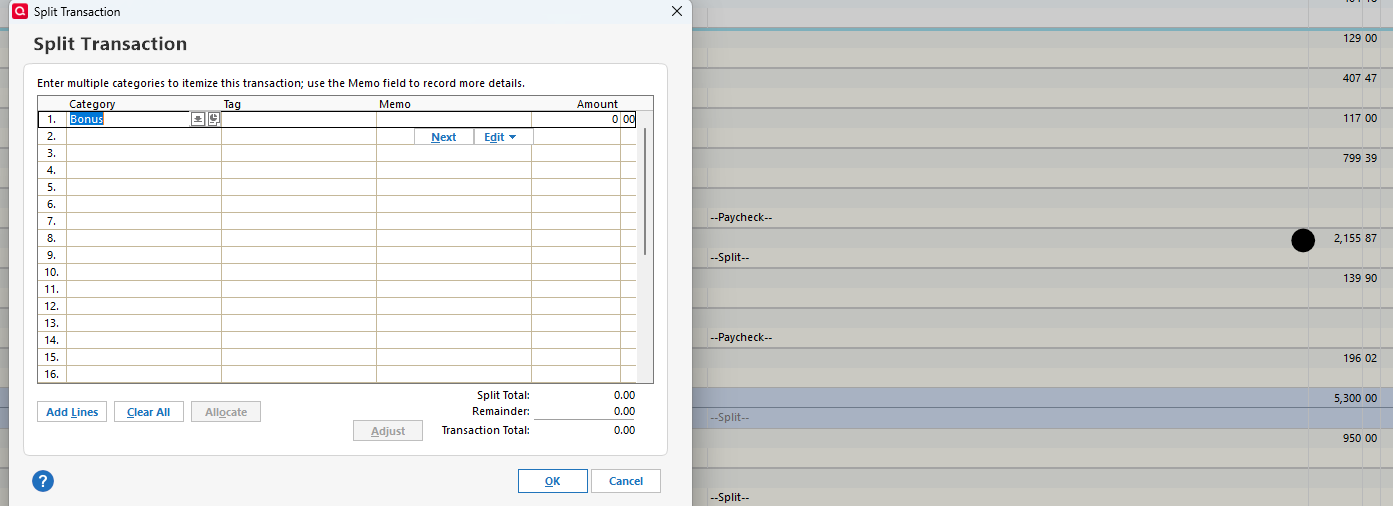
Anyhow, I noticed last weekend that those transactions have suffered the same fate as my paychecks had been. They were a negative dollar amount, and all the categories were empty. So I fixed it. Today, when I opened Quicken and did some other stuff (I wasn't paying that close of attention to what I did before I noticed this), I see those transactions now show as a payment of the amount I put in as the transfer to the RSU account AND everything in the split is once again empty.
So it's not just paychecks…. Oh, and my paychecks in January are messed up again as well it seems. I can see them in the calendar view (not yet in my register, as I only have that set to look forward 30 days). It's also back to a negative amount in the calendar.. though the splits are not yet empty.
 0
0 -
3 months and at least one software update later and we are still having the corrupted future paycheck reminder issue. I've
Help>Report a Problemtwice.Is this being addressed?
0 -
Hello @twarner1,
I can see the ticket (CTP-14228) shows the issue should have been resolved in R65. If you're using R65 and the issue is still persisting, please reach out to Quicken Support directly for further assistance. The Quicken Support phone number can be found through this link here. Phone support is available from 5:00 am PT to 5:00 pm PT, Monday through Friday.
I apologize that I could not be of more assistance!
Quicken Kristina
Make sure to sign up for the email digest to see a round up of your top posts.
1 -
I contacted support and was instructed to delete my paycheck and rebuild it from scratch. However, my paycheck only corrupts when I check "update bills" in my OSU. Since my online bills no longer update (they all say "Awaiting next bill" and never change status), I have decided to just go without online bills and rely on my reminders instead. Not a elegant solution but it solves my problem.
1 -
I'm still dealing with this every day. I have done all the recommended steps. I deleted my cloud account and recreated it. That took a whole day to reconnect all my online billers…
I have deleted my paycheck and recreated it.
The problem remains. After OSU my paycheck is zeroed.
0 -
I have a new twist to the issue. Since the latest update, the next income reminder (Jan 9th) is getting deleted after each OSU. The reminders after the 9th remain. The reminder on the 9th is the only one that gets deleted.
0 -
Happened again this week where the register showed random costs vs income for my paychecks. Opening the next one and resaving the reminder seems to have corrected it for the moment.
So still happening.
0 -
Whatever changes were made in R65 to fix this have, for me at least, made the problem much worse. Or it's because of the impending year change.
Now every time I do an OSU, it seems ALL my income reminders (paycheck and RSU reminders) reset. The RSU reminders have gotten even worse, as they actually delete all the entries except the first entry by name. That first entry, however, is still set to $0.
This morning, I deleted all my income reminders and recreated them as suggested a few posts back. Will see if that fixes it.
0 -
I also deleted and recreated my income reminders. I set up a paycheck reminder. After the OSU, the paycheck show $0 in the Bills & Incomes. I proceed to edit the reminder. All the categories\values are still there. I save the reminder. It displays as it should. Seems like that's a bit of positive progress for me.
0 -
That was my experience as well with paychecks anyhow. But it was resetting them after every new OSU it seemed, so better and worse at the same time.
The placeholder transactions for the RSUs, on the other hand, were being wiped almost completely.
0 -
I started deleting online bills one by one to revert back to Bill and Income reminders instead. Once I deleted my Fifth Third Bank Mastercard bill, the future value of my paychecks got corrupted. I did not initiate a OSU. Deleting the bill actually took about 1 minute of hour glasses and constant screen repaints. Something is still amiss…
0 -
So far this year, knock on wood, after deleting all my income reminders in particular, they seem to be holding steady with not going to $0, etc. etc.
Though I see it's now noted at the top of the community posts as a noted, ongoing issue as of Jan 9.
2


