PNC bank upgrade affecting Quicken downloads?
Answers
-
You need the unique ID and PIN that was assigned to you by PNC.
For some people the unique ID is their SSN but for others that unique ID was mailed to you in the past when you first signed up for DC with PNC. If you do not know what your unique ID is or have not signed up for DC with PNC you will need to contact them.
The unique PIN is a 4-digit number that was mailed to you by PNC. If you used that DC PIN as your Debit Card/ATM PIN then they will be the same. But if you did not do that then the two PINs will be different. If you do not remember your DC PIN you will need to contact PNC to get that information or to get it changed.
FYI: If you get prompted to change your DC PIN during the Add Account set up process I strongly recommend not doing that and instead cancel the process and try, again, later. Maybe something has changed but in the past it would mess up your DC login information in PNCs system and it would require a Tier 3 PNC Tech Support to get it reset. Note: When I talked with a Quicken Dev Team leader about a week ago about the current PNC DC issue I mentioned this requested prompt to change the DC PIN and he acknowledged that the process has been problematic. He had a screen view of my laptop and when the prompt came up he told me to cancel the process.
Quicken Classic Premier (US) Subscription: R65.15 on Windows 11 Home
1 -
Several of my bill pays sent in via OSU prior to 10/24 have been processed correctly and paid between 10/26 and 11/13.
That's also what's happened with other DC issues in the past: Bill pays sent prior to DC going down were processed and paid correctly.
So no worries on this regard.
Two things you can do to confirm this:- Log into your online account at PNC and check to see if the payment shows up in the account register. If the payments were sent via ACH, then they should show up as being transacted on the payment due date. If the payments were sent via check, then the payments might not have been deposited by the payee, yet, so you might want to contact them to confirm their receipt of the check.
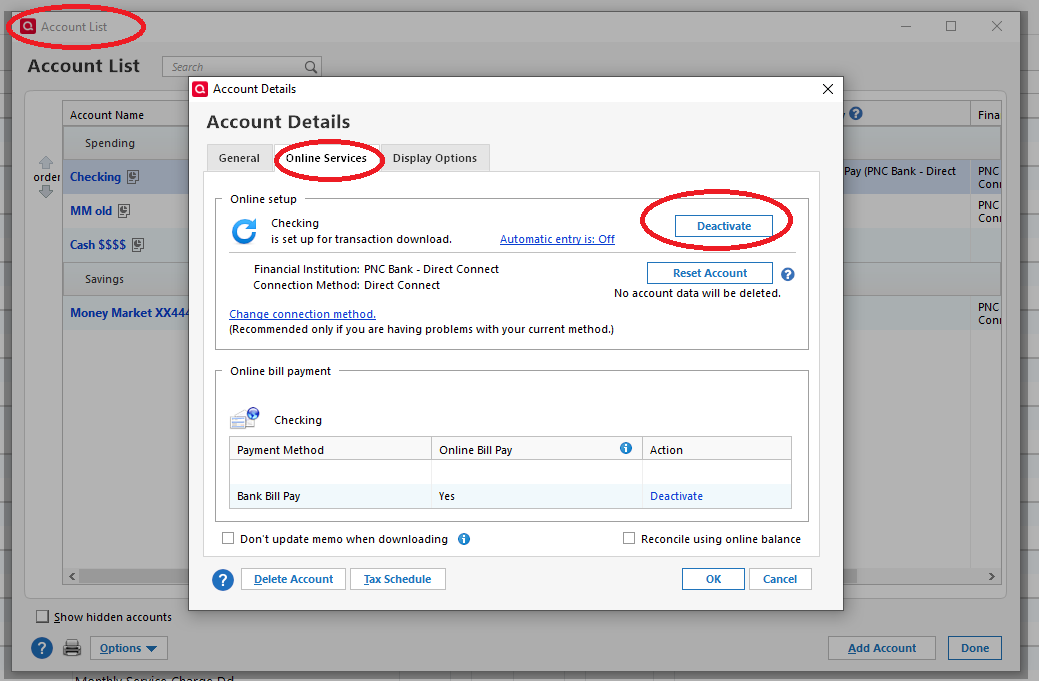
- Forget about DC for now. Deactivate the account and set it up via EWC+ downloads using PNC Bank - Web Connect or PNC Bank - Virtual Wallet. Or log into your online account at PNC and manually download/import the transactions from there using the "Quicken" (.QFX) file format. When those payments have posted at PNC the transactions will be imported into Quicken.
Quicken Classic Premier (US) Subscription: R65.15 on Windows 11 Home
0 -
That is a good point about the unique PIN that was assigned by PNC Bank. Mine was assigned about 10 years ago when I first opened my PNC checking account and I completely forgot about it. I'm not sure I even still have it. For me, my ATM PIN worked. Perhaps I changed the original PIN to my ATM PIN at some point.
0 -
I was able to download transactions from PNC today and more importantly I was able to send bill payments successfully.
Not every transaction came throughHowever, only one of my 3 accounts was able to do this. The other 2 are still in limbo.
this is no way to run an airline!0 -
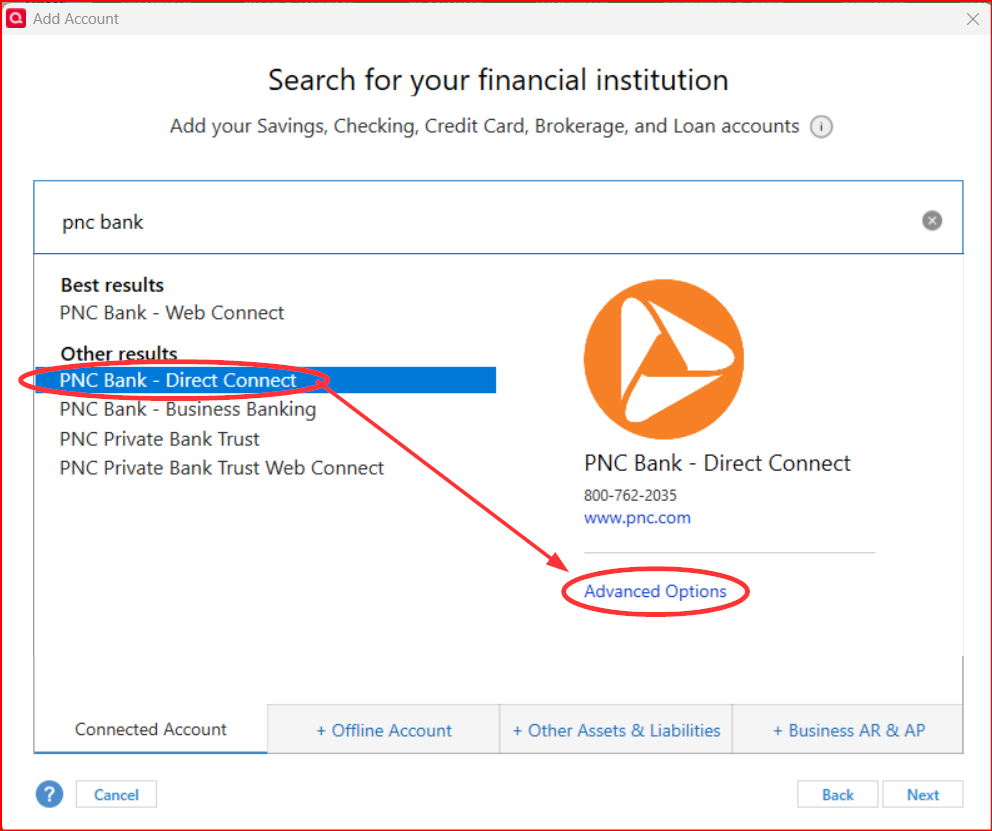
You need to select PNC Bank - Direct Connect in Add Account.
Quicken Classic Premier (US) Subscription: R65.15 on Windows 11 Home
0 -
Seems like PNC picked up the last working configuration from July and put it into place (in my humble opinion) which reintroduced old transactions that were subsequently modified. At least that's the theory I'm going by. I was promised a call back by a tier 3 tech when I first contacted them late October. Still waiting, probably will never get one. PNC should never treat long time customers with disrespect and ambivalence if they want to keep in the ballgame. We as customers don't have to accept poor return on our "investment" and can/will change if a better product comes along that aligns with out needs.
However, in the meantime:
Look out for duplicate transfers. I had multiple recurring transfers that I had previously deleted mysteriously reappear when I reauthorized the PNC direct connect to the tune of $4000+. Delete the dupes when found. They should go back only 90 or so days. List by payee name of the recurring transfers to see if dupes, then kill the extra ones. Start there and work out methodically. If needed, call PNC, get to the Quicken support team and verify by payee, date and amount each payment that needs questioning. But you need a list to check by. Pain in the **** but best way to clean up bad data.
I know it sucks to have to do this but I haven't found a direct replacement for Quicken and Direct Connect that was good enough without being too painful to use.
0 -
When did you submit the bill pay request to Quicken via OSU? If it was before 10/24, then it should have or should process as scheduled. But if it was submitted after 10/24 then it is very possible that bill payment did not get communicated and entered into PNC's system.
Have you checked your online account register to see if that bill payment has posted as scheduled to PNC?
Quicken Classic Premier (US) Subscription: R65.15 on Windows 11 Home
0 -
Update: I was able to reconnect to direct connect using my SS# and ATM PIN. However, as others have pointed out the PIN number was actually assigned by PNC bank around the time the account was originally set up in Quicken. For me that was about 10 years ago and I don't even have the original PIN anymore. At some point I may have changed the original PIN to my ATM PIN so perhaps that is why it worked for me. Not sure whether or not it will work for anyone else.
1 -
Reauthorized my PNC accounts 3 days ago problem was not fixed. This morning paid a couple bills online and that worked but no transactions downloaded to my account. About 4:00 pm today I tried again and about half the transactions downloaded. Getting better but still not fully fixed.
0 -
I deactivated/reactivated and got some transactions to come through. Luckily there weren't that many missing, so I manually added them (not reconciling yet). The very strange thing is that the reported Online Balance amount for both my DC accounts is off (one is a few hundred less and the other is a few thousand more). The Ending Balance (register) matches for both accounts, so I got that going for me.
¯\_(ツ)_/¯0 -
I started with Managing Your Money, which AFAIK, is now Quicken. Regardless, I'm right there with ya.
0 -
So when I opened a backup version of my quicken from October 2025 and just said update now then it updated everything for quicken direct connect—all working correct. But when I went back to my current version of quicken and tried direct connect— it did not work.
0 -
MYM DOS became MYM for Windows and was purchased by some banks. They could not manage it properly and unfortunately it went the way of the Dodo. Quicken was developed separately. I actually purchased a program from an independent developer that converted my MYM files to Quicken and went that way @ 1987. Quicken now seems to be going the same way. Too bad.
0 -
I just was able to use DC after resetting all 9 of my PNC Virtual Wallet accounts. I was also able to reconcile each account and got both balances to match! (Finally!!!!). I did have quite a few duplicates from what I had been entering in manually so guess that was my fault. Hopefully this fix is permanent and continues to work!
0 -
although they haven't posted it yet. mine finally worked today. I did have to sort through about 6 duplicate transactions but it seems to be working now
1 -
I was able to download transaction today, but beware there are some duplicate transactions. The duplicates have the same days. It shows 11/10 and 11/12 on the transaction dates, but pnc states 11/12. All of the duplicates are those dates with those errror. Looks like others I have to clean up. I hope that is a fluke
0 -
Well I went this morning and did my update (no reactivating) and I believe all my transactions were there with the exception of one duplicate dated 11/12 like someone mentioned that they had duplicates from. I had to re-add a savings account as it somehow got deactivated. Which I think was an error on PNC part when I did the deactivate reactivate a few days ago because it was showing up as a checking and today when I reactivated it, it was showing up correctly as a savings. Haven't got into checking all the balances, from what I am showing and what the online is showing, I will do that later. Not sure if any of my phone calls to PNC and or Quicken was the reason or PNC finally figured out their/my issue. However, whatever they did messed up the Direct Connect account that was working and downloading transaction fine the whole time (I never filed a ticket on that one). I have tons of transactions that I already received and matched. Plus some duplicate ones from 11/12 there too. That is going to me a pain in the **** to sort thru. I just hope and pray it stays fixed and that everyone else that was affected can easily fix their accounts, because like with me the one account that wasn't broke is now downloading transactions that were already downloaded.
0 -
NOW WHAT! I downloaded them all again. Duplicate Transactions. I can not reconcile. For savings, it just uncleared then marked to be cleared the last two and that worked fine. What is the process to clean this up? How do I properly fix the 39 duplicated downloaded transactions so that I can reconcile. Please Please Help.
UPDATE: So, i added a correcting entry to offset the $5810 out of balance so that I could reconcile. then also marked every duplicated transaction as a "PNC ERROR". I am in balance again. I will not actually reconcile until I see another several days of this working. I am so frustrated.
0 -
Update from my experience this morning. I tried to update my PNC Direct Connect accounts via one step update and got the very familiar error message. Then I tried going to Tools, Account List and edited one of my PNC Direct Connect account. On the Online Services tab I clicked on Reset Account. A box popped up asking me to select one of the two PNC Direct Connect accounts I have. I selected my PNC checking account. After about one minute a green check mark appeared next to the Reset Account box, to the left of the box. I then clicked on the OK box. This resulted in downloaded transaction for both of my PNC Direct Connect accounts. There were a couple of duplicate transactions but not many. Both of my account balances are correct. I did not Deactivate and Reactivate any accounts.
0 -
I spoke yesterday to PNC Bank support and they advised there are "unique" issues for some users here. As a long time Quicken user with accounts back 30 years, they advised and walked me through creating a new file copy for all transactions back to 2010 and reconnect to PNC Bank via Direct connect. I was then able to reconnect to both of my PNC accounts. However, you will need to set up all your other online accounts again. So, brokerage accounts, IRA, etc as well as load your history. I did a file export from my old file (QIF type) to the new file worked pretty well had to clean up some items, but restored my history. Hope that helps!
0 -
Worked for me today, i only had 4 duplicates. Thank God.
0 -
Today I did a direct connect download for my PNC checking account and everything appears to be okay. After downloading 4 duplicate transactions which I deleted, my online balance is now in agreement with my current balance. Be advised that Quicken also somehow downloaded a repeating online payment that I canceled months ago and I couldn't delete it in the normal manner because the scheduled payment was no longer on the PNC Bank server and I got an error message. Quicken provides special instructions on how to delete it but you are supposed to verify with PNC Bank that the payment is not on their server before following those instructions.
0 -
Just spoke with PNC this morning. The fix to deactivate and then reactivate your linked accounts. DO NOT RESET, REMOVE, OR AYTHING ELSE! It worked, no duplicate transactions. All is working as it should again. Go to tools / account list /online services / deactivate all liked account. After you'll need to reactivate. You'll need your SS# and pin.
1 -
Tried it again this am with a new test file. The balance was much closer and the difference ended up being 2 duplicate transactions that brought me into balance after I deleted them. Thankfully when I did a one step update afterwards, it did not redownload them. Looks like I am finally up and running…
0 -
direct connect worked today but it downloaded duplicate transactions back to 11/04
0 -
Hello All,
Thanks for the continued updates! We're glad to see it is beginning to resolve for some of you.
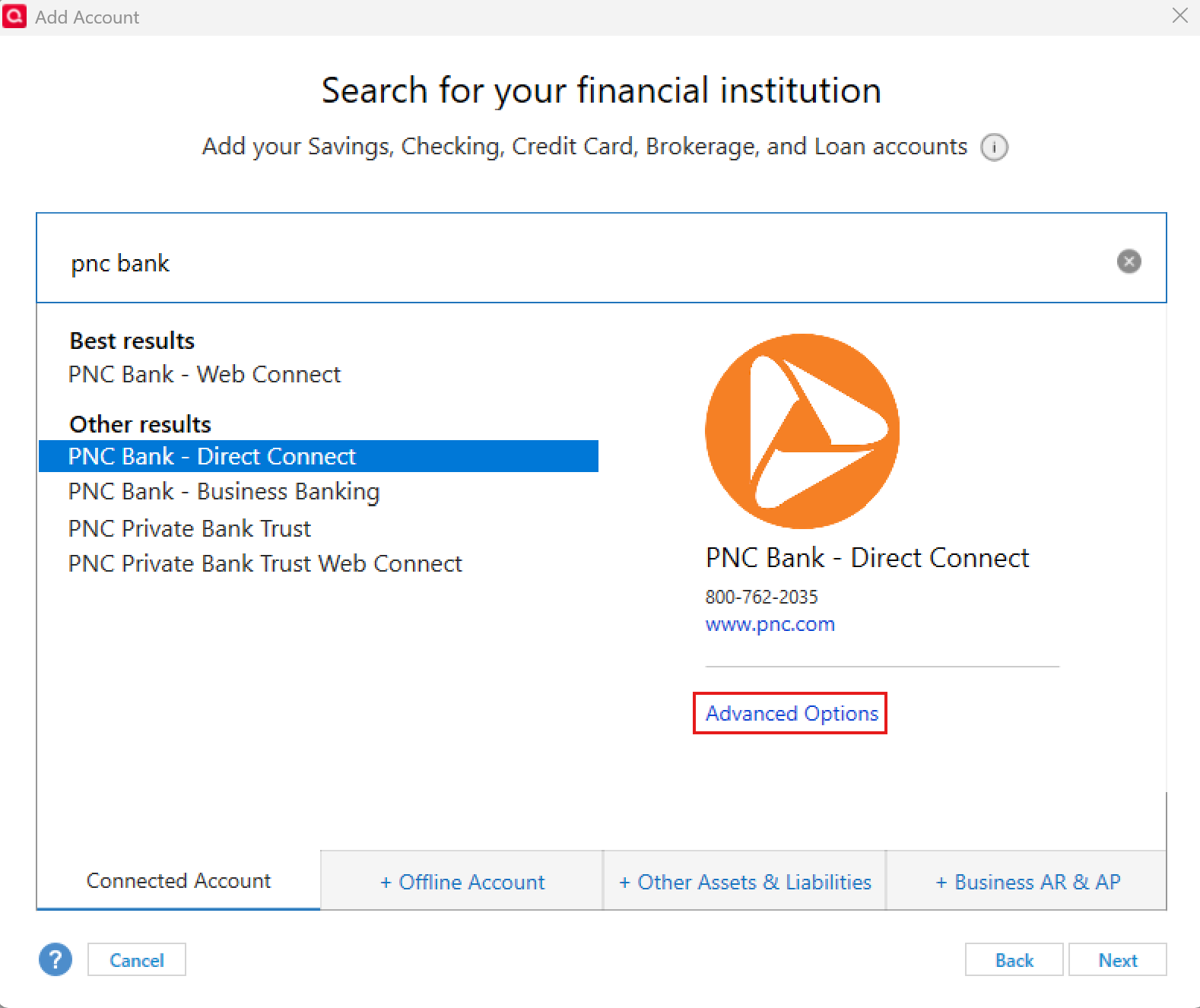
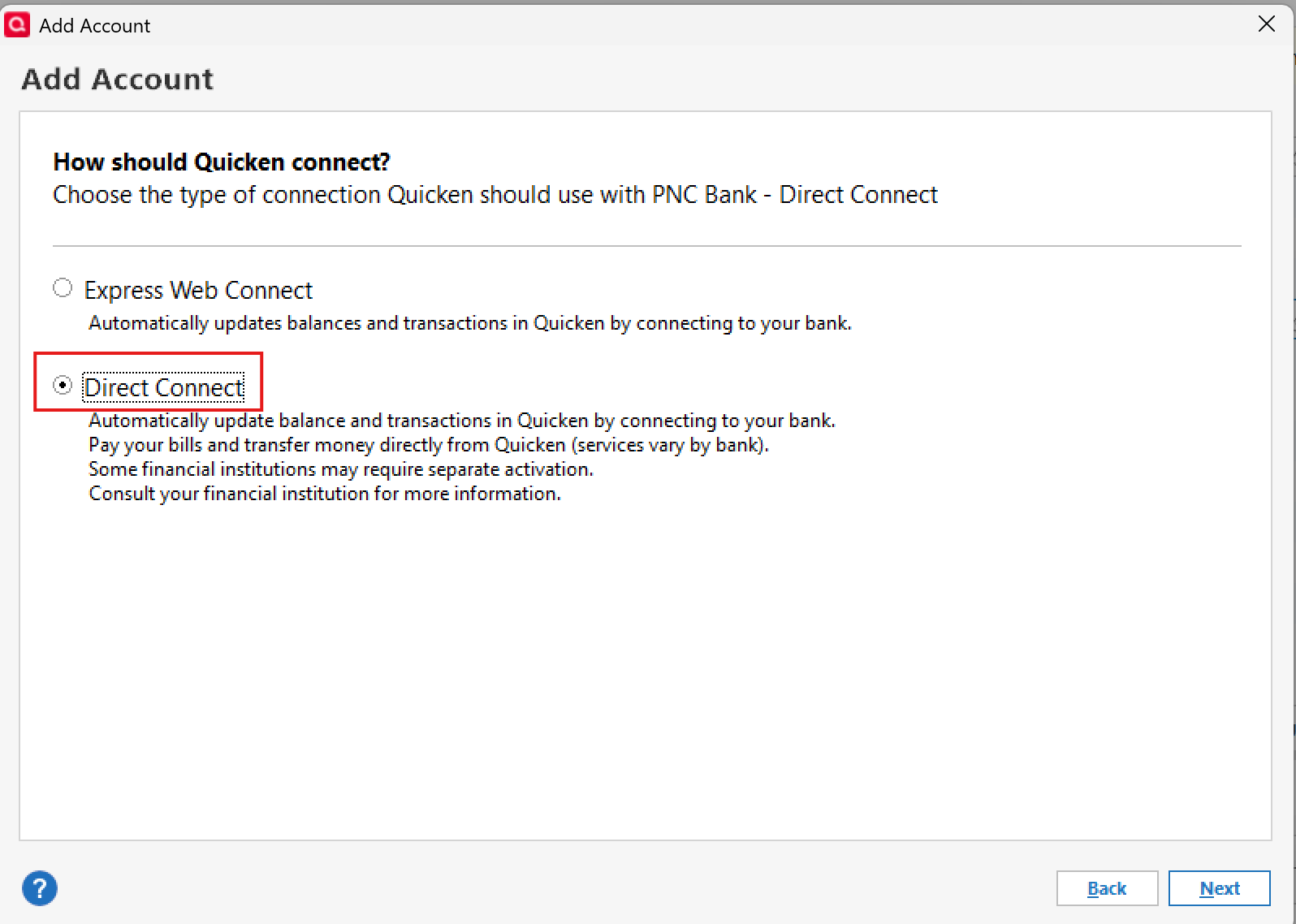
We have updated our Community Alert. If you are still experiencing the issue, please try deactivating and reactivating your PNC Bank – Direct Connect accounts, and please be sure to select Advanced Options > Direct Connect during reactivation.
If it still fails to reconnect, please contact Quicken Support directly so our support team can assist you further.
Thank you!
-Quicken Anja
Make sure to sign up for the email digest to see a round up of your top posts.0 -
I did not have to deactivate/reactivate. It just started working a few days ago. But what happened today is that it downloaded a bunch of transactions that had previously been downloaded and marked them as "new" rather than "match". I had to delete them. So, just be aware before accepting transactions marked "new" with a date earlier than the last time you downloaded, they are probably duplicates and should be deleted. Even more recent transactions may show up twice (for example the interest on my checking account downloaded twice, once with a November 12 date and again with a November 13 date. As a personal account user, it's only a few transactions for me and not a big deal but I can imagine that for some people, especially those with businesses, this will be an issue.
0 -
My experience was similar to what JoshD reported. I had deactivated/reactivated several days ago but did not do so again today. Four of the 23 checking transactions downloaded were duplicates marked "new", and the one savings transaction downloaded was a duplicate, all of which I deleted after accepting. Balances were correct. Accounts reconciled without a hitch.
0 -
I did the deactivate/reactivate thing for my PNC accounts a couple of times and after the second time my downloads now seem to be accurate. But, now I have lost the ability to pay bills online from my PNC checking account through Quicken. I have about 30 online payees already set up, but when I click on the online center with my PNC account, no payees show up for that account. All I see is a transactions tab. All of my existing payees now are associated with my Fifth Third checking account — but until this mess started, I never used my Fifth Third account for online payments via Quicken. I can't figure out how to get my payees back to being associated with my PNC checking account. Has anyone else experienced this problem? Does anyone have a fix for it?
0 -
My accounts updated correctly today with DC. First time since the upgrade of PNC.
0
Categories
- All Categories
- 56 Product Ideas
- 36 Announcements
- 224 Alerts, Online Banking & Known Product Issues
- 22 Product Alerts
- 702 Welcome to the Community!
- 671 Before you Buy
- 1.2K Product Ideas
- 53.7K Quicken Classic for Windows
- 16.3K Quicken Classic for Mac
- 1K Quicken Mobile
- 812 Quicken on the Web
- 111 Quicken LifeHub