Merrill Lynch download issue

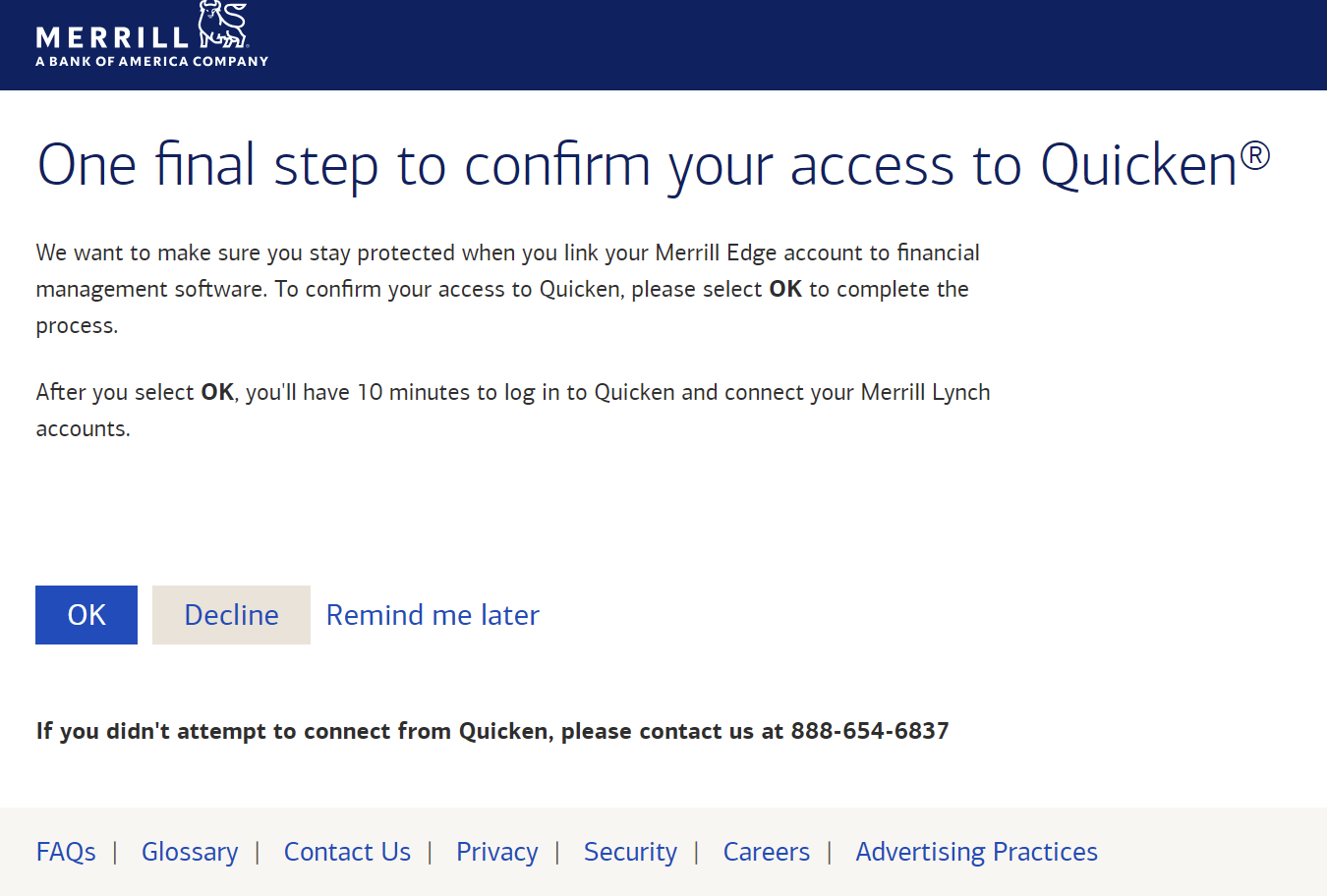
Please escalate to Merrill Lynch and have them resolve this issue of we Quicken users having to log into Merrill to approve our downloading of transactions each time we use Quicken! This is a MAJOR inconvenience!
Answers
-
I am experiencing this issue as well. It just started a few days ago. I do agree, it is annoying to have to log into the Merrill website to approve transaction downloads each time I update my account information in Quicken. I am using Quicken Classic Premier Mac Version 8.1.2 (Build 801.56902.100)
2 -
Hello @bob323 & @J. Holmes,
We appreciate you bringing this to our attention!
First, we'd like to gather some additional information.
If you don't mind, could you please provide a screenshot of what you are seeing and share the exact steps you are taking to receive the result you described? If needed, please refer to this Community FAQ for instructions on how to attach a screenshot. Alternatively, you can also drag and drop screenshots if you do not have the option to add attachments.
Thank you!
-Quicken Anja
Make sure to sign up for the email digest to see a round up of your top posts.0 -
This is the screen shot from M/L
 0
0 -
I am using Quicken Classic Business and Personal - Windows Version.
0 -
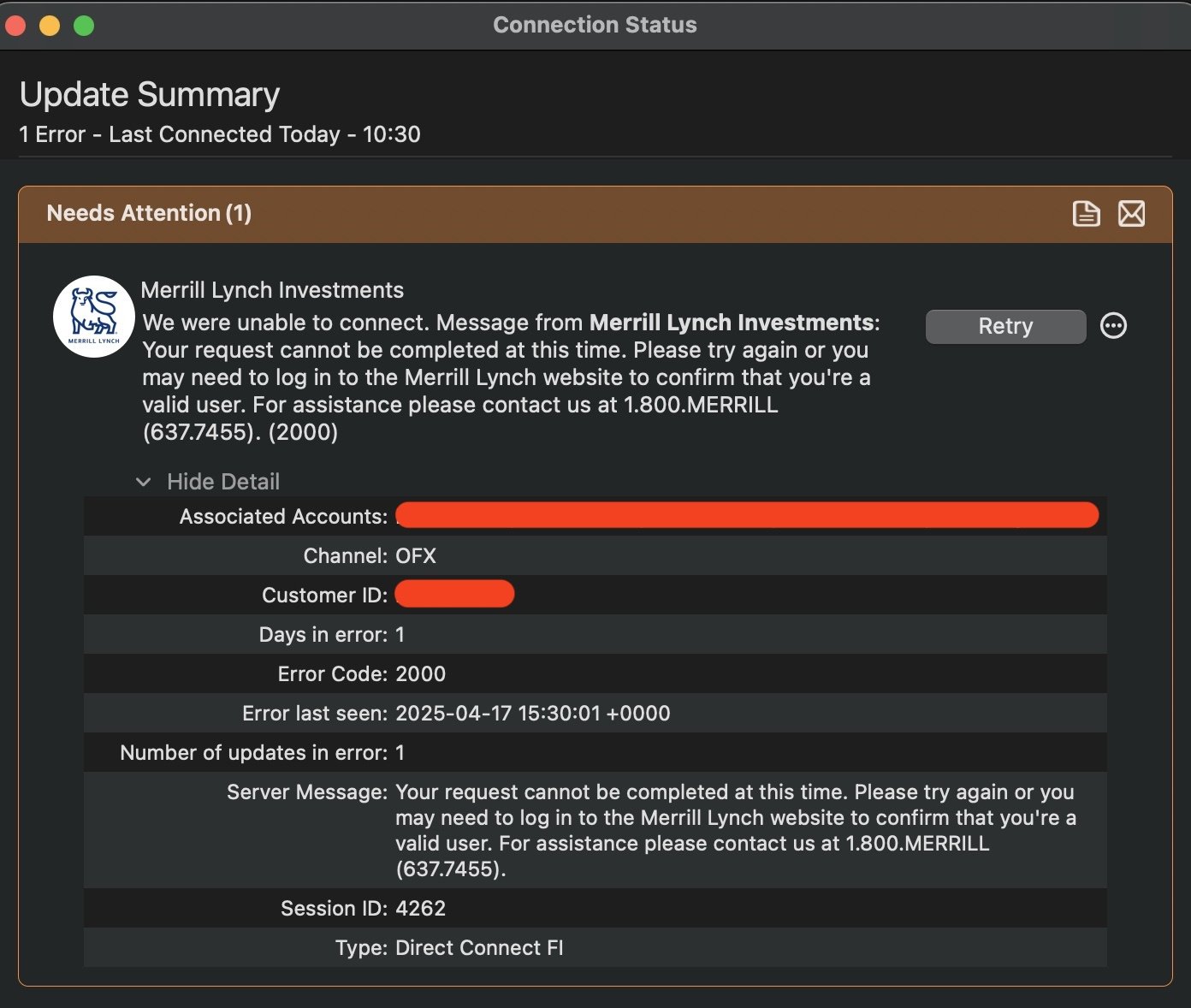
I'm also having the same problem. Quicken fails to download until I open my ML account and "OK" Quicken accessing my ML account information. The Quicken connection status window displays this information about the ML accounts that have failed to download prior to my OK'ing the connection on the ML website. Once OK'd Quicken will proceed with the account downloading without issue, but the problem reoccurs with the next attempt to download.
MacOS 15.4
Quicken Classic Deluxe Version 8.1.1 (Build 801.56891.100)
 1
1 -
Hello @bob323, @Quetzalcoatl, and @J. Holmes,
Thanks for providing more information!
Please refer to the Merrill Lynch download alert here for the latest updates.
📌 UPDATE 4/17/25: We've identified that this issue stems from Merrill Lynch requiring a "clientuid" during aggregation. This is being enforced on their end, not a bug within Quicken.
To proceed, please log in to the Merrill Lynch website and enable Direct Connect access. If that doesn’t resolve it, we recommend contacting Merrill Lynch directly at 1-800-637-7455 for further assistance.
We appreciate your patience while this gets sorted!
-Quicken Jasmine
Make sure to sign up for the email digest to see a round-up of your top posts.
0 -
I spoke to ML client support. He said they are aware of the problem and working on a solution. But he also said that the Error Code: 2000 which I received (as shown above) was because my password was too long. Mine is 19 characters. Before you rush to change your PW, I have another ML account which has continued to download via Quicken without signing in to the ML website. The PW for that account is 20 characters, so I don't think the PW length is really the core of the problem.
1 -
Having the same issue with Merrill Lynch
0 -
From the above "To proceed, please log in to the
Merrill Lynch website and enable Direct Connect access. If that doesn’t resolve it, we recommend contacting
Merrill Lynch directly at 1-800-637-7455for further assistance."
There is no place on the Merrill Lynch website to enable Direct Connect Access.
2 -
After using Webconnect for a few days, I found how to fix this.
In Quicken:
- Go to one of ML Investment accounts, like an IRA.
- Click the gear icon for settings
- Go to the Download tab
- Click Change Connection
- Choose Direct Connect, NOT Quicken Connect
- Enter login id and password
- All 5 ML Investment accounts came up with the correct matches to the Q accounts.
1 -
I tried the "change connection" method but it did not work for me. I still had to sign into ML and had to "OK" Quicken accessing my ML accounts.
1 -
Hello All,
Thank you for continuing to update this thread and for sharing any information you have!
-Quicken Jasmine
Make sure to sign up for the email digest to see a round-up of your top posts.
0 -
My bad, solution, above, doesn't work, still have to login to ML and confirm, every time.
Back to WebConnect.
0 -
I concur with all of the above. MAJOR inconvenience as I have multiple entities and accounts with Merrill and on Quicken. The interesting thing is that I also have Bank America accounts and thankfully NO issue with them even though it is the same company. Sounds like it's a MERRILL back-end security issue. And as of this AM, I still have the same issue. NO FIX WORKS
1 -
I would like to suggest that the Quicken Moderator change the Community headline notice to something other than "xxxx answered your question: Merrill Lynch download issue". What has been posted are not answers to the issue but rather Quicken users' notices of the issue itself - i.e., "Why has the Quicken download function suddenly stopped working for Merrill Lynch - thus now requiring a separate login to Merrill Lynch to request a 10-minute duration authorization each time you want Quicken to download from Merrill Lynch?" This really is an annoying work flow disruption issue that Merrill Lynch, at Quicken's urging, needs to resolve asap and until it is, there is no such thing as a Quicken One Step Download capability for Merrill Lynch!
3 -
I have the same problem; however, one of my Merrill IRA accounts downloads fine while the other requires a separate login to Merrill. Both are set up Direct Connect. All BofA accounts are okay on download. I think it is a Quicken issue, not Merrill. Very annoying…….
0 -
I would like to suggest that the Quicken Moderator change the Community headline notice to something other than "xxxx answered your question: Merrill Lynch download issue". What has been posted are not answers to the issue
@bob323 Just FYI, I don't think that's something Quicken moderators can address. This site is run on a commercial forum software platform from a company called Vanilla. The "answered" that you're referring to is just the terminology the site software uses whenever anyone posts a reply to a topic; in other words, "you posted and now someone has answered." It does not mean the underlying question was answered satisfactorily or that a problem/issue was resolved. (That's why you see the little "Did this answer the question? Yes | No" under each response; if you check "yes", it gets copied to the top of the tread under a heading of "Best Answer".)
Quicken Mac Subscription • Quicken user since 19930 -
Just adding my anguished voice to the complaints. I called ML yesterday and they were no help. I've tried deactivating and reactivating my accounts, following the prompt screen, ignoring the prompt screen, clicking "remind me later," etc. No dice. This is costing us all time, and it needs to start costing time for those who are responsible (I think it's Merrill btw). So, keep making noise, get an agent on the line, and speak slowly.

Quicken Windows User since 1992
0 -
I am having the same problem. Merrill Lynch account requires a logon to confirm for Quicken downloads. My Bank of America work O.K. This has caused me a lot of grief & time. It started when I was setting up a new Windows 11 desktop. I thought it was something I did wrong.
0 -
I just called ML to at least add another complaint to the list. She wrote up an "official" complaint to send it up the chain. Supposed to look into it in next 2-3 days and get back to me. We shall see. I, too, tried resetting, deactivating to no avail.
0 -
I will concur with the general consensus that the "Login to Merrill and authorize Quicken" solution works as promised, but only for a short period of time. The next day, and every day since April 17, you have to do the same thing again. I don't mind, and actually appreciate, the security measure of having to do this every three months, but every day is just annoying.
0 -
I don't want to get ahead of myself, but I just ran a one step update and did not need to reauthorize my accounts. Perhaps fixed? Are others seeing the same?
0 -
As of 7 am EDT Apr 23, it still does NOT work for me!
Quicken, you have the leverage over M/L - we as individuals don't! I urge you to represent ALL of your Quicken customers and escalate this issue within M/L to the highest mgmt level required to resolve this issue asap please! As I stated before, Quicken One Step Update DOES NOT WORK FOR M/L ACCOUNTS! Thank you.
0 -
Just downloaded my accounts from Merrill Lynch @ 8:13 am. All is good now. ML did not require account verification for download to Quicken.
0 -
Nope NOT FIXED- didn't work for me (as of 9:50am April 23rd.)! Resett connection settings, along with all the other instructions - still have to go to ML site to get it to confirm. This is going on a week now- maybe pass it along to someone higher up who can work with ML to get it fixed?
0 -
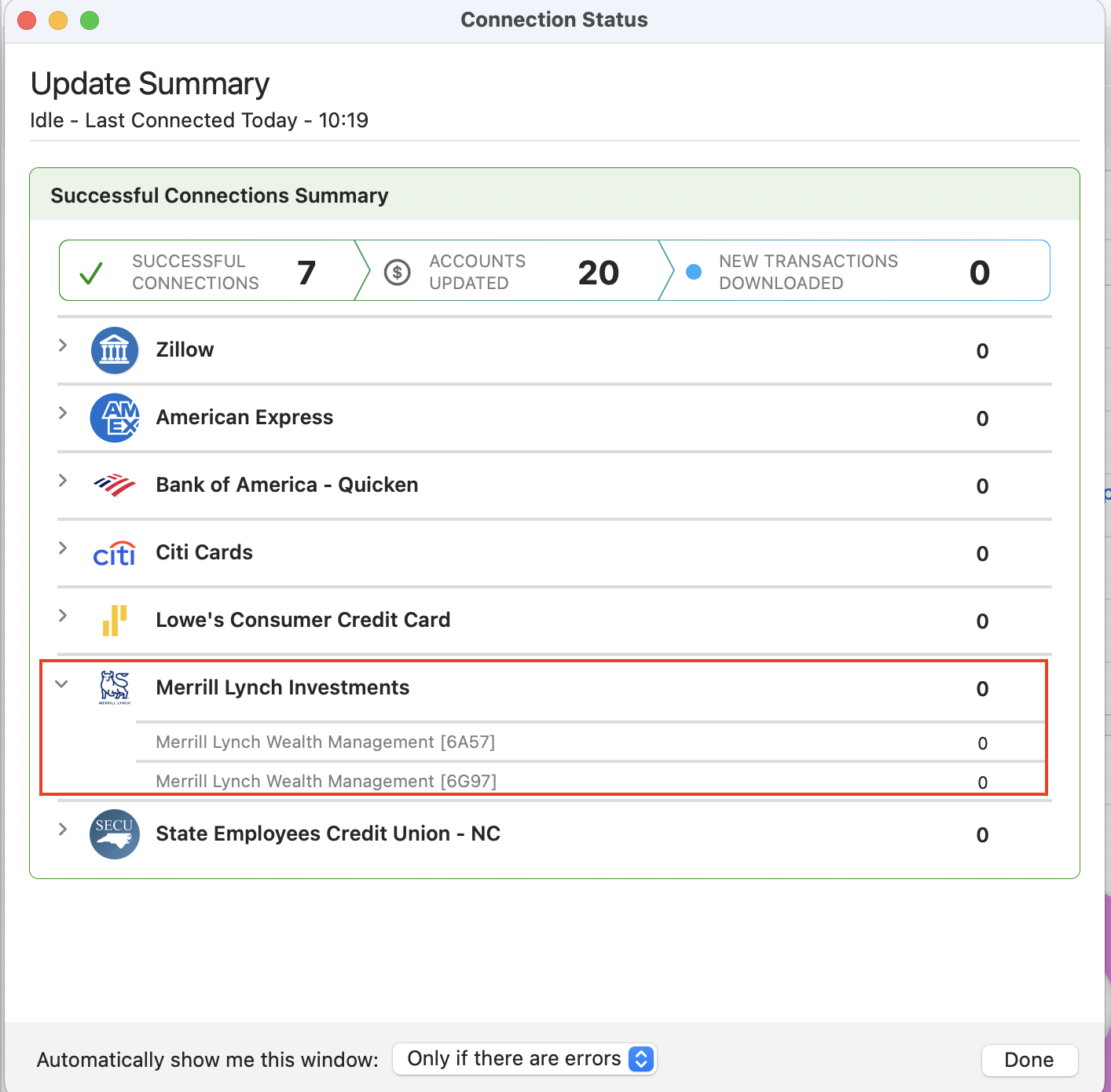
I just updated my accounts in Quicken, including Merrill Lynch Investments, without encountering any errors in Quicken Classic Premier Version 8.1.2 (Build 801.56902.100) on macOS 15.4.1.
I didn't need to visit merrill.com to confirm Quicken access by selecting 'OK'.
 0
0 -
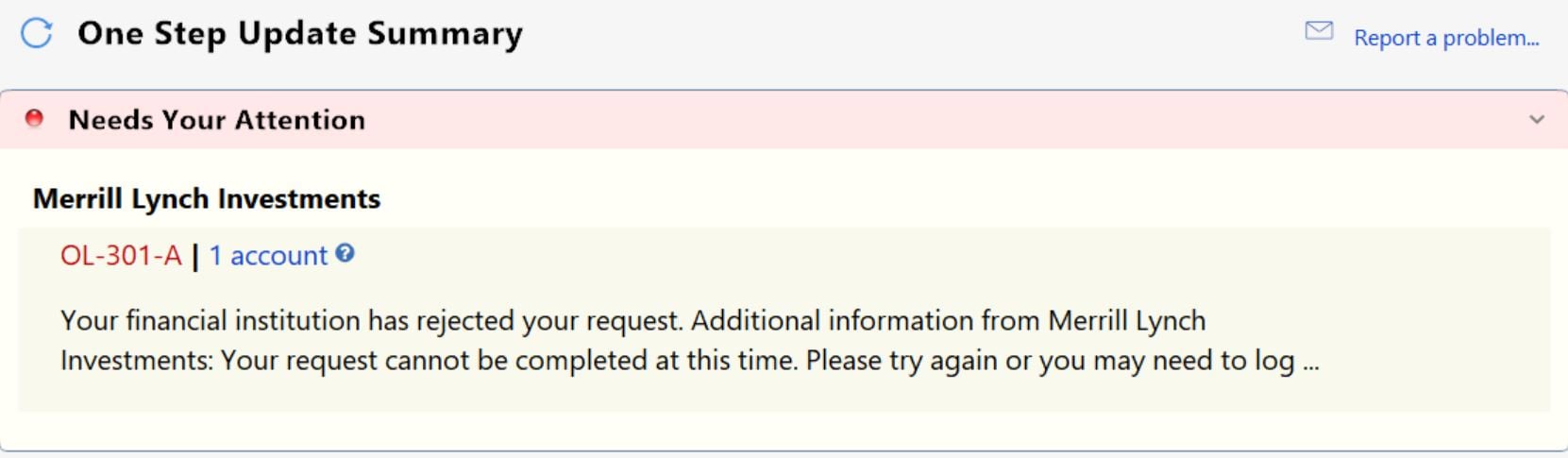
Well, it's 10:45 EDT and it's STILL not working for me. I'm using Quicken Classic Business & Personal - latest release.
 0
0 -
Two successful downloads this morning - Apr 23. See if it lasts
1 -
Surprisingly it worked for me the first time this morning, 4/23 @ 8:31 PDT. Was expecting to go through the silly one time workaround but it just synced for me. Let's see if this continues working🤞
0 -
Well, as of 3pm EDT today (Wed), it's not working. I still have to log onto M/L for permission to download from M/L to my Quicken Classic Business & Personal app and I'm running the latest Quicken Windows release (R62.16)!
0



