ver 64.25 didn’t fix issues

ver 64.25 didn't fix anything for me. I rolled back to 62.16 and I'm fine.
Comments
-
Hello @Terry,
Thank you for sharing your experience! Since you said that R64.25 didn't fix anything, does that mean there was (or still is) something that wasn't working correctly? If so, what issue have you been encountering that was fixed by rolling back to R62.16?
I look forward to your response!
Quicken Kristina
Make sure to sign up for the email digest to see a round up of your top posts.
0 -
@Quicken Kristina I was told R64.25 was to fix a bug of the "Bills and Income" being checked in the View→Tabs to Show, but greyed out. And the button does not display.
I'm at R64.25 and "Bill and Income" is still greyed out in "Tabs to show" and I have no interface to get to that page. It does display at startup and I can use that page. But if I navigate off that page, I have to use the "back" arrow to get back to it. What happened to the UX to get to this page?
0 -
The 3 items that it was supposed to fix aren't fixed for me so I'm back to a more stable version - 62.16.
0 -
For example, it shows over 50 overdue bill reminders. 65.25 didn't fix that for me.
0 -
the R64.25 actually broke "Bills and Income" for me.
How do I rollback to prev stable version?
Best Regards0 -
Hello @mikek753b,
Thank you for sharing your experience! To roll back to an earlier version of Quicken, you can use this article for instructions and to download previous patches:
Hello @John Map Geek,
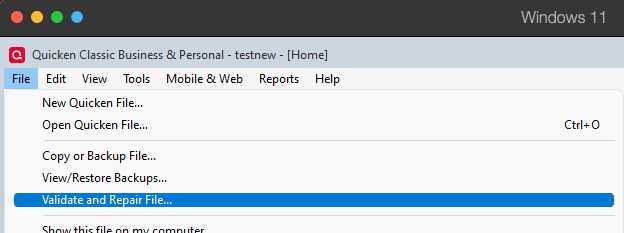
Thank you for sharing your experience. I attempted to replicate the issue you describe, but am not seeing the same thing in my own Quicken. That makes me suspect this may be a file-specific issue. Please start troubleshooting by validating your data file. Please save a backup file prior to performing these steps.
Validate:
- File
- Validate and Repair File...
- Validate File
- Click OK
- Close the Data Log
- Close Quicken (leave it closed for at least 5 secs)
- Reopen Quicken and see if the issue persists.
Thank you for your reply @Terry,
To clarify, did you try updating your Quicken to R64.25, then restoring a backup from before those overdue reminders appeared, and test to see if the problem returned? If not, then what process did you follow?
Thank you!
Quicken Kristina
Make sure to sign up for the email digest to see a round up of your top posts.
1 -
Yes I did. All those reminders show up If I restore from as far back as 2 months.
0 -
I wasn't able to fix reminders in 64.25 no matter what I tried
even restore from old backup that shows reminders correct went into negatives upon online update.
I rolled back to v.63 that works for meso far I see a lot of complains for v.64 and 0 confirmation that new v.64.30 fixed this issue
Best Regards0 -
Thank you for your replies @Terry & @mikek753b,
The issue you describe sounds like the issue in this Community Alert:
If updating to the most current version of Quicken does not resolve the issue, then I recommend that you contact Quicken Support directly for further assistance, as they have access to tools we cannot access on the Community and they can escalate the issue as needed. The Quicken Support phone number can be found through this link here. Phone support is available from 5:00 am PT to 5:00 pm PT, Monday through Friday.
I apologize that I could not be of more assistance!
Quicken Kristina
Make sure to sign up for the email digest to see a round up of your top posts.
0 -
@Quicken Kristina thank you for the reply,
No, this isn't my Use Case, as I don't have any Billers, I don't use Bill Pay, so I didn't authorize any billers.
Those are my PayCheck reminders that get corrupted from 64.xx, the total Gross Pay is shown and used as negative value in the Reminders and as result forecast is very wrong.The Paycheck is expected to be positive value, no matter what, but Quicken shows it as large negative number for each PayCheck Reminder. So I lose money on every PayCheck by Quicken big time.
Are there any ETA to fix the Bill Forecast and Reminders?tnx
[Edited - Readability]
Best Regards0 -
Thank you for your reply @mikek753b,
Thanks for clarifying that this is happening with Paycheck reminders.
There was a similar issue reported with Paycheck reminders getting messed up when running One Step Update (to see the discussion, click here). Is that what you are seeing also, or is this issue different?
If you manually correct the reminders, do they stay corrected, or do they get messed up again?
Thank you!
Quicken Kristina
Make sure to sign up for the email digest to see a round up of your top posts.
0 -
After OSU my reminders went bad
I rolled back to v 63.last to keep going to get the forecast back to normal
my related thread
https://community.quicken.com/discussion/7966126/r64-25-broke-projected-balancesBest Regards0 -
@mikek753b There have been reports that Syncing to the Quicken Cloud messes up split transactions.
If you go to Edit > Preferences > Mobile and Web, is Sync turned on? If so, try turning that off temporarily and see if the split transactions are no longer scrambled when you run an OSU. Note that turning Sync off will disable access to the Mobile apps and Quicken on the Web.
Please let us know what you find.
QWin Premier subscription0 -
My Mobile and Web, The Sync is OFF.
I got too many issues years ago, so stopped using this Sync and Smartphone app as result.
Best Regards0 -
Thank you for your reply @mikek753b,
If you haven't already done so, I recommend navigating to the Mobile & Web tab, turning Sync on, and checking to see if it thinks any accounts are synced.
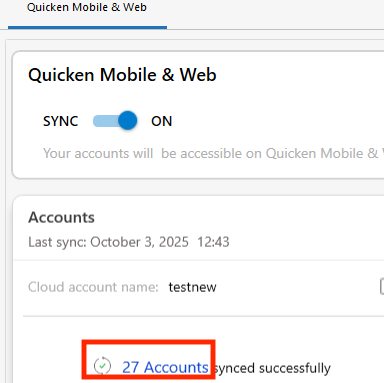
If it shows accounts synced, click on that blue link and unselect all the accounts that it thinks are synced. Once that is done, turn the Sync back off again, restart your Quicken, correct/recreate paycheck reminders as appropriate, and test to see if the issue is resolved.
If the issue is not resolved, since it doesn't match up with any of the reported Paycheck reminder issues, I recommend that you contact Quicken Support directly for further assistance, as they have access to tools we cannot access on the Community, and they can escalate the issue as needed. The Quicken Support phone number can be found through this link here. Phone support is available from 5:00 am PT to 5:00 pm PT, Monday through Friday.
I hope this helps!
Quicken Kristina
Make sure to sign up for the email digest to see a round up of your top posts.
0 -
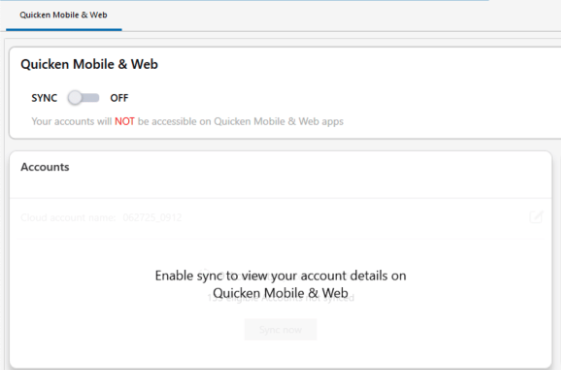
I'm afraid to turn the Sync ON as it might messed up with data file and data feed accounts
this is what I currently have
[Edit - Removed Personal Information]
Best Regards0 -
Thank you for your reply,
Creating a backup prior to turning sync on should give you a recent backup you can restore if anything does get messed up.
If you'd rather not risk it, then I recommend contacting Quicken Support for further assistance, as they have access to tools we cannot access on the Community, and they can escalate the issue as needed. The Quicken Support phone number can be found through this link here. Phone support is available from 5:00 am PT to 5:00 pm PT, Monday through Friday.
Thank you!
Quicken Kristina
Make sure to sign up for the email digest to see a round up of your top posts.
0 -
The issue is happening with reminders that contain splits. Unfortunately, the cloud still gets involved for renaming rules and bill & income reminders (including paycheck reminders) whether Sync is On or Off. You can see this in the cloud sync log. The cloud is storing corrupted reminders and even after fixing them once you run OSU, it will corrupt them again.
I was able to finally get mine straightened out but I do not know exactly what order of steps resolved the corruption. After repairing the reminders and before running OSU, I did a super-validate and closed the file. The super-validate log indicated reminders were corrected. Then I deleted my cloud file (you need to do this while open in a different file) for the problem file. Then I opened the problem file and reset the cloud file. Sync has to be On for this but you can disable all accounts from syncing. Then I super-validated again to verify there was no more corruption in the reminders. I have left Sync On with No accounts enabled for sync.
Prior to doing all this, I could reliably corrupt my reminders after OSU. I know super-validate alone does not fix the issue. So getting rid of the cloud file, then resetting the new file created and starting fresh seems to be the key. It's been more than a week with many OSUs and no corruption of my reminders that have splits.
The reminder corruption also caused Tax Planner values to change (because the splits get changed) so that was always my tip off that I still had not gotten to a clean file. Even after I got to a point where the split reminders would not change, Tax Planner & super-validate would still indicate the file tables were not 100% clean.
2 -
would you provide baby steps to follow? please.
Especially how to remove the cloud file?
I'm a bit confused between data connection that is under my profile at Quicken side, that I can't see and change. And the Cloud File, what is that and how it's related to my Quicken connectivity?tnx a lot
Best Regards0 -
- Edit/fix any reminders that have splits that are obviously scrambled.
- Click File, press& hold Ctrl+Shift key then click "validate and repair", click super validate, click Okay, let it run & note any errors found. If reminder errors are reported as corrected, review them for accuracy.
- Click Edit>Preferences>Mobile & Web, Turn Sync On (do not sync if offered), click Troubleshooting: reset your cloud data, do not sync first when offered. Let it run the reset and note any errors. After it completes, verify 0 accounts are enabled for Sync. If not 0, click the link and disable all accounts for Sync. Turn Sync Off
- Repeat Step 2 and if no errors are reported, try an OSU. Verify reminders did not get scrambled.
If a Reset does not work, then a full delete of the cloud file is required. This can only be done from another open file (it can be a dummy blank file freshly created). Sync must be On to show the delete window in Edit>Preferences>Mobile & Cloud Accounts, click the "cloud accounts associated with this Quicken ID" link. Then delete the problem file cloud account. Then close the file and open the problem file. Repeat Steps 1 thru 4 above.
2 -
thank you for the steps @markus1957
I have done all this while I run Quicken v 63.21
I run Super Validate and another backup just in case
this is upon the Reset
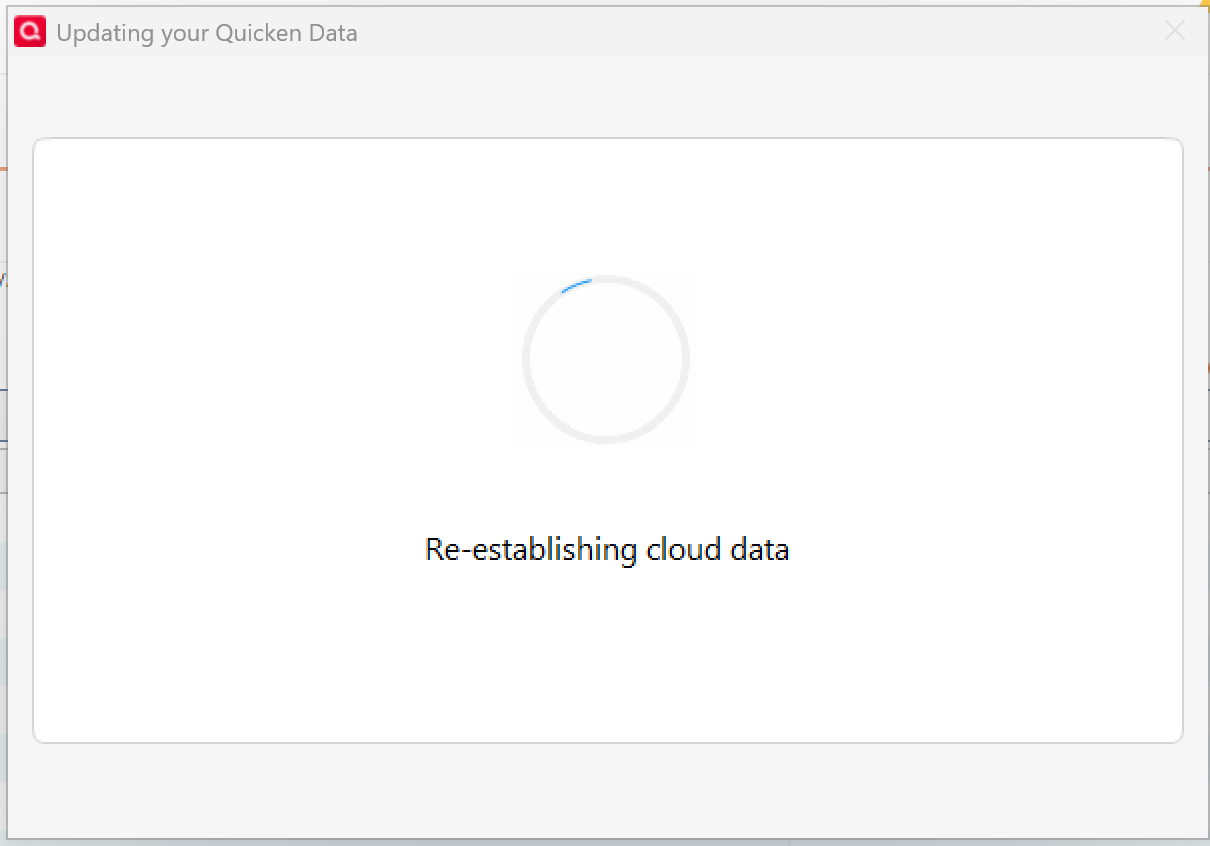
and after it went into Sync
As result I got the
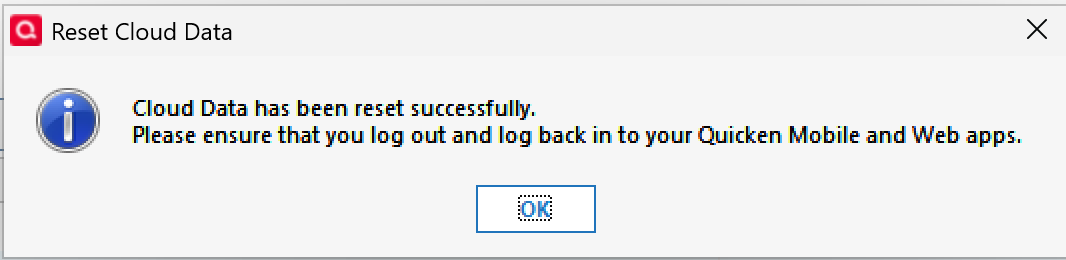
and
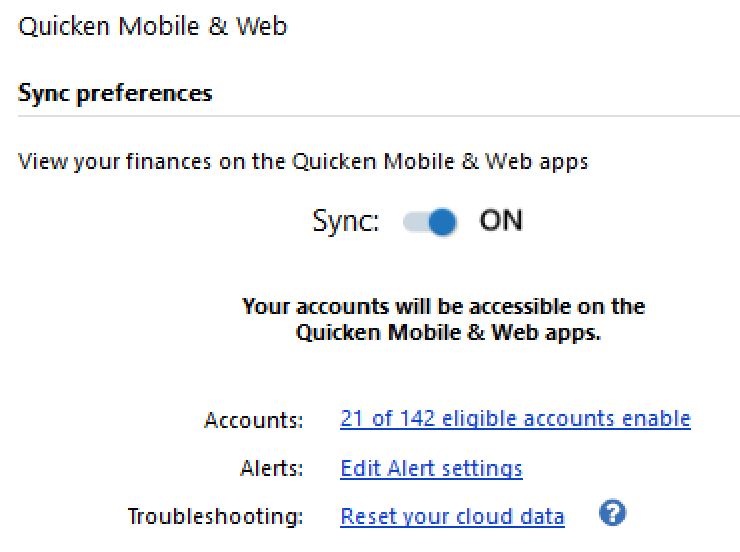
I edited to none the accounts
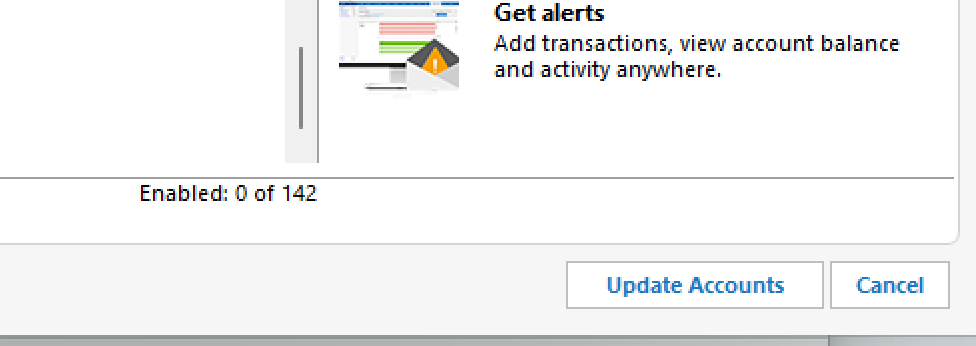
Quicken went for the Mobile update, took a few minutes
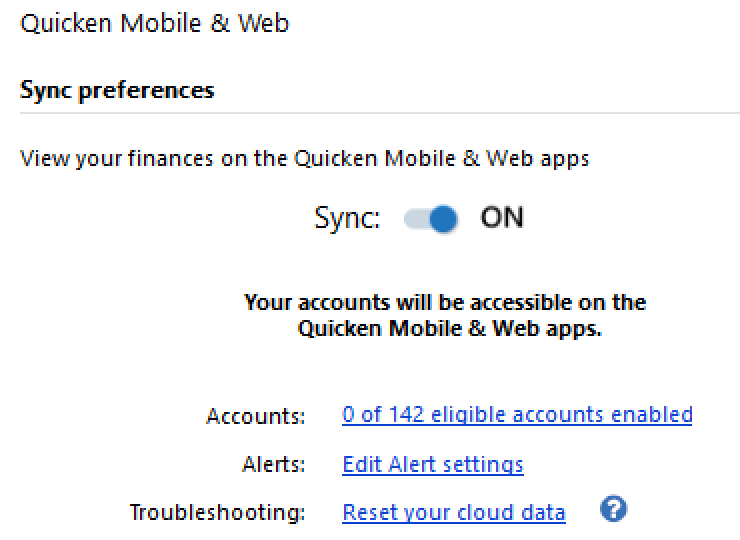
I run reset just in case again
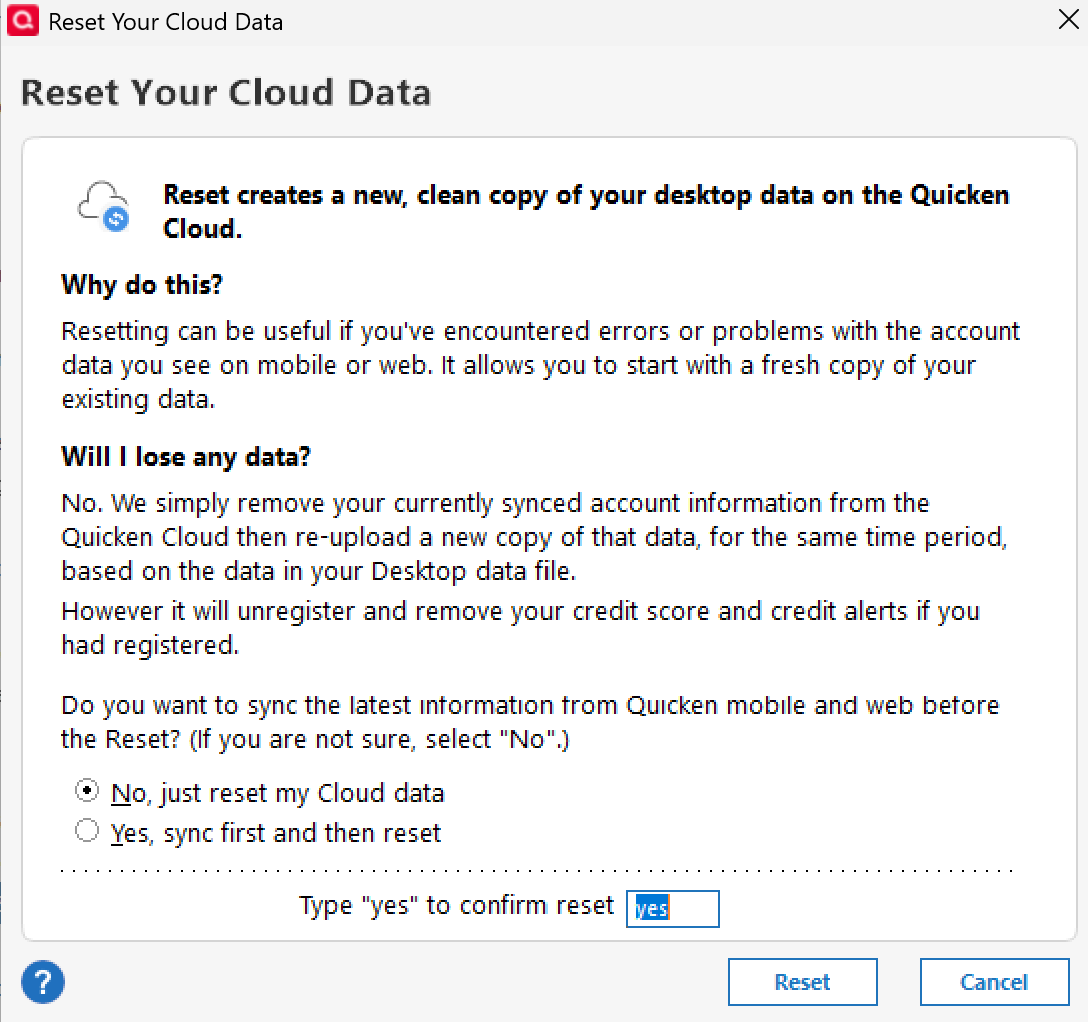
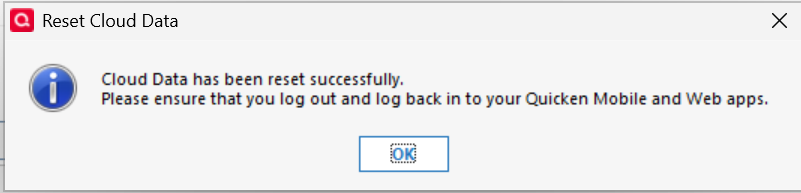
Now I turned Sync Off
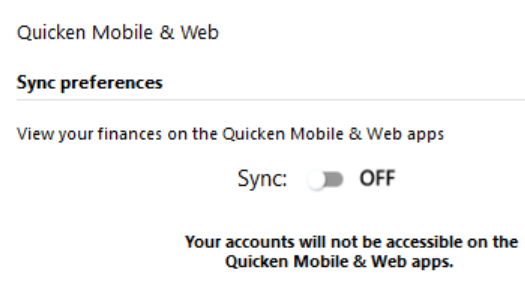
Run again Super Validate
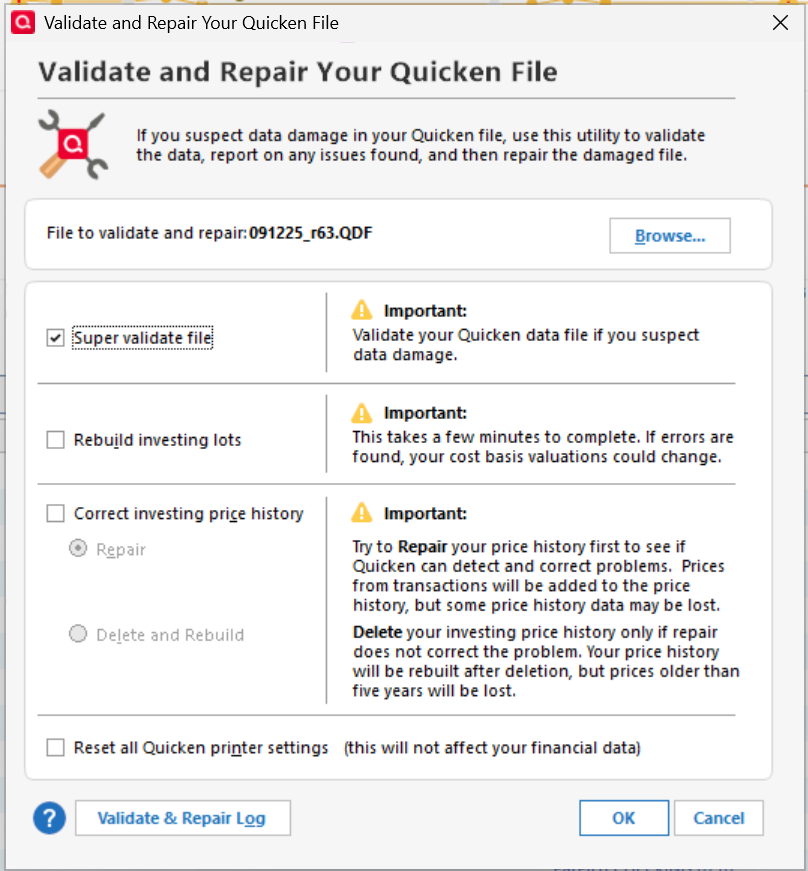
All Paycheck reminders are Ok, but I use v.63.21
Should I upgrade to v.64.30?
Best Regards0 -
Yes, you should update to the latest version. There is a slight chance it could recur because of the update, but not likely. In any case, please let us know when you update if you run into any problems. It's helpful to know. Worst case, you would have to repeat the process with the new version.
I did not see in your post that you performed a One Step Update. That is the true indication that the reminders are clean and functional after an OSU.
1 -
yes, I run the OSU, looks like I missed it in my steps.
I upgraded to 64.30 , so far all Paycheck Reminders show correct values, yes I run OSU twice, but 0 new transactions.
However, my old issue of missing Reminders per account remains
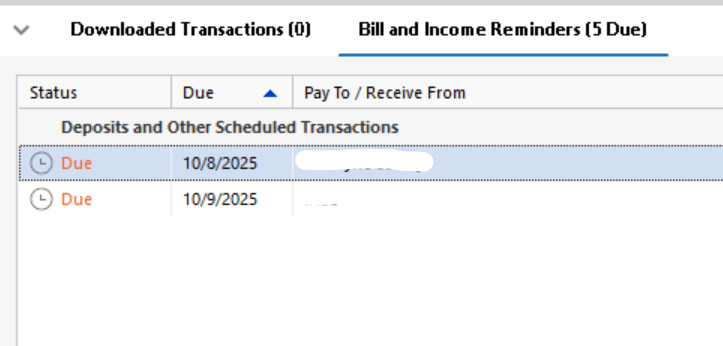
As you see I have 5 Due, but just 2 are shown.
I'll recheck tomorrow, I expect new transactions.
Thank you for the help.
Best Regards0


