How to set sweep SWGXX MM Fund as the Cash for Schwab investment account?

hello,
I'd like to know my Cash funds in my Schwab brokerage investment account.
I have auto sweep cash into SWGXX and back for any BUY, Transfers, ACH, etc
My Quicken Premier R65.29 downloads BUY and SALE for the SWGXX, as result my cash is $0.00, so I don't know what are available and I can't see it in the Projected Balances, as its very important for me. I use this brokerage account as my Checking account to pay bills and credit cards via ACH.
Manual delete each SWGXX transaction is tedious, so I want to have proper way to tread this as Cash.
No matter, what I tried I can't set the SWGXX as Cash for this account.
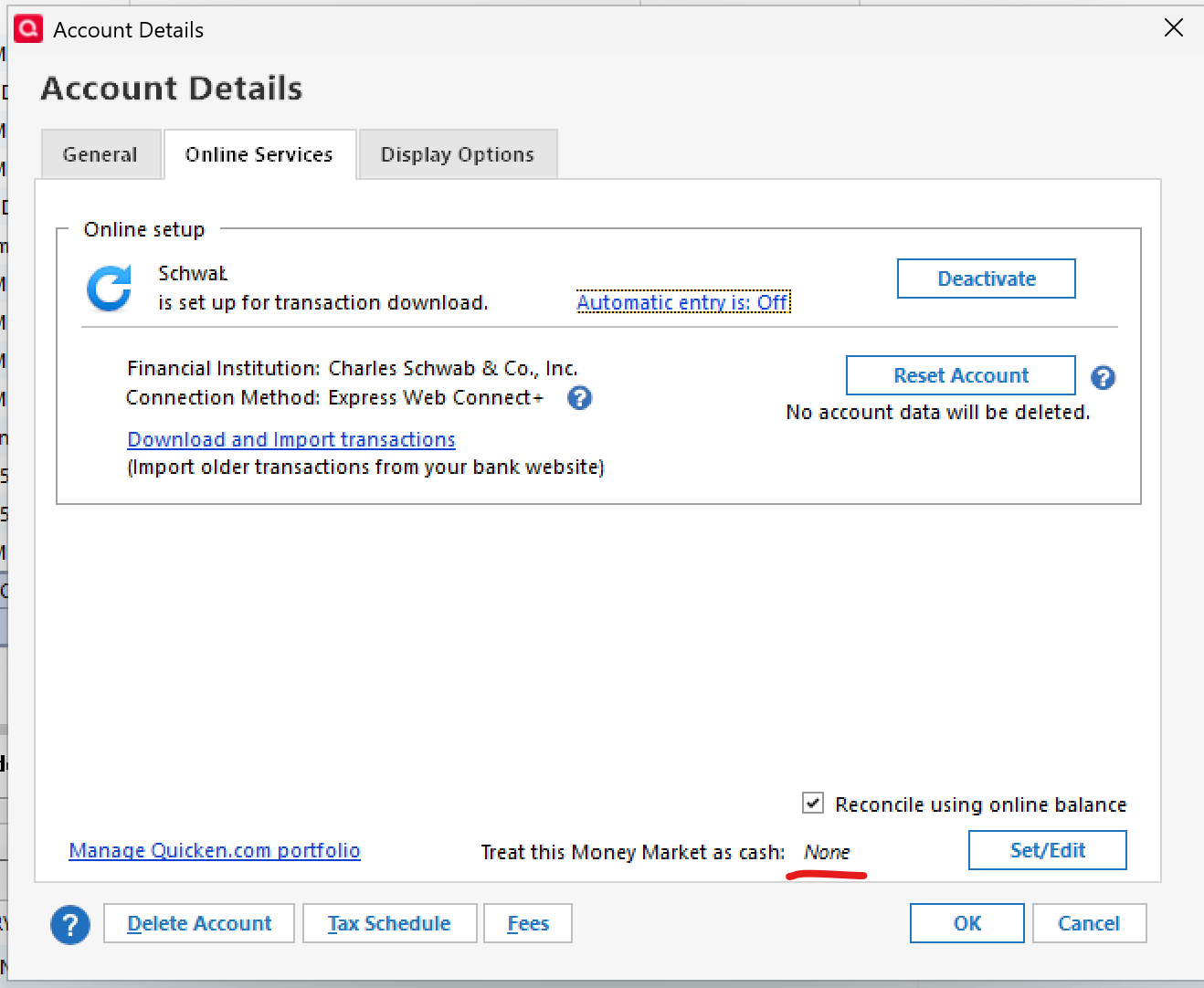
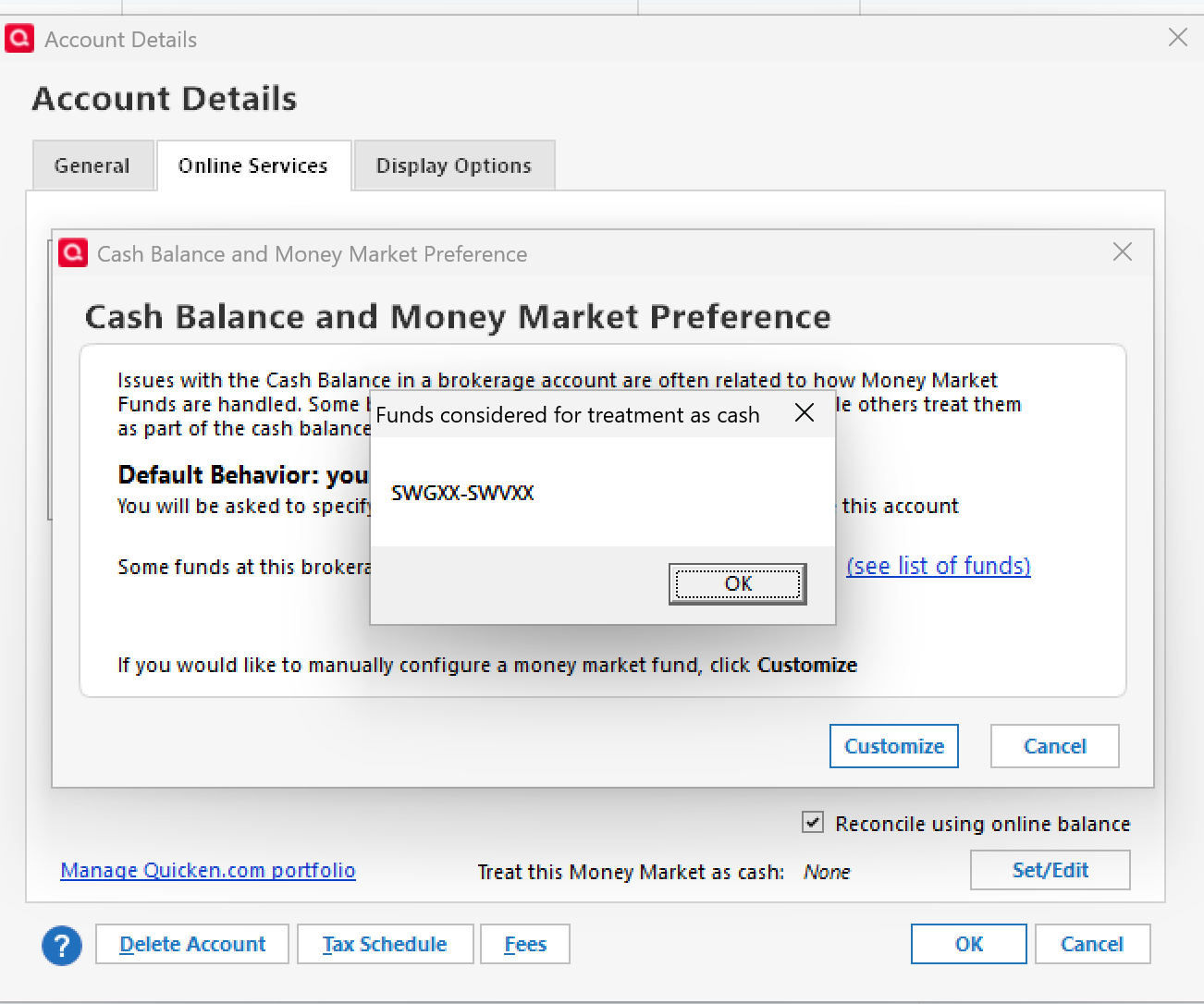
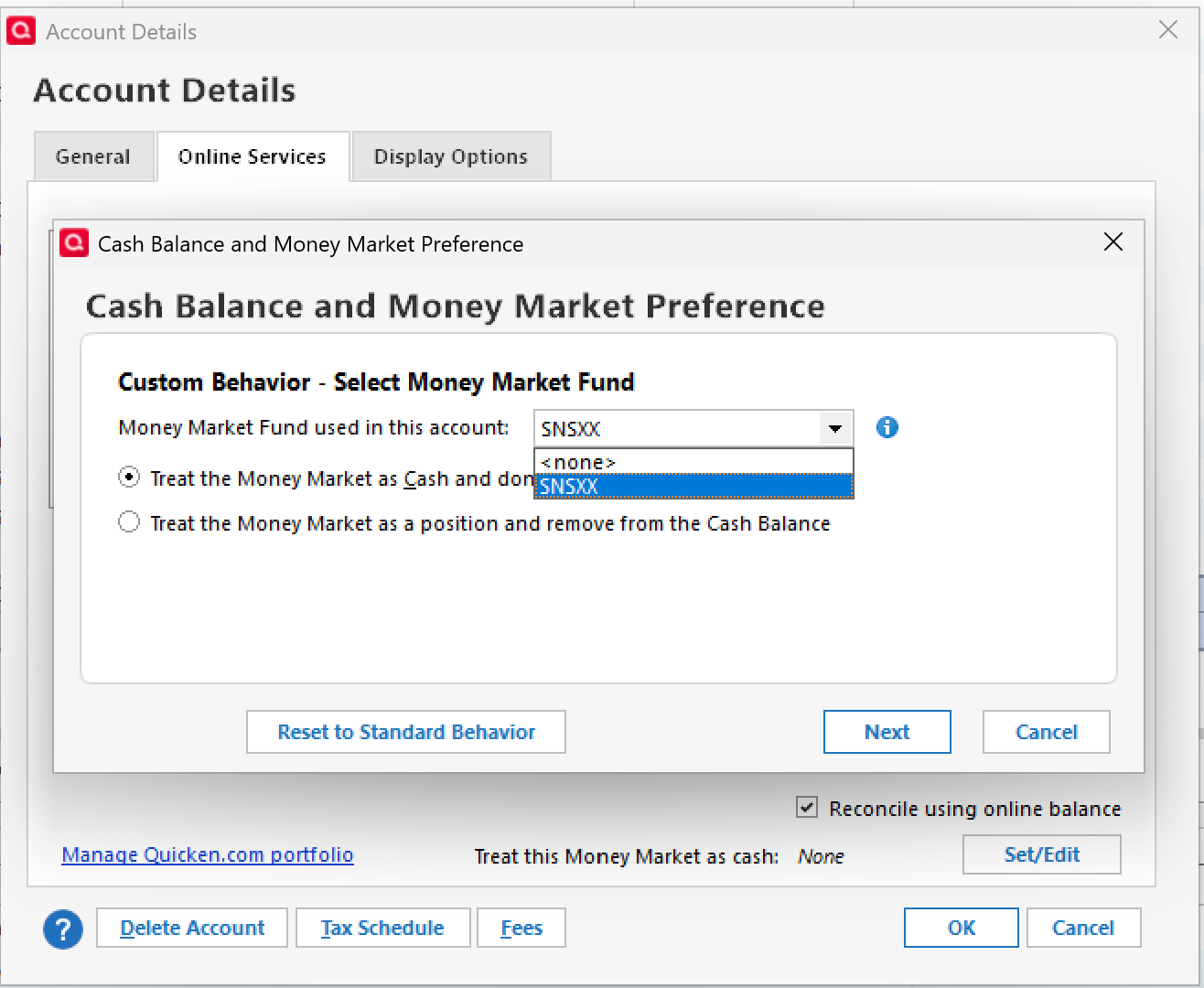
the SWGXX is NOT in the list to select MM for the Cash, while there is another MM SNSXX that I use for mid term money.
How to set sweep SWGXX MM Fund as the Cash for Schwab investment account?
Comments
-
Quicken hasn't been very good about explaining the whole "Money Market Fund presented as cash" change that occurred with the switch from Direct Connect to EWC+.
I've had to "reauthorize" downloading from Schwab a time or two and have been asked as part of the process how I want my non-sweep MMF to be presented, so maybe that'll work for you too.
I'd Deactivate ALL Schwab Accounts from downloading, and as you do so delete the Financial institution and Account Number on the General tab.
Then start the ADD ACCOUNT process. Specify Schwab as the FI and provide your User ID and Password. Quicken should find all accounts and Schwab under that combination, at which point you carefully LINK each Schwab account with the correct Quicken Account. You should be asked about how you want SWGXX handled in the Quicken Account.
1 -
@mikek753b - It appears you rejected @Tom Young's reply without providing a reason as to why you rejected it. That makes it very difficult for anyone else to know how to respond to your question and generally will cause a much reduced response activity or sometimes even no more responses being provided.
Do you currently hold any shares of SWGXX? You will not be given the option to select it for this unless you are currently holding shares of it. If you do not currently hold any shares of it you might was to consider buying some SWGXX shares. Once that buy transaction downloads into Quicken then trying to set SWGXX to be treated as Cash.
Quicken Classic Premier (US) Subscription: R66.23 on Windows 11 Home
1 -
thanks for your replies
No, reset account didn't help, reauthorize didn't prompt me for sweep MM.
I don't see SWGXX in the list , so I can't select it. I have no any options to select SWGXX.
yes, I had Div transaction for the SWGXX.
I removed all SWGXX transactions and removed this Security from my Quicken list, I'll wait for new schwab transaction with it, I hope I'll get the prompt about how to treat that.
Best Regards0 -
I wouldn't think you'd want to remove all historical transactions for SWGXX as that would affect your history and net worth.
Did you really follow the Add Account process I laid out? I've had to do that more than a few times with Schwab and have always been asked that question if my account had any of the Schwab (traded) money market funds in it, and was asked on an account by account basis.
1 -
You removed the SWGXX security from your Security List? That could well be the primary reason why you are not getting the SWGXX option. How would Quicken know to give you the SWGXX option when SWGXX is not included in your Security List? I suggest you add that security back into your Security List.
Then run OSU and when done go to Account Register > upper right Gear icon > Reconcile Shares. You will get a pop up telling you how your holdings in Quicken compare to what Schwab is reporting. Let me know what that pop up says.
Quicken Classic Premier (US) Subscription: R66.23 on Windows 11 Home
1 -
thank you again for your replies and try to help me.
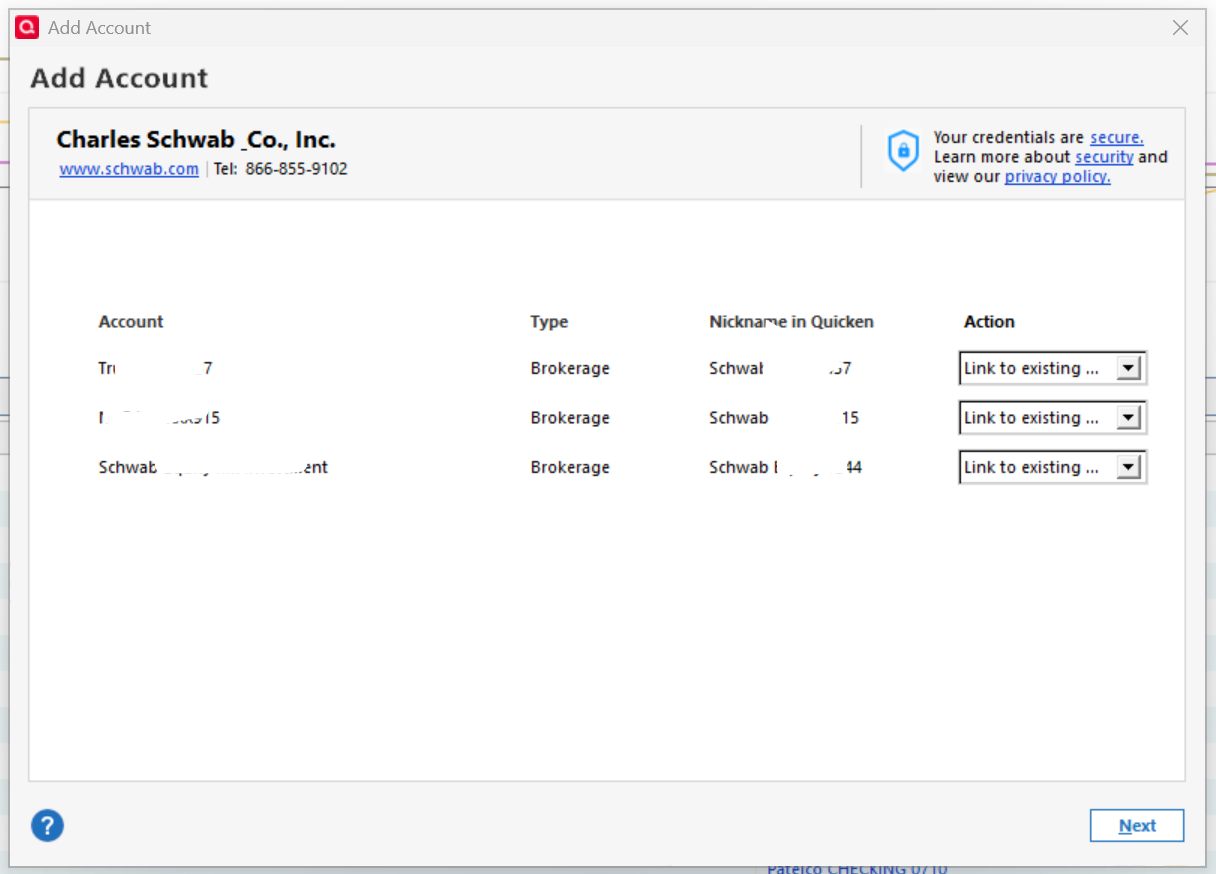
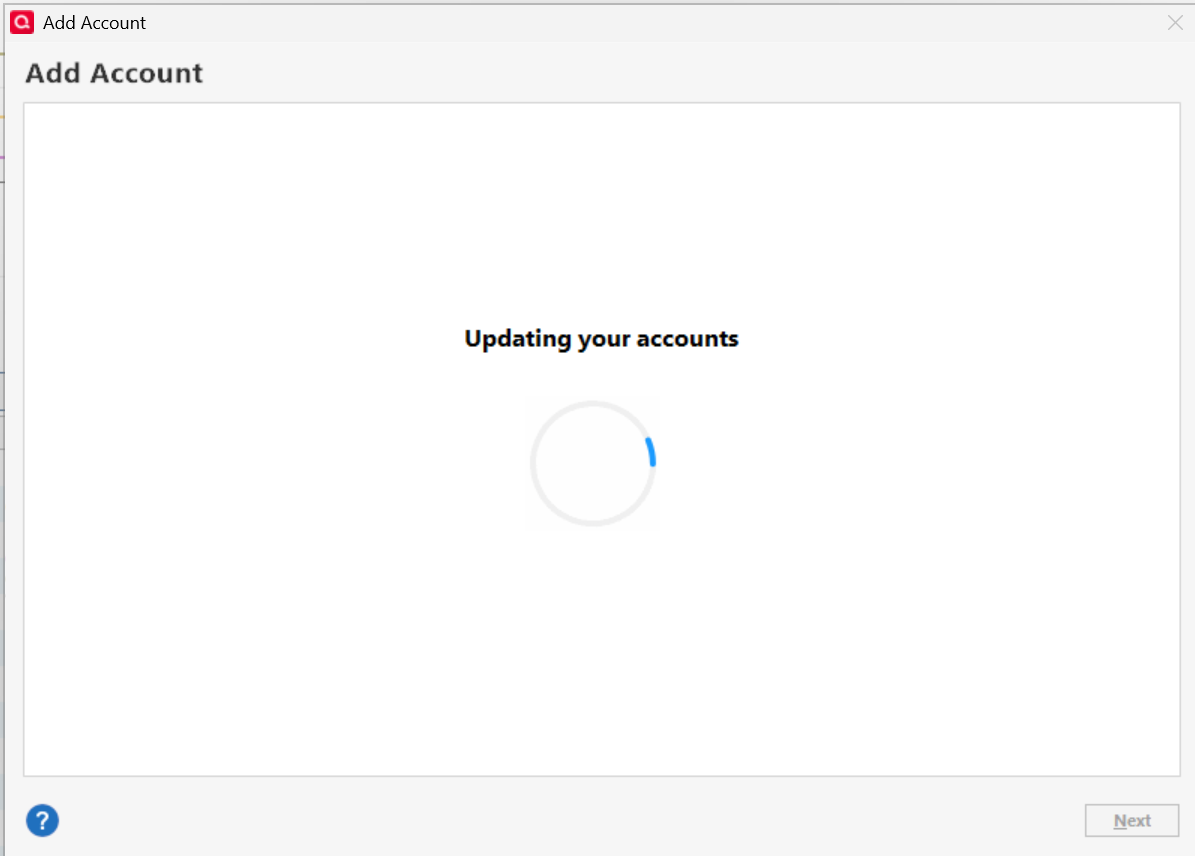
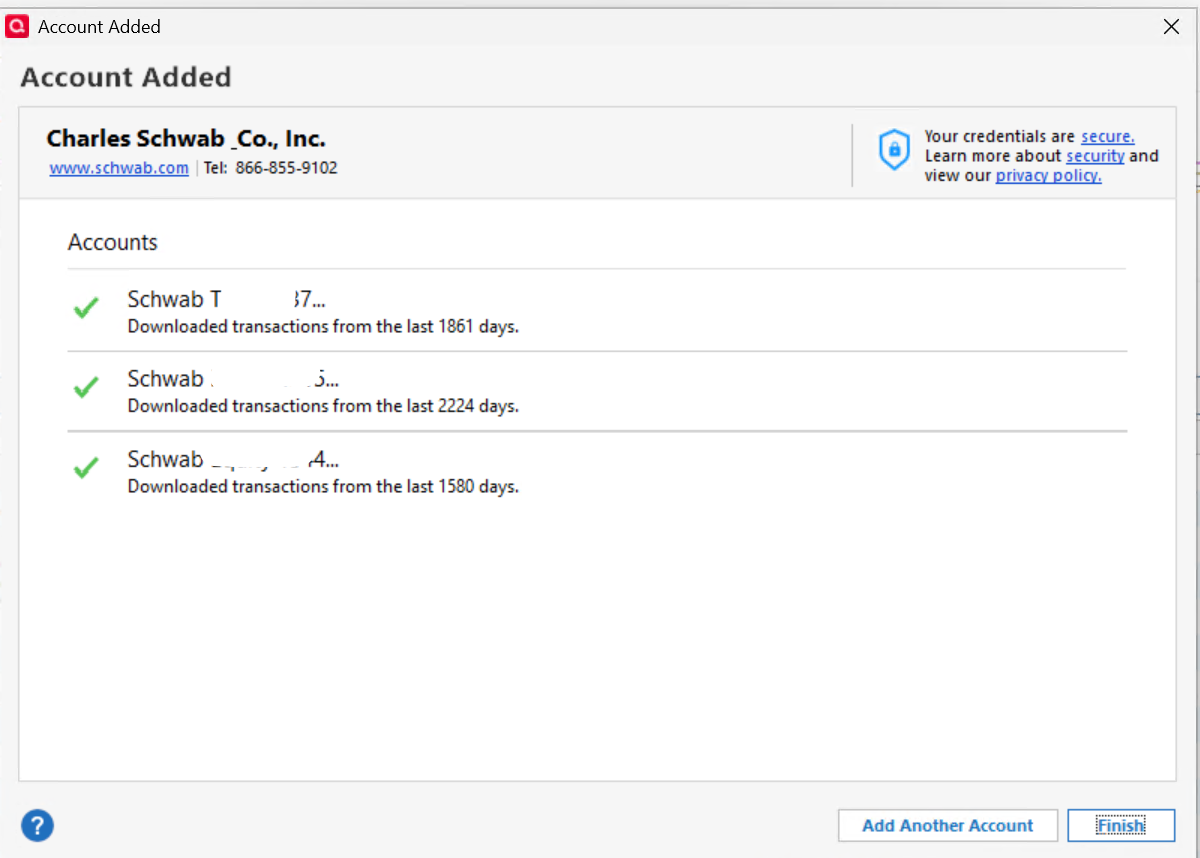
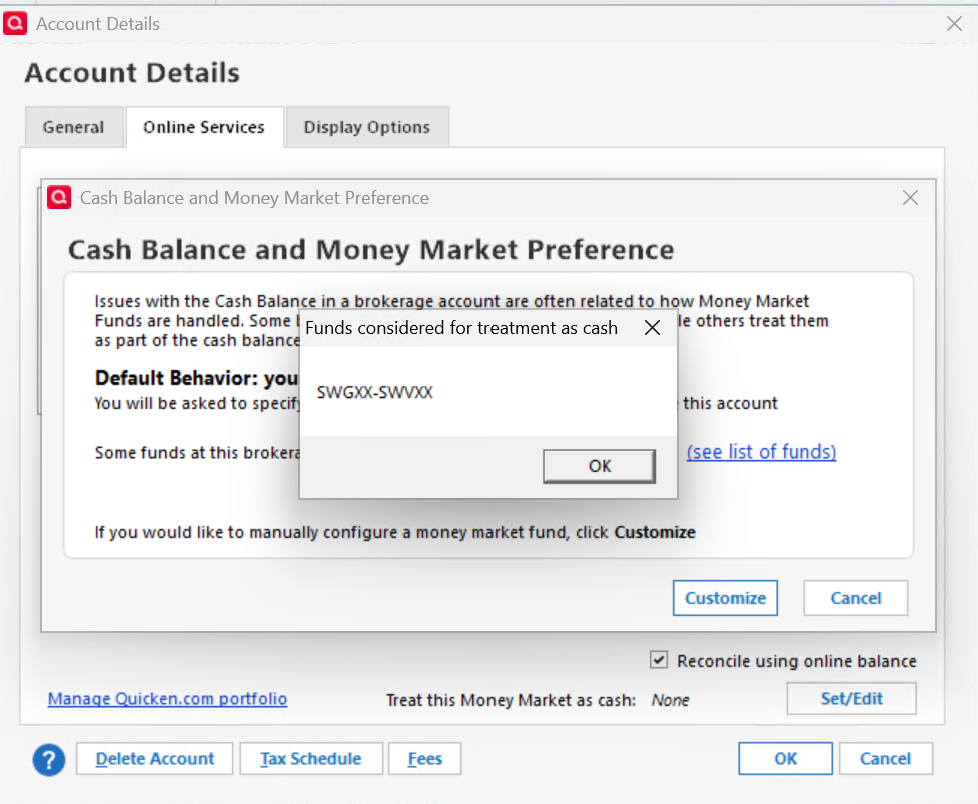
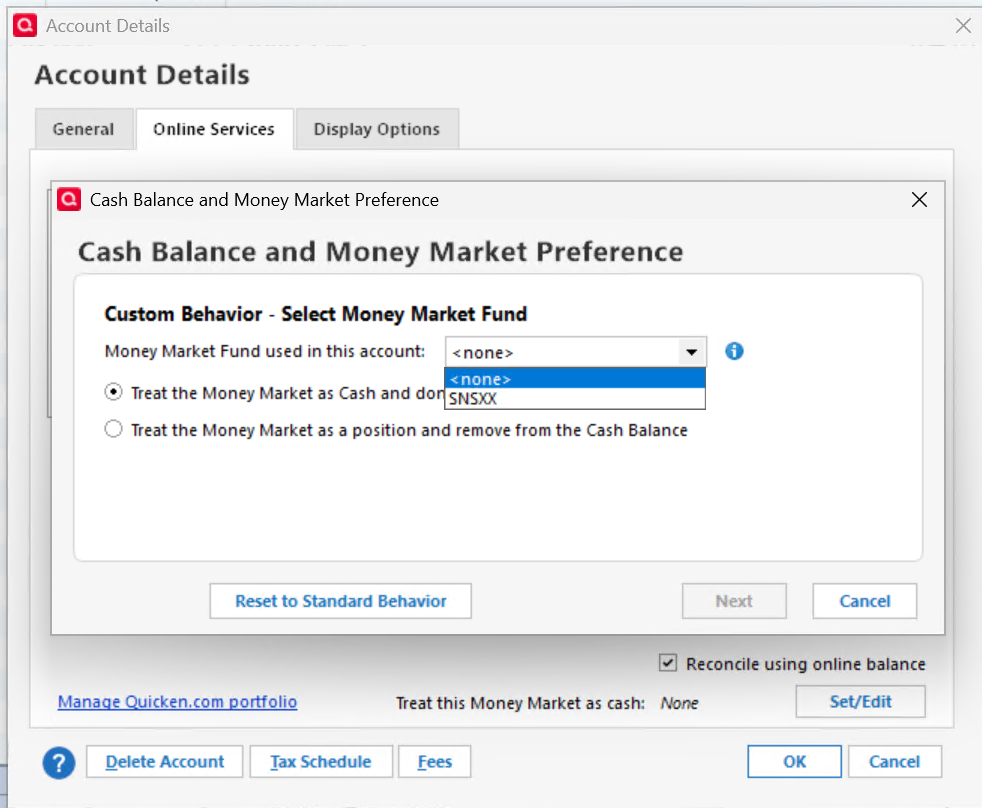
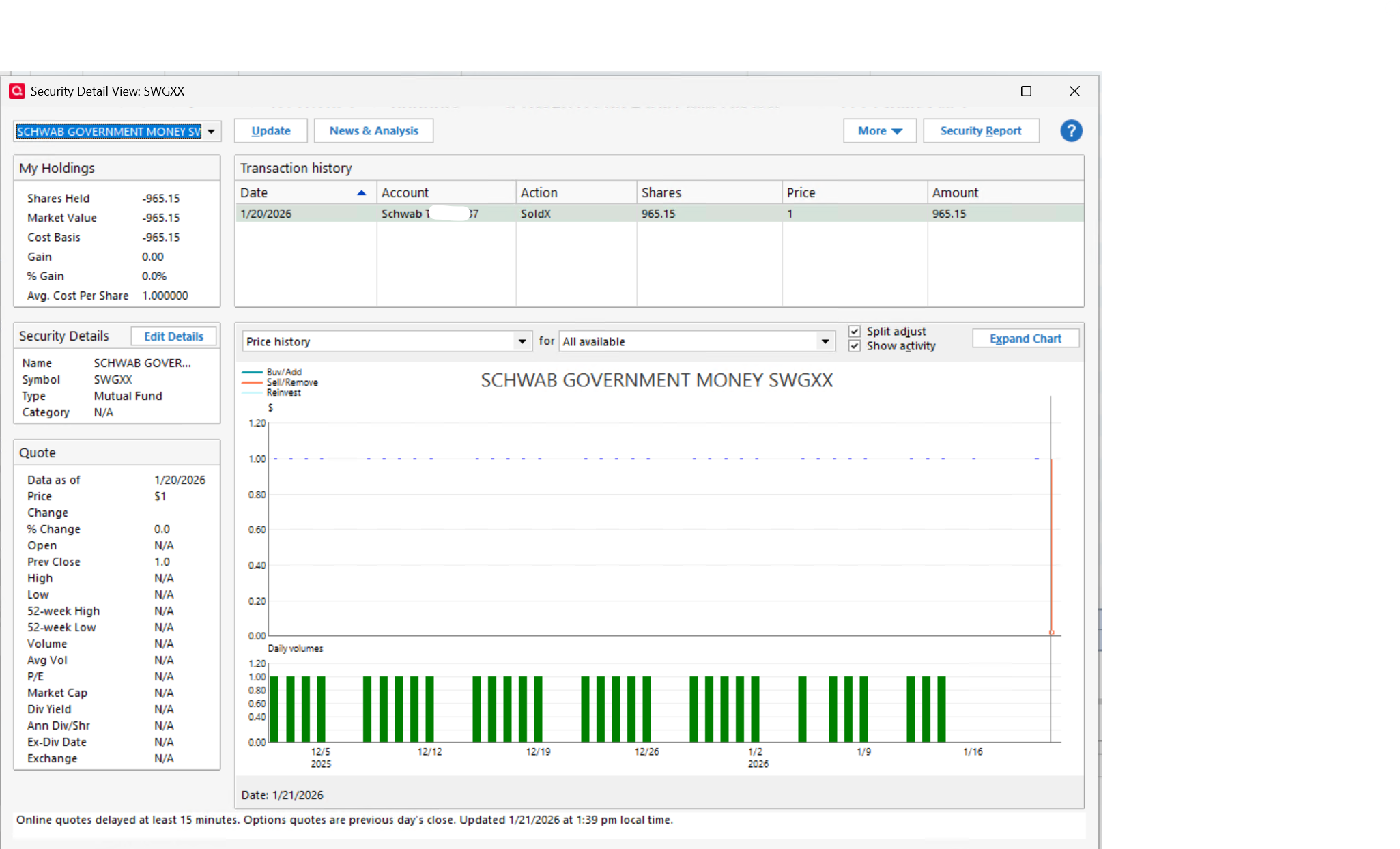
No, I can't make it to work.
I tried all I can, with and without that MM SWGXX.
Reset, Deactivate ALL Schwab Accounts.
I can't get the prompt to select the sweep, and that required MM isn't in the list to be selected.
this is with current 1 MM SWGXX transactions
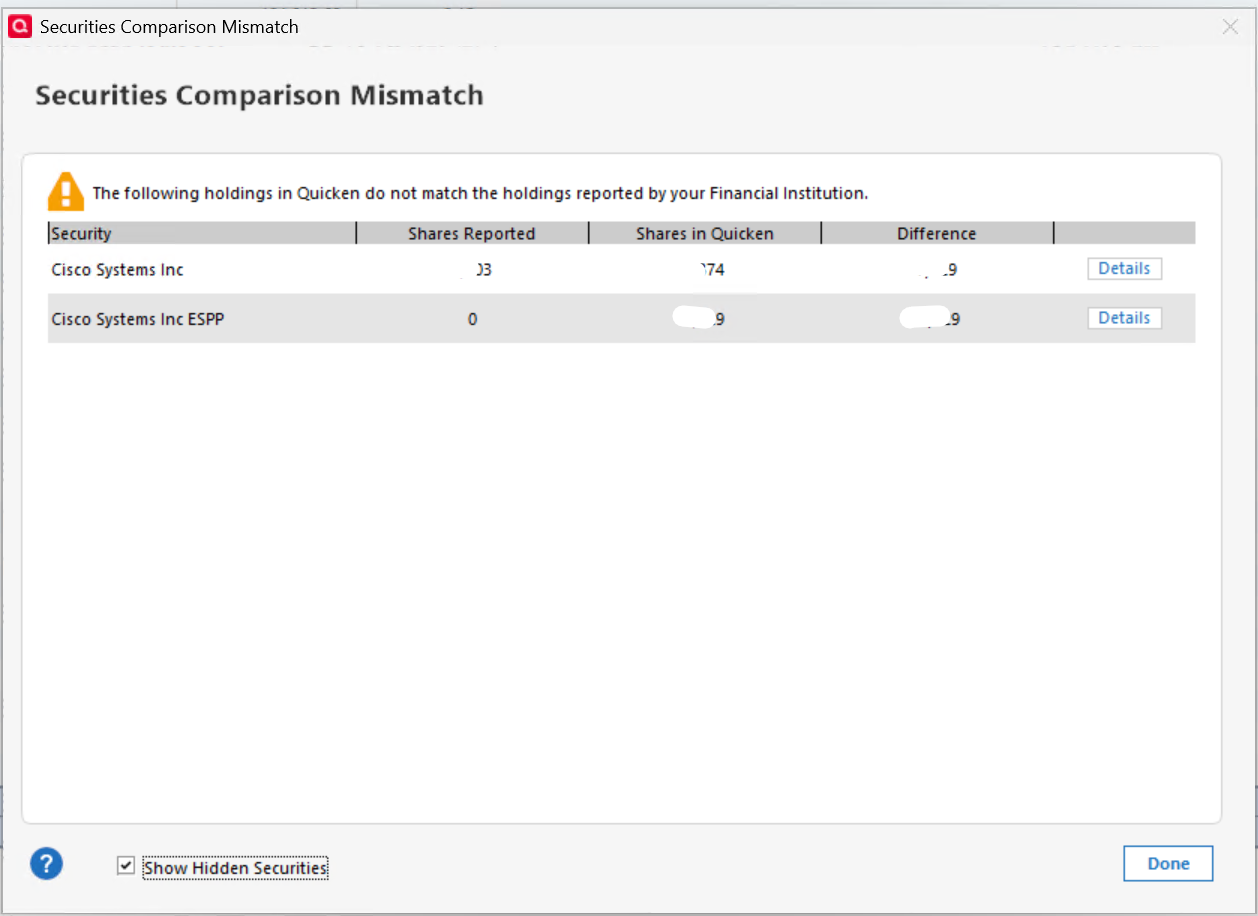
when I removed that transaction to get correct Cash balance
Reconcile Sharesshows exact the same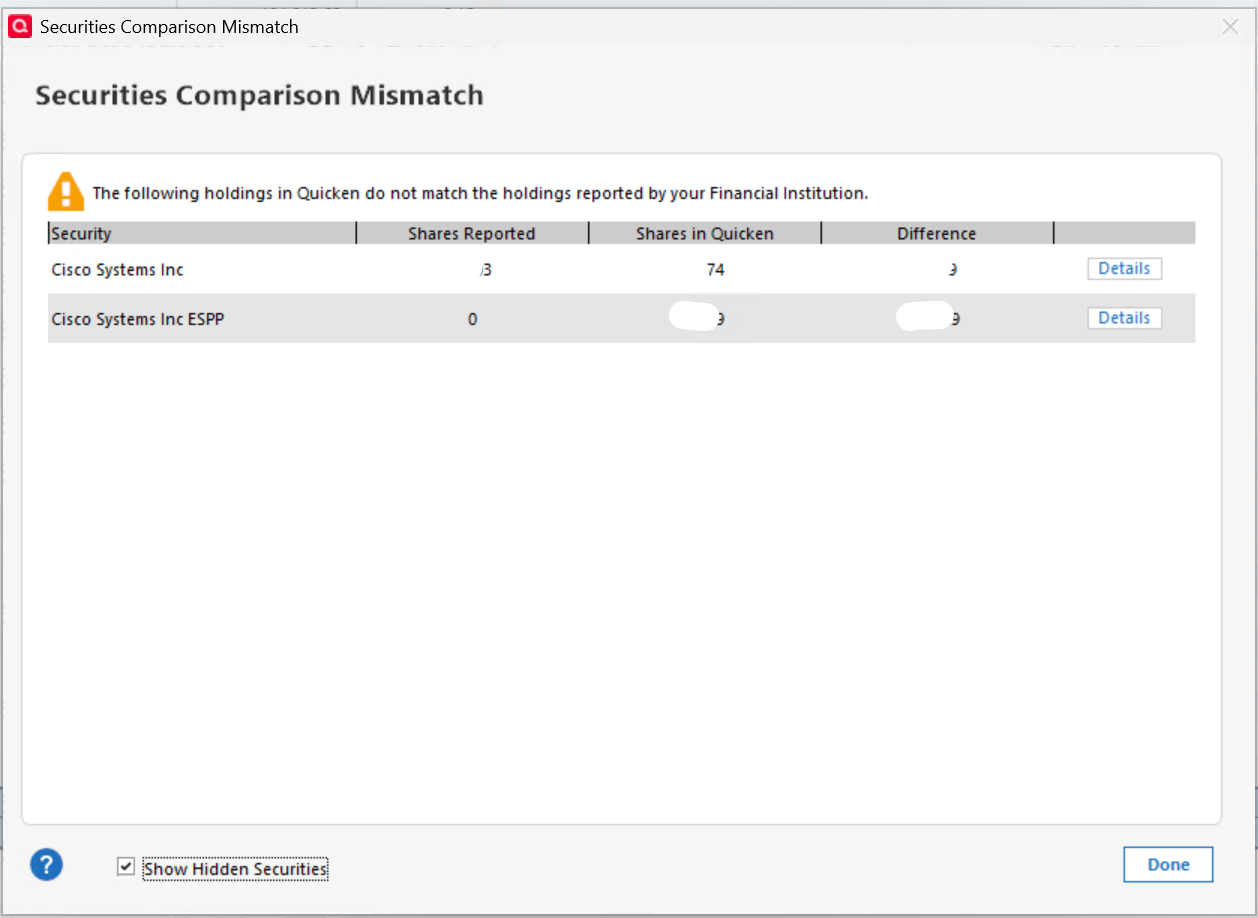
what else I can try?
Best Regards0 -
So, it does seem that Fidelity is reporting no positions of SWGXX being held otherwise you should have gotten a shares count discrepancy.
The flip side of the coin is what is Fidelity reporting to Quicken regarding Cash Balance. You can get this information by clicking on the blue font Cash Balance number below and toward the right of the account register. You should get a popup showing the Cash in Quicken compared to what Fidelity reported. What do you see?
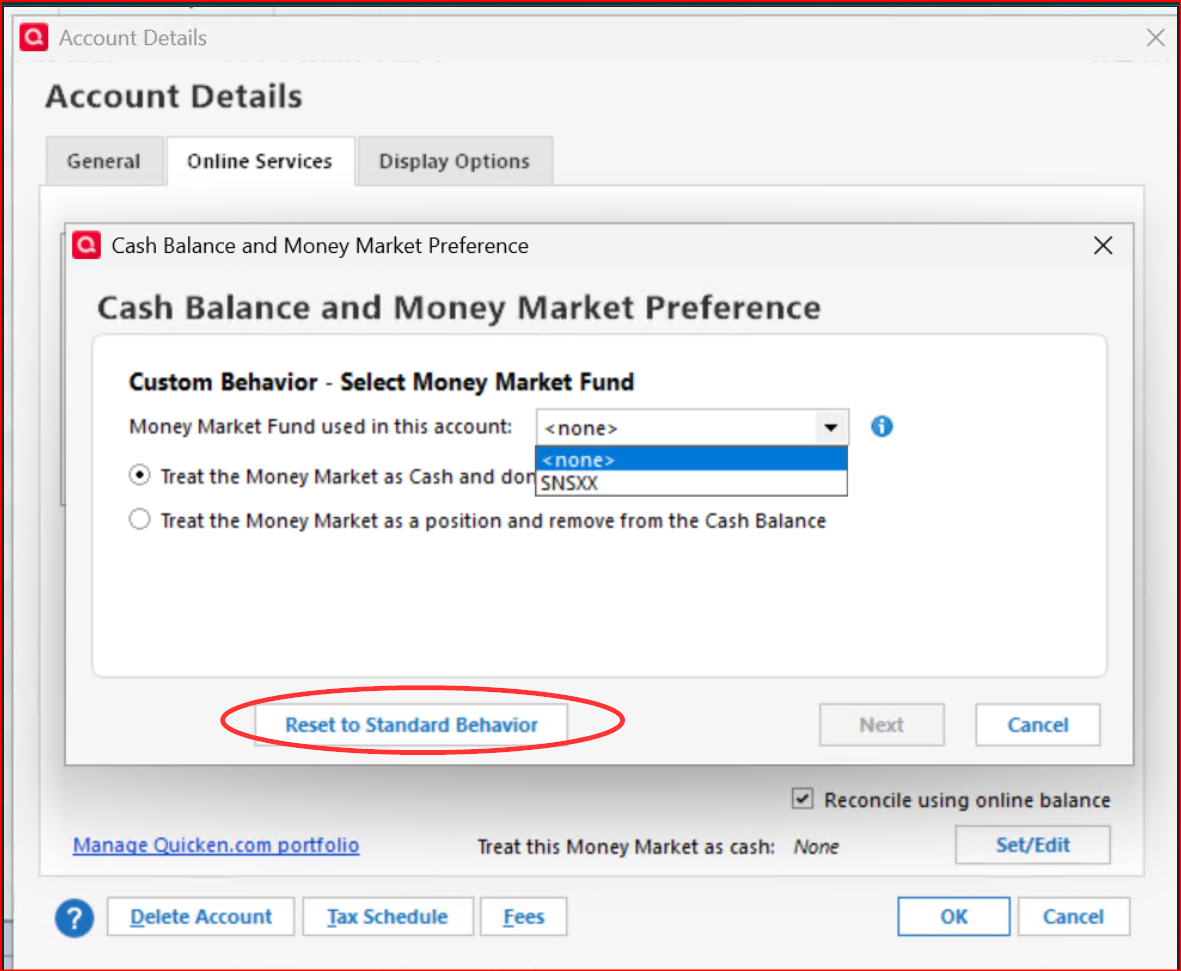
Also, thanks for all the pictures you posted. Did you click on the button for Reset to Standard Behavior and then close the dialog without trying to select the MMF? I've had to do that in the past and then clicking on Customize finally presented the MMF fund option for my Core Position. (Remember, this only works if there are shares of the SWGXX held in the account in Quicken. If there are no shares then you will not see SWGXX during this process.)
Quicken Classic Premier (US) Subscription: R66.23 on Windows 11 Home
1 -
yes, I did, a few times to Reset just in case
BTW this is Schwab, isn't Fidelity
tnx
Best Regards0 -
Oops! Slip of the tongue, so to speak. I understand that it is Schwab. I'd just gone through this mess with my Fidelity accounts for several months but it's all resolved for me now. To my understanding the process should be the same regardless.
Quicken Classic Premier (US) Subscription: R66.23 on Windows 11 Home
1 -
It's interesting that you do get to select "SNSXX" as a money market you can treat as cash but you don't get to select the fund you want. For years I've been wanting the ability to do this with Vanguard. I posted a feature request for quicken to let us choose how to treat Money Market Sweep funds. Please click the link and add your vote for this feature (though I think what you are seeing now are the first attempts at offering us the feature many of us want. It's just not fully formed yet.
1 -
I submitted to Quicken support with the link to this thread.
@Quicken Anja any chance you can check for this on Quicken side? please.
Best Regards0

Categories
- All Categories
- 24 Product Ideas
- 34 Announcements
- 248 Alerts, Online Banking & Known Product Issues
- 19 Product Alerts
- 265 Welcome to the Community!
- 301 Before you Buy
- 1.5K Product Ideas
- 55.8K Quicken Classic for Windows
- 16.9K Quicken Classic for Mac
- 1K Quicken Mobile
- 834 Quicken on the Web
- 129 Quicken LifeHub