Bank connection issues: Citibank
Comments
-
No, I do not use any of the QBM payment and bill services. I rely on biller emailed bill notifications. Most bills are set up for autopay on the billers' websites. There are a few bills that I use DC bill pay with my bank. And, yes, I even write out an occasional paper check.
I agree, there does not appear to be a common denominator.
Quicken Classic Premier (US) Subscription: R67.7 on Windows 11 Home
0 -
This issue is ongoing. I have just a credit card which continues to successfully download transactions, but the error message continues. Even if there are no "errors" having spurious messages is not acceptable and needs to be addressed.
2 -
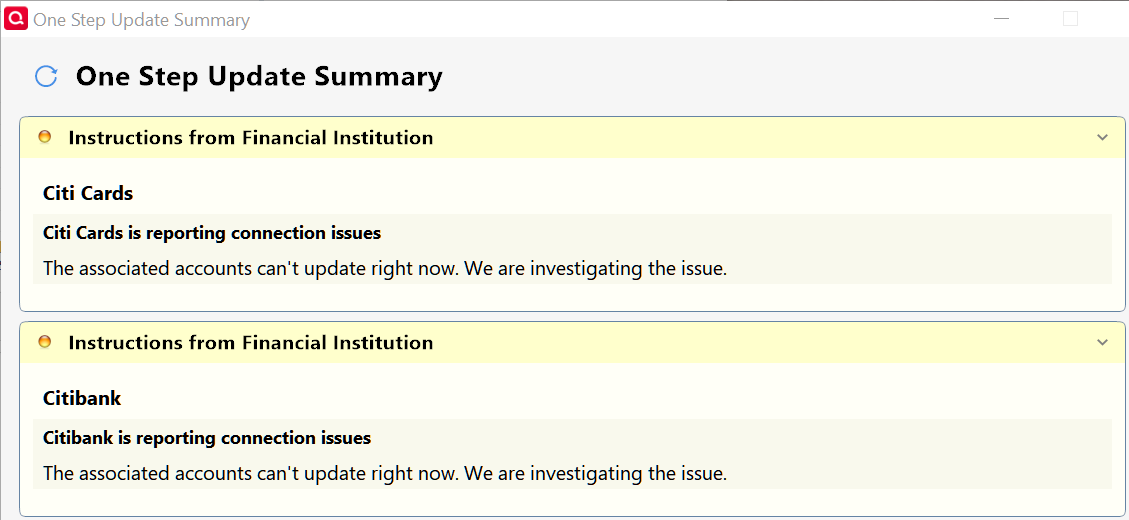
Citibank continues to fail on at least one of my datafiles. It's now both Citibank and Citi Cards. Downloaded data if fine.
0 -
Today, on one data file I didn't get any Citibank error with One Step Update. It downloaded 7 transactions in checking. Six were old transaction. Two were matched and 4 were new. These transactions were already reconciled in my account. It also downloaded an old USAA reconciled credit card transaction. I tried Manually match and as expected they didn't match any transaction. I deleted all of them.
In my other 2 data files, I received the Citi Card connection error. One correct transaction was downloaded.
0 -
Ray,
Have you tried deleting the runtime.dat (hidden file)? This can clear up many of the OSU errors as it is where the OSU data is stored and linked for updates. Once done, the next time you start your quicken database, it will re-create a new runtime.dat file. My runtime.dat file was located at C:\Program Data (hidden file)\Quicken\Inet\1998\runtime.dat
0 -
This was a one-time occurrence. Today was ok. I'll try your suggest if it happens again.
0 -
Just be clear, removing the runtime.dat file DOESN’T actually fix anything other than displaying the message.
The runtime.dat file stores the status of the downloads, like last download time, and this message. Over time this message will be pruned, but it keeps getting displayed until that time even though the event that triggered it has gone away.
And given the current events it is clear that what ever is triggering it will come again (hopefully Quicken Inc will find and fix it).
But I have another observation people might be interested in. I always use the option that only shows the status dialog if there are errors and it doesn’t show for this message which leads me to believe this just a warning, not an error.
1 -
If you read thru this multi-page post, and these other identical posts, you will find that runtime.dat file only has a temporary impact. In fact fully uninstalling and reinstalling Quicken and going to a year old release, new data file etc has no impact and the issue returns. This is an annoying sporadic cosmetic warning message and perhaps it is coming from Citi for a subset of users possibly - unknown why and maybe some commonality in our Quicken IDs to cause Citi to sneeze at.
It is unfortunate that the Quicken team brings up the runtime.dat file as a resolution although users have informed them of the long-term ineffectiveness. It is further disappointing that they chose not to put up an alert on this to hopefully reduce so many unnecessary duplicate posts, comments and efforts.
P.S. I think @Chris_QPW meant to write "does NOT" in his comment above: "Just be clear, removing the runtime.dat file does actually fix anything other than displaying the message."
- Q Win Deluxe user since 2010, US Subscription
- I don't use Cloud Sync, Mobile & Web, Bill Pay1 -
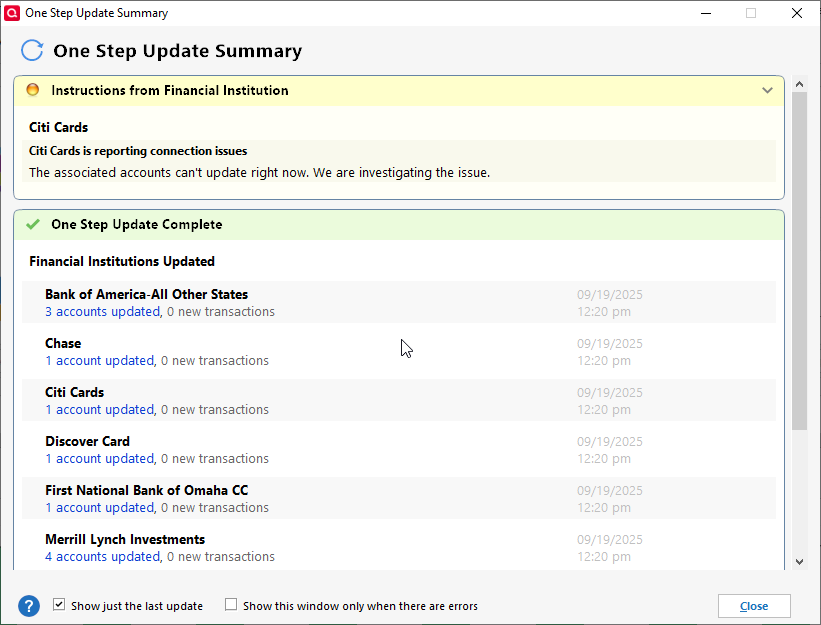
Same problem here for days now. When is this going to be fixed?
 0
0 -
As others have mentioned, while the announcement may recur, it seems mostly to be an old condition that does not get purged from runtime.dat after another OSU. I found that opening the runtime.dat file in Notepad, deleting the text below and saving the file causes the announcement to go away in the OSU Summary window. Subsequent OSU's have not yet shown the announcement returning.
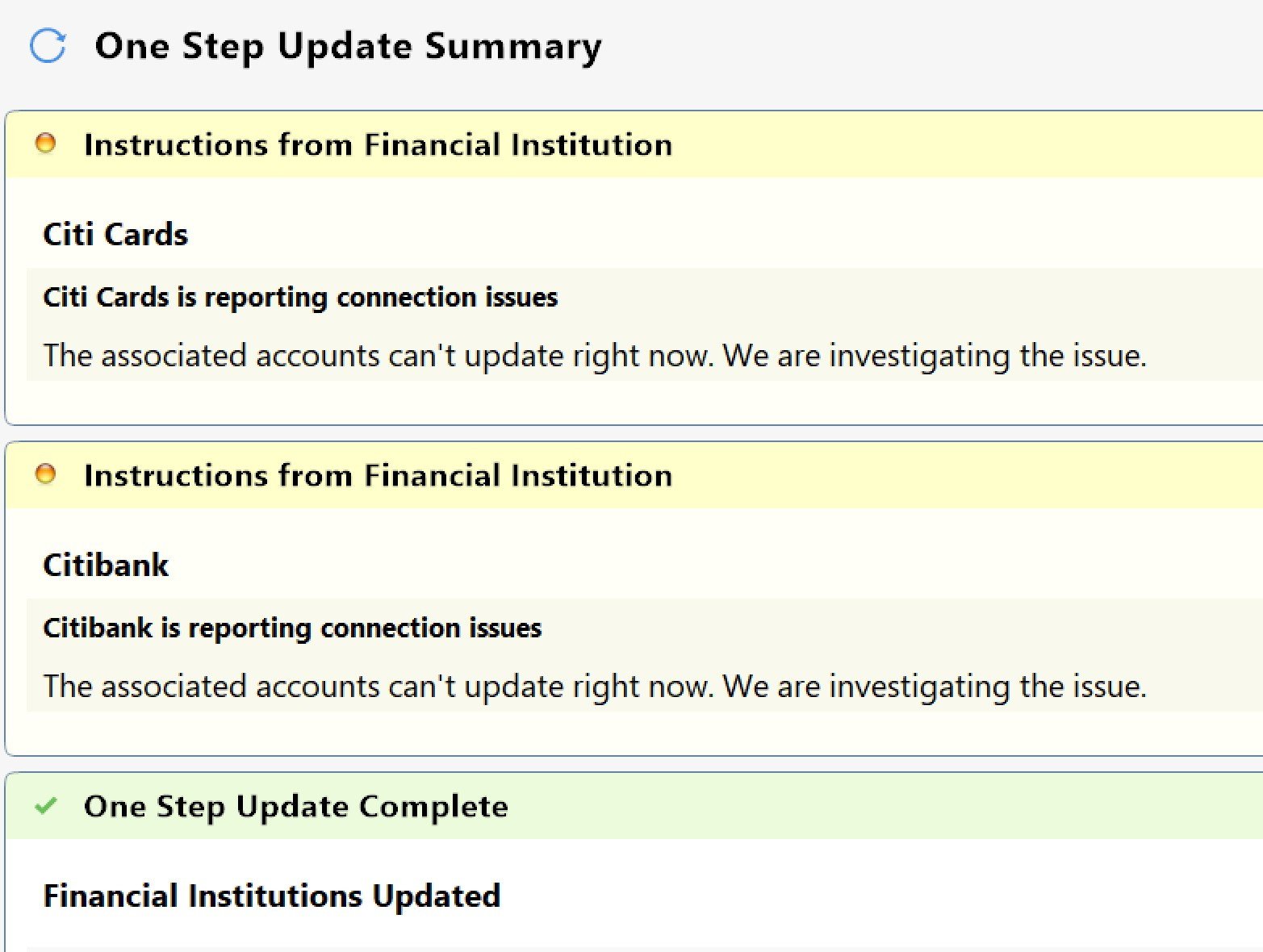
FiSetupInstruction=Citibank is reporting connection issues|The associated accounts can't update right now. We are investigating the issue.
0 -
It appears that you did not read any of the comments by many users who tried it and posted back that it does not work - where purging the runtime.dat content or deleting the file only results in short-term temporary resolution, but the message comes back the next day or days.
I have monitored that file and the specific entry you mentioned disappears and reappears. I even tried a new data file and same result. I can only guess that this is happening to subset of users. I have repeated this many times.
Arrg, I tried my best to be a helpful citizen of this community. I am done and un-bookmarking this topic. Cheers.
- Q Win Deluxe user since 2010, US Subscription
- I don't use Cloud Sync, Mobile & Web, Bill Pay1 -
I've had this Citi error for months now as well.
I decided to stop online services for Citi and removed access authorization on the Citi website.
I started over and added back online services and linked the connection to my existing account.
The error went away. So, let's see if it comes back in the coming days.
0 -
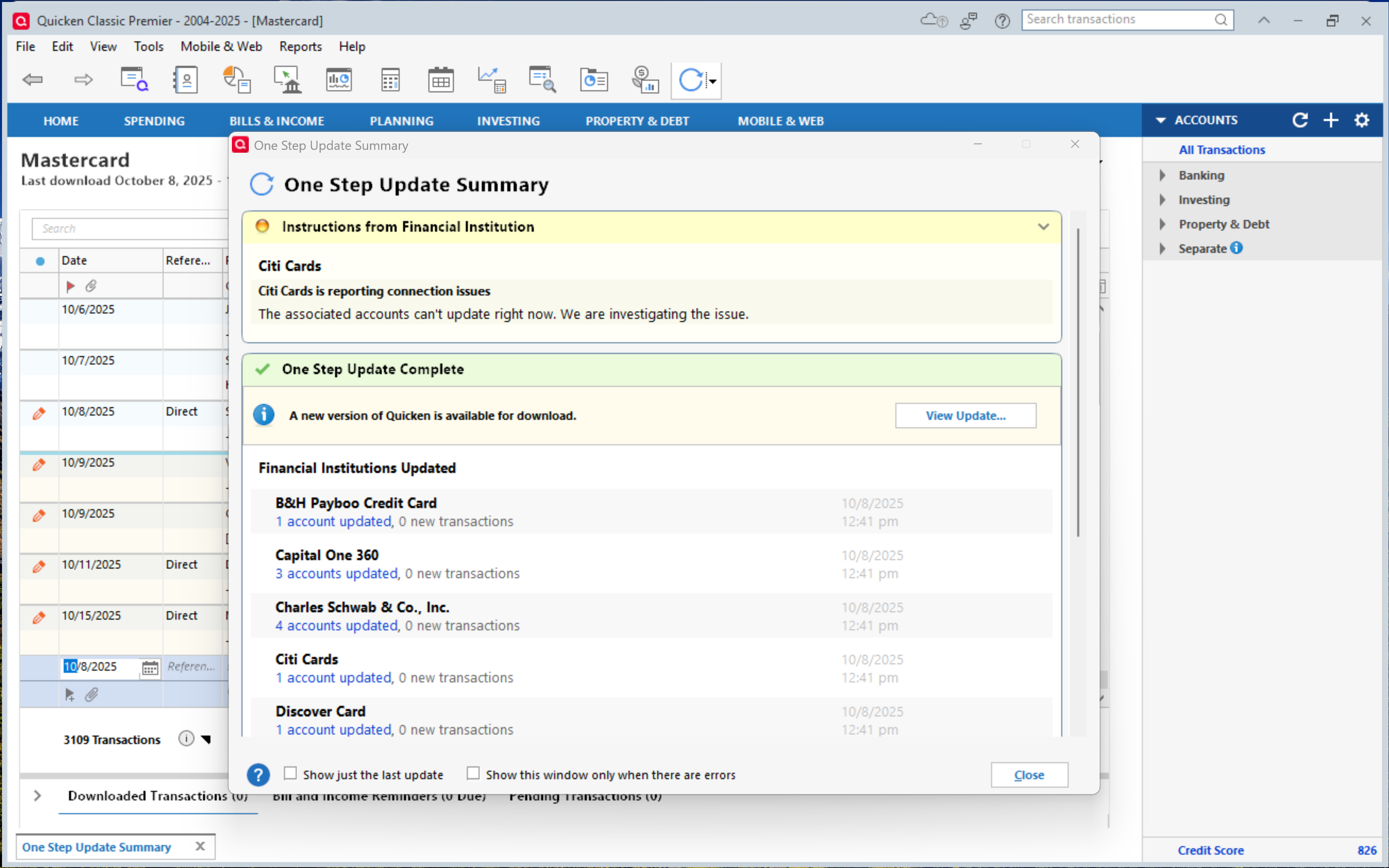
Citi Cards is reporting connection issues - AGAIN
 0
0 -
As far as I can determine, this error really never went away for good.
Deluxe R66.23, Windows 11 Pro
0 -
I know! Just want to let Q know - AGAIN! They keep closing threads even though the issue is still ongoing. What good is an error if it doesn't alert to anything? Or worse, doesn't alert and should be! It is like being sort of pregnant.
1 -
Same here, it never really went away. In fact, it now happens almost every time I run OSU. In this regard, the issue for me has gotten worse because it used to be that the majority of the time I did not get this error message.
Quicken Classic Premier (US) Subscription: R67.7 on Windows 11 Home
1 -
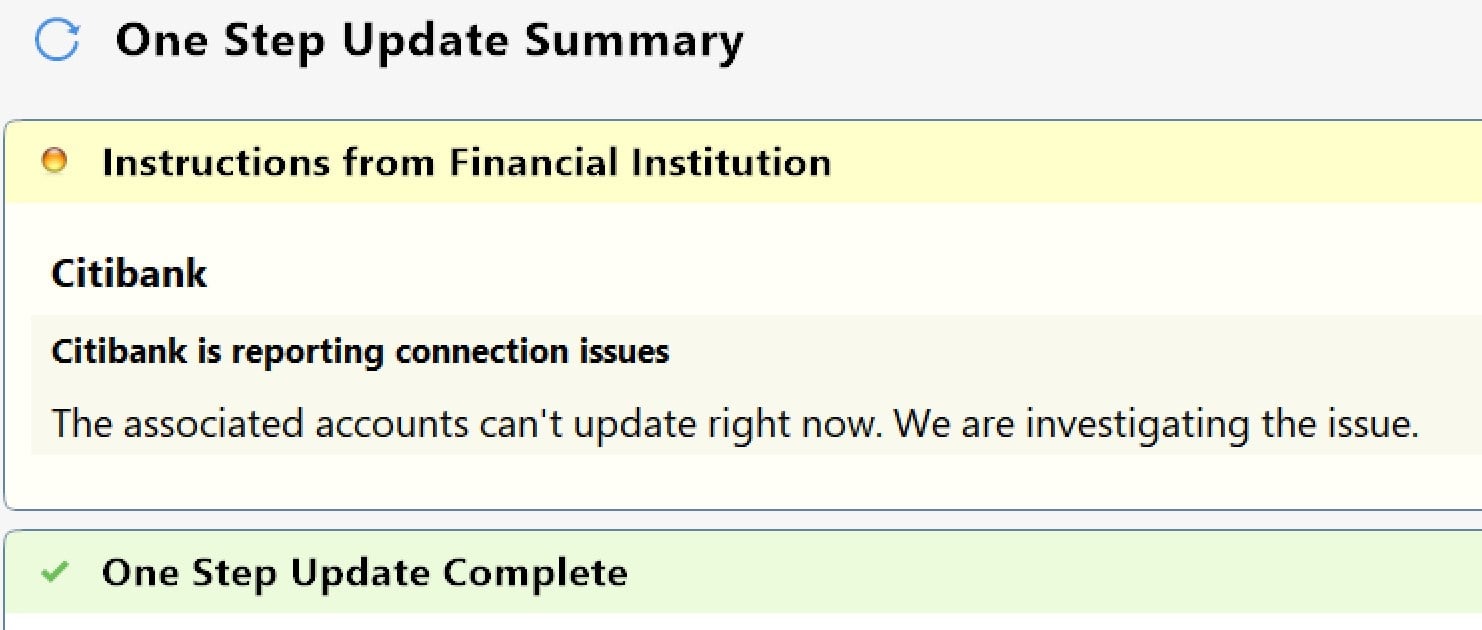
same here. , every update. It does not pop up though, I see it when I select "Update Summary" (though it did previously)
 0
0 -
I update my 3 data files daily. It's a rare day when I don't get a Citibank or occasionally a Citi Cards connection error. The files always are updated so I just ignore it.
0 -
The point being that it still needs to be fixed!!!!!!!!!!!!!!!!!
0 -
I, too, simply do what @Ray does and disregard the error messages. Yes, it needs to be fixed but since it is simply a bogus error message I am not going to get bent out of shape over it. IMO, there are much bigger issues that actually cause functionality, data integrity/accuracy concerns and Tax Planner and Lifetime Planner needed improvements and updates that take much higher priority. But I will occasionally continue to post about this issue to help ensure that Quicken does not lose sight of it.
Quicken Classic Premier (US) Subscription: R67.7 on Windows 11 Home
1 -
@Quicken Kristina , @Boatnmaniac , @Ray , @Rick8 , Everyone
I may have figured out an unconventional workaround to solve this, I think. I have not received the cosmetic yellow message for two weeks.
Within this post and about 7 other posts on this topic, it appears that the majority of the yellow message comments are related to Citibank. There are a few comments that refer to the Citi "Card", but unknown if they are the exact same issue.
I thought why should I limit myself to Citibank where there are many other Citi affiliated Financial Institutions. So …
- I deactivated my Citibank in Quicken.
- I went to Tools > Add Account, typed "Citi" and clicked on every one of them to find which ones have the exact same URL of online.citibank.com. There were only a handful.
- I Selected the first one on the short list which was "Costco Anywhere Visa Card by Citi"
(Note: I don't have this Costco account in my Quicken. If I did, I would've selected another one) - I added the Costco card, authorized it and "Linked" it to my existing Citibank checking account in Quicken.
So in Quicken my checking account's FI is now "Costco Anywhere Visa Card by Citi" instead of Citibank!
All bank transactions have been downloading fine and no more yellow warning message - so far. Naturally since the FI name is different, it created a new branding folder (65994) which corresponds to the lParam=65994 in the runtime.dat file - TMI perhaps.
Maybe this makes it as clear as mud to the Quicken teams to identify the issue! Here is the before and after
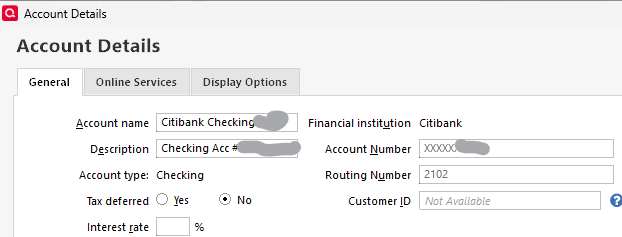
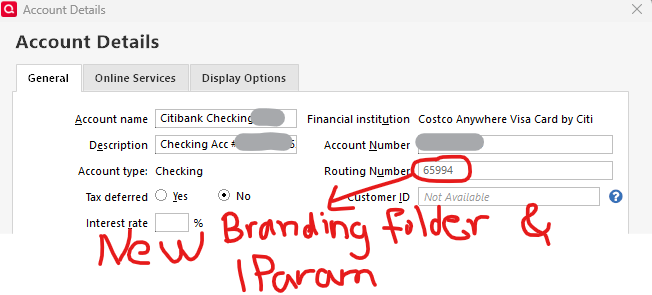
- Q Win Deluxe user since 2010, US Subscription
- I don't use Cloud Sync, Mobile & Web, Bill Pay3 -
Thank you for the update @BK,
I added that information to the CTP. Hopefully it will help our teams track down the issue.
Thank you!
Quicken Kristina
Make sure to sign up for the email digest to see a round up of your top posts.
1 -
In my prior comment above, I wrote:
Within this post and about 7 other posts on this topic, it appears that the majority of the yellow message comments are related to Citibank. There are a few comments that refer to the Citi "Card", but unknown if they are the exact same issue.
I would like to make a correction that it appears that some Citi credit cards are also getting the similar error message as more and more users are reporting it in other posts. So far for me, using the "Costco Anywhere Visa Card by Citi" has worked fine and let's hope I didn't just jinx it!
- Q Win Deluxe user since 2010, US Subscription
- I don't use Cloud Sync, Mobile & Web, Bill Pay0 -
Same error message here, for months and months and months and months and months. Irritating, but doesn't seem to affect downloaded transactions. I've tried all the 'tricks' mentioned above (except creating a whole new credit card as @BK mentioned above - too much trouble!) and it always returns. I've been a Quicken, Quickbooks, TurboTax user since the blinking C: prompt days and there's not much new under the sun.
Btw, it is the Costco Visa card from Citibank.
Maybe just easier to just start going to Sam's Club instead?0 -
I have the same issue with Citi's own Citi Mastercard
0 -
FWIW, I just took the R64.35 update and the error seems to have gone away (for now). I am guessing that this update is in limited release at the moment, so everyone may not get a notice. In this release, there was no specific mention of a fix for this.
0 -
I got 64.35 and am still getting same errors.
EDIT: the second time I tried it, no error, so who knows…
 0
0 -
I'm still running R64.30. This morning's OSU did not return the error code. This evening's did. I'm pretty sure that R64.35 has not addressed this issue. And since this has been an intermittent issue like this for several versions, now, I'm guessing it's not a Quicken version issue but an issue with how Citi is handing off the data to Intuit or from Intuit to Quicken's server or from Quicken's servers to our installations.
Quicken Classic Premier (US) Subscription: R67.7 on Windows 11 Home
0 -
I have 3 data files. All have Citibank institutions and 2 also Costco and American Airlines with separate Citi Cards. After updating to R64.35, each data file reported Connection Issues. It continues to be an annoying error with no effect on actually downloading of transactions. For many years, Citibank updates have had issues.
The biggest issue with Quicken is reliable One Step Updates.
2






