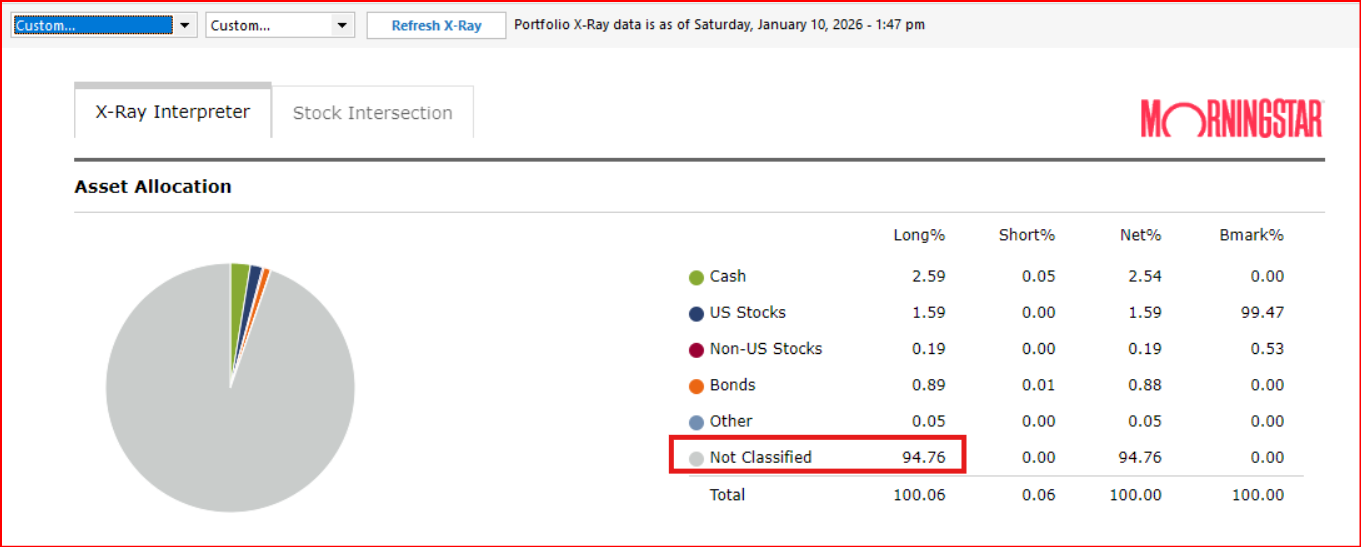
It used to work correctly until a few days ago, maybe a week. Now it categorizes VTI, VOO and VIG as "Not Classified". Stock Intersection is now empty. Please fix this. See attached image.
Yes, there does appear to be a problem with X-Ray. Mine is worse than yours and I needed to Refresh X-Ray, then select all Securities and then select All Accounts (which afterward shows "Custom…" for both) and got the following picture. Then when I looked at Stock Intersection I noticed that most of the securities I hold are not listed.:
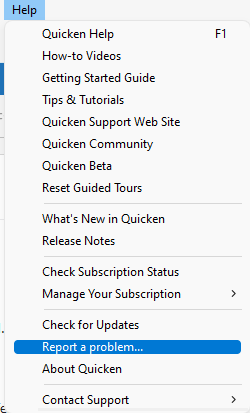
If you want Quicken to investigate and fix this please report it to Quicken via Help > Report a problem. That is the best way to make sure they are aware of this issue. They will need to determine if this is a Quicken cause or if it is a Morningstar cause.
I have already reported this issue. The more people who report it the higher the priority will become for the Quicken Team to address it so please do report it.
I see this same problem. This renders the basic asset allocation and stock intersection functions of the X-Ray basically useless.
In addition, none of the other recently introduced problems with the X-Ray that have been reported in the past several months have been addressed.
CTP-14261
CTP-14535
I reported this via Help > Report a Problem, and you should too.
[Edited - Corrected CTP number]
Hello @Langston Holland,
Thank you for letting us know you're seeing this issue and for sending the problem report with screenshots. I added you to the ticket so that our teams know you're also impacted by this.
Thank you!
Hello,
I am also affected by this - as I have a lot of ETF holdings, a large percentage of my portfolio is listed as "unclassified", making the feature worthless. I'd like to stay updated on this as well. This was working for me in December and stopped working in January. I reported the issue in the software and sent the log files.
I have also been experiencing this error during the same time frame. Just a bit of feedback on a change that I saw yesterday. It actually got worse. A larger share of my securities are now unclassified. So yay for progress. Any updates?
I have the same problem. Porfolio X-Ray used to work fine. Now only shows actual stocks. All ETFs owned show "not classified". Makes the tool useless.
Trying to use Quicken to track my investments. In portfolio X-Ray a large chunk of investments show as unclassified. Upon investigating briefly it seems that Quicken is showing the holdings in the Vanguard funds as unclassifed even though most of them should show up as large cap, mid cap etcetera.
How can I get portfolio x-ray to work better?
Hello @ralph8947,
Thank you for letting us know you're also encountering this issue. I merged your post with the ongoing discussion.
This is a known issue that our teams are working to resolve. To receive notifications of any updates, once available, and know when the issue is resolved, please bookmark the Community Alert linked below:
(Ticket#:12211979/CTP:15977)
fyi - Don't get too excited about build R66.11 that just came out - these are not the droids you are looking for.
Not Classified issue not fixed yet, just restored/added a snapshot summary for X-ray.
It would be great if when you clicked on the 'Not Classified' piece of the pie chart it showed a report of what it can't classify.
So, I got today's update that the portfolio x-ray issue was fixed. I installed it. It is not. Quicken shows 93% of my portfolio as "not classified", and while I do have ETF's, they do not make up 93% of my portfolio; at least half of my investments are in 401k/403b's that only have mutual funds, not ETF's. So just FYI @Quicken Kristina this is still happening, and is not limited to ETF's.
Hello @Biker70 & @mindtrip,
Thank you for letting us know that the patch does not correct the issue. To help our teams further investigate, please navigate to Help>Report a Problem and send a problem report with log files attached.
Please post to this discussion to let me know when you've sent the problem report.
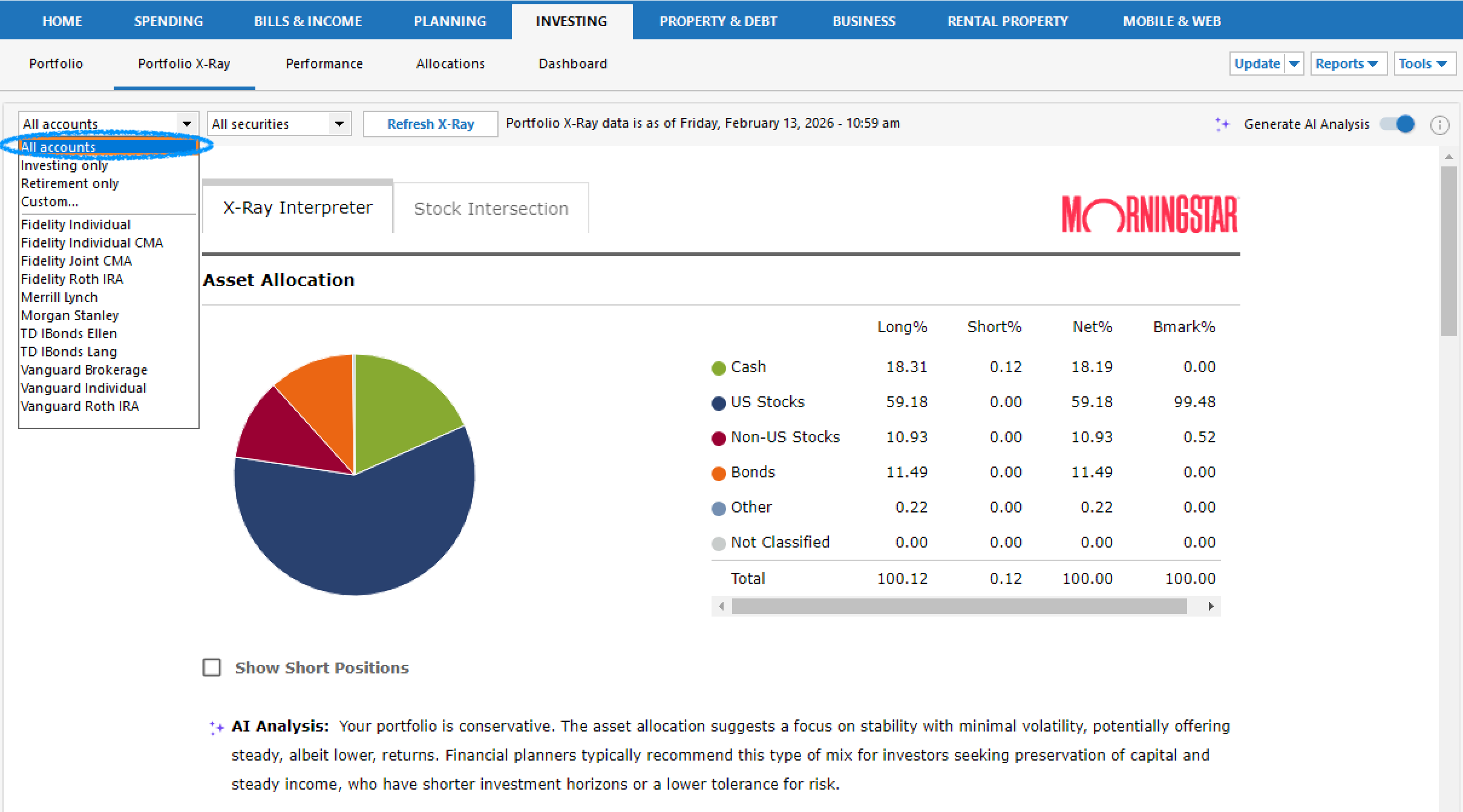
Quicken not only fixed the Portfolio X-Ray ETF issue, but it's going to be better than ever with the AI Analysis feature (which seems to think my 70/30 stock/bond allocation is conservative. I'm sure it's not seeing the allocation that is now correctly shown).
You have to refresh X-Ray to enable the update. I do this by re-selecting "all accounts" instead of the obvious "Refresh X-Ray" button. In the past, this worked better - maybe now that's been fixed as well. TBD.
Thank you Kristina et al. !
Thank you for sharing @Langston Holland!
Hopefully that information will help others who are still seeing the issue.
@Langston Holland Do you have ETFs? Portfolio X-Ray is still showing the majority of my portfolio as unclassified - actually worse today at 83% compared to 64% for the last month or so when this issue first arose - and I haven't made any trades over that time either.
This is still an issue even after refreshing, selecting various accounts, etc.
Hello @rjgrichmond,
Thank you for letting us know you're still seeing this issue. When I checked our internal tools, it looks like you're using a Beta version of Quicken.
If you haven't already done so, please try installing R66.11 or R66.12, and confirm if the issue is resolved in that patch. For help installing the patch, you can use this article for the link to download it and instructions on installing it: https://www.quicken.com/support/update-and-patch-20182019-release-quicken-windows-subscription-product/#section-windows-2
I have money market funds, Treasury bonds and ETF's. Nothing else.
(R66.12, Quicken Classic for Windows, annual subscription, Win11, Parallels on a 2023 Mac with ARM chip)
Yes Kristina, I thought that may be an issue so I'm in the process of reinstalling the latest non-beta version to see if that solves the problem. One thing is certain - still not fixed in latest Beta version that came out a couple of weeks ago.
OK, Portfolio X-Ray is finally working again after installing patch R66.11.
Kristina, not sure I undertand the differences between full releases and patches - the latest non beta release is R65.29 and inside the program, there is nothing presented as available under the "Checking for Update" menu. How does a user get notified about "patch updates"?
Thank you for your reply,
I'm glad to hear that installing R66.11 corrected the issue.
Updates are not pushed to everyone simultaneously. I'm not sure how it interacts with Beta versions, but outside Beta, you'll typically be prompted to install the update within a few days of release. The article I provided is a way to update your Quicken before being prompted, and also helps with some update issues.
I refreshed the x-ray immediately after installation of the update. I refreshed again after performing a Validation, Validation with authentication block fix, and Super Validation—the error persists for me.
Thank you for confirming,
I let our teams know that the issue is still persisting for you, and thank you for sending a problem report with log files attached. It will help our teams investigate the issue.
If you haven't already done so, you may want to try manually installing the update patch, just in case the issue is persisting due to an issue with the update not installing properly. For instructions and to download the patch, please use this article: https://www.quicken.com/support/update-and-patch-20182019-release-quicken-windows-subscription-product/#section-windows-2 .
@Quicken Kristina I submitted the report and log files. And to repeat what I told Langston, I tried every version of Validation & Repair, and refreshed the x-ray after each one, and the problem persists.
@Quicken Kristina The previous update had installed and showed the AI toggle, and About showed the right version number, but I did as you suggested and tried a manual installation—and it appears to have worked! I'll have to do a deeper look tomorrow to see if there are any errors, but at the moment the x-ray does appear correct, with 0% unclassified securities.
Edit to add: it does appear the AI interpretation could use some work; the triangle shows I'm more weighted toward one sector (while still neutral), which tracks with a previous working x-ray, but the AI guidance says I have limited exposure to that very same sector. And even if I shut of the AI analysis, it's marking me as having a much higher % of my portfolio held by a single stock than is actually true—it says that stock makes up 3.5% of my portfolio, but when I add the shares I hold of that stock, plus the exposure in other funds, it only comes to 0.89% of my investments. So I'm not sure where this percentage is coming from, there may still be an error in the computations somewhere.
Installed the mondo patch.
Refreshed X-Ray several times and now the ETFs are classified and it IS WORKING.
PS: AI toggle is there too in 66.11
R66.12 did the trick - I am happy to report that x-ray is working now.
Thanks to 'Bulldog' @Quicken Kristina for staying on top of this issue through its resolution!
Thank you for the update @Biker70,
I'm glad to hear that updating to R66.12 did the trick!
R66.11 did not correct the ETF classification issue.
Installed this patch manually (upgrading from R65.29). Perhaps R66.12 is working, but that's not the version available from the support page as of today (2/14.)
Strange that R66.11 fixed my unclassified Vanguard ETFs issue but did not fix the unclassified issue in a 2nd Quicken file I maintain for a family member with other ETFs.
With my issue and others still experiencing the problem with R66.11, Quicken clearly has more work to do. Instead of spending time bringing AI into the X-Ray tool - get it working correctly first! Disappointing it’s taking so long to solve the problem in full.
R65.29 still showing 59% UNCLASSIFIED. It's obviously wrong… total mismatch with quicken native allocations. QUICKEN SUPPORT!
No updates?
[Edit - Enabled Link]
Hello @bd-tx,
Thank you for letting us know you're still encountering this issue. It should be corrected in R66. If you haven't already done so, please try updating your Quicken by navigating to Help>Check for Updates, or you can manually update by using the instructions in the article linked below: https://www.quicken.com/support/update-and-patch-20182019-release-quicken-windows-subscription-product/#section-windows-2
Hello @Fred Coale, @rjgrichmond, & @mindtrip,
Our teams recommend following these steps:
Please let me know how it goes!
@Quicken Kristina I am running R66.11. I followed your instructions above and my ETFs are still showing as Not Classified in the X-Ray.
Perhaps it is R65.12 that fixes this issue? That is not yet available via the manual patch update.