Bank connection issues: Citibank
Comments
-
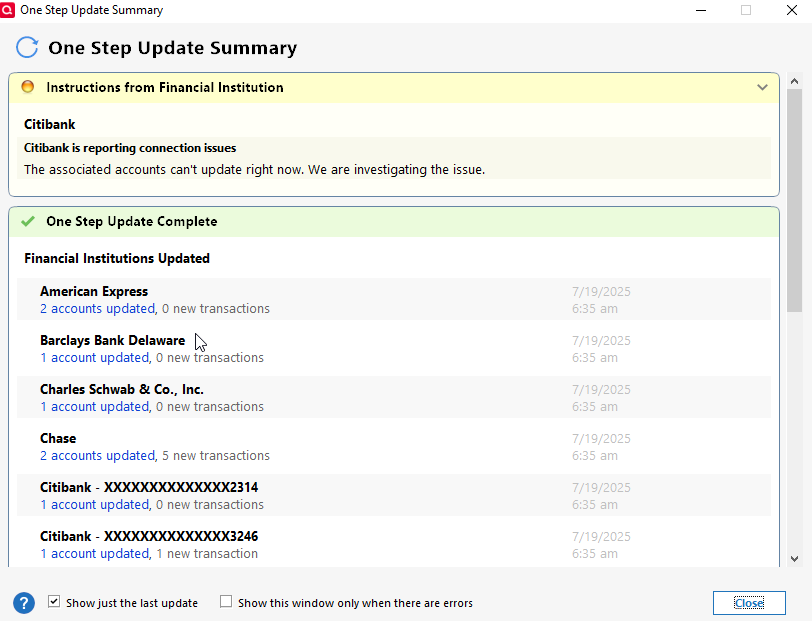
No errors on 7/17 and 7/18 but on Saturday 7/19 although the transaction downloaded the error notification returned.
 0
0 -
Same here for multiple Citibank cards.. I am able to get the connection to work temporarily.
- Deactivate online services for all cards
- Choose add a NEW account.
- DO NOT CHOOSE Citibank. Choose advanced Options. Type in search field and choose appropriate cards (AT&T, Costco…)
- Approve Quicken in Citibank third party access (Choose Direct Connect when prompted)
- Link Cards to existing accounts.
This seems to hold up for a few days, then the trouble starts all over again and the process needs to be repeated.
0 -
@The Real Dude I suspect that Direct Connect will continue to give more problems as Citi attempts to force use of EWC+ .
Deluxe R66.23, Windows 11 Pro
0 -
I was getting a persistent CC-501 error for the last several days with my Costco Anywhere Visa from Citibank. Just reset and now seems to be working
0 -
I have 3 data files I update daily. Two data files have 3 Citibank institutions. All use Express Web Connect +. My personal uses Citibank. Costco and American Airlines use Citi Cards.
For at least 3 weeks I've had failures. Only a few days have they successfully downloaded. I've had to reactivate Citibank many, many times. Citibank has always had the poorest reliability for well over 10 years of my 9 institutions. It's extremely annoying to not get updates and waste time fixing it. I don't understand why Quicken can't resolve the issues.
1 -
Hello everyone,
If you are still experiencing this issue, please submit a problem report using the instructions that were previously provided.
Let us know once you have done so. Thank you!
-Quicken Jasmine
Make sure to sign up for the email digest to see a round-up of your top posts.
1 -
Since 7/19/25, I have been getting the "Citibank is reporting connection issues" error message, but no error code is associated with the message.
0 -
I reported today @Quicken Jasmine
- Q Win Deluxe user since 2010, US Subscription
- I don't use Cloud Sync, Mobile & Web, Bill Pay1 -
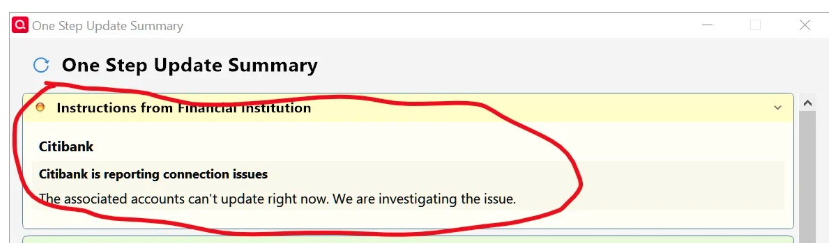
All three data files had Citibank is reporting connection issues this morning. I have 3 Citibank institutions, and it says all have been updated but there aren't any new transactions. Have they been updated? I have to log into each institution to find out.
Typically, at least one of the data files fails when I updated them daily for going on a month. I've use "Help, Report a Problem" nearly every time it happens. I haven't been attaching a Sanitized Data File but will in the future.
[Removed - Personal Information]
1 -
I also had this problem for a few days with Citibank but it seemed to correct itself after I reset the account with connection method EWC.
I've had the same issue with UW Credit Union out of Madison, WI for going on two months. I have reported it once or twice and I've renamed a Quicken file per other problem reports. Nothing has fixed it.
This is getting old…going on for at least 3 months. Why can't it be fixed?
0 -
I have submitted a problem report on this issue.
1 -
I reset my account as well and it completed updating successfully.
0 -
Hello All,
Thank you for submitting problem reports and keeping us updated in this thread!
Hello @Chuck56,
Thanks for letting us know. We are happy to hear that the issue has resolved for you. Would you mind providing the steps that you took so that other users may attempt them in hopes of resolution?
We appreciate it!
-Quicken Jasmine
Make sure to sign up for the email digest to see a round-up of your top posts.
0 -
I selected the citi account from the account list. Clicked on the gear, selected "edit account details", then "online services", and "reset account". Then went through the on-screen process to reset.
0 -
A few comments and questions:
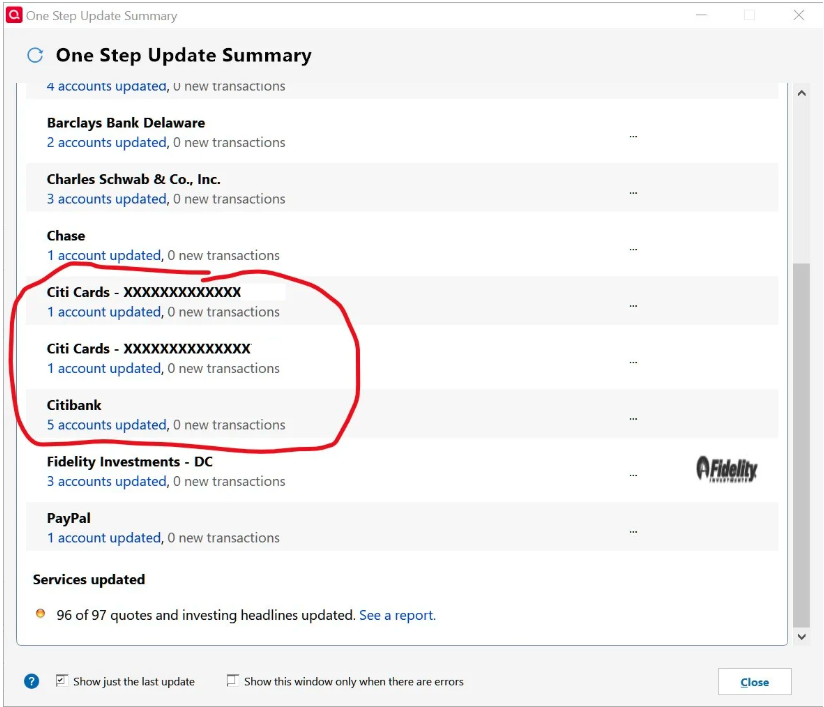
The error message you posted was for "Citibank". In the OSU Summary picture you circled "Citibank" and "Citi Cards". "Citibank" and "Citi Cards" are 2 different financial institutions as far as Quicken is concerned. I suspect that the OSU issue you posted about today was with "Citibank", not with "Citi Cards".
Were you expecting transactions to be downloaded today for your "Citibank" and "Citi Cards" accounts? The way to check is to log into your online accounts and see if there were any transactions that posted yesterday (not today) that did not download. If there were transactions that posted yesterday but did not download today that would be a pretty good indication that OSU today failed. (I ask this question because I and some others in this thread have reported getting this error message but that Online Balances and transactions are still downloading. So for this group of users, the error is the error message because there is no data download issue.)
In the OSU Summary, click on the blue font link beneath the financial institution showing the number of accounts that were updated. What date is shown there? That date is the date of the last downloaded data…it is not the date of the last OSU. The last OSU date would be shown on the right side of the OSU Summary. With the first OSU of the day of EWC+ accounts, often that date will be not the date of the last OSU but it will be the date prior to the last OSU. So, if you are seeing the prior day to the OSU day, that would be normal.
Quicken Classic Premier (US) Subscription: R66.23 on Windows 11 Home
0 -
I've used Tools > Add Account and right-mouse on the account > Edit/Delete account > Online Services tab, then either Reset Account or Deactivate > Set Up now many times. My experience is that the repair works but doesn't last. Sometimes I've had to deactivate all accounts (checking, savings, and credit cards) in the institution to get it fixed.
0 -
I checked all the accounts and the transactions from the 3 institutions are up to date as of yesterday. One thing to note is that the error message does not tell you which of the institutions has a problem or what the problem is. I have to try and figure out which one to repair.
My personal account that uses Citibank (Costco and American Airlines each use Citi Cards) has a savings, checking, and a credit card. Year ago, Quicken used Citibank for the savings and checking and a separate Citi Card for the credit card.
0 -
@Ray -
I checked all the accounts and the transactions from the 3 institutions are up to date as of yesterday.
Good. This indicates that OSU is updating all of the accounts. This implies that it is the error message itself that is the error, not an OSU error. That is the same as it was with me and some others in this thread.
One thing to note is that the error message does not tell you which of the institutions has a problem or what the problem is. I have to try and figure out which one to repair.
But the error message does clearly state which of the financial institutions is getting the error: Citibank. It does not indicate which of the Citibank accounts might be getting the error message. But if OSU is updating the accounts, then it is not an OSU issue. So, you could do what I and others have done which is to disregard the error message because it does appear that the error message itself is the issue, not OSU.
Citi Cards is a different financial institution. For me, the error message was for Citi Cards. But since Citi Cards is not mentioned in the error message it's a good indication that the error message does not apply to your Citi Cards accounts.
I am no longer getting that error message but when I was it lasted for about 6 days. Not once in that time frame were my accounts not being updated during OSU. Which is why I decided to entirely disregard the error message because it should not have occurred.
Quicken Classic Premier (US) Subscription: R66.23 on Windows 11 Home
0 -
This morning, all 3 data files updated without any error. Will it last?
0 -
It's been 6 days without the error message for me. Hopefully it will not return for either of us.
Quicken Classic Premier (US) Subscription: R66.23 on Windows 11 Home
0 -
I am having the same issue for a week now.
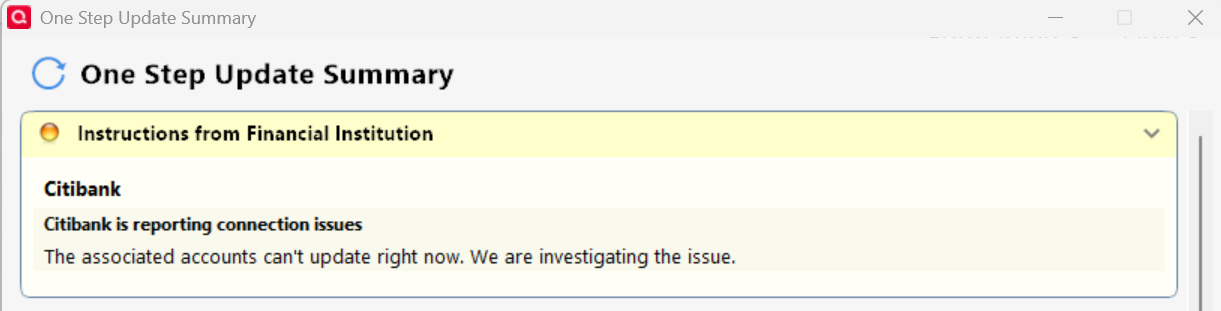
Reported it with "Report Problem" in Quicken Classic for Windows.
BTW, it shows the connection method: Express Web Connect+ for all my citibank accounts in Quicken
0 -
Are the Online Balances in Quicken correct (i.e., do they match what is shown in the online account(s) for those cards)?
Are transactions still downloading? If not, are there posted transactions that should have downloaded but did not?
Quicken Classic Premier (US) Subscription: R66.23 on Windows 11 Home
0 -
The transactions are still downloading, but the error message continues to pop up.
0 -
Quicken gave the connections issue again today after about a week of not getting the error during daily updates.
So my theory about being related to Direct Connect doesn't play out.
There seems to be no predictable pattern to the error.
Deluxe R66.23, Windows 11 Pro
0 -
I performed an account reset with no errors on 7/24/2025, but transactions are still not downloading. I have to go to Citi's website and download and OFX file to post transactions, even then some of the transactions are missing in the file and have to be entered manually.
0 -
Just FYI….. Today's OSU for me concluded with no Citi download issue or message for the first time in days..
1 -
Thank you for coming to share, I am happy to hear that the issue is beginning to resolve for a few of you!
Please let us know if it returns!
-Quicken Jasmine
Make sure to sign up for the email digest to see a round-up of your top posts.
0 -
Yesterday, the "Citibank is reporting connection issues" was gone. This morning it returned for all 3 data files. I logged into Citibank and the Quicken accounts are up to date as of yesterday.
But there's a new OSU error for Schwab and Fidelity accounts I've never seen before. They show a red flag but there are no new transactions. Then the Matching Security window pops up with a new security, If I accept it, it pops up another. The list is endless. I have to click Cancel twice to get out of it. If you're interesed in this issue, it's posted at False New Security & Matching Security Pop Up — Quicken
I received an email 7/22 from Quicken titled, "An update from our CEO." He says, "As we migrate more of our connections to Express Web Connect+ (using the OAuth standard), we have seen our download success metrics improve." That's certainly not the case for me.
1 -
Citi Costco card issue/annoyance when using One Step Update. Had for about a month. Ignoring for now. Is this part of a bigger issue? Should I be worried?
I receive the following error message "Citibank is reporting connection issues. The associated accounts can't update right now. We are investigating the issue."
However, all posted transactions do download. See screenshots.
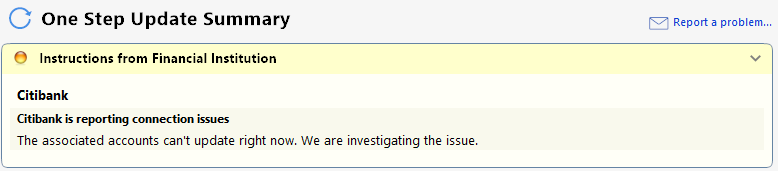

Using Windows Classic Business & Personal R63.21 Build 27.1.63.21 on Windows 11 Home.
0 -
Hello All,
If you are still experiencing this issue. Please submit a Problem Report using the instructions previously provided by @Quicken Kristina.
Let us know once you have done so!
-Quicken Jasmine
Make sure to sign up for the email digest to see a round-up of your top posts.
0





