zzz-Fidelity Updates
Comments
-
Hello @mikek753b,
Thank you for reaching out. The missing transactions issue was marked fixed around 12 September (to see the alert, click here).
If you are still encountering the issue, then I recommend that you contact Quicken Support directly for further assistance, as they have access to tools that we can't access on the Community and they're able to escalate the issue as needed. The Quicken Support phone number can be found through this link here. Phone support is available from 5:00 am PT to 5:00 pm PT, Monday through Friday.
I apologize that I could not be of more assistance!
Quicken Kristina
Make sure to sign up for the email digest to see a round up of your top posts.
1 -
We are a day beyond the last published cutover date that I know about. Has a new one been established?
0 -
I just off another call with Quicken Support, I was told the issue about missing transactions currently EXISTs, it has been escalated and so far no ETA.
The same about my another issue of 64.x broke Bills and Income Reminders that blocks using Projected forecast. With the same the issue is knows and has been escalated and so far no ETA.
This has been for a month, as Quicken gets less usable.
My Subscription will expire in a month. After almost 20 years of using paid Quicken I soon need to answer the simple question - should I pay to renew the subscription?
Best Regards1 -
@mikek753b "I have a Buy transaction from yesterday in my Fidelity after tax brokerage account. I see that transaction via Fidelity UI, but Quicken doesn't download anything." you had posted 09/25/2025.
Certainly, quite annoying and I do understand your frustration. Nevertheless, this issue might or might not be related with the general DC → EWC+ migration. As advised it will probably be best to address this specific matter with Quicken customer service individually, as you are in the process of doing. We currently see no pending issues with transaction downloads under EWC+, subsequent to the general OSU outage Wednesday morning.
Best of luck and success!
0 -
After 10 days of issues, I restored a backup from before the Fidelity reconnect. I downloaded the transactions using the prior DC connection, reconciled August accounts (again) and reconciled holdings in all accounts. The download gave me all the transactions from that backups' date of last download and everything looks great. I took the opportunity to clean up my quicken accounts and deactivated some Fidelity accounts that were still hanging around in my Quicken file. I renamed some of my Quicken accounts and added the last 4 digits of the Fidelity account number. This makes it easier for me to find the account in Quicken when looking at the Fidelity website. I'm a happy camper now that I'm back to using the DC connection.
2 -
Thank you for your reply @mikek753b,
Thank you for sharing your experience. I reviewed your interaction with Support, and I can see they sent you an alert that is not relevant to the issues you reported. I apologize for the inconvenience.
So that we can get this missing transactions issue taken care of, please navigate to Help>Report a Problem and send a problem report with log files attached. Please include at least 3 transactions that are showing posted with Fidelity, but are not in your Quicken (not even entered manually), and include a screenshot showing those transactions posted on the financial institution website. Our teams will need that information in order to investigate the issue.
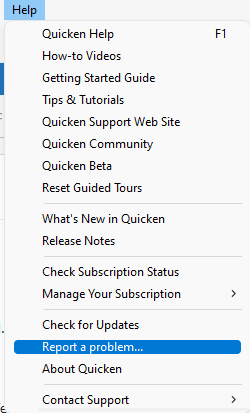
Note - Problem reports allow a maximum of 10 attachments. If you need to send more than 10, please use a second problem report to send the additional attachments. Please let me know once the problem report is sent.
Thank you!
(CBT-838)
Quicken Kristina
Make sure to sign up for the email digest to see a round up of your top posts.
0 -
yes, I submitted another Report with screenshots
thank you for the helpBest Regards0 -
I'm having the same problem. I have what Fidelity calls a "cash management" account that is essentially a checking account, and it wants to create a new account under Brokerage, etc. I contacted Quicken and first they gave me convoluted instructions to fix it, which didn't work, and then they said it's a known issue. I converted all my other accounts, but am continuing to skip this one.
1 -
Despite converting my accounts a few days ago which appeared to work since then, this morning I'm getting a message after one step update that my bank is requesting that I reauthorize my accounts. I'm not sure what is happening so I'm waiting for now.
0 -
I can no longer get transactions for the past month. I have successfully connect multiple times via EWC+.
I have tried the "Reset Account" method and reauthorized everyone on of my 6 Fidelity accounts. I do get all my missing transactions that have not been downloaded for that one connection right after that First Reset occurs for all the transactions that have been piling up. But it works just that one time. Next day nothing.
On there other Forum yesterday I read, no, you must "Deactivate" the account and go the through the reauthorization process. So I did this for two accounts as a test yesterday, both of which had trades yesterday, and yet today after updating all accounts, no one transaction came through the Update.
Now what? This is incredibly frustrating as I have spent probably 15 hours trying to fix this issue. I am at this point thinking of closing all Fidelity accounts and moving them to Schwab where I never have an issue.
Open to suggestions.
0 -
Requested to Reauthorize this morning. Don't know why. EWC+ has been working for me for at least a week. However, when attempting reauthorization, this screen displayed and reauthorization could not be performed.
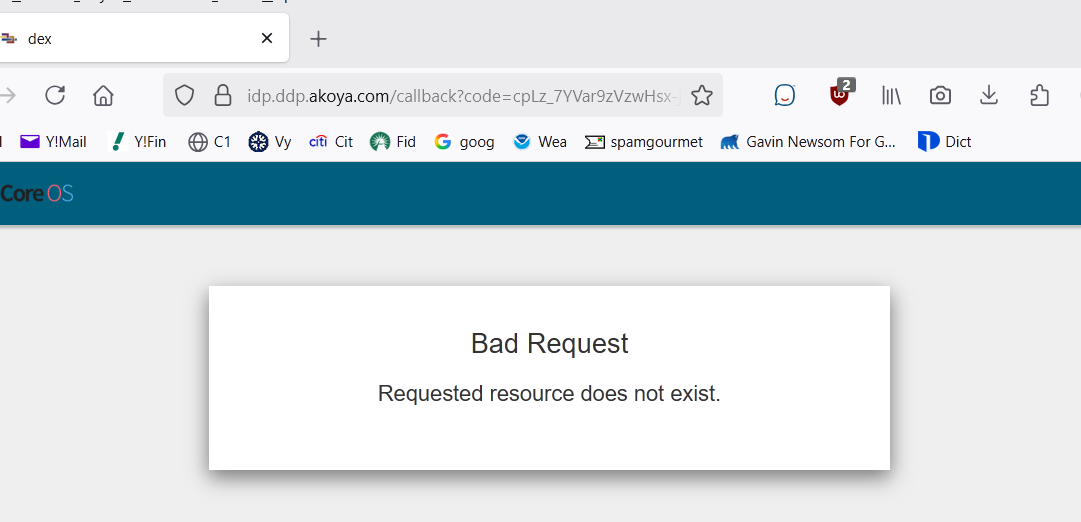
Deluxe R66.23, Windows 11 Pro
1 -
Latest in my saga:
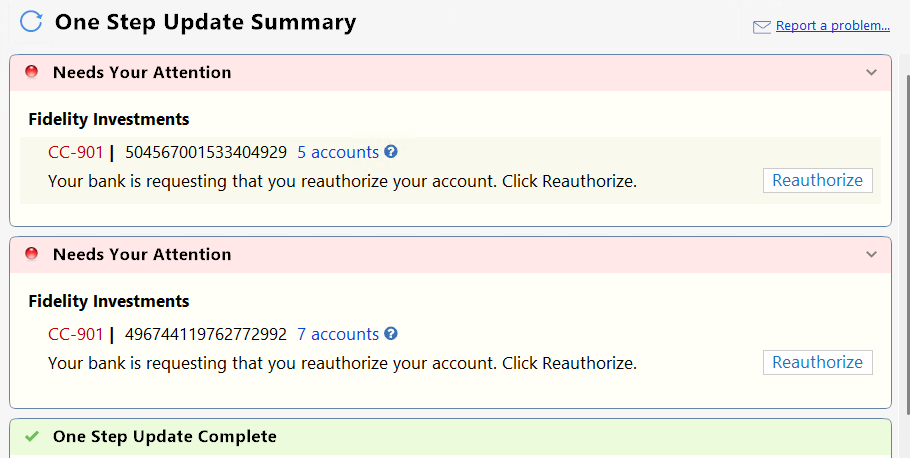
These accounts have been transitioned to EWC+ and seemed to be working OK. When is this going to end?
0 -
Tried to reauthorize and got this:
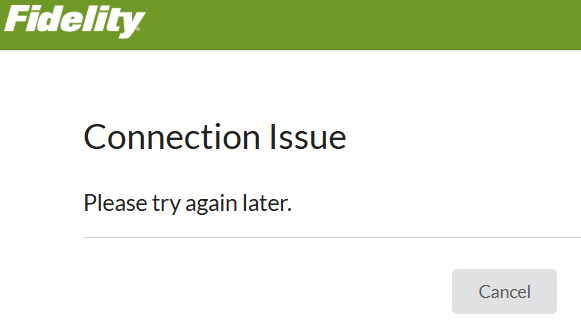
Retried. During the process all the accounts said Don't Add to Quicken with no choice other than to continue. The reauthorization appeared to complete, but then got the same CC-901 errors again.
0 -
Need advice. Not even sure what topic to post in. So many choices :)
Every OSU I have been getting this:
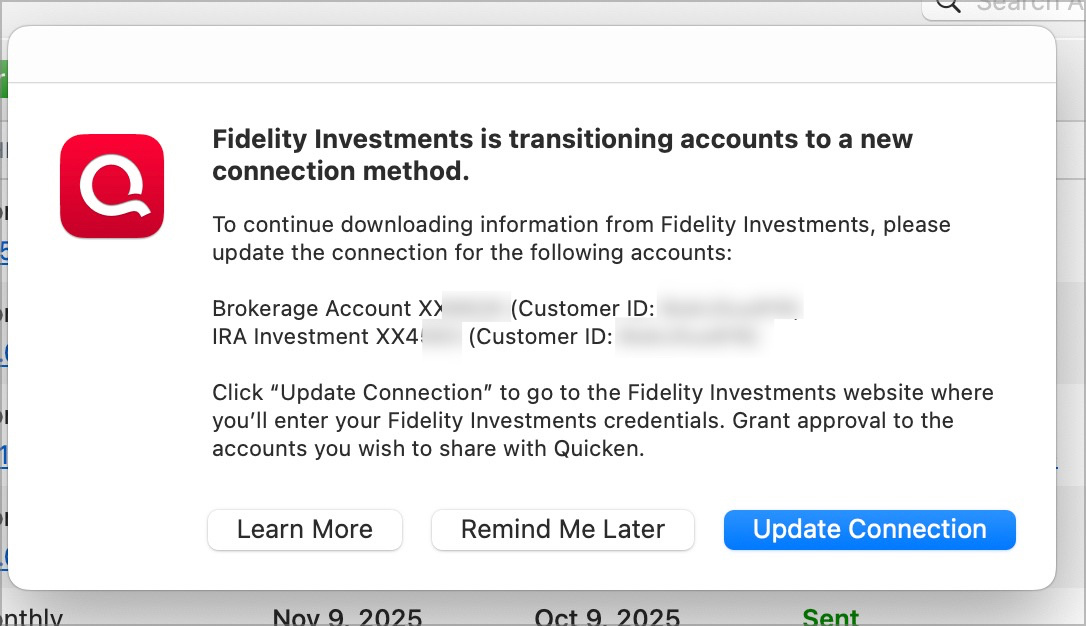
I did again this morning, and as always clicked the "Remind Me Later".
After OSU this:
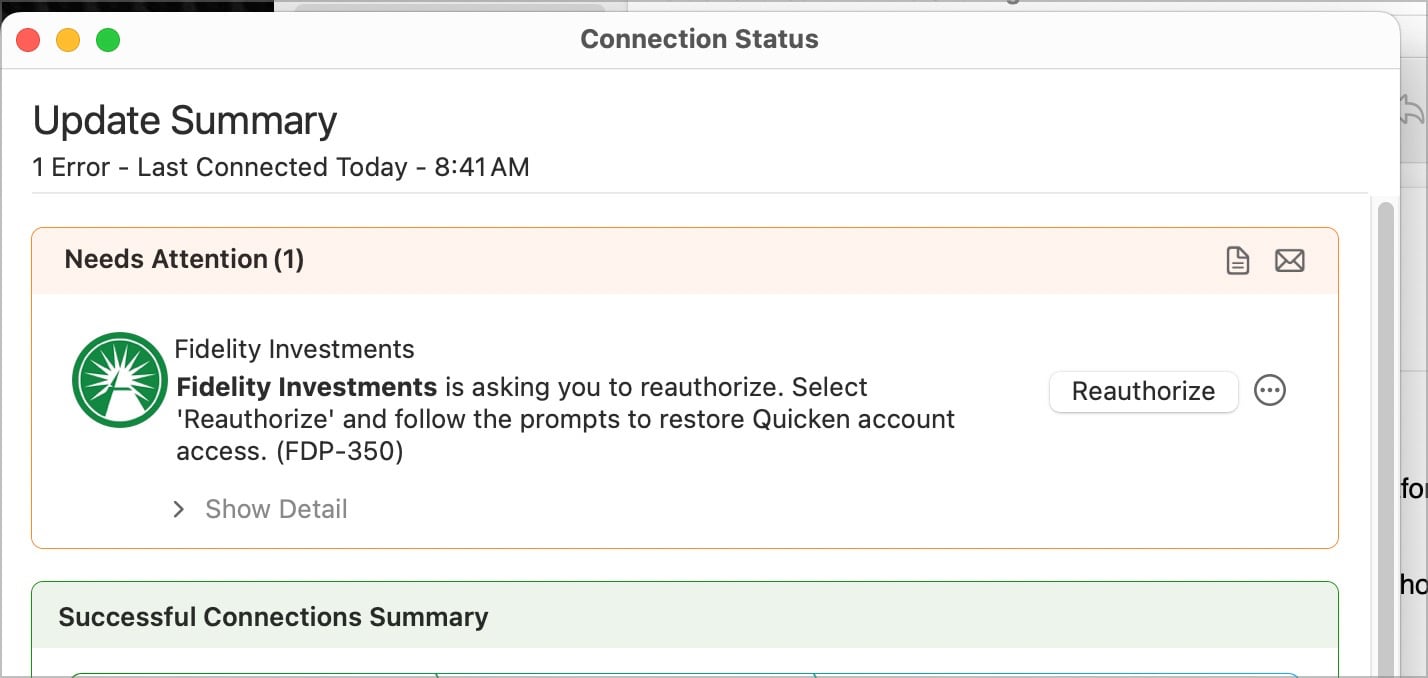
I did not click.
Is this it? The dread day I MUST reauthorize even though we know it still has issues?
What to do?
0 -
This AM on EWC+ a Quicken popup said Fidelity required reauthorization for my 2 Net Benefit accounts (they worked fine yesterday). When I reauthorized, the only option for each account was "don't add to Quicken." I'm getting exacerbated just like everyone else on this thread. This Fidelity problem has been going on TOO LONG!
0 -
Looks like several of us are being asked to reauthorize after already converting to EWC+. I'm not sure what to think at this point. I still have a version of my "file" using the DC connection so I'll wait for now and leave my "EWC+ file alone.
0 -
@leishirsute The same failed reauthorization happened to me this morning with 3 accounts that had previously been working with EWC+. I think it may be related to experiments I did yesterday connecting these accounts to a copy of my active file, although I did not complete that process. As discussed yesterday, the copy was made using the File > Copy or backup file > Create a copy or template process. Maybe Fidelity only allows one Quicken file or one computer per login to be authorized for EWC+.
Apparently it failed because it was attempting to connect to "Fidelity Investments Bank" instead of "Fidelity Investments."
To recover from this, I manually deactivated all 3 accounts by going to their Account Details and clicked on Deactivate on the Online Services tab. Then I went to Tools > Add account, selected Fidelity Investments, logged in, and reauthorized and relinked them. Surprisingly, Fidelity Investments did not appear as a choice initially. I had to start typing "investments" before it appeared as a choice.
QWin Premier subscription0 -
Just an FYI. I could not get the forced reauthorization to proceed successfully for EWC+. I had to deactivate all Fidelity account connections and add Fidelity Investments. That did a successful reauthorization and brought up the pop-up of online Fidelity accounts to link or add choices. After that, there was about a 10 minute wait for "Updating Accounts". Eventually, new transactions were downloaded and the connections worked again with OSU.
Deluxe R66.23, Windows 11 Pro
1 -
I had to do the same. Using the Reauthorize button proved to be unsuccessful.
Deluxe R66.23, Windows 11 Pro
1 -
In the 2 EWC+ test files I have set up that have been running correctly (except for the Core Accounts issues) for the past week, I ran OSU this morning with no issues encountered…transactions downloaded into both files and balances were correctly updated for all accounts in both files.
I was not prompted to reauthorize. Not sure why others are being prompted to reauthorize when they have already migrated to EWC+.
(FYI: I am still running R64.25. I've not yet updated to R64.30 so I am hoping that will resolve the Core Accounts issues. I am traveling and will update once I can get a good, stable Internet connection so I can download the Manual Patch Update file.)
Quicken Classic Premier (US) Subscription: R66.23 on Windows 11 Home
0 -
OK, I have to make this even more odd!
I just checked my Quicken Windows install and it DID NOT even as to reauthorize. NO "Remind Me Later" Dialog. OSU worked perfectly, it appears and still DC. No prompts! AND it also fixed a bad biller plaguing me for a long time - since new billers.
Now MAC, still prompts for Remind, still says Reauthorize after OSU. I guess i will have to try.
1 -
I do have a backup from yesterday, but unsure reverting would help anything. And btw, cannot find a COPY function in Mac. Just backup. I looked to try that.
0 -
Me too. Ran OSU, Q crashed (I sent a report). Tried again, got CC-901 errors on Fidelity and prompted to Reauthorize. I did, Q did not "add to Quicken" (no other option to link). Q reported success. Reran OSU, got same issue (cc-901), reauthorized again and got the Connection Issue error on Fidelity page.
Once again, I'll just wait to see if it clears up later today.
0 -
HAH! Now this is funny. The reauthorization was for my Fidelity VISA which was already EWC+. Doing that and no prompt to update Investments.
Done. All ok and DC still.
0 -
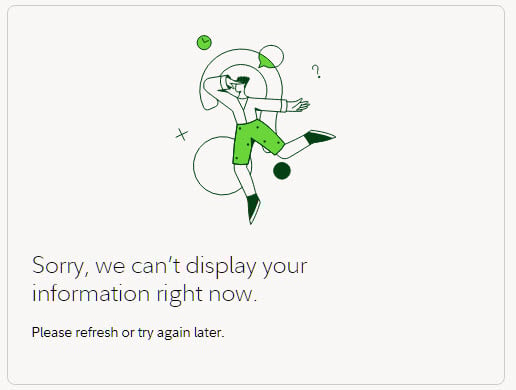
So I logged directly into Fidelity to review some security settings and got rejected. so clearly this is an issue on Fidelity's side.
 1
1 -
So I seem to be getting downloads from Fidelity again, and they seem to be correct… but now I've noticed that my "Securities value" in Quicken is ~$7,000 more than the balance on the Fidelity website. No idea why. The last few months of transactions are a bit of a jumble.
Ultimately, all I want is for these two numbers—the "Securities value" in Quicken and the Fidelity balance—to match. I don't care, really, about the transactions, etc., but when I switch to "Simple - Positions only," the balance given at the top of that window is DOUBLE my account balance, and that's just too confusing, so I've been using complete up until now…
I'm thinking that to solve both of these issues, I need to just start over with a new Fidelity account in Quicken, but I'm not sure how to do that without breaking my file. That is, when I enter my paycheck, some of the money is routed into the Fidelity account. If I "close" that Quicken account, what happens to all the old entries? This probably shows that I have some basic misunderstanding about how Quicken works. But I would be very thankful if somebody could provide and/or point me to some instructions on how to just start anew.
I'm guessing I would have to disable the online access to the old account, create a new one, enable online access to the new account, and just start from there. However, there may be steps that I need to take that I'm unaware of. Help?
Thanks.
0 -
Have you tried finding out where the mismatch is by using the Online Center to compare Quicken shares to the online Fidelity data? Example:
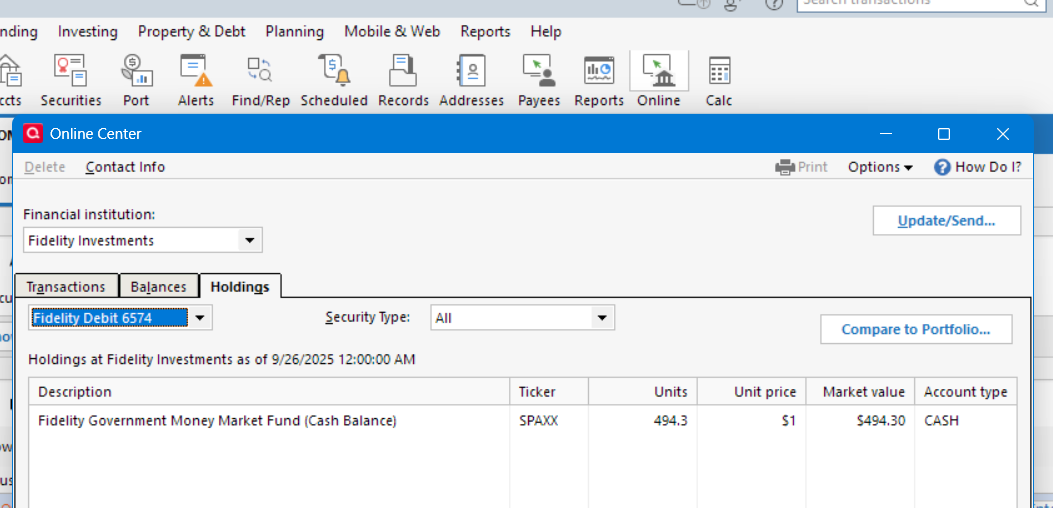
Deluxe R66.23, Windows 11 Pro
0 -
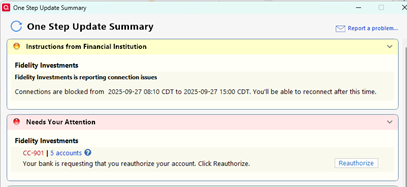
I just tried connecting to Fidelity again and I get a message as follows:
 2
2 -
DC worked successfully for me (at least, there was no error, I did not have any transactions to download). No prompt to transition to EWC+ (which is different; last several days, each OSU would prompt to transition and I would click later).
However, PenFed is having a similar message saying that connections are blocked from 09:15 to 16:00 EDT. With all the EWC/EWC+ issues the last two days, I am not sure if its the FI, Quicken or another. I plan to just try again later.
0