Payee Name character limit too short

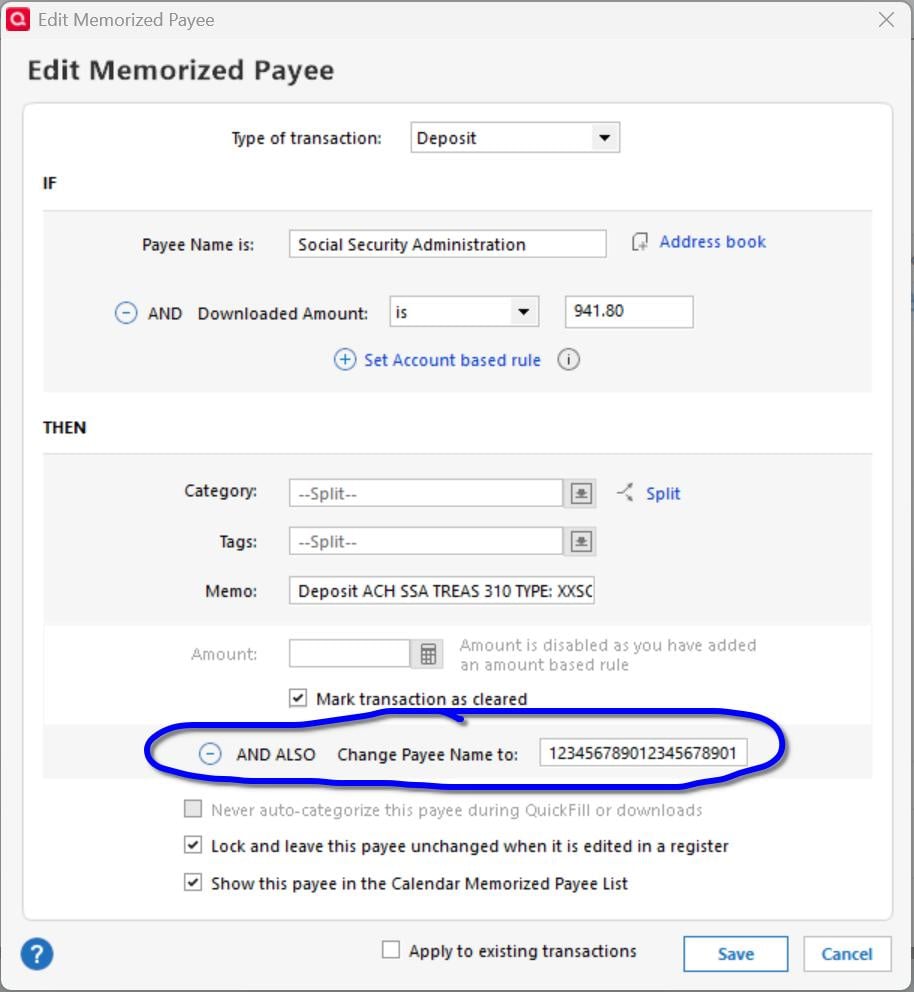
I am trying to set up a conditional rule in the Memorized Payee list. I want an Amount based rule so that I can set tags in a split transaction based on the transaction amount. I also want to use the AND ALSO Change Payee name feature. The field limit for the Payee Name in the Edit Memorized Payee utility for AND ALSO seems to be only 21 characters long. Not nearly enough.
I am using Quicken Classic Deluxe, version R66.23.
Comments
-
Can you give us an example of such a rule so we can try to reproduce that problem? An image snapshot of what you're trying to do would be helpful.
0 -
Hello @Daddio25,
We haven't heard back from you in a while. Do you still need assistance?
If so, could you please provide the details requested by @UKR?Check back and let us know! Thank you.
-Quicken Anja
Make sure to sign up for the email digest to see a round up of your top posts.0 -
@Quicken Anja Sorry. I missed the request until this morning.
@UKR Here is a screenshot showing the issue. In the "Change Payee Name to:" box I used numerical digits to show the maximum string length that it is allowing.
Thanks for looking into this! 🙂
 0
0 -
I get the same thing when filling in the "Change Payee Name to:" field.
What is the actual maximum length for a Payee Name?
IMHO, this should be sent upstairs as a bug and the field definition updated accordingly.
0 -
The actual limit for a payee name is 64 characters, so this is definitely a bug.
0 -
Hello All,
Thank you for taking the time to visit the Community to report this issue, though we apologize that you are experiencing this.
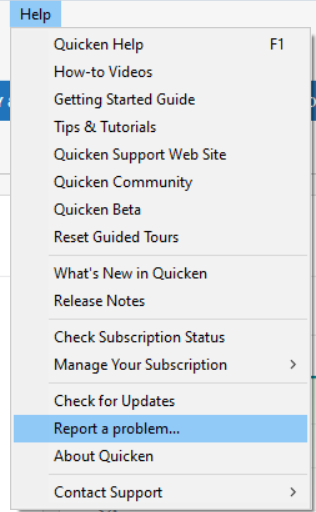
We have forwarded this issue to the appropriate channels for further investigation. In the meantime, we request that you please navigate to Help > Report a problem and submit a problem report with log files attached if you would like to contribute to the investigation.
While you will not receive a response through this submission, these reports will help our teams in further investigating the issue. The more problem reports we receive, the better.
We apologize for any inconvenience! Thank you.
(CTP-17027)
Quicken Kristina
Make sure to sign up for the email digest to see a round up of your top posts.
0 -
Problem report sent, as requested.
1 -
Thank you for sending the problem report!
I forwarded the information to our teams.
Thank you!
Quicken Kristina
Make sure to sign up for the email digest to see a round up of your top posts.
0



