Citi Cards reporting connection issues

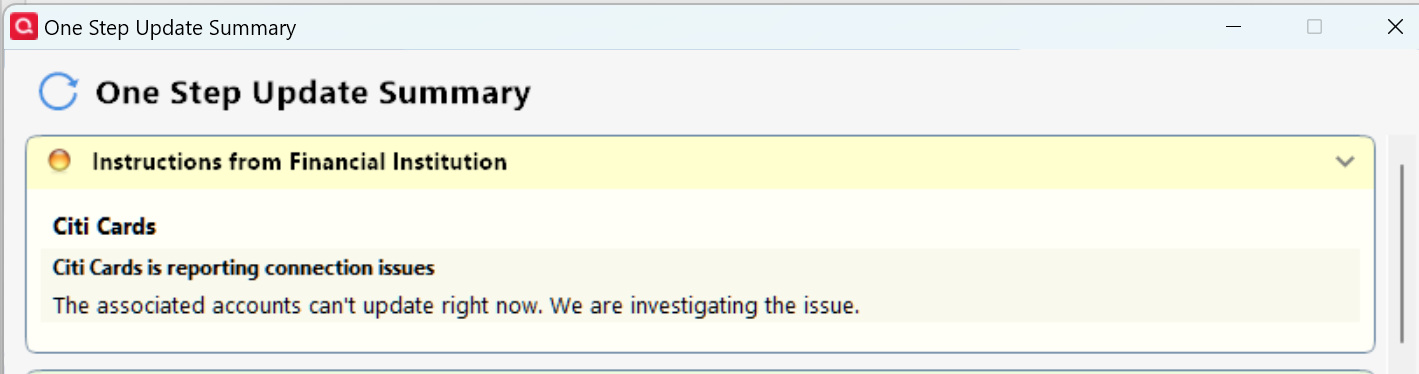
Been receiving this for several days…
Quicken Classic - R66.28, Windows 11 PRO current on updates
My data file is NOT being synced nor backed up.
Comments
-
Yeah, me too. Nothing about it over in the Alerts, Online Banking & Known Product Issues area and the 3 active CitiBank cards of my 4 CitiBank cards are all downloading OK, so I ignore it.
0 -
Hello @Greg Brown & @Tom Young,
We appreciate you bringing this issue to our attention!
To troubleshoot this issue, please follow these steps:
- Run One Step Update (OSU) first to see if the issue resolves.
- If the issue persists, rename the runtime.dat file located at: C:\ProgramData\Quicken\Inet\FILENAME\
- (For example, add a 1 at the beginning of the file name so it reads 1runtime.dat.)

- (For example, add a 1 at the beginning of the file name so it reads 1runtime.dat.)
- Run One Step Update again to check if the problem is resolved.
- Close and reboot Quicken to ensure changes take effect.
📌 Note: The ProgramData folder is hidden by default. If you need help accessing it, Microsoft's support site has instructions on how to unhide folders.
Additionally, this is also considered a known issue and has been escalated internally. To assist in our investigation, please provide the following and let us know once you have done so, so they can be added to the open ticket:
- Logs (Help > Report a Problem)
- Screenshots (excluding personal data)
- A sanitized copy of your Quicken data file (with personal details removed)
Thank you!
(CTP-14158)-Quicken Anja
Make sure to sign up for the email digest to see a round up of your top posts.1 -
That worked. Thanks!
I'm unable to upload sanitized file since the file size is too big.
1 -
As an FYI, the problem came back this morning.
I figured I'd use your fix of changing the runtime.dat file again, but found that my data file named "Young92" no longer exists in the path C:\ProgramData\Quicken\Inet\FILENAME\. In its place is a file named "Youngs.082", last modified 9/4/2025.
Digging a step deeper in that Youngs.082 path I see my "1runtime.dat" file and the "runtime.dat" the program created in its place.
I assume that changing the name of that new runtime.dat file in that path to something like "2runtime.dat" might "fix" things again, but since my Citi credit cards - at least the 3 of the 4 Citi credit cards I actually use - are downloading properly, I figured I'd leave things be, for the moment.
Any thoughts on that strange data file name change?
0 -
@Tom Young Thanks for the update and for sharing these details—I haven’t heard of this data file renaming behavior before, but I’ll make sure to include everything you’ve observed in the open ticket for our internal team.
Even though you’re unable to submit a sanitized data file due to its size, if possible, you can still send your log files. I can attach those to the ticket as well to help with the investigation.
Appreciate you taking the time to provide all this info!
-Quicken Anja
Make sure to sign up for the email digest to see a round up of your top posts.0 -
Log files sent with a "Subject" using the top title of this post.
0 -
Perfect, thank you! I'll get them attached to the ticket.
-Quicken Anja
Make sure to sign up for the email digest to see a round up of your top posts.0 -
Just note on how Windows updates the modification times on folders. You can't count on that date/time to know if something has been modified in the files it contains. Its date/time is only changed when there is an actual change to the directory, as in you add or delete a file or rename a file.
To see what has actually been modified go into the folder and look at the modification times there.
Note I don't have any "strange" folders at the moment, but I have seen them in the past. It might be for some reason Quicken can't write to the original folder and decides to just create a new folder.
Just out of curiosity I did edit the error message out of my runtime.dat and that worked fine.
One of the things that makes this more of a pain is that the warning doesn't get cleared even when you have a successful update. As such it gives the impression that this is an ongoing problem each day when it really isn't and it takes a long time for the runtime.dat to be naturally trimmed so that this warning goes away (without the user deleting the runtime.dat file).
But looking at the Cloud Sync log, this warning is coming from the Quicken servers. I wouldn't be in the least bit surprised that it is a valid warning, and the cause is actual the Citibank website. And it probably is the time of day where it gets busy, that the most problems will occur, but also every once in a while, it might be for extended periods of time so that it affects more people.
<!-- ***** RECV from https://services.quicken.com/institution-logins/refresh/502078065133246208 at 09:17:57 on 20250905 ***** -->

{"jobId":"502078065133246208","isProcessing":false,"status":"OK","lastUpdatedAt":"2025-09-05T16:17:34.787596636Z","institutionLogins":[{"id":"500937790369428480","institutionName":"Citi Cards","brandingId":4894,"status":"OK","aggregators":[{"aggStatus":"OK","accounts":[{"id":"500937793694645249","cpId":"726fda50-4d54-11f0-8028-7a07737c575f","aggStatus":"OK"}],"isProcessing":false}],"channel":"FDP_WSI_OAUTH","fiIssue":{"issueType":"FULL_OUTAGE","channel":"FDP_WSI_OAUTH","shortMessage":"Citi Cards is reporting connection issues","longMessage":"The associated accounts can't update right now. We are investigating the issue.","issueSource":"AGGREGATOR","eventStartAt":"2025-09-05T16:05:00Z","eventLastUpdateAt":"2025-09-05T16:05:01Z"},"isProcessing":false}]}
1 -
The replacement for my Young92 data file - the new Youngs.082 file - does reflect the time and date that I changed the name of runtime.dat to 1runtime.dat. The runtime.dat that's there now properly shows the date and time of today's OSU.
Looking inside runtime.dat I do see the error statement. It's a bit of a mystery why the 9/4 OSU performed after the rename and the 9/5 OSU both worked correctly. But the bigger mystery is the name change to "Youngs.082." The actual data file's name is unchanged.
0 -
Similar problem reported with Schwab.
0 -
This issue has been around for a few months now - see the link below and there are many others as well. Deleting the runtime.dat file only fixes it temporarily and it comes back. I think @Quicken Jasmine may have had taken ownership of it but she is no longer with the team it appears?
https://community.quicken.com/discussion/7963791/bank-connection-issues-citibank/p1
- Q Win Deluxe user since 2010, US Subscription
- I don't use Cloud Sync, Mobile & Web, Bill Pay0 -
Do you edit out this entire line, or just the value, or a few other lines as well? (I typically just delete the runtime.dat file)
FiSetupInstruction=Citibank is reporting connection issues|The associated accounts can't update right now. We are investigating the issue.
- Q Win Deluxe user since 2010, US Subscription
- I don't use Cloud Sync, Mobile & Web, Bill Pay0 -
I edited out the whole section, starting with the last [XXXX] until the next [YYYY].
But I just did that out of curiosity. I also would normally just delete the runtime.dat file.
0 -
I am still getting this error. What is happening to resolve this??
Quicken Classic - R66.28, Windows 11 PRO current on updates
My data file is NOT being synced nor backed up.
0 -
@Greg Brown At this time, the issue is still under active investigation with our internal teams (ticket CTP-14158). While I don’t have an ETA to share, I can confirm that your reports—as well as the details and logs other members have provided—have been added to the open ticket.
In the meantime, the troubleshooting steps I shared earlier in this thread have worked for some users, so you may want to give those a try if you haven’t already.
Thank you for your patience and for continuing to share updates about your experience—it helps keep our teams informed.
-Quicken Anja
Make sure to sign up for the email digest to see a round up of your top posts.0 -
Thanks, I did the troubleshooting steps but had no effect.
Quicken Classic - R66.28, Windows 11 PRO current on updates
My data file is NOT being synced nor backed up.
0 -
For the past week I have been receiving the message:
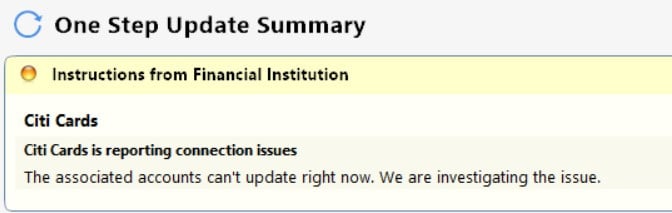
Is this a CITI Card issue or do I need to do something to restore the connection?
1 -
Hello @DennisDe,
Thank you for letting us know you're also seeing this issue. I moved your post to the thread where your specific issue is being discussed.
To troubleshoot, please try following the steps @Quicken Anja posted earlier in this discussion:
Please let me know how it goes!
Quicken Kristina
Make sure to sign up for the email digest to see a round up of your top posts.
0 -
This started yesterday. No error number that I can find. See attached.
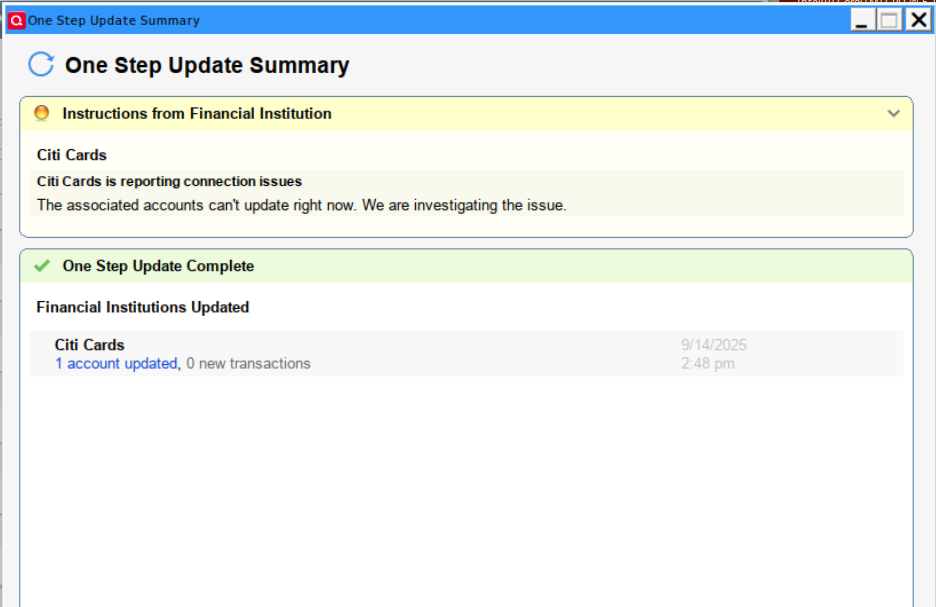 0
0 -
Hello @dccrens,
Thank you for letting us know you're also seeing this issue. I merged your post with the ongoing discussion. To troubleshoot, please follow the steps outlined in this earlier post:
Thank you!
Quicken Kristina
Make sure to sign up for the email digest to see a round up of your top posts.
0 -
The suggested workaround to rename the runtime.dat file is only temporary. The issue is sporadic and comes and goes. I have done a complete uninstall of Quicken including residual folders and the issue comes back, even on a new test data file. I am on R62.16 (and also tested it on the latest R64.25 & an old R60.20) and therefore this issue does not appear to be related to any particular release or data file. The good news is that the transactions do download, so the sporadic yellow Citi message is purely cosmetic for most users. Hope you find this info helpful.
Since you are merging these identical issues, here is the list of multiple reports on this yellow message with Citi (and probably a few more), in case it makes sense to merge them all? Thank you.
https://community.quicken.com/discussion/7965576/citi-cards-reporting-connection-issues
https://community.quicken.com/discussion/7963791/bank-connection-issues-citibank
https://community.quicken.com/discussion/7965607/how-to-rid-yellow-citi-warning
https://community.quicken.com/discussion/7965674/quicken-citi-cards-message-from-one-step-update
https://community.quicken.com/discussion/7965501/getting-yellow-error-message-with-citi-cards-and-no-transactions-downloading
- Q Win Deluxe user since 2010, US Subscription
- I don't use Cloud Sync, Mobile & Web, Bill Pay2 -
Following the instructions to rename the runtime.dat file had no effect. Error persists.
1 -
It seems that my Citi transactions are downloading, but I am experiencing the same issue as others above so I would be interested to see any solutions. Just wanted to add my name to a list of users experiencing this problem.
1 -
Same here. Connection failure began about 4 or 5 days ago. After update I get the message
"Citibank is reporting connection issues. The associated accounts can't update right now. We are investigating the issue."
0 -
Same for me. I get transactions when they exist, and I still get the error messages. It causes extra work on my part because one of the reasons I download regularly it to make sure there isn't any extra transactions. So, If I get an error message I end up logging on to Citibank manually. It's been going on for a while now.
0 -
Same for me. Have renamed the .dat file on several occasions; solution works for a few days, then problem returns. This has been going on for weeks and weeks now; how hard can it be to get it fixed?
[Removed - Speculation/Off Topic/Rant]0 -
Same here. This is ridiculous.
0 -
Thank you for your replies,
Our teams are still working to resolve the issue. There are no new updates yet.
Thank you!
(CTP-14158)
Quicken Kristina
Make sure to sign up for the email digest to see a round up of your top posts.
0 -
Is there any progress on this?
It's October and the displayed error continues to appear. As reported elsewhere, the Citi card accounts are being updated, but I have to manually check to make sure.
2 -
My account may show newbie, but that is because I'm not on here or any social media to chat it up for promotion stickers. I've been using Quicken since 1996. It got better for years..then about 10 years ago all the [Removed - Language] started. This Citi connection issues is just on going…how many times do we need to reset it and reconnect the account? Now that does not even work. I just dumped Verizon for TMobile…now it may be Quicken for [Removed - 3rd Party Software]. We can deal with quirks here and there, but I look for the newest quirk every time I open it now. What is going on?
1




